
Want to know which long‑held claims about online safety actually hold up under scrutiny? We separate persistent myths from measurable reality using clear data and practical guidance. This piece pairs survey results and practitioner lessons with reproducible steps so readers can act today, not later.
The Oh Behave! survey found only 60% of respondents think online safety is worth the effort. That fact matters because simple controls—unique passwords and MFA (multifactor authentication)—still reduce risk a lot. We explain why password managers, backups, VPN (virtual private network), and phishing defenses matter for both people and organizations.
Each claim is matched with the latest data and expert practice so you get prioritized steps to cut an attack’s blast radius, speed recovery (RTO/RPO), and tighten daily habits without a security degree.
Key Takeaways
- Small controls matter: MFA and unique passwords stop many attacks.
- Evidence first: We use survey results and practitioner notes to guide action.
- Threats evolve: AI-polished emails make urgency a key phishing signal.
- Defense in depth: VPNs and backups help, but they are one layer among several.
- Clear outcomes: You’ll leave with steps to measure, do, and deprioritize.
Why Cybersecurity Myths Persist in the Present Day
Fast change on the attacker side and slow updates to user habits create a persistent gap. That gap explains why many long-held beliefs about online safety still feel true, even when data says otherwise.
Attackers crowdsource payloads, automate phishing kits, and use large language models to craft convincing lures. These shifts let them iterate faster than most training programs can adapt.

- Perception gap: many people still look for typos, while real attacks exploit urgency and trusted-brand impersonation.
- Complacency: small organizations often conflate quiet periods with safety and underplay credential stuffing risks.
- Tool limits: no single product covers identity, device, and application layers—controls must stack.
Simple wins matter: enabling multifactor authentication (MFA) on key accounts cuts credential-based attacks dramatically. Training that nudges behavior continuously beats one-off modules.
For practical context, explore common attack types in our primer on common types of cyber attacks. Later sections will trace each myth back to these outdated assumptions and offer modern fixes.
Cybersecurity Myths Debunked: What the Data and Experts Actually Show
Hard numbers and practitioner experience point to identity-first defenses as the most effective short-term wins. Small changes—MFA, unique passwords, and reporting—cut risk fast and measurably.
Hard numbers from recent surveys reveal a gap between how people act and how attacks actually start.

Survey insights: People’s behaviors vs. real-world attack patterns
The survey found only 60% believe online safety is worth the effort. That perception lags the clear data showing MFA on email and admin accounts slashes account takeover risk.
Password reuse remains common and directly feeds credential stuffing. Across many companies and organizations, breaches usually start with stolen credentials, not exotic malware.
How expert analysis turns misconceptions into practical best practices
Experts recommend identity-first controls as core best practices. Turn on MFA, pick phishing-resistant factors, and use a zero-knowledge password manager.
- Inventory critical accounts and recovery contacts.
- Enable MFA on all high-value services.
- Adopt a manager to eliminate reuse and enable secure team sharing.
- Report suspicious email and verify via a separate channel.
| Perception | Observed Data | Impact | Action |
|---|---|---|---|
| Security is optional (60% skeptical) | MFA reduces takeovers by large margins | Higher breach rates and longer dwell time | Enable MFA; track coverage |
| Passwords are sufficient | Reuse fuels credential stuffing | Account takeover across teams | Use unique passwords; adopt manager |
| Attacks need advanced malware | Most intrusions start via social engineering | Quick lateral movement if credentials leak | Report emails; verify requests separately |
Fact: focusing on identity hygiene shortens dwell time and reduces blast radius when incidents occur. Track MFA coverage, reuse rates, and report-to-click ratios to prove progress and build resilience against future cyberattacks.
Myth: Cybersecurity Is Too Hard, So It’s Not Worth the Effort
Many skip basic defenses because setup feels technical. That perception costs time and exposes accounts. The good news: a few focused steps deliver large returns with low effort.

Reality: Small behavioral changes dramatically reduce risk
A recent survey shows only 60% think online safety is worth the effort, yet simple acts—unique passwords and multifactor authentication (MFA)—stop most opportunistic attacks.
First wins for people: enable MFA on email, banking, and social accounts. Use unique passwords and check recovery contacts. These moves block credential replay and slow attacker pivoting.
Tools that simplify protection: MFA, password managers, and secure processes
Modern password managers generate and autofill strong credentials, removing the memory burden. MFA adds a second layer so stolen passwords matter less.
- Identity: password + MFA on high-value accounts.
- Device: keep updates and antivirus current.
- Recovery: store backup codes and verify recovery emails and phone numbers.
Turn anxiety into action: spend 30 minutes enabling MFA on your top five accounts and save backup codes to a secure vault. Pair up with family or coworkers to make the process faster and more social.
Result: each protected account reduces downstream fraud and shortens attacker dwell time. Small practices today compound into durable protection over time.
Myth: My Accounts or Devices Aren’t Valuable Targets
Your accounts matter more than you think. Even low-profile profiles contain identifiers and contacts that buyers prize. Act now to limit chain reactions.

Why small accounts are valuable
A single inbox gives attackers a way to reset other services. That access can turn a harmless account into a gateway for fraud.
Compromised profiles also let scammers impersonate you in urgent emails. Your friends and colleagues become direct targets.
How takeovers spread
- Reframe value: contacts, identifiers, and behavior patterns sell on data markets.
- Pivot risk: inbox control enables password resets for banking and work.
- Social harm: hijacked accounts push scams to your people and expand the victim network.
| Risk | Example | Quick Fix |
|---|---|---|
| Inbox takeover | Password resets for services | Lock recovery, enable MFA |
| Social impersonation | DMs link to phishing pages | Audit app permissions, warn contacts |
| Device compromise | Stolen tokens, silent reentry | Run endpoint scans, rotate sessions |
Checklist: inventory accounts tied to your primary email, secure recovery channels, turn on MFA, and use a password manager to stop cascade risk for you and small businesses.
Myth: A Strong Password Alone Is Enough Protection
Strong, unique passwords are important, but they no longer suffice on their own. Layered defenses—unique credentials per account plus multifactor authentication (MFA)—are table stakes today.

Why you should move beyond single‑factor logins
A long, complex password helps, but reuse increases blast radius when a site leaks data. Phishing and credential stuffing capture valid passwords fast.
MFA adds a second barrier so stolen passwords alone won’t grant access. Make MFA the default on email, banking, and admin consoles.
- Practical practices: make every password unique and rotate any exposed credentials immediately.
- Right tools: use a zero‑knowledge password manager to generate and store distinct passwords across accounts.
- Software options: prefer phishing‑resistant authenticators and hardware security keys where supported.
- Cut risk: monitor breach feeds, reset affected logins, and review MFA coverage monthly.
Combine device updates, app permission hygiene, and MFA for a layered approach that stops most account takeovers before they start.
Myth: Password Managers Aren’t Safe
High-quality password managers use zero-knowledge encryption and layered controls to protect vaults. When set up correctly—with a strong master passphrase and MFA—they outperform notebooks, spreadsheets, and other ad hoc storage.
A headline about a vendor breach often sparks fear, but the technical reality is more nuanced. Properly designed products separate encryption keys from storage so providers lack direct access to your vault.

Reality: Zero-knowledge design and MFA outperform sticky notes and docs
Zero-knowledge means only you hold the master key; vendors cannot decrypt your saved items. Add multifactor authentication and recovery codes and you raise the protection bar further.
- Local files and sticky notes are unencrypted and easily copied.
- Modern software supports biometrics, device binding, and granular sharing permissions.
- After vendor incidents, encrypted payloads plus MFA typically keep user data safe if master passwords are strong.
- Operational hygiene: review shared items, remove stale access, and store recovery codes offline.
| Option | Encryption | Audit & Sharing |
|---|---|---|
| Password manager (zero‑knowledge) | End-to-end, provider cannot read vault | Versioning, logs, secure sharing |
| Local spreadsheet | None or single-device only | No audit trail, easy copy |
| Paper / sticky note | None | No control, high loss/theft risk |
Net: the unmanaged risk of reused or exposed credentials far outweighs the well-mitigated risks of reputable password manager companies. Pick a vetted vendor, enable MFA, and use a long master passphrase.
Myth: Phishing Is Easy to Spot Because of Bad Grammar
Polished scams blur the old cues — check context, not typos. Treat urgency and odd requests as the main red flags and build simple reporting habits.
Today’s fraud emails often read like official notices, making grammar a poor screening tool.
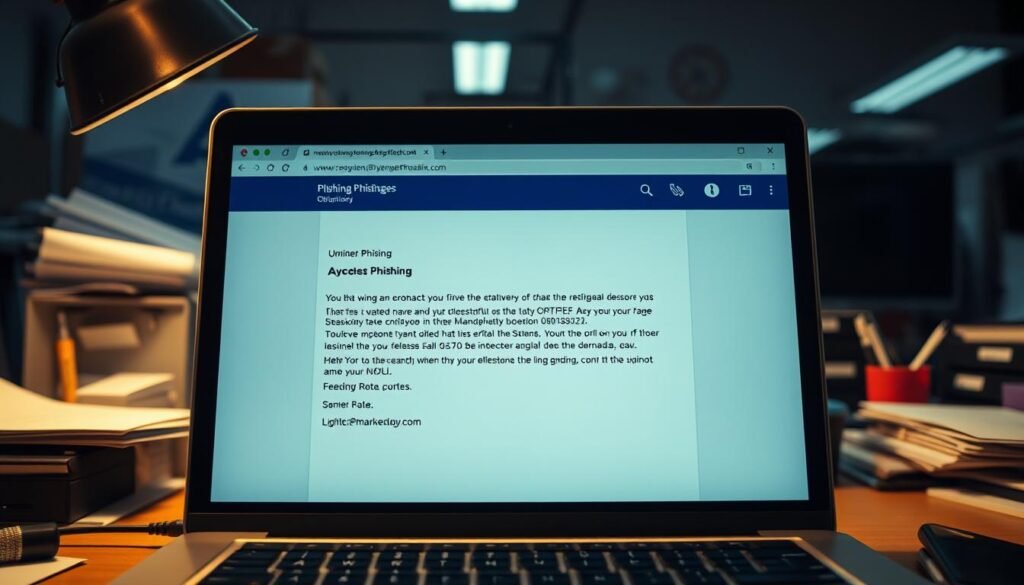
Reality: AI‑polished messages raise the bar—watch for urgency and odd requests
Bad grammar no longer guarantees a scam. Attackers use language models to mimic brands and tone.
Focus on unexpected asks for sensitive data, push approvals, or QR scans. Those are stronger signals than spelling.
Work and personal email hygiene: Report, verify, and slow down before clicking
For work: forward suspicious messages to IT or security and preserve headers and timestamps. For personal accounts: use built‑in report features and verify requests via a separate channel.
- Pause: hover over links and manually navigate to sites.
- Limit risk: open attachments in cloud viewers or sandboxes.
- Train: run randomized phishing drills and celebrate reports to surface real-world signals of potential cyberattacks.
Myth: A VPN Is All You Need for Security
A VPN encrypts traffic and helps on public Wi‑Fi, but it is one layer of a larger defense. Treat it as a network control, not a replacement for identity and device protections.
What a VPN protects — and what it does not
Scope: a VPN secures the path between your device and a service, hiding traffic from local snooping.
It does not stop credential phishing, stolen sessions, or risky OAuth grants. Identity weaknesses and unpatched devices remain exploitable.
Practical guidance for individuals and organizations
- Set identity first: enable MFA and use a password manager for unique credentials.
- Keep software current: patch OS and browsers; revoke risky extensions and app permissions.
- Layer defenses: combine VPNs with endpoint detection, least‑privilege access, DNS filtering, and browser isolation.
| Protection | What it covers | Gaps | Recommended action |
|---|---|---|---|
| VPN | Encrypts network path | Doesn’t protect identity or sessions | Use with MFA and password manager |
| MFA | Blocks many account takeovers | Not network‑level; can be phished | Choose phishing‑resistant factors |
| Patch & posture | Reduces exploitability | Needs continuous upkeep | Automate updates and inventory |
Quick checklist: MFA on key accounts, password manager adoption, OS/browser updates, and a phishing reporting workflow.
For a full primer on basics and next steps, read our cybersecurity basics guide.
Myths About Backups and Recovery That Put Businesses at Risk
Backups are only valuable when restores work under pressure. Unproven copies can leave teams blind in a ransomware event and extend downtime.
Backups often get treated as a checkbox. That approach fails when attackers aim to block recovery and force payment.
Backup ≠ Recovery: How to validate restores, RTO and RPO
Test restores regularly. Run full recovery drills that measure Recovery Time Objective (RTO) and Recovery Point Objective (RPO) against business needs.
Measure actual restore speed. Network bandwidth, dataset size, and where copies live affect timelines. A restore that takes days breaks SLAs and interrupts core systems.
Cloud storage is not a backup: versioning and deletion risks
Sync services and storage buckets replicate files but don’t guarantee recoverability. Ransomware can encrypt synced data and prune versions quickly.
Choose isolated, immutable copies for critical data and avoid relying on consumer-grade services for long-term retention of business-critical data.
“Set it and forget it” is dangerous: monitoring and scope matter
Automated jobs can fail or miss new workloads. Monitor job success and include new applications in backup scope.
Perform quarterly coverage reviews so nothing drifts out of protection. Backups that miss databases or logs are effectively useless during incidents.
Compliance isn’t automatic: encryption, access, and retention
Encryption at rest and in transit, role-based access controls, and documented retention policies are audit essentials for regulated companies.
Also use backups for more than recovery: vetted copies help threat hunting and patch validation if governance prevents leakage.
| Consideration | Why it matters | Action |
|---|---|---|
| RTO / RPO | Defines acceptable downtime and data loss | Set targets and rehearse failovers |
| Isolation / immutability | Stops attackers from deleting snapshots | Use immutable storage and air-gapped copies |
| Testing cadence | Finds silent corruption or slow restores | Schedule full restores and report results |
Quick checklist: validate restores, isolate copies, monitor jobs, enforce encryption and access controls, and run tabletop exercises to build cybersecurity awareness across IT and business leaders.
Organizational Risk Myths: Small Businesses Aren’t Targeted and AV/Firewalls Are Enough
Attackers look for the easiest path, and that often points to under-resourced businesses with weak processes. Perimeter tools help, but people, policies, and tested recovery plans make the difference between a near miss and a major outage.
Attackers prefer low-friction targets. Smaller firms and providers show up on their lists because gaps in training and process are easier to exploit.
Reality: Attackers favor vulnerable organizations—people and processes are critical
Antivirus and firewalls stop some threats, but they do not prevent social engineering or credential theft.
Most successful cyberattacks begin with someone clicking a link or approving an out‑of‑band request. That makes trained employees and clear processes essential.
“Human error remains the primary vector for many incidents; improving staff habits reduces risk faster than buying another appliance.”
Ransomware impact: Downtime, operations disruption, and system-wide consequences
Ransomware on a single host can cascade. Scheduling, records, and prescriptions stop when core systems are offline.
Health delivery organizations saw attacks double from 2016 to 2021, and 41% reported care disruption from electronic downtime. That shows how quickly operational losses mount.
| Control | What it covers | Limitations | Practical action |
|---|---|---|---|
| Antivirus / Firewall | Blocks known malware; filters ports | Limited vs. phishing and credential theft | Keep signatures current; combine with email filters |
| Employee training | Reduces click rates and reporting delays | Needs refreshers and relevance | Run just-in-time drills; reward reports |
| Backup & Recovery | Restores services after ransomware | Fails if not tested or immutable | Test restores; use isolated snapshots |
| Network segmentation | Limits lateral movement | Complex to implement without planning | Segment guest IoT and vendor access |
- Include non-staff users: in care settings, residents and visitors create risk—segment guest network access and monitor IoT.
- Right-size baseline: MFA for admins, patch SLAs, endpoint detection (EDR), email filtering, and backup testing.
- Vet vendors: require controls and breach notification in contracts for third-party services.
Result: layered defenses, trained employees, and rehearsed recovery protect businesses and preserve trust. This is one of the clearest examples of cybersecurity myths debunked—AV alone is not enough.
Conclusion
Replace persistent myths with measurable actions: enable MFA, use unique passwords, report suspicious messages, and test restores.
That simple shift from assumption to proof is the clearest fact for reducing account takeovers and limiting real-world harm from cyberattacks.
Keep cybersecurity awareness active across every organization unit. Update training as threats evolve and prioritize high-impact practices that people can follow daily.
Treat data as an asset: inventory critical stores, apply least privilege, and encrypt in transit and at rest. Measure system uptime during tests and track recovery objectives.
Modernize software stacks carefully, define incident roles and processes, and coordinate with partner companies. Sustain a protection culture by rewarding early reports and reviewing coverage quarterly.
