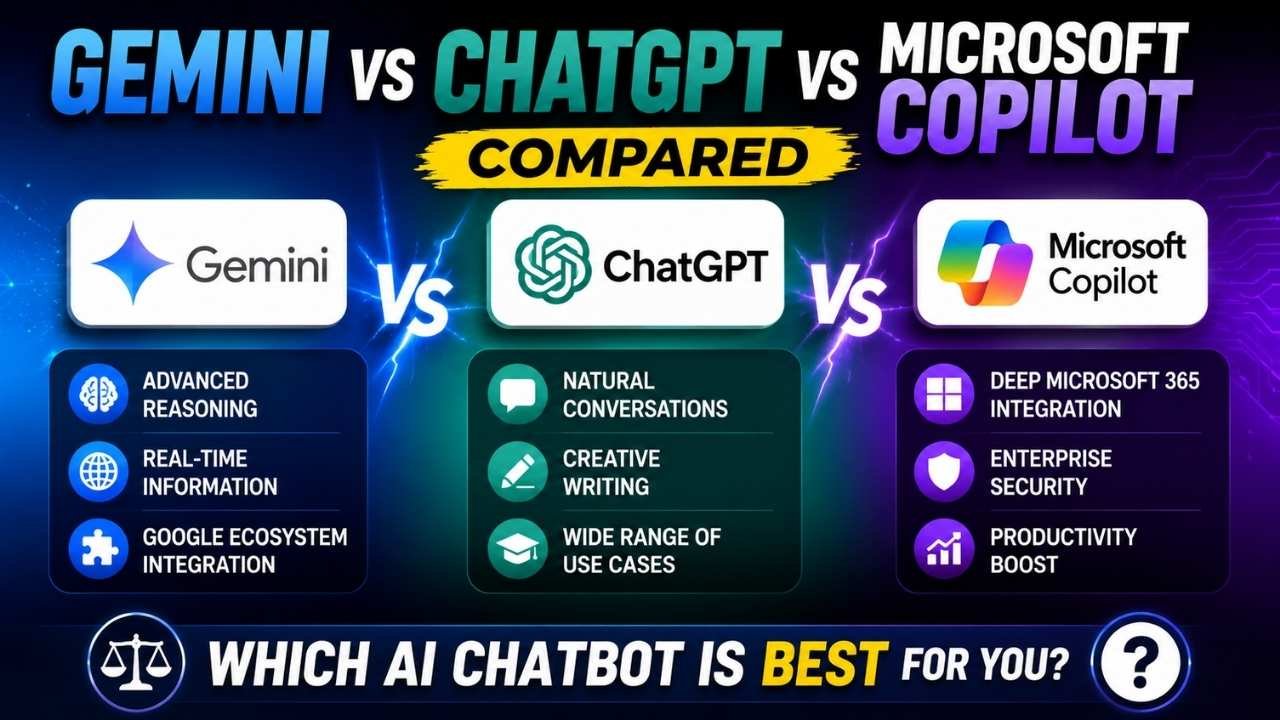
Google Gemini, OpenAI ChatGPT and Microsoft Copilot can all answer questions, generate text, analyze information and help with everyday work. They are still separate products made by different companies, with different account systems, integrations and priorities.
The clearest way to compare them is by ecosystem. Gemini fits naturally into Google-centered workflows. Copilot is built around Microsoft-centered work. ChatGPT operates more as a broad, standalone AI workspace rather than an extension of Google Workspace or Microsoft 365.
None of the three is automatically the best choice for everyone. The better fit depends on where your email, documents and cloud files already live, which connections your account supports, whether you need access to organizational data and how the selected plan handles privacy, tools and usage limits.
Quick Answer: Gemini vs ChatGPT vs Copilot
Choose Google Gemini when Gmail, Google Drive, Docs, Sheets, Android and other Google services sit at the center of your personal or professional workflow. Its practical advantage is less about a model benchmark and more about how well it can connect with supported Google services.
Choose Microsoft Copilot when most of your work happens in Word, Excel, PowerPoint, Outlook, Teams, SharePoint or OneDrive. Microsoft 365 Copilot can use organizational context in supported configurations, but what it can access depends on licensing, permissions and administrative setup.
Choose ChatGPT when you want a flexible AI workspace for writing, brainstorming, research, coding, planning, file analysis and multimodal tasks without making Google Workspace or Microsoft 365 integration the deciding factor.
First, Correct the Product Names
Before comparing features, separate the company, the assistant and the underlying model technology. These terms are often mixed together, which makes the products seem more closely related than they actually are.
Google Bard Is Now Gemini
Google originally introduced its consumer chatbot as Bard. In February 2024, the company renamed Bard to Gemini, bringing the assistant under the same name used for its wider family of AI models and services.
Gemini is now the name to look for when comparing Google’s general-purpose AI assistant with ChatGPT or Copilot. Google describes it as a personal AI assistant, although its capabilities and privacy behavior can vary by account, settings and enabled services.
ChatGPT Belongs to OpenAI
ChatGPT is made and operated by OpenAI. Microsoft does not own it, and it should not be described as Microsoft’s chatbot.
Microsoft has a major commercial relationship with OpenAI and may use OpenAI models in some Copilot experiences. That relationship does not make ChatGPT and Copilot the same product. They have separate interfaces, accounts, subscriptions, data connections and product roadmaps.
Microsoft’s Chatbot Is Copilot
Copilot is Microsoft’s umbrella name for several AI-assistant experiences. Depending on the context, it may refer to the consumer assistant, Microsoft 365 Copilot Chat, Microsoft 365 Copilot, an assistant embedded in a Microsoft application or another specialized Microsoft product.
That distinction matters when discussing workplace data. Some Microsoft 365 Copilot configurations can use organizational information, while other Copilot experiences may rely mainly on web results, uploaded files or content open in a supported application.
Gemini vs ChatGPT vs Copilot at a Glance
| Assistant | Best For | Key Strength | Main Tradeoff |
|---|---|---|---|
| Google Gemini | Google Workspace and Google-service users | Connections with supported Google services | Availability and data access depend on account, plan, permissions and region |
| OpenAI ChatGPT | Broad general-purpose AI work | Standalone workspace for writing, analysis, research, coding and file work | Models, connectors, limits and advanced tools vary by plan |
| Microsoft Copilot | Microsoft 365-centered workflows | Integration with Microsoft applications and supported workplace context | Copilot products do not all include the same features or organizational access |
The practical question is rarely which assistant scored highest on a benchmark. It is which one can work with the applications, information and permissions you use every day.
What Is Google Gemini?
Core Purpose
Google Gemini is a general-purpose AI assistant for answering questions, writing, planning, summarizing and brainstorming. It also serves as an entry point into Google’s wider AI ecosystem.
That position matters most for people who already depend on Google accounts, Android devices and Google’s cloud productivity tools.
Google Workspace and Google-Service Integration
Gemini Apps can work with supported connected services when the relevant connection is available and enabled. For users who keep their email and files in Gmail and Drive, this can reduce the need to copy information manually between tools.
A connection does not mean unrestricted access. What Gemini can retrieve or use depends on the account, permissions, settings, region, subscription and service involved. Google also provides activity and privacy controls that affect how Gemini interactions are stored and processed.
Who Gemini Is Best For
Gemini makes the most sense when your information already lives inside Google’s ecosystem. Someone who moves between Gmail, Drive and Docs throughout the day may gain more from those supported connections than from a small difference in model performance.
It may also suit Android users who want an assistant that works within Google’s broader device and service environment.
Main Limitations
Gemini’s connected capabilities are not identical across all accounts. Personal, educational, business and enterprise users may receive different features or protections. Administrators can also limit access to extensions, services or connected applications.
Before subscribing or entering confidential information, check the current plan requirements, regional availability and activity settings for the account you will actually use.
What Is ChatGPT?
Core Purpose
ChatGPT is OpenAI’s general-purpose AI assistant and workspace. It supports quick questions as well as longer tasks involving writing, studying, mathematics, planning, coding, research, uploaded files and images.
It is designed for more than one-off answers. Users can build drafts, examine source material, continue conversations and work through multi-step problems in one environment.
General-Purpose Tools and Workflows
ChatGPT is often the simplest choice for someone who wants one AI workspace for varied tasks rather than an assistant chosen mainly for its connection to Google or Microsoft software.
Common uses include outlining articles, explaining technical subjects, examining uploaded documents, debugging code, developing ideas, reorganizing information and researching questions. The available models, tools, connectors and usage allowances depend on the account and plan.
Who ChatGPT Is Best For
ChatGPT suits users who value flexibility and an independent working environment. It can be a practical starting point for freelancers, students, creators, researchers and developers whose work crosses several platforms.
It also fits mixed-device users who do not want their AI choice to depend entirely on whether their files are stored in Google Drive or OneDrive.
Main Limitations
ChatGPT does not automatically receive deep access to a company’s Google Workspace or Microsoft 365 data. Any relevant connector must be supported, available to the account and properly authorized.
Plan structures and included capabilities can change as well. Check whether the current plan supports the research tools, file limits, connectors, models and organizational protections you need before paying for it.
What Is Microsoft Copilot?
Consumer Copilot vs Copilot Chat vs Microsoft 365 Copilot
“Microsoft Copilot” does not describe one uniform product. Microsoft uses the name across several related AI experiences built for different users and working environments.
A consumer Copilot experience may concentrate on general assistance and web-grounded answers. Microsoft 365 Copilot Chat is positioned as secure AI chat for work and education, while a licensed Microsoft 365 Copilot setup can add deeper workplace grounding and in-app integrations.
As a result, two people who both say they use Copilot may have very different tools, data access and organizational protections.
Microsoft 365 and Microsoft Graph Integration
Microsoft 365 Copilot’s main advantage is its place inside Microsoft’s productivity environment. In supported configurations, it can use authorized context from files, meetings, email and chats while following the permissions already applied to the Microsoft 365 account.
Microsoft states that its workplace Copilot experiences inherit Microsoft 365 permissions, sensitivity labels and retention policies. The assistant should therefore surface only information the signed-in user is already allowed to access. It does not give every employee unrestricted access to company data.
Who Copilot Is Best For
Copilot is designed for individuals and organizations already working in Word, Excel, PowerPoint, Outlook, Teams, SharePoint and OneDrive.
Its value is clearest when a user needs to draft from workplace context, summarize meetings, locate authorized organizational information or continue working inside familiar Microsoft applications.
Main Limitations
The Copilot name can make comparisons confusing because capabilities differ by account type, product and license. A feature available in Microsoft 365 Copilot should not automatically be attributed to a free consumer Copilot experience or every Copilot Chat account.
Organizations can also restrict agents, connectors, external sources and access to sensitive information. Confirm the exact Copilot product and license being offered rather than relying on the umbrella name.
The Most Important Differences
Ownership and Underlying Models
Gemini is Google’s product, ChatGPT is OpenAI’s product and Copilot is Microsoft’s product. Each company may use several models, routing systems, retrieval tools and supporting technologies behind the interface.
Microsoft’s use of OpenAI technology does not turn Copilot into ChatGPT. In the same way, the Gemini assistant and Google’s underlying Gemini models are connected concepts, but they are not interchangeable terms. The user experience depends on far more than the model name listed on a marketing page.
Search and Web Grounding
All three assistants may offer access to current web information, but citation behavior, research depth, feature availability and usage limits can vary by plan.
When using any of them for research, check whether the assistant identifies its sources, whether those sources support the answer and whether the information is current. Web access can reduce knowledge gaps, but it does not guarantee accuracy.
Email, Documents and Cloud Storage
This is often the deciding difference. Gemini is positioned around supported Google services, while Microsoft 365 Copilot is built around Microsoft applications and authorized organizational context.
ChatGPT can work with uploaded files and available connectors, but it is not the native assistant for either company’s full productivity ecosystem.
Writing and Content Creation
Gemini, ChatGPT and Copilot can all draft, rewrite, summarize and help develop ideas. The better fit depends on where the source material lives and where the finished work needs to go.
ChatGPT fits a standalone drafting process. Gemini may be more convenient when the work begins with information in supported Google services. Copilot can reduce friction when the task is already taking place in Word, Outlook, PowerPoint or another supported Microsoft application.
Coding and Technical Work
All three can explain code and assist with technical questions. The right choice depends on the programming language, development environment, repository access, required integrations and plan-specific tools.
Developers should not base the decision on a general chatbot comparison alone. Specialized coding products, integrated development environment support and repository permissions may matter more than the brand of the conversational assistant.
File and Image Analysis
Each assistant may support uploaded files, images or multimodal prompts, depending on the account and plan. Check the supported file types, size limits, usage allowances and cloud-storage connections before subscribing.
Manually uploading a document is not the same as granting an assistant ongoing access to a cloud service. The difference affects convenience, permissions and privacy.
Agents, Automation and Connected Apps
AI assistants are adding agents, custom workflows and app connections that can handle more of a multi-step task. Those capabilities also require closer attention to permissions and administrative controls.
Before enabling one, check what the agent can read, which actions it can perform, whether approval is required and whether an organizational administrator can restrict or monitor it.
Privacy and Organizational Data Protection
There is no single privacy description that applies equally to every personal, business and enterprise account. Data retention, human review, model-improvement use and administrative controls can vary by product and account configuration.
Google provides Gemini Apps activity and privacy controls for personal accounts. OpenAI offers personal and organizational account options with different controls. Microsoft states that Microsoft 365 Copilot workplace prompts, inputs and responses are not used to train its underlying foundation models, and that workplace access follows existing Microsoft 365 permissions.
Review the terms and controls for the exact account before entering confidential, regulated or proprietary information. A company-managed enterprise account should not be assumed to behave like a personal account, or the other way around.
Which AI Assistant Should You Choose?
Choose Gemini If…
- You use Gmail, Drive, Docs and other Google services extensively.
- You want an assistant closely connected with Google’s ecosystem.
- The Google-service connection you need is supported by your account and region.
- You have reviewed the relevant Gemini Apps activity and privacy settings.
Choose ChatGPT If…
- You want a broad, standalone workspace for varied AI tasks.
- Your work crosses several platforms rather than staying inside one productivity ecosystem.
- You regularly work on writing, analysis, research, coding, planning or uploaded files.
- The plan you are considering includes the tools and limits you need.
Choose Copilot If…
- Your personal or organizational workflow is centered on Microsoft 365.
- You work extensively in Word, Excel, PowerPoint, Outlook or Teams.
- You need authorized workplace context through a supported Microsoft 365 configuration.
- Your organization has the required licenses, permissions and administrative controls.
Use More Than One If…
Some workflows may justify using more than one assistant. A person could use Gemini for Google-connected personal work, Microsoft 365 Copilot inside an employer-managed environment and ChatGPT for independent research or drafting.
Multiple subscriptions are not automatically worthwhile, though. Begin with the assistant that fits your main workflow. Add another only when a specific missing capability is useful enough to justify the additional cost and account complexity.
What Most Comparison Articles Get Wrong
- They treat ChatGPT and Copilot as the same product. Microsoft may use OpenAI models, but ChatGPT remains an OpenAI product with its own accounts, interface and features.
- They compare model names instead of workflows. Benchmarks can change quickly and may say little about how well an assistant works with your documents, email or applications.
- They ignore account type. Personal, educational, business and enterprise versions can include different tools, protections and administrative controls.
- They assume a connector can access everything. Access depends on authorization, existing permissions, service support and administrator policies.
- They describe every Copilot product the same way. Consumer Copilot, Copilot Chat and licensed Microsoft 365 Copilot need to be evaluated separately.
- They treat privacy as a yes-or-no feature. Privacy depends on the product, account, settings, retention rules and whether the service is used personally or through an organization.
- They publish prices and limits as though they are permanent. AI subscriptions, model availability, usage allowances and regional features can change frequently.
FAQ
Is Google Bard now called Gemini?
Yes. Google renamed Bard to Gemini in February 2024. Gemini is now the name used for Google’s general-purpose AI assistant and its wider family of AI technologies.
Is ChatGPT owned by Microsoft?
No. ChatGPT is an OpenAI product. Microsoft works closely with OpenAI and may use OpenAI models in Copilot services, but ChatGPT itself is not Microsoft’s chatbot.
What is the difference between ChatGPT and Microsoft Copilot?
ChatGPT is OpenAI’s standalone general-purpose AI workspace. Copilot is Microsoft’s family of AI assistants, with certain versions integrated into Microsoft applications and workplace data. Their accounts, interfaces, connectors and subscriptions are separate.
Is Gemini better than ChatGPT for Google Workspace?
Gemini is generally the more natural fit for a Google-centered workflow because of its connection with supported Google services. Actual access depends on the account, plan, region, permissions and enabled connections.
Is Copilot better for Word, Excel and Teams?
Microsoft Copilot is generally better suited to supported Word, Excel and Teams workflows, especially when an organization has the appropriate Microsoft 365 license and configuration. Not every Copilot product includes the same in-app or workplace-data capabilities.
Which chatbot is better for research and writing?
All three can help with research and writing. ChatGPT provides a broad standalone workspace, Gemini can be convenient when source material is stored in supported Google services, and Copilot may be the better fit when the work is already inside Microsoft 365. Source checking remains necessary with all three.
Can these AI assistants access personal emails and files?
They may be able to access supported email or storage services when the relevant connector is available, enabled and authorized. They do not automatically receive unrestricted access to every email or file, and organizational permissions can further limit what is available.
Which AI chatbot offers better privacy?
There is no universal winner. Privacy depends on whether the account is personal or organizational, which settings are enabled, how activity is retained and whether conversations may be used for model improvement. Review the current privacy terms for the exact product and plan before entering sensitive information.
Final Verdict
Google Gemini, OpenAI ChatGPT and Microsoft Copilot overlap in their basic capabilities, but each approaches integration differently.
Gemini is the clearest fit for Google-centered users who want an assistant connected with supported Google services. Microsoft Copilot is better aligned with Microsoft-centered professionals and organizations, particularly when Microsoft 365 applications and authorized workplace context are central to the work.
ChatGPT remains the strongest general-purpose standalone option for users who want one flexible workspace for writing, research, coding, planning and file analysis without choosing primarily around Google Workspace or Microsoft 365.
The deciding factor is where your information lives, which tools your account can access and what privacy protections apply to that account. Check current pricing, regional availability, connectors, model options and plan limits before subscribing because these products change frequently.
