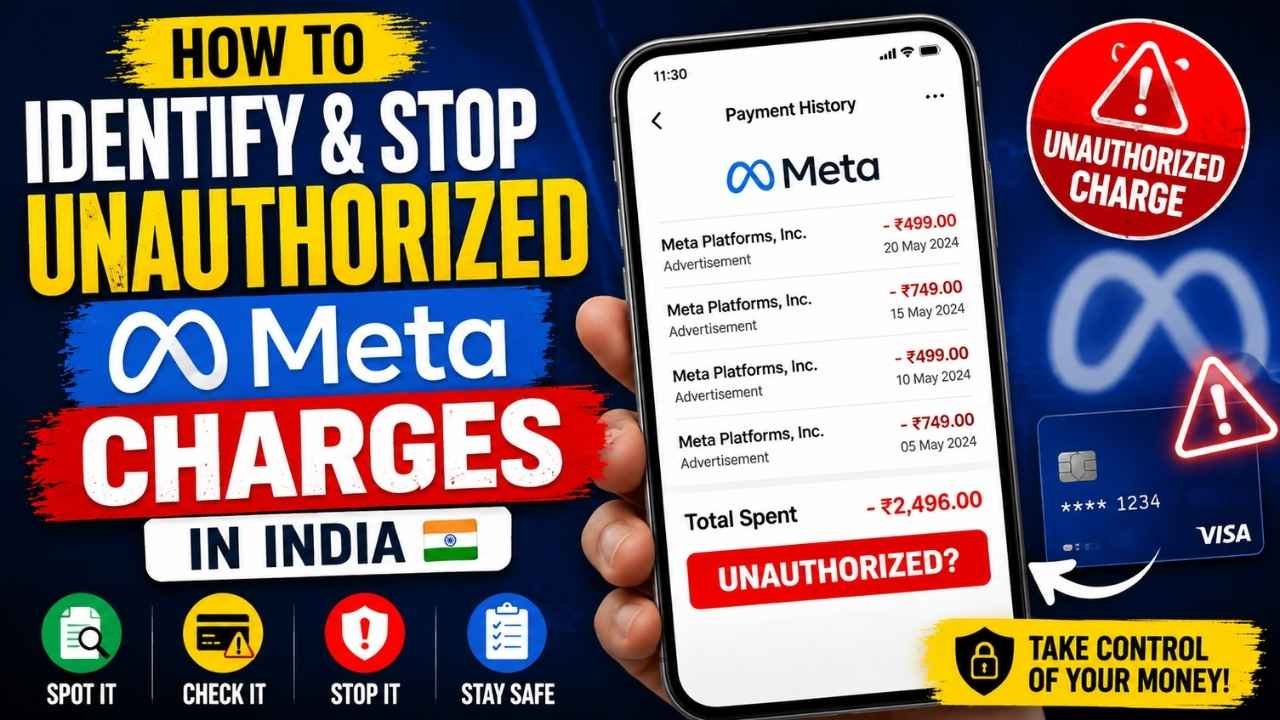
A small charge labeled Meta, Facebook or Instagram can come from several places. It may be advertising spend, a subscription, delayed billing, activity from a compromised Meta account or unauthorized use of your payment card. The amount by itself will not tell you which explanation applies.
Start by saving the transaction details and checking whether the amount appears in Meta’s billing records. If you find unfamiliar campaigns, administrators or account changes, secure the affected Meta account immediately. If the transaction cannot be matched to any account or activity you authorized, report it to your bank promptly as an unauthorized transaction.
Do not dismiss the payment because the amount is small. Repeated low-value debits can point to continuing billing, misuse of an advertising account or someone testing compromised payment details.
Quick Answer: What to Do About an Unknown Meta Charge
First, preserve the evidence. Save the bank alert or statement entry, exact transaction descriptor, amount, date, payment method and current status. Note whether the transaction is pending or settled. Never send anyone your complete card number, CVV, OTP or banking password.
Next, check Meta’s billing records. Review billing and payment activity in Ads Manager, every ad account and Business Portfolio you can access, and any Facebook or Instagram subscriptions or purchases. Ask employees, family members or agencies with authorized access whether they recognize the payment.
Then act on what the records show. Match a recognized charge to the relevant campaign or subscription. Secure the account if you find unauthorized Meta activity. Contact your bank immediately when the payment was not authorized, particularly if it does not appear in any Meta account you control.
What a Meta or Instagram Charge May Represent
Facebook or Instagram Advertising Spend
Meta ads are billed through Facebook Ads Manager even when the advertisement appeared on Instagram. Your bank statement may therefore mention Meta or Facebook instead of the Instagram profile or campaign you remember promoting.
Check the ad account’s billing history, invoice dates and payment activity. The charge could also come from a campaign created by an employee, agency or another administrator who had legitimate access to the account.
Meta or Instagram Subscriptions
The payment may be connected to a subscription, creator-related purchase or another paid Meta service rather than advertising. Review purchase and subscription activity across every Facebook and Instagram account linked to the payment method.
Billing Thresholds, Delayed Settlements and Taxes
Advertising spend is not always charged when an ad starts running. Meta may collect payment after spending reaches a billing threshold or when an outstanding balance becomes due. Taxes and billing adjustments can also make the final transaction amount different from the campaign budget you entered.
Compare the bank transaction with the invoice date and billing period, not just the date on which you started or stopped the campaign.
Temporary or Pending Card Authorizations
A pending transaction may be an authorization rather than a completed payment. Even so, do not assume every small pending Meta entry will disappear. Record the details, monitor whether it settles and contact the card issuer if you do not recognize it.
Unauthorized Card Use
If the transaction does not appear in any Meta billing record and nobody with authorized access recognizes it, someone may have used the card or payment credentials without permission. In this situation, the bank is an essential dispute channel, not just Meta.
A Compromised Advertising or Business Account
A compromised ad account creates a different problem. Meta may have processed a real advertising payment, but the cardholder did not authorize the campaign behind it. Look for unfamiliar ads, increased spending limits, changed payment methods, new administrators or unknown Business Portfolio members.
Step 1 — Record the Transaction Before Changing Anything
Save enough information for Meta, your bank or a cybercrime investigator to trace the payment:
- The complete statement descriptor, including any numbers or abbreviations.
- The amount and currency.
- The transaction date and time shown by the bank.
- Whether the transaction is pending, completed, reversed or recurring.
- The payment method involved, such as a debit card, credit card or UPI-linked instrument.
- Screenshots of bank alerts, statements, Meta invoices and suspicious account activity.
- Complaint, ticket and support-reference numbers.
Keep the original records stored securely and use redacted copies for routine correspondence. Remove full card numbers, CVVs, OTPs and account passwords before sharing screenshots.
Step 2 — Check Meta’s Billing Records
Review Ads Manager Billing and Payment Activity
Open the billing or payment section of the relevant Meta ad account and compare the transaction amount, date and payment method with the available invoices. The bank descriptor may not include the campaign name, so the amount and billing period are often the most useful details to match.
Check Every Ad Account and Business Portfolio
Do not stop after checking your main Facebook profile. Review every ad account and Business Portfolio you can access, including old business accounts and accounts previously handled by an agency.
Check whether the payment method is still attached to an inactive or forgotten advertising account.
Review Subscriptions and Purchase History
Check payment, purchase and subscription records on both Facebook and Instagram. Where applicable, review accounts connected through Accounts Center, especially if you manage several Pages, profiles or professional accounts.
Compare Invoice Amounts and Dates
When the charge matches a legitimate invoice, identify the campaign, subscription, tax or delayed balance that produced it. If the invoice exists but the activity behind it is unfamiliar, treat the issue as a possible account compromise rather than a billing misunderstanding.
Step 3 — Check Whether Your Meta Account Was Compromised
Look for Unfamiliar Campaigns and Administrators
Review active, paused and recently completed campaigns. Check their budgets, start dates, geographic targeting and payment settings. Then inspect the people, partners and administrators with access to your Pages, ad accounts and Business Portfolio.
Review Account Access and Recent Logins
Unrecognized login locations, password-change emails, newly added contact details or unfamiliar devices may indicate that someone gained access to the account. Use Meta’s hacked-account recovery process when necessary and review the devices listed in the account’s login settings.
Secure Facebook, Instagram and the Connected Email Account
Secure the connected email account at the same time, or before changing the social-media passwords. Anyone with access to the email address may be able to reset your Facebook or Instagram password.
Create new, unique passwords, enable two-factor authentication and log out unfamiliar sessions. Review the recovery email addresses and phone numbers attached to each account.
Pause Suspicious Campaigns and Remove Unauthorized Access
Pause unauthorized campaigns quickly to limit further advertising spend. Take screenshots before deleting campaigns or removing people, because those records may support a Meta billing report, bank dispute or cybercrime complaint.
Once the evidence is saved, remove unfamiliar administrators, partners and payment methods where appropriate. Blocking the card alone will not remove an attacker from the Meta account.
Step 4 — Contact Your Bank About an Unauthorized Transaction
Report the Transaction Immediately
Use your bank’s official fraud-reporting number, banking application, branch or dispute channel. State clearly that you did not authorize the transaction and provide the exact amount, date and statement descriptor.
RBI directions apply a customer-liability framework that considers factors such as bank deficiency, third-party breaches, customer negligence and how quickly the transaction was reported. These rules should not be treated as an unconditional promise that every disputed payment will be refunded.
Ask Whether the Payment Instrument Should Be Blocked
If the card details may be compromised or additional charges are appearing, ask the bank whether the card should be blocked and replaced. For another type of payment method, ask which protective action applies to that instrument.
Blocking a card may stop further card debits, but it will not secure Facebook, Instagram, Business Manager or the connected email account.
Obtain and Preserve the Complaint-Reference Number
Ask the bank to register a formal complaint and provide a reference number. Record when the report was submitted, which channel you used, what the representative said and which documents the bank requested.
Understand That the Outcome Depends on the Evidence
Registering a dispute, requesting a chargeback or receiving provisional credit does not guarantee a final reversal. The bank may review authentication records, merchant evidence, customer conduct and reporting time before deciding who is liable.
Step 5 — Escalate Suspected Financial Cyber Fraud in India
National Cyber Crime Reporting Portal
Suspected financial cyber fraud can be reported through the Government of India’s National Cyber Crime Reporting Portal. Complaints submitted through the portal are directed to the relevant law-enforcement authorities based on the information provided.
Cybercrime Helpline 1930
Victims of financial cyber fraud can call 1930. Use this route promptly when the transaction is clearly unauthorized, fraud appears to be continuing or additional debits may occur.
Evidence to Include
- Bank transaction details and alerts.
- The bank complaint-reference number.
- Meta invoices or evidence that no matching billing entry was found.
- Screenshots of suspicious campaigns, logins or administrator changes.
- Relevant emails, messages and support-ticket numbers.
- A brief timeline showing when the charge appeared and when each report was made.
Meta Support, Bank Dispute or Cybercrime Complaint?
| What You Find | Primary Action | Additional Action |
|---|---|---|
| Charge matches an authorized campaign or subscription | Reconcile it through Meta billing records | Contact Meta billing support if the amount or invoice appears incorrect |
| Charge appears in Meta billing, but the campaign or activity was unauthorized | Pause the activity and secure the Meta account | Report it to Meta and notify the bank |
| No matching activity appears in any Meta account | Report the transaction to the bank as unauthorized | Monitor connected accounts and consider reporting suspected cyber fraud |
| Unauthorized charges continue or clear fraud is evident | Block or replace the affected payment instrument | Call 1930 and file a cybercrime complaint |
The right route depends on where the evidence leads. A valid Meta invoice does not prove that the cardholder authorized the campaign behind it. Likewise, a Meta-related statement descriptor does not prove that the transaction came from the reader’s own Meta account.
What Not to Do
- Do not share OTPs, CVVs or complete card details. Meta, bank employees and police representatives should not need your OTP or CVV to investigate a past transaction.
- Do not delete the evidence immediately. Save suspicious campaigns, invoices, emails and access records before removing them.
- Do not assume blocking the card secures Meta. You must also remove unauthorized access and secure the connected email account.
- Do not delay reporting a clearly unauthorized transaction. RBI guidance places importance on early notification, and delays may affect how liability is assessed.
- Do not dispute a recognized charge before checking the invoice. Billing thresholds, taxes, subscriptions or activity by another authorized administrator may explain it.
How to Reduce the Risk of Future Unauthorized Charges
- Use separate, unique passwords for Facebook, Instagram and the connected email account.
- Enable two-factor authentication and protect your backup recovery methods.
- Give ad-account access only to people who currently need it.
- Remove former employees, inactive agencies and unused partners promptly.
- Review advertising payment methods and Business Portfolio access regularly.
- Enable transaction alerts through your bank.
- Monitor active campaigns and account spending instead of waiting for the monthly statement.
Frequently Asked Questions
Why did Meta charge a small amount to my card?
The charge may come from advertising spend, a subscription, tax, delayed billing, a pending authorization, a compromised Meta account or unauthorized card use. Check Meta billing and the bank transaction status before deciding which explanation fits.
How can I find which Facebook or Instagram account generated the charge?
Review billing activity in every Meta ad account and Business Portfolio you can access. Check Facebook and Instagram subscriptions, purchases and saved payment methods as well. Ask authorized administrators, employees or agencies whether they recognize the transaction.
Could a small Meta charge be a temporary card authorization?
Yes. A pending entry may be an authorization rather than a completed payment. Monitor it and contact your bank if you do not recognize it. Do not assume every small pending entry will disappear automatically.
What should I do if someone used my Meta ad account?
Save the evidence, pause suspicious campaigns, secure the connected email and Meta accounts, log out unfamiliar devices and remove unauthorized administrators. Report the activity to Meta and notify the bank if the related payment was not authorized.
Should I contact Meta or my bank first?
Check Meta billing promptly, but do not let that delay bank reporting when the payment is clearly unauthorized. Contact Meta about unexplained platform billing or compromised-account activity. Contact the bank about unauthorized use of the payment method.
How quickly should I report an unauthorized transaction in India?
Report it as soon as you discover it. RBI directions link customer-liability treatment to the circumstances of the transaction and how quickly it was reported. Timely reporting is important, but it does not guarantee automatic reimbursement.
Can I dispute a Meta advertising charge through my bank?
You can ask the bank to register a dispute if the card transaction was unauthorized. The bank will decide which process applies and whether the payment qualifies for reversal. If a compromised Meta account generated the charge, report the incident to Meta and secure the account as well.
When should I call India’s cybercrime helpline 1930?
Call 1930 promptly when you believe the payment is connected to financial cyber fraud, especially if unauthorized transactions are continuing or the payment credentials appear compromised. Notify your bank too, and save the complaint-reference numbers from both channels.
Final Action Checklist
- Save the exact transaction descriptor, amount, date and status.
- Check every Meta ad account, Business Portfolio, subscription and purchase record.
- Confirm whether an employee, agency or family member authorized the activity.
- Look for unfamiliar campaigns, administrators, logins and payment changes.
- Pause suspicious campaigns and secure the Meta and email accounts.
- Report an unauthorized transaction to the bank immediately.
- Block or replace the payment instrument when advised by the bank.
- Record every Meta, bank and cybercrime complaint-reference number.
- Call 1930 and use the National Cyber Crime Reporting Portal when financial cyber fraud is suspected.
- Monitor later statements and connected accounts for additional activity.
Resolve an unfamiliar Meta charge according to the evidence, not its size or the wording on the statement. Match it against Meta’s billing records, secure any affected accounts and report unauthorized payment activity promptly through the appropriate bank and cybercrime channels.
