
Fact: researchers found that a single dangling DNS mapping can expose thousands of users to fraud and data theft when an attacker reclaims a deleted cloud hostname.
Subdomain takeover happens when a leftover DNS record points to a deleted cloud resource, giving an outsider practical control of your subdomain. This is a high-severity security and brand risk for any organization that spins up and tears down cloud-backed services.
In a typical lifecycle: create resource → map CNAME → deprovision resource (but CNAME stays) → an attacker reclaims the hostname → traffic under your domain routes to the attacker. Valid TLS often does not stop this; adversaries can obtain certificates and serve convincing pages.
Consequences include phishing under a trusted name, cookie harvesting, and classic web attacks like XSS or CSRF. Tools such as Microsoft’s Get-DanglingDnsRecords and simple HTTP/DNS checks help find dangling entries. Cloud storage services and bucket errors (for example, “NoSuchBucket”) are common fingerprints attackers scan for.
Key Takeaways
- Leftover DNS records can let an attacker host content under your subdomain and harm your brand.
- Valid TLS does not guarantee safety; certificates can be acquired for hijacked hostnames.
- Use DNS utilities, HTTP checks, and vendor tools like Get-DanglingDnsRecords to find issues fast.
- Watch for storage fingerprints (e.g., NoSuchBucket) and stale CNAME mappings to cloud endpoints.
- Remediate by removing or correcting records, reclaiming resources, and auditing inventory.
Understanding subdomain takeovers and dangling DNS
A dangling DNS mapping is the simplest route an attacker uses to claim your hostname. This happens when a DNS record points at a cloud resource that no longer exists, leaving an open path for malicious reuse.
A clear definition helps: a subdomain takeover occurs when a dns record points to a deleted resource, and an outsider claims that endpoint to serve content under your domain name.

“Dangling DNS” is the state where a record, often a cname, targets an inactive host such as *.azurewebsites.net. Because the cloud service is gone but the mapping remains, the mapping is vulnerable to takeovers.
“OWASP highlights that A, CNAME, MX, NS, and TXT records can be at risk; NS compromises may impact an entire zone.”
Example lifecycle (Azure): create app → add CNAME → delete app → forget to remove DNS → an attacker spins up the same target hostname and hijacks traffic.
- Affected records: A, CNAME, MX, NS, TXT — NS can have the highest impact.
- Detection signal: object storage error pages and bucket messages often reveal dangling dns conditions.
- Responsibility: teams deploying services must clean up, and DNS admins must audit domain mappings.
For technical guidance and vendor lifecycle details, see the official notes on prevention and lifecycle at vendor documentation and practical mitigation steps at provider guidance.
Common subdomain takeover exploit paths hackers use
Attackers find and claim leftover DNS mappings by scanning for common cloud errors and unused host links. These paths are blunt and repeatable, so prevention focuses on hygiene and inventory.

How cloud deprovisioning creates dangling CNAME records
When a team deletes an app or storage resource but keeps the CNAME, the mapping can point to a non-existent target. An attacker can provision the same target name in their cloud account and complete the takeover.
Why abandoned SaaS host mappings are risky
Services like GitHub Pages or Zendesk allow host mapping. If a mapping stays but you stop using the service, an adversary can claim it and serve malicious content. OWASP documents GitHub Pages as a common example.
Which DNS records cause the biggest impact?
NS, MX, A, and CNAME records all carry risk. NS compromises can escalate to zone-wide control, while CNAME records link directly to cloud resources and buckets. Watch for S3 404s and “NoSuchBucket” as clear fingerprints that an attacker may target.
“Broad crawling of DNS and HTTP error patterns makes discovery cheap and remediation urgent.”
- Action: catalogue critical subdomain mappings and verify CNAME targets first.
- Action: monitor bucket errors and unused SaaS mappings for quick detection.
Business and security risks when attackers gain control
Bold fact: an overlooked DNS entry may look harmless — until it becomes a channel for broad abuse. Executives and security teams must treat these incidents as high-risk events that can cause immediate customer harm and long-term brand damage.
What can go wrong?
An attacker who claims a forgotten host can serve malicious pages that mimic your company. This leads to reputational damage and a clear loss of control over your domain and brand trust.

Cookie harvesting, phishing, and classic web attacks
Session cookies and credentials are at risk even with valid TLS. Microsoft notes attackers can obtain certificates for reclaimed names, then lure users to harvest cookies and logins.
Phishing from a believable address raises click rates and circumvents many human checks. If MX or mail routing is misconfigured, attackers may intercept email too.
With host control, common web attacks like XSS, CSRF, and CORS bypasses become straightforward, especially where permissive policies exist.
Supply chain escalation: poisoned artifacts and credential theft
Beyond phishing, supply-chain risk rises when build systems or docs still pull artifacts from a hijacked S3 bucket or similar resource. An attacker can serve poisoned updates, enabling remote code execution (RCE) or credential theft.
Researchers observed millions of requests hitting deleted bucket names they re-registered, showing real-world scale and the ease of silently compromising downstream consumers.
- Threat: drive-by malware, watering-hole pages, and disguised credential-stuffing infrastructure under your name.
- Business impact: incident response costs, legal exposure, and customer churn that justify proactive investment.
How to detect dangling DNS and takeover exposure
Begin with wide reconnaissance: discover active names, then verify which ones point to dead services. Map, validate, and prioritize findings so remediation is fast and focused.
Begin by enumerating your public subdomain surface with OSINT tools like OWASP Amass, Sublist3r, dnsrecon, theHarvester, and recon-ng. Resolve each name and record dns response codes for triage.
Use dig to spot NXDOMAIN, SERVFAIL, or REFUSED responses and follow CNAME chains. Run whois to identify hosting providers and whether a host still belongs to your organization.
What provider checks should you run?
Issue HTTP GETs to suspect hosts. Look for GitHub “404 File Not Found,” Azure default pages, or AWS S3 “NoSuchBucket” as an example of takeover exposure. Log response bodies for proof.
Which cloud tools and external signals help?
For Azure, run Microsoft’s Get-DanglingDnsRecords with Azure Resource Graph (Reader role required). Use Shodan to find S3 “NoSuchBucket” fingerprints; attackers search the same signals.
| Method | Tool | Signal | Action |
|---|---|---|---|
| OSINT enumeration | Amass, Sublist3r | Discovered names | Resolve and tag owner |
| DNS validation | dig, dnsrecon | NXDOMAIN / SERVFAIL | Investigate CNAME chains |
| Provider check | whois, HTTP GET | 404, NoSuchBucket | Confirm resource state |
| Cloud scan | Get-DanglingDnsRecords, Shodan | Missing blob/bucket names | Prioritize fixes |
- Track each finding with owner, criticality, and last change.
- Automate periodic probes and alert on failing provider verification.
Remediation steps to fix vulnerable subdomains
Act quickly and methodically: remove or reclaim exposed names, verify ownership, and run a formal response if sensitive data flowed to the dangling host.
Start remediation by treating every orphaned DNS mapping as an urgent service ticket.
Remove DNS entries that point at inactive providers. Prioritize any cname record or A record used by customer-facing subdomain assets. Also clear TXT, NS, and MX records that reference dead services.
If business needs require the hostname, re-provision the target resource—for example, recreate the web app or storage bucket—so you regain control before an attacker can claim it.
Search application code, CI/CD pipelines, and repos for hardcoded hostnames. Replace deprecated URLs and roll updates to prevent reintroducing stale mappings.
Validate changes end-to-end: resolve the dns mapping, request the host over HTTP(S), and confirm TLS certs chain to your account.
Investigate exposure by auditing logs for suspicious hits. If secrets or personal data leaked, run your incident response process and notify impacted organization teams and management.

| Action | Why | Owner | Validation |
|---|---|---|---|
| Remove stale DNS records | Eliminates attacker entry points | DNS operations / IT | dig + HTTP check |
| Re-provision original resource | Regain control quickly | Cloud team / DevOps | HTTP(S) response + cert |
| Code and pipeline fixes | Prevents recurrence | App owners / Dev teams | Repo scan + CI test |
| Incident investigation | Assess leakage and risk | IR team / Security | Log audit + forensic review |
Prevention controls and hardening for DNS, cloud, and services
Preventive controls close the window of opportunity before DNS drift becomes an incident. Apply cloud-native bindings, verification checks, and alerting so DNS mappings do not outlive their resources.
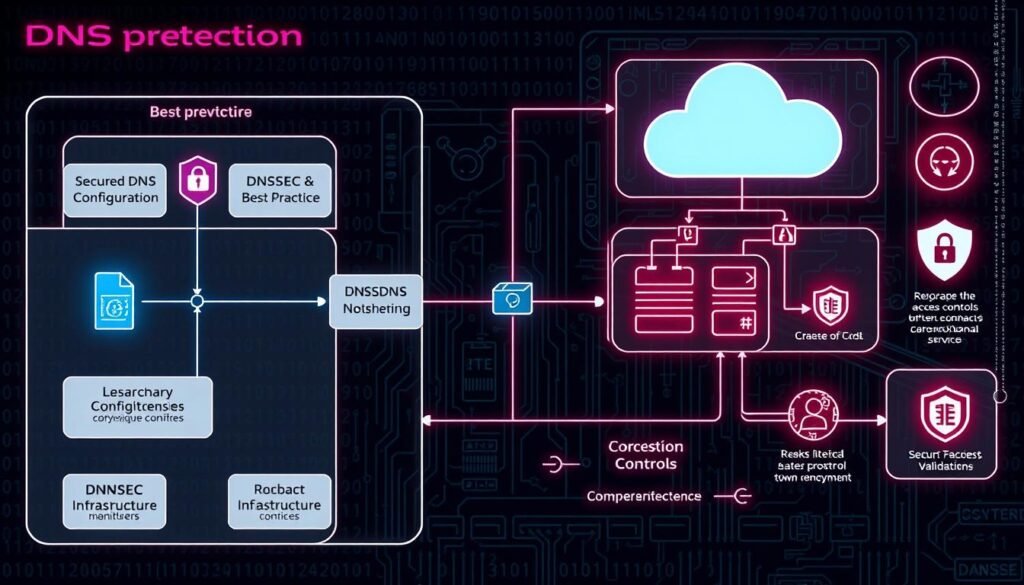
Use built-in features and policies to make DNS lifecycle predictable and safe for your organization.
Bind DNS to cloud resources and verify ownership
Prefer Azure DNS alias records that bind a DNS record to a target resource (Front Door, Traffic Manager, CDN, Public IP). When the resource is deleted the alias becomes empty, which removes dangling references and lowers risk.
Protect custom domains and enable defender alerts
For App Service, add the verification TXT (asuid.{subdomain}) with your Domain Verification ID so another subscription cannot validate the same domain name. Also enable Microsoft Defender for App Service to get alerts when a site is decommissioned but DNS isn’t updated. Defender works with Azure and external DNS services.
| Control | What it does | Owner |
|---|---|---|
| Azure DNS alias records | Automatically severs mapping when target is deleted | Cloud/Network team |
| App Service TXT verification | Prevents other subscriptions from validating your host | App owners / DevOps |
| Microsoft Defender alerts | Notifies when DNS and resource state mismatch | Security / IR |
| Management checklist & registry | Enforces ownership, IaC approvals, and SLAs | IT governance |
- Automate pipeline checks that block merges if a dns record points to a non-existent resource.
- Enforce least privilege for DNS admins and require peer review for production mappings.
- Keep playbooks to reassign control fast during a suspected takeover.
Operational best practices: governance, automation, and continuous monitoring
Build a repeatable operational program that ties owners, tooling, and alerts together. Good governance and automation stop stale DNS links from becoming public risks.
What policies should teams adopt?
How do you build SOPs and service catalogs?
Create a decommission checklist that includes remove DNS entry and owner sign-off. Apply delete locks on mapped resources with custom DNS until the handoff completes.
Maintain a living service catalog that ties each FQDN and subdomains to owners and criticality. Use Azure Resource Graph to refresh inventories across cloud subscriptions and watch for throttling.
How should automation and CI/CD fit in?
Automate periodic scans that enumerate subdomains, resolve chains, and test targets. Pipe findings into ticketing and SIEM so fixes are tracked and measurable.
Integrate checks into CI/CD: fail builds when DNS health checks fail or when a mapping references a non-existent resource. Emit clear build warnings and block risky deploys.
- Use CSPM/CNAPP policies to flag DNS that points to deprovisioned origins and bucket backends.
- Add runtime telemetry to see real request traffic to legacy hosts and protect data flows.
- Train teams and run rehearsals for takeovers to cut time-to-detect and time-to-recover.

Measure adherence with dashboards and regular reviews. Good process and clear management create predictable, resilient infrastructure across your organization.
Conclusion
A brief, disciplined program will cut the window of opportunity for hostile reuse.
Keep DNS tied to living resources, act fast when mappings go stale, and automate checks so abandoned hosts do not become easy wins.
Preventing a subdomain takeover depends on hygiene: inventory names, test targets, and remove dns entries that point at dead endpoints. Reclaim or re-provision resources when needed and validate ownership so your organization keeps control of each domain name.
Attackers watch simple fingerprints like missing S3 bucket errors and will move quickly. Enable provider features—alias records, verification tokens, and service alerts—to shorten exposure and surface anomalies across your cloud estate.
Schedule a scan today, engage owners, and stand up an incident response plan that includes comms, forensics, and rollback. With these steps, your security posture strengthens and future attacks against subdomain takeovers become far harder for any determined attacker.
