
When the clock started, the room went quiet. On one screen, a phishing lure landed. On another, authentication logs spiked. Phones buzzed. An executive timer ticked down from 60. This was a live Red vs. Blue drill—real telemetry, scripted injects, and a single goal: prove the team can detect, contain, and restore before the business feels pain.
Article Summary:
- A Red vs. Blue drill is a live, controlled attack-and-defense exercise that exposes gaps audits miss.
- The setup matters: scope, rules of engagement, lab topology, and clear success metrics.
- A 60-minute script with timed injects reveals detection speed, ownership clarity, and isolation discipline.
- Offense emulations map to MITRE ATT&CK without risking production or using unsafe exploits.
- Blue wins come from fast validation, tight containment, evidence handling, and repeatable restore paths.
- Track time-to-detect, time-to-isolate, time-to-restore, and convert gaps into a fix-by backlog.
- You can run a safe, high-value version next week with a one-page runbook and a small scope.
- Templates below: minute-by-minute table, ATT&CK mapping, detection matrix, and runbook prompts.
What is a Red vs. Blue drill—and why run it now?
A Red vs. Blue drill is a timed, controlled sparring match between attackers and defenders that pressure-tests people, playbooks, and tools. It surfaces real detection delays, decision bottlenecks, and restore gaps that static audits and checklists never reveal.
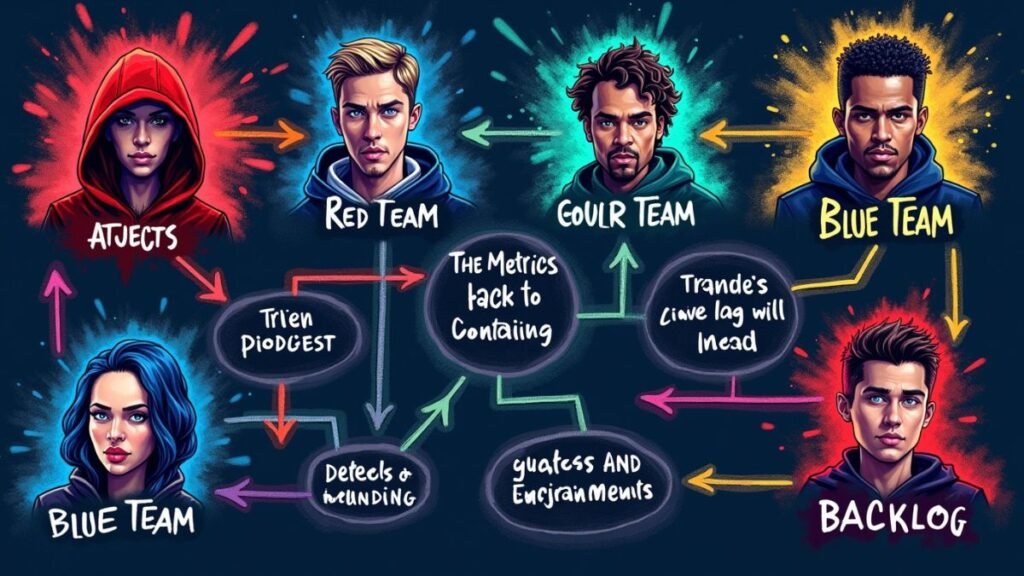
The Red Team emulates adversary tactics. The Blue Team detects, contains, and restores services. A controller keeps time, injects events, and records metrics. The output is not a score. It is a prioritized backlog with owners and deadlines.
What goals should guide this drill?
- Prove the team can detect fast and isolate cleanly.
- Validate ownership at every step of the playbook.
- Confirm restore paths using golden images and known-good configs.
- Produce a remediation backlog ranked by risk and effort.
When should you run Red/Blue vs. tabletop vs. purple teaming?
- Red/Blue: You need real timing pressure and operational proof.
- Tabletop: Early buy-in or policy rehearsal with zero risk.
- Purple teaming: Collaborative tuning of detections and controls, step by step.
How was this live simulation set up?
Scope, rules, and a prod-like lab determine drill value. Define the target network, allowed techniques, success criteria, and comms paths before the first inject.
A good range mirrors reality: identity, endpoints, servers, logging, and ticketing. Do not touch production. Use synthetic data and reversible changes only.
What did the environment look like?
- Topology: User VLAN, server subnet, a domain controller, a jump box, and a small DMZ.
- Logging: Security Information and Event Management (SIEM), Endpoint Detection and Response (EDR), DNS logs, NetFlow, and audit trails.
- Safety: Snapshot every asset. Keep a rollback plan ready. Use a clearly marked “drill window.”
Who played which roles?
- Red Team: Emulation only. No unsafe exploit use.
- Blue Team: Detection, containment, forensics triage, and restore.
- Controller/Observer: Timekeeper, inject manager, metric scribe.
- Executive Sponsor: Sets risk tolerances and accepts outcomes.
Which tools were in scope?
- EDR for behavioral detections and host isolation.
- SIEM for correlation and timelines.
- SOAR for containment scripting and ticket flow.
- Ticketing & Chat for work tracking and comms bridges.
What were the success metrics?
- Mean Time to Detect (MTTD) and Mean Time to Restore (MTTR).
- Containment time and dwell time for simulated access.
- Signal quality: false positives and noisy rules.
- Coverage: tactics touched vs. tactics detected.

The minute-by-minute breakdown (0–60 minutes)
A tightly scripted hour exposes where teams gain or lose minutes. Timeboxes force clear calls: validate the signal, isolate the blast radius, preserve evidence, and restore priority services.
Use the table to copy the flow. Adjust timing to your tools and team size.
0–5 minutes — What happens at kickoff?
- Controller reviews rules and safety guardrails.
- Blue confirms logging health and isolation controls.
- Red receives the first inject window.
5–10 minutes — How is initial access simulated?
- Inject: single targeted phish lands in a user inbox.
- Blue triages the suspicious message and flags related auth events.
10–20 minutes — What does early discovery look like?
- Inject: discovery beacons and odd process ancestry.
- Blue hunts across EDR, Windows event logs, and DNS.
20–30 minutes — How are privileges challenged?
- Inject: privilege escalation signal on one host.
- Blue isolates the host, disables the suspect account, and notifies stakeholders.
30–45 minutes — How do you handle data staging cues?
- Inject: egress anomaly on a decoy share and synthetic data staging.
- Blue applies Data Loss Prevention (DLP) rules and preps golden images.
45–60 minutes — How is destructive risk rehearsed safely?
- Inject: wiper-like indicator on two lab hosts.
- Blue cuts lateral paths, isolates the segment, and restores from known-good images.
Minute-by-minute table
| Timestamp | Inject | Expected Blue actions | Signals to monitor | Owner | Pass/Fail notes |
|---|---|---|---|---|---|
| 00:05 | Targeted phish delivered | Open ticket, quarantine, user outreach, IOC search | Mail logs, SIEM rules, URL sandbox | Tier-1 | |
| 00:12 | Suspicious parent/child process | Validate, mark scope, start host hunt | EDR timeline, Sysmon, DNS | Threat hunter | |
| 00:18 | Lateral probe to admin share | Block, isolate source host, check credentials | SMB logs, NetFlow, auth spikes | SOC lead | |
| 00:24 | Privilege escalation alert | Disable account, isolate host, notify exec | EDR alerts, AD logs | IR lead | |
| 00:33 | Data staging on decoy share | Apply DLP rule, capture evidence, update ticket | File audit, egress patterns | DLP owner | |
| 00:47 | Wiper-like indicator on two hosts | Segment isolate, initiate golden-image restore | Boot errors, mass file ops | Endpoint team | |
| 00:58 | Service validation | Verify core app up, close loop with exec | Uptime checks, user tests | App owner |
What did the Red Team attempt (safely) and how does it map to ATT&CK?
Keep offense scoped and reversible. Emulate tactics from MITRE ATT&CK without dropping real malware or using risky exploits. Generate telemetry, not outages.
The emulation focused on realistic signals defenders should already monitor.
Which offensive steps were exercised?
- Initial access: Simulated spear-phish with a benign macro and a unique tag.
- Discovery and credential access: Process and directory enumeration that produced harmless logs.
- Lateral movement emulation: Controlled use of administrative shares with synthetic credentials.
- Data staging and exfil signal: Tagged dummy files moved to a decoy share with rate limits.
ATT&CK mapping table
| Tactic | Technique ID | Emulation method | Primary detection(s) | Containment cue |
|---|---|---|---|---|
| Initial Access | T1566.001 | Benign macro phish with tag | Mail gateway, URL detonation, SIEM | Quarantine, user notify |
| Discovery | T1082 / T1046 | System and network scans, low rate | EDR process ancestry, NetFlow | Host isolate if confirmed |
| Credential Access | T1003 (simulated) | Non-destructive telemetry trigger | EDR rule, Windows event logs | Account disable |
| Lateral Movement | T1021.002 | Tagged admin share access | SMB logs, auth anomalies | Block rule on source |
| Exfiltration | T1041 | Synthetic file egress to decoy | DLP, egress monitor | Cut egress, forensics capture |

How did Blue detect, contain, and eradicate in real time?
Blue wins on speed and clarity. Verify the signal, shrink the blast radius, preserve evidence, and restore services. Ownership and playbooks turn chaos into minutes saved.
The team used Endpoint Detection and Response (EDR), SIEM timelines, DNS and NetFlow, and a scripted containment path.
What telemetry paid off fast?
- EDR timelines exposed odd parent-child chains.
- Windows event logs confirmed account misuse.
- DNS and NetFlow framed lateral and egress patterns.
- Decoy shares turned data staging into a visible alert.
What did containment look like?
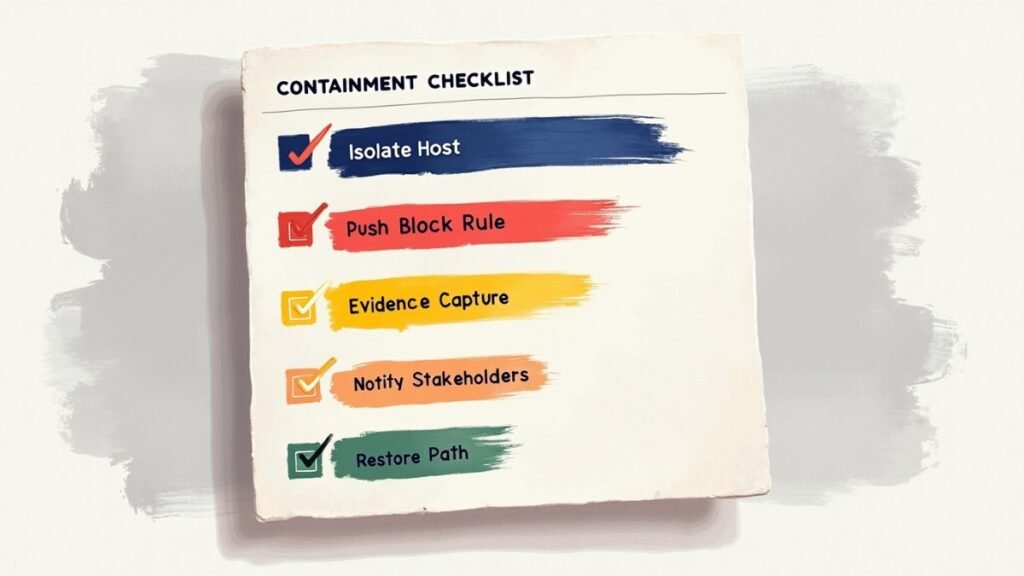
- Isolate the host from the network.
- Disable the account and rotate credentials.
- Push a block rule. Capture volatile evidence before reimage.
- Log actions in the ticket and inform legal and communications.
How was forensics and evidence handled?
- Preserve disk images where needed.
- Export EDR timelines and SIEM queries.
- Record hash lists, timestamps, and chain of custody.
Detection and response matrix
| Signal | Where it appeared | SOP step | Tool used | Time to action |
|---|---|---|---|---|
| Malicious URL click | Mail gateway, SIEM | Quarantine message, user outreach | Email security, ticketing | 3 min |
| Odd process ancestry | EDR | Validate, scope, hunt peers | EDR console | 5 min |
| Admin share attempt | SMB logs, SIEM | Block, isolate source host | SOAR, EDR isolate | 6 min |
| Privilege escalation alert | AD logs, SIEM | Disable account, notify exec | AD, SOAR | 7 min |
| Data staging on decoy | DLP, SIEM | Enforce rule, evidence capture | DLP, EDR | 8 min |
| Wiper-like indicator | EDR | Segment isolate, restore from image | EDR, imaging | 10 min |
What did we measure—and what changed after the drill?
Track times for detect, isolate, and restore. Measure signal quality and coverage. Convert findings into a ranked backlog with owners and deadlines.
Metrics without action are trivia. Tie each gap to a fix and a date.
Which metrics mattered most?
- MTTD: time from inject to confirmed detection.
- Containment time: first isolate to full segment control.
- MTTR: time to restore the priority service.
- Coverage: tactics touched vs. tactics detected.
- False positive rate: noisy rules that slow teams down.
What outcomes followed?
- Tuned EDR behavioral rules and SIEM correlations.
- Sharpened isolation steps and owner handoffs.
- New golden-image pipeline with a documented restore path.
- Refresher training for analysts on evidence capture.
How did remediation get tracked?
- Convert each gap to a ticket with a risk score.
- Assign an owner and a deadline.
- Review progress in weekly ops sync and monthly leadership reads.
“Preparation, detection and analysis, containment, eradication, and recovery.” — NIST SP 800-61r2
How can your team run this drill next week?
Pick a small scope and a one-hour script. Use real telemetry in a safe range. Pre-write inject cards, define success, assign owners, and rehearse the comms.
Start small. Repeat monthly. Grow scope only when the team is ready.
What belongs on the one-page runbook?
- People: roles, backups, escalation chain.
- Tools: consoles, dashboards, and who holds access.
- Comms: chat channel, exec bridge, partner notifications.
- Safety: snapshots, rollback, and a hard stop time.
What guardrails keep it safe?
- No production changes.
- Synthetic data only.
- Rate limits and preapproved techniques.
- A rollback plan for every step.
Which templates should you prepare?
- Inject cards with timing, signals, and expected actions.
- Scoreboard for times and outcomes.
- After-Action Report (AAR) with metrics, lessons, and backlog items.
[AI Image Prompt: One-page “Red vs. Blue Runbook” poster for print: sections for People, Tools, Comms, Safety, Metrics, and Sign-offs. Clean grid layout, high contrast, legible at arm’s length. – Alt text: Printable runbook poster for a one-hour Red vs. Blue drill]
Key takeaways
- Time pressure exposes the truth about detection, ownership, and restore paths.
- Scope and safety define value. Use a prod-like lab and reversible steps.
- Identity, segmentation, and golden images decide how fast you recover.
- Convert findings into a backlog with owners, dates, and business visibility.
- Repeat the drill. Measure again. Show improvement.
Conclusion
A live Red vs. Blue hour turns theory into proof. The team learns where minutes vanish and which controls really matter. With a clear runbook, safe emulations, and honest metrics, defenders can cut detection and restore times and turn chaos into routine execution.
Next steps for your team
Download the tables above, pick a three-host scope, and schedule a one-hour drill this week. Assign owners. Time every step. Turn the outcomes into a fix-by backlog and set the date for the next run.
FAQ
How risky is a live drill?
Safe when scoped to a lab with snapshots, synthetic data, and reversible steps. Never touch production.
How often should teams run it?
Monthly for small scopes, quarterly for larger scenarios. Run ad-hoc after major tooling changes.
What metrics matter most to leadership?
Time to detect, isolate, and restore for top business services. Show trend lines and the fixes shipped.
Do we need malware?
No. Emulate tactics and generate telemetry without dangerous payloads.
How big should the first drill be?
Three to five hosts, one domain, a single critical service, and a one-hour script.
About the Author
Ethan Cross is the Lead Analyst at HakTechs.com with more than a decade of hands-on experience in ethical hacking, incident response, and cyber range design. He helps security teams translate drills into measurable improvements in detection, containment, and recovery.
To ensure the highest level of accuracy, every technical claim in this article was verified against primary sources and reviewed by our editorial team.
Sources
- MITRE ATT&CK Enterprise Matrix: https://attack.mitre.org
- NIST SP 800-61r2, Computer Security Incident Handling Guide: https://csrc.nist.gov/publications/detail/sp/800-61/rev-2/final
- CISA Tabletop Exercise Packages: https://www.cisa.gov/resources-tools/resources/tabletop-exercises
- SANS — Purple Team Exercise Framework: https://www.sans.org/white-papers/purple-team-exercise-framework/
- FIRST — CSIRT Metrics and Measurement: https://www.first.org/resources/guides/metrics-and-measurement
