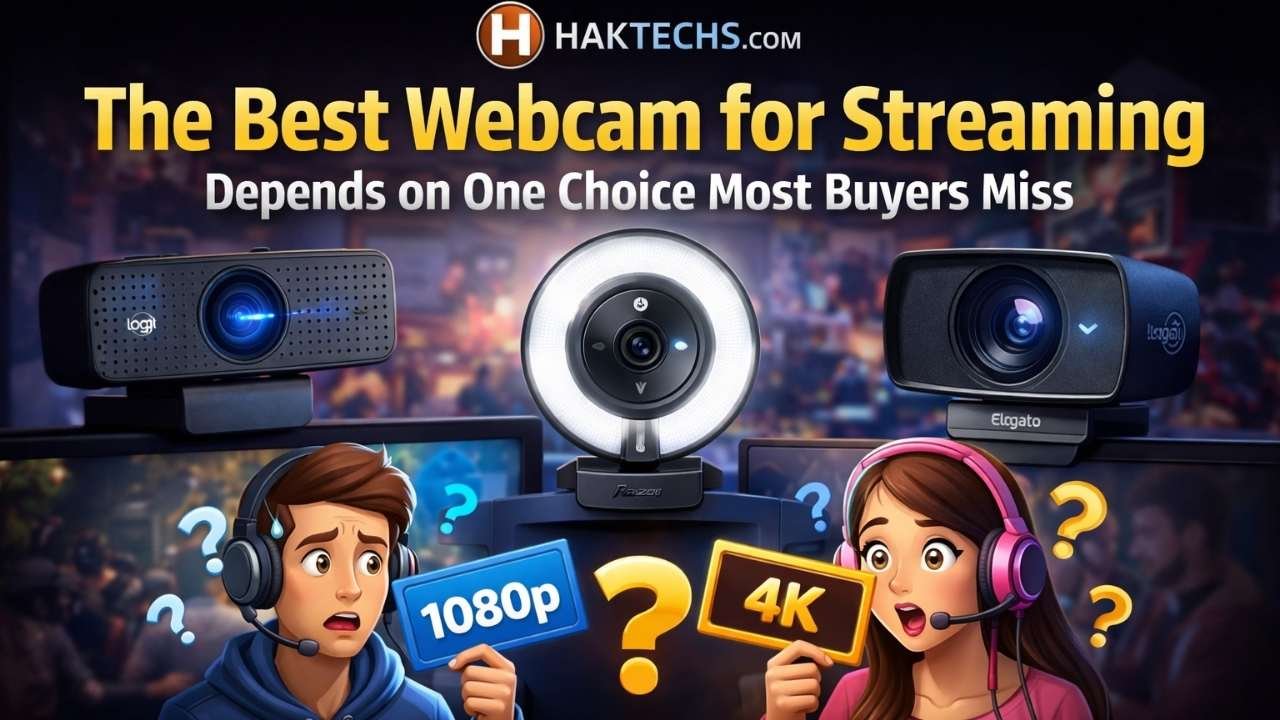
If you want the best webcam for streaming, do not assume the most expensive 4K model is automatically the right one. The better buy depends on how you actually go live: a fixed desk setup, a creator-focused workspace, a presentation-heavy workflow, or a more budget-conscious upgrade.
The most common mistake in this category is paying for the wrong kind of premium. For a lot of streamers, 1080p60, stable framing, and useful software control matter more day to day than a headline spec that does not improve the rest of the setup.
Logitech MX Brio is the best overall pick for most buyers, Elgato Facecam Pro is better suited to a dedicated creator desk, OBSBOT Tiny 2 is the standout for tracking and movement, Insta360 Link 2C offers a cleaner middle path, and AnkerWork C310 is the value pick that still feels serious.
Best Webcam for Streaming at a Glance
| Product | Best For | Key Strength | Main Tradeoff / Value |
|---|---|---|---|
| Logitech MX Brio Check Price on Amazon | Premium all-around streaming and work setups | Balanced feature set with 4K30, 1080p60, flexible field of view, and useful software controls | Easier to justify than more specialized creator gear, but not as focused as Elgato or as dynamic as a PTZ model |
| Elgato Facecam Pro Check Price on Amazon | Dedicated creator desks and streamer-first setups | Clear 4K60 creator focus with an OBS-friendly role | Better for serious streaming desks than for buyers who just want one webcam for everything |
| OBSBOT Tiny 2 Check Price on Amazon | Creators who move, teach, demo, or present on camera | PTZ movement, AI tracking, auto zoom, gesture control, and voice control | Very useful when active framing matters, but easy to overbuy for a fixed desk stream |
| Insta360 Link 2C Check Price on Amazon | Simple creator-style setups without full PTZ hardware | Strong mix of specs and creator features in a cleaner non-PTZ design | More practical than flashy, though it is less distinctive than the top specialist picks |
| AnkerWork C310 Check Price on Amazon | Value-minded buyers stepping up to a real streaming webcam | 4K positioning with 1080p60 HDR and a practical overall feature set | Good value without trying to compete as the most polished premium creator option |
Our Top Picks
Logitech MX Brio

Amazon Link: View on Amazon
Best For: Buyers who want one premium webcam that can stream well without turning the whole desk into a creator-only setup.
Why It Stands Out: MX Brio is the easiest premium webcam in this group to recommend to a broad range of buyers. You get 4K at 30fps, 1080p at 60fps, adjustable 65°, 78°, and 90° fields of view, plus software controls for lighting and white balance on Windows and macOS. That mix works well for someone whose desk has to handle streaming, meetings, and regular day-to-day use instead of serving only one very specific creator workflow.
- Compatible with Nintendo Switch 2’s new GameChat mode
- Ultra HD 4K webcam: meet or stream in 4K resolution at 30fps or 1080p at 60fps, with our most advanced webcam sensor yet, with 70% larger pixels (1) for sharp image quality
- AI-enhanced image quality: Experience 2x better face visibility with finer image details in difficult light (2), with auto-exposure, auto white balance, noise reduction, and autofocus
- Curate Your Image: Fine controls (3) on this Ultra HD webcam let you adjust lighting and white balance, such as ISO, Shutter Speed, Tint, and Vibrance, or let Auto mode take care of it
Key Buying Details:
- Supports 4K30 and 1080p60
- Offers 65°, 78°, and 90° field-of-view options
- Works with Microsoft Teams, Zoom, and Google Meet
- Software controls are available for Windows and macOS
Key Pros:
- Easy to live with in a mixed work-and-stream setup
- 1080p60 is more useful for many streamers than a 4K label alone
- Multiple field-of-view options help in tighter or wider desk spaces
Key Cons:
- Not as purpose-built for creator desks as Elgato Facecam Pro
- Does not solve movement-heavy use cases the way a PTZ webcam can
Good Fit If: You want one premium webcam that can cover streaming, meetings, and everyday desktop use without feeling overcommitted to one niche.
Skip If: You specifically want tracking features, or you already know your desk is built around a more creator-first camera workflow.
Bottom Line: This is the best pick for most people because it handles the most common real-world setup: one desk, mixed use, and a buyer who wants a real upgrade without paying for extra complexity that may never get used.
Elgato Facecam Pro

Amazon Link: View on Amazon
Best For: Streamers with a dedicated desk who want their webcam choice to match a more serious creator workflow.
Why It Stands Out: Facecam Pro feels less like a general upgrade and more like a camera chosen for a specific kind of setup. Its 4K60 positioning, 90° field of view, and compatibility with OBS, Teams, Zoom, PC, and Mac make the most sense when your desk is already centered on streaming software and deliberate camera placement. This is the pick for people who think in terms of scenes, framing, and creator tools, not just better video calls.
- True 4K60 UHD, Elgato Premium Autofocus Lens: 2160p resolution at a fluid 60 fps, f/2.0 21 mm studio-quality optics
- Large Area SONY STARVIS Sensor: powerful low-light performance
- Cinematic Effects: pan, tilt, or crop and zoom while maintaining excellent image quality
- Variable Focus, Up to 90-Degree Field of View: set focus manually or select autofocus, capture surroundings or entire team
Key Buying Details:
- Supports 4K60
- Uses USB 3.0 or higher with Type-C connectivity
- Works with OBS, Teams, Zoom, PC, and Mac
- Better suited to a stable desk streaming setup than a casual mixed-use role
Key Pros:
- Most clearly streamer-focused model in the roundup
- 4K60 fits buyers building a higher-end creator desk
- A more natural fit for OBS-centered setups than general webcam shopping
Key Cons:
- Harder to justify if most of your use is calls with occasional streaming
- Needs more setup intention than mainstream all-around options
Good Fit If: Your stream setup is fixed, software-driven, and built around creator habits rather than general-purpose convenience.
Skip If: You want one premium webcam that also feels easy to justify for everyday work calls and lighter mixed use.
Bottom Line: If your desk is already a streaming desk, Facecam Pro makes a lot of sense. If it is not, the extra commitment can feel like paying for a setup identity you do not actually need.
OBSBOT Tiny 2

Amazon Link: View on Amazon
Best For: Creators who teach, demo products, present live, or spend enough time moving on camera that a fixed crop starts getting in the way.
Why It Stands Out: Tiny 2 is the only webcam here where the main story is not just image specs. It brings AI tracking, auto zoom, gesture control, voice control, and PTZ movement, which changes how the camera behaves during a live session. For someone who stands up, shifts position, or needs the framing to follow the action, that can be genuinely useful. For a streamer who stays in one chair all night, it is often more webcam than necessary.
Key Buying Details:
- 4K webcam positioning with 1080p transmission emphasis and 60 FPS language in listing and official specs context
- Uses USB 3.0
- Includes a USB-C 3.0 cable, USB-C to USB-A 3.0 adapter, adjustable mount, and storage case
- Supports AI tracking with auto zoom, plus gesture and voice control
Key Pros:
- The most distinctive choice here for movement-based streaming
- Tracking features make real sense for demos, lessons, and presentations
- Offers framing tools fixed webcams simply do not have
Key Cons:
- Adds complexity many desk streamers will never benefit from
- Less sensible when your framing stays basically the same every session
Good Fit If: Your content style includes movement, live instruction, product demos, or any setup where the camera needs to react instead of staying locked in place.
Skip If: You mostly sit at one desk angle and want the simplest path to good-looking video.
Bottom Line: Tiny 2 solves a real problem that fixed webcams do not solve at all. That makes it easy to recommend for the right creator and easy to overbuy for everyone else.
Insta360 Link 2C

Amazon Link: View on Amazon
Best For: Buyers who want creator-style features but would rather keep the setup cleaner and less involved than a PTZ camera.
Why It Stands Out: Link 2C lands in a useful middle ground. It offers a 1/2-inch sensor, 4K at 30/25/24fps, 1080p at 60/50/30/25/24fps, plus auto framing, HDR, gesture control, and AI noise-canceling mic support. That gives you more than a basic premium webcam without pushing you into the added hardware personality of a tracking-first model.
- Premium Image Quality: Upgrade to Link 2C 4K webcam with a 1/2" sensor. Captures true-to-life webcam 4K visuals with HDR and low-light performance for stunning video in any lighting condition.
- Professional Audio: Experience best-in-class audio with advanced AI noise-canceling algorithms. Filter out unwanted background noise for clear communication, even in busy environments.
- True Focus: Insta360 Link 2C streaming camera with Phase Detection Auto Focus (PDAF). No more blurry shots—this web cam ensures instant focusing and crisp video for every stream.
- Natural Bokeh: Get a DSLR-like look with this Insta360 Link 2C web camera. Replicates natural depth of field straight from the Link Controller, making it a superior camera for computer setups.
Key Buying Details:
- Uses a 1/2-inch sensor
- Supports 4K at 30/25/24fps
- Supports 1080p at 60/50/30/25/24fps
- Works with PC and Mac and includes auto framing, HDR, gesture control, and AI noise-canceling mic
Key Pros:
- A strong feature mix for creators who want more than a basic webcam
- Cleaner desk logic than a PTZ tracking model
- Easier to justify for a fixed creator setup that still needs some flexibility
Key Cons:
- Does not have the same movement-focused advantage as a full PTZ webcam
- Feels less specialized than Facecam Pro if you want a clearly streamer-first pick
Good Fit If: You want more creator-oriented features, cleaner desk behavior, and a capable fixed webcam without moving into tracking-heavy hardware.
Skip If: You want either a very clear premium streaming identity or a camera that actively follows you around the frame.
Bottom Line: Link 2C is a good match for buyers who want something more capable than a standard premium webcam, but do not want their camera choice to add extra complexity to the desk.
AnkerWork C310

Amazon Link: View on Amazon
Best For: Buyers who want their first real streaming upgrade without paying flagship money just to get there.
Why It Stands Out: C310 makes the most sense for people moving up from a basic webcam and trying to stay practical. It brings 4K support, 1080p at 60FPS with HDR, a 12MP sensor, f/2.0 aperture, 1/2.5-inch sensor, plus USB 3.0, AI auto focus, AI framing, and AI noise-canceling mic. The important part is not that it tries to look premium on paper. It is that the feature set feels serious enough for streaming without pushing buyers straight into the most expensive part of the category.
- Unmatched 4K Streaming Quality - The EMEET S600 streaming camera boasts a high-definition 4K sony 1/2.55'' sensor, delivering crisp, clear images far exceeding typical webcam quality. With versatile resolution options, enjoy stunning 4K at 30FPS or smooth 1080P at 60FPS. Ideal for aspiring streamers, game streaming, and content creation, this 4K webcam ensures exceptional experience for you and your audience. Note: Video resolution depends on built-in camera software or apps like PotPlayer/OBS.
- Advanced PDAF Autofocus & Light Balance – 4K webcam S600's PDAF(Phase Detection Autofocus) tech offers significant advantages over common autofocus such as faster speed, higher precision, and more stable performance in various scenes features. Its auto light adjustment capability balances shadows and highlights even in low-light environments, keeping every detail sharp and clear on screen, making it ideal for content creators and live streamers who demand top-tier performance and visual quality.
- Enhanced Audio Clarity & Customizable FOV - The EMEET S600 4K streaming webcam is equipped with premium microphones that use a proprietary algorithm to filter out background noise and capture your voice with exceptional clarity. Noise-canceling feature is enabled by default but can be turned off through the EMEETLINK software. At 1080P, the FOV adjusts 40°-73°, allowing you to focus on you and surroundings, while at 4K, it’s fixed at 73° for better image quality and less distortion.
- Integrated Privacy Cover & Rugged Design - The 4K webcam for streaming boasts a built-in privacy cover right on the lens, ensuring it won't accidentally open or get touched. Crafted with meticulous engineering, every component of the S600, from the clips to the joints, is designed for durability and stability. Unlike traditional 4K streaming cameras, S600 webcam for PC offers flexible rotation and wide-angle tilting while staying securely in place, making it easier to find your ideal angle.
Key Buying Details:
- Supports 4K and 1080p60 HDR
- Uses a 12MP sensor with f/2.0 aperture
- Includes a 1/2.5-inch sensor
- Supports USB 3.0, AI auto focus, AI framing, and AI noise-canceling mic
Key Pros:
- Strong value for buyers who still want a serious-looking spec mix
- 1080p60 HDR is often more useful than paying extra for premium branding
- A practical step up for first-time streamers replacing a basic webcam
Key Cons:
- Does not have the same premium creator feel as the higher-end picks
- Less compelling if you already know you want a more specialized webcam role
Good Fit If: You want better streaming specs and a sensible upgrade path without spending early for the most advanced creator positioning.
Skip If: You are already shopping for a flagship creator desk webcam or a PTZ model with tracking features.
Bottom Line: C310 is the value pick because it respects what first-time serious buyers actually need. It does not pretend to be the most specialized webcam here, and that is exactly why it works.
Best Webcam for Streaming by Use Case
- Best Overall: Logitech MX Brio — Best for buyers who want one premium webcam that still fits normal mixed desk use.
- Best Premium Creator Pick: Elgato Facecam Pro — Best for dedicated streamers building around a stable creator desk and software-driven workflow.
- Best for Movement and Tracking: OBSBOT Tiny 2 — Best when active framing, PTZ movement, and tracking features genuinely match the way you stream.
- Best Middle-Ground Creator Option: Insta360 Link 2C — Best for buyers who want creator-style features without full PTZ complexity.
- Best Value: AnkerWork C310 — Best for upgrading from a basic webcam without paying flagship-level prices too early.
The real split in this category is not good versus bad. It is fixed desk simplicity versus creator-focused control versus active tracking. Once you sort that out, these picks make a lot more sense.
Side-by-Side Comparison of the Top Picks
| Product | Best Use Case | Key Strengths / Ease of Use | Main Tradeoff / Value |
|---|---|---|---|
| Logitech MX Brio View on Amazon | Premium all-around streaming | 1080p60, multiple field-of-view options, software control, and an easy mixed work-and-stream fit | The safest premium choice, though less specialized than Elgato and less movement-focused than OBSBOT |
| Elgato Facecam Pro View on Amazon | Dedicated creator desk | 4K60 positioning, OBS-friendly fit, and a stronger match for streamer-first setups | More committed and less broadly practical for casual or hybrid users |
| OBSBOT Tiny 2 View on Amazon | Tracking, demos, teaching, movement | PTZ motion, AI tracking, auto zoom, plus gesture and voice control | The most specialized option, and the easiest one to overbuy for a static setup |
| Insta360 Link 2C View on Amazon | Simple creator-style fixed setup | 4K30, 1080p60 options, auto framing, HDR, and a cleaner non-PTZ design | A useful middle ground, but less specialized at either end of the category |
| AnkerWork C310 View on Amazon | Value-focused upgrade | 4K plus 1080p60 HDR, AI framing, AI auto focus, and a more practical entry point | Good value, but without the premium creator identity of the top-end picks |
The clearest contrast is this: Logitech MX Brio is the most balanced choice, Elgato Facecam Pro is the better fit for a dedicated creator desk, and OBSBOT Tiny 2 is the specialist for movement. Insta360 Link 2C and AnkerWork C310 are easier to justify if you want a more practical middle path.
What Actually Matters Before You Buy
Choose the webcam type before you choose the brand. Start by deciding whether you want a fixed premium webcam, a creator-oriented fixed model, a PTZ tracking webcam, or a value-focused upgrade. A lot of bad purchases happen because buyers never sort the category first.
1080p60 often matters more than headline 4K. For streaming, smoother motion and easier framing often improve the real result more than paying extra for a bigger top-line spec. Plenty of desk setups never get much practical value from chasing the highest label on the box.
Software controls affect daily use. Once you move beyond a basic webcam, framing tools, software behavior, and setup friction matter more. A camera can look stronger on paper and still be the worse fit if it makes every live session more annoying.
PTZ is not a default upgrade. Tracking can be very useful, but only when your content actually benefits from movement and dynamic framing. If your stream is a fixed talking-head setup, that extra cost and complexity may do very little for you.
Compatibility still matters. USB requirements and software support become more important as webcams get more advanced. That does not mean every buyer needs a complicated workflow, but it does mean premium models are not always as plug-and-play as they first appear.
What Most Buyers Get Wrong
- They shop for a 4K label instead of a streaming fit. A webcam can sound impressive in marketing and still be the wrong choice for a 1080p60-centered stream.
- They pay for PTZ tracking they will never use. If the stream is fixed and simple, movement features can add more complexity than value.
- They assume every premium webcam serves the same buyer. Some are built for mainstream premium use, while others are clearly aimed at dedicated creator desks.
- They confuse bigger claims with better everyday results. In real setups, framing behavior, software control, and smoother motion often matter more than spec-sheet bragging rights.
Setup, Compatibility, and Expectation Notes
The better webcam depends on how you stream, not just on resolution. A creator who moves around, teaches, or demos products should judge these webcams differently from a gamer or host who stays centered at one desk all night.
Setup friction, framing behavior, and creator software matter more in this category than many buyers expect. That is why there is no truly universal winner here. These webcams solve different workflow problems.
PTZ tracking is useful for the right creator, but it is not an automatic upgrade. A premium fixed webcam is not always the less advanced choice either. Sometimes it is simply the better match for a cleaner, more predictable setup.
How to Use Streaming Webcams at Home
- Pick the webcam type first: fixed premium, creator-focused fixed, PTZ tracking, or value-focused.
- Set your framing around the way you actually stream, not around product marketing.
- Treat 1080p60 as a practical benchmark if smoother motion matters more than chasing a 4K badge.
- Pay for tracking features only if you regularly move on camera or want active framing behavior.
- Check your USB and software setup before buying a premium webcam, especially if your workflow depends on specific creator tools.
How We Chose These Picks
These picks came from the verified shortlist using listed specifications, product-page details, official brand information reflected in the handoff, and practical buyer-fit logic. We focused on the factors that actually separate streaming webcams in real use: resolution and frame-rate balance, framing style, PTZ versus fixed design, software role, desk setup fit, and value by use case.
We did not assume hands-on testing, unverified pricing, or unverified buyer-review patterns. When buyer feedback was not confidently verified, it was left out rather than padded with generic consensus language.
Final Verdict
For most buyers, Logitech MX Brio is the best webcam for streaming because it fits the way many real desks are used. It is premium, capable, and easier to justify when the same setup also handles work calls and everyday use.
If your desk is clearly built around creator work and streaming software, Elgato Facecam Pro is the better premium fit. If active framing is part of your content style, OBSBOT Tiny 2 is the specialist worth paying for.
If you want a cleaner middle option, Insta360 Link 2C gives you more creator-oriented features without pushing you into full PTZ territory. And if your goal is a sensible upgrade without overspending, AnkerWork C310 is the value pick that makes the most practical sense.
FAQ
Is 4K necessary for streaming?
No. For many streamers, 1080p60 is the more practical priority because smoother motion and easier setup often matter more than buying a webcam for its headline resolution alone.
What is the best webcam for Twitch streaming?
For most buyers, Logitech MX Brio is the safest all-around answer. If you want a more dedicated creator desk option, Elgato Facecam Pro is the stronger streamer-first pick.
When does PTZ tracking make sense?
PTZ tracking makes sense when you move on camera, teach, present, or demo products. If your stream stays fixed at one desk angle, it is often unnecessary.
Is Elgato Facecam Pro better than Logitech MX Brio?
Not for every buyer. Elgato Facecam Pro is more creator-focused, while Logitech MX Brio is the more balanced premium choice for mixed desk use and broader everyday practicality.
What is the best value webcam for streaming?
AnkerWork C310 is the best value pick in this roundup because it gives buyers a more serious streaming feature mix without pushing them into the highest-end creator tier.
What if I want creator features without PTZ complexity?
Insta360 Link 2C is the cleanest answer here. It offers creator-style features in a simpler fixed-desk design that is easier to justify for many home setups.
