
Can a single click shut down operations, drain trust, and cost millions overnight? That question catches many leaders off guard.
Ransomware blocks access to files or devices and may steal sensitive data to demand payment. Attacks move fast; in 2023 many incidents advanced from breach to encryption in under four days. The financial impact often far exceeds any ransom demand.
This Ultimate Guide lays out how these threats work, the real costs to businesses and organizations, and practical controls that cut risk. You’ll get clear steps on layered security, backups, monitoring, and response planning. For background on common cyber threats and tactics, see common types of cyber attacks.
Key Takeaways
- Ransomware locks or encrypts data and often pairs that with theft for extra pressure.
- Incidents escalate quickly, so detection and response speed matter.
- Paying offers no guarantee and may carry legal risks.
- Layered protection and reliable backups cut downtime and recovery costs.
- This guide balances technical detail with actionable steps for both IT teams and leaders.
What Is Ransomware?
Digital extortion takes two main forms: file encryption that locks data, and screen-locking that blocks system access. Attackers demand payment for a decryption key or to stop a leak, but payment never guarantees recovery.
Crisp definition: ransomware is malware that encrypts files and demands a ransom; victims often see a full-screen note with payment instructions and a promise of decryption.
Attackers generate keys, scramble files, then claim to supply a key after payment. That loop sounds simple, but thieves may also steal data first. Double extortion adds leak threats; triple extortion pressures partners or customers.

Delivery, variants, and victim experience
Common delivery paths include phishing email attachments, malicious links, and social engineering that tricks users into running a payload.
Encrypting variants target files; non-encrypting screen-locking types show a persistent banner that denies computer use. Some strains delete backups or disable restore points to force payment.
| Feature | Encrypting (crypto) | Screen-locking |
|---|---|---|
| Main effect | Files encrypted | Operating system blocked |
| Victim impact | Lost access to data | Cannot use computer |
| Extortion style | Decryption key / leak threats | Immediate payment demand |
Prepare early: map attack surface, protect backups, and harden email and access controls. For deeper reading on trends and prevention, see ransomware guidance.
Why Ransomware Matters: Scale, Costs, and Speed
Once attackers gain foothold, the race between detection and encryption begins immediately. That short window makes early monitoring and a practiced response critical for every IT leader.

How fast access becomes impact
IBM X-Force found about 20% of incidents in 2023 involved digital extortion, and the median time from initial access to deployment was under four days.
That means defenders have days — sometimes hours — to detect anomalous activity and stop lateral movement before file encryption or exfiltration starts.
Common entry points include phishing email, exposed services, and credential abuse that allow attackers to reach a network or a single computer quickly.
Real costs and the big-picture impact
The IBM Cost of a Data Breach report lists a USD 5.68 million average cost for a breach tied to this class of attack, excluding any ransom payment. Recovery labor, legal fees, and reputational harm drive most of that bill.
Ransom demands often hit seven or eight figures; extreme cases reached roughly USD 80 million. Still, reported infections fell about 11.5% year over year, and only 37% of victims paid in 2023, per Coveware.
Executive takeaways: fund monitoring, run tabletop exercises, and track mean time to detect (MTTD) and mean time to respond (MTTR). Treat ransom as one line item in a much larger business risk picture.
The Evolution of Ransomware: A Brief History
Cyber extortion began as a clumsy joke and evolved into a multi-billion-dollar underground market. This timeline shows key technical shifts that turned a simple payment demand into sophisticated criminal ecosystems.
Early experiments set the pattern. In 1989 the AIDS Trojan hid directory entries and demanded USD 189 — a crude, reversible scheme. By 1996 cryptovirology research from Young and Yung forecast how strong encryption could enable persistent extortion.
Milestones that changed scale
Asymmetric cryptography showed up around 2005, making truly irreversible encryption practical. Bitcoin’s rise in 2009 let actors collect anonymous-like payment across borders.
- 2013: CryptoLocker launched the modern era of encrypted extortion.
- 2015: Tox and early Ransomware-as-a-Service (RaaS) split development and intrusion roles.
- 2017: WannaCry used EternalBlue to become a global cryptoworm.
Later years saw target shifts. Ryuk popularized big-game hunting in 2018. Double and triple extortion added data leaks and partner pressure by 2019. Recent tactics, like thread hijacking in 2022, insert attackers into trusted email chains.
Today’s types ransomware are modular and fast to update. When system and computer defenses lag, criminals gain access quickly and monetize with varied extortion methods. For a deep dive into actor profiles and recent group activity, see this analysis on the evolving threat landscape: BlackByte and modern extortion groups.
How Ransomware Works and Spreads
Initial compromise usually looks mundane: a PDF, a webpage, or an open remote port — but it quickly escalates when left unchecked. This section breaks down the common entry points and the chains attackers use to gain control and move across systems.

Human tricks and scammed files
Phishing and social engineering remain the simplest routes. Attackers send email with malicious attachments or links. QR codes and fake login prompts also lure clicks that grant initial access.
Software flaws and zero-days
Unpatched software and known CVEs let criminals install payloads silently. Zero-day exploits and exploit kits on compromised sites scan browsers and drop malware without extra clicks.
Credentials, RDP, and direct access
Brute force, credential stuffing, or buying logins on dark markets lets attackers compromise RDP and other remote services. One exposed account can let an attacker move from a single computer to enterprise-wide control.
RaaS and malware chains
Ransomware-as-a-Service platforms let affiliates rent tooling and playbooks. Trojans like Trickbot have historically delivered larger families downstream, fuelling more ransomware attacks at scale.
“Most incidents combine a human error with a technical gap — fix either and the attack loses traction.”
| Vector | Typical payload | Mitigation |
|---|---|---|
| Phishing / email | Malicious PDFs, credential harvesters | Filtering, training, MFA |
| Vulnerabilities | Silent installers, exploit kits | Patch cadence, WAF, isolation |
| RDP / credentials | Backdoors, lateral tools | Limit access, strong passwords, MFA |
Practical hygiene blocks most threats: enforce patching, require MFA, restrict remote access, and maintain offline backups. Improve mail hygiene with layered filtering and regular exercises.
For a clear primer on defensive basics, see ransomware basics.
Stages of a Ransomware Attack
A successful digital extortion unfolds in clear steps, each giving defenders a chance to interrupt the chain. Recognizing those phases helps teams focus containment and recovery where it counts.
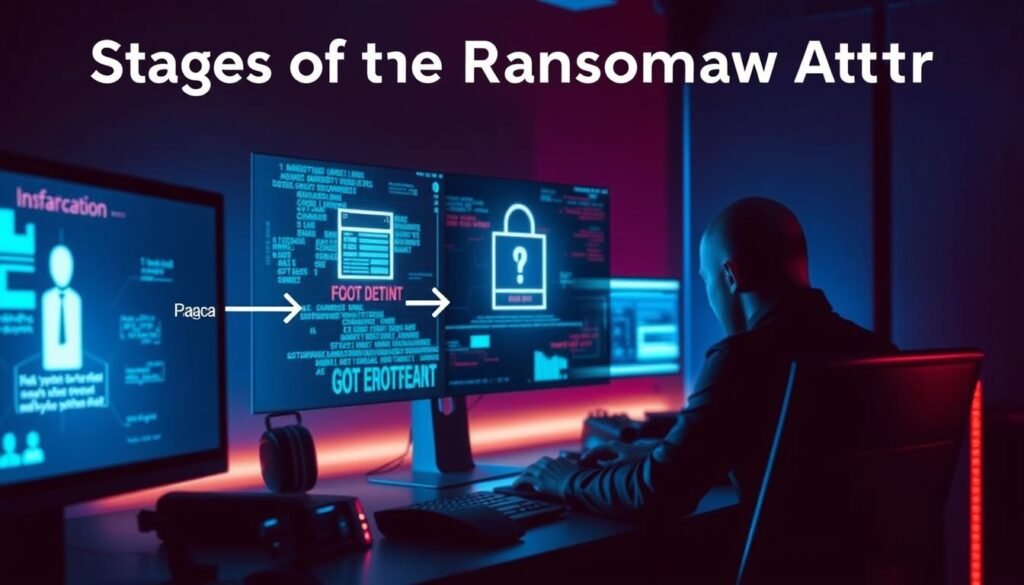
Reconnaissance and initial access
Attackers probe exposed services, weak credentials, and susceptible users to gain access. Phishing, unpatched ports, and RDP remain common entry vectors.
Post-exploitation and lateral movement
Once inside, actors deploy remote tools and persist. They pivot across the network to find critical systems and escalate privileges.
Data collection and exfiltration
Threat actors harvest credentials and sensitive data—PII, IP, and backups—for double extortion. Leak sites may be prepared before encryption.
Encryption, screen locking, and ransom note
Final steps target key files, disable restore points, and then encrypt or lock the screen. Notes appear with crypto wallets and timelines. Some attackers offer a decryption sample to build trust.
Timing matters: a fast response and isolation of infected hosts reduces blast radius. Rehearsed playbooks and clear containment roles speed decisions under pressure.
| Stage | Attacker action | Primary mitigation |
|---|---|---|
| Initial access | Phishing, RDP, exploits | MF A, patching, email filtering |
| Post-exploit | Persistence, Lateral move | Least privilege, segmentation, EDR |
| Exfiltration | Data staging, leaks | Data loss prevention, monitoring |
| Deployment | Encryption/screen lock, notes | Offline backups, incident playbook |
Types of Ransomware and Notable Variants
Two core behaviors dominate: file-targeting encryption and screen-locking that stops use of a device. The following breakdown helps you spot each variant and plan recovery and protection steps.
Encrypting vs. screen-locking
Encrypting families scramble important files and demand payment for decryption keys. They often try to delete or tamper with backups first.
Screen-locking strains block the operating screen and stop users from working. These demands are blunt and visible, but they may not touch cloud-synced files.
Leakware, wipers, and scareware
Leakware / doxware exfiltrates sensitive data and threatens publication to pressure victims. Many modern families pair leaking with encryption.
Wipers destroy data and can render recovery impossible even if you pay ransom. Treat a wiper event as loss containment, not negotiation.
Scareware mimics law enforcement or fake antivirus notices to trick users into installing malicious tools or paying.
Mobile and modular variants
On mobile devices, attackers favor screen-lockers since cloud backups often reduce encryption leverage. Expect less file encryption and more access-denial tactics on phones.
Families show wide variants: selective encryption, backup tampering, and modular plugins that add exfiltration or extortion features.
Practical guidance
- Try vendor or community decryptors when available, but verify authenticity and backup affected systems first.
- Paying ransom carries high risk — keys may fail and attackers can extort again. Balance options against backup and legal routes.
- Limit privileges and segment networks to reduce blast radius. Catalog the types ransomware that threaten your stack and tailor protection.
- For simple, non-technical steps to harden systems and reduce exposure, see non-technical protections.
Ransomware Attack Examples That Changed the Landscape
A few landmark incidents rewrote defense priorities and proved just how fast digital extortion can topple operations. These cases show evolving tradecraft and why modern controls matter.

CryptoLocker, WannaCry, Petya/NotPetya
CryptoLocker (2013) popularized strong public‑key encryption delivered via botnets and extorted millions before law enforcement disrupted its infrastructure in 2014.
WannaCry (2017) spread as a cryptoworm using EternalBlue and hit over 200,000 computers across 150 countries, causing billions in damage and proving that a single exploit can cripple global systems.
Petya targeted the master file table and boot records; its variant NotPetya acted as a destructive wiper, causing unrecoverable loss even when victims attempted payment.
Ryuk, DarkSide, REvil, LockBit, and emerging families
Ryuk focused on high-value victims, used manual operator tradecraft, and often disabled backups to pressure victims toward large payment demands.
DarkSide famously disrupted the Colonial Pipeline (May 2021), showing how attacks can impact critical infrastructure and national supply chains.
REvil ran Ransomware‑as‑a‑Service (RaaS) and executed major double‑extortion operations against JBS and Kaseya; law enforcement actions in 2022 disrupted parts of its infrastructure.
LockBit proved resilient, continuing activity despite 2024 takedowns and sanctions. Newer families—RansomHub, Akira, Play, and Qilin (a Rust‑based RaaS)—show the ecosystem keeps evolving with faster encryption, EDR evasion, and cross‑platform tactics.
Tradecraft note: modern variants use selective and intermittent encryption, anti‑recovery measures, and targeted data theft to maximize pressure on victims. The result for a victim computer or device is extended downtime, complex recovery, and often cross‑platform impact across the network.
For concrete incident case studies and variant timelines, see this set of documented examples from SentinelOne: ransomware examples.
Who Attackers Target and Why
Attackers choose victims by weighing payment ability against the difficulty of breaking in. They look for weak defenses, high-value data, and systems that cause pain when disrupted.
SMBs are frequent marks. Limited staff, sparse tooling, and many remote devices make small companies easy to breach. That exposure rises in distributed work environments where asset inventory is thin.
Healthcare and high-leverage sectors
Healthcare saw a surge in 2024: 67% of providers reported attacks and average demands topped USD 5.2M. Patient data and life-critical services raise urgency and legal pressure, increasing leverage for extortion.
Software, infrastructure, and supply chain
Attacks against software development climbed 16.7% from Q2 to Q3 2024. Compromised build pipelines or code signing can cascade to customers and partners.
Critical infrastructure remains high-stakes; outages there amplify impact and public scrutiny, as seen in major incidents. Third-party compromise often delivers threats downstream with little warning.
Practical defensive focus
- Prioritize assets: protect the most valuable data and processes first.
- Hygiene wins: patch cadence, inventory, and strict access control cut attack success.
- Cover mobile: BYOD and app-store phishing extend exposure to mobile devices.
For a focused list of common targets and attacker motivations, see main targets of ransomware attacks.
The Business Impact: Legal, Financial, and Operational Risks
A single attack can force months of recovery work, regulatory filings, and expensive litigation. These events strain budgets, interrupt service, and damage trust.
Regulatory exposure and lawsuits
Healthcare and EU organizations often face HIPAA or GDPR notifications and fines after unauthorized data access. Lawsuits and class actions may follow if customer records leak.
Downtime and recovery costs
IBM reports the average breach tied to this class of attack costs about USD 5.68M, excluding any ransom. Systems reimaging, forensics, and lost productivity usually exceed payment amounts.
Formal incident plans shorten detection by ~54 days and can save nearly USD 1M on average.
“Post-incident reports clarify root causes and support compliance documentation.”
Operational and supply chain disruption
Upstream outages ripple downstream, breaching SLAs and straining partners. Insurance may deny claims if controls like MFA or EDR were missing or if payment goes to sanctioned parties.
- Map regulatory risk: prioritize sectors with strict reporting rules.
- Quantify downtime: plan for systems recovery costs beyond any ransom.
- Board oversight: fund resilience, exercises, and vendor due diligence.
- Engage law enforcement: involve authorities early to reduce legal exposure.
| Risk area | Impact | Practical control |
|---|---|---|
| Regulatory fines | Notification, penalties | Data minimization, breach playbook |
| Recovery cost | Reimaging, forensics, downtime | Offline backups, IR plan |
| Litigation | Claims, contract disputes | Documentation, cyber insurance review |
| Supply chain | Ripple outages, SLA breaches | Vendor assessments, segmentation |
For more on how attacks affect operations and planning, see how attacks affect businesses. Small organizations can also learn concrete prevention steps to reduce exposure in this prevent attacks guide.
Should You Pay the Ransom? Law Enforcement and Legal Realities
A ransom demand creates a fast, high‑stakes choice that blends law, finance, and technical uncertainty. The FBI and the National Cyber Investigative Joint Task Force (NCIJTF) advise against paying. They note payment fuels crime and does not guarantee recovery.
FBI and NCIJTF guidance
The FBI does not encourage paying ransom to criminal actors. Agencies warn victims that payment may not restore files and often funds further attacks.
Sanctions and state restrictions
OFAC warns that sending payment to sanctioned groups (for example those tied to North Korea or Iran) can breach U.S. law and trigger fines or criminal charges.
Some states bar public agencies from authorizing payments. Check counsel and procurement rules before any action.
Report promptly and preserve evidence
Contact law enforcement via FBI IC3 and follow sector rules: HIPAA‑covered organizations often must report breaches to HHS. Preserve logs, follow chain‑of‑custody, and document communications for regulators and insurers.
- Decision factors: business impact, backup readiness, leak risk, and legal exposure.
- Governance: pre‑authorize legal, executive, and cybersecurity roles to speed choices.
- Support: engage IR firms versed in sanctions and cross‑border payment controls.
“Paying does not guarantee files will be recovered.” — FBI / NCIJTF guidance
Prevent Ransomware: Security Controls and Best Practices
Start by protecting backups, then build detection and identity controls that limit spread. Layered defenses reduce risk and speed recovery when incidents occur.
Begin with resilience: keep isolated, offline backups and test restores regularly. CISA and the U.S. Secret Service recommend offline copies so teams can recover without negotiating.
- Backups & patching: test restores, keep offline copies, and patch high‑risk systems on a fast cadence.
- Email & endpoints: filter attachments, sandbox links, run antivirus software, and deploy endpoint detection and response (EDR) or XDR.
- Monitoring: use a security information and event management (SIEM) tool for real‑time detection of lateral movement and anomalous access.
- Identity & network: enforce multi‑factor authentication (MFA), least privilege, and segment the network to contain incidents.
- Devices & baselines: standardize configurations, enable disk encryption, and rotate admin credentials using vaults.
- People & training: run phishing simulations and tabletop drills—incident plans cut detection time and often save significant costs.
- Threat intelligence: feed IOCs into controls, prioritize patches, and tune detections to active campaigns.
Pick layered solutions that combine prevention, visibility, and response. A single control won’t stop every attack; a practiced runbook, tested backups, and continual threat intelligence close gaps and keep data and devices safer.
Detection, Response, and Ransomware Removal
Spot early signs fast and act decisively to reduce impact. Quick detection and a rehearsed response stop lateral spread and speed recovery.
Early signals include anomalous authentication, spikes in failed file writes, and suddenly disabled backups or security services. These often precede full encryption and data loss.
Practical detection and deception
Deploy canary files and honeypots to flag unauthorized access. Correlate endpoint, email, and network telemetry so alerts build a clear picture of attacker movement.
Step-by-step incident response
- Isolate affected systems and cut command-and-control channels immediately.
- Identify the strain by checking ransom notes, file extensions, and behavior patterns to find known decryption options.
- Eradicate persistence, run vetted tools, then reimage computers and validate with antivirus software and EDR.
- Restore from clean backups, verify integrity, and reconnect systems in stages.
Recovery choices and reporting
Decryption tools sometimes help, but reliable recovery usually needs clean backups or vendor decryptors like No More Ransom. Authorities advise against paying; consider legal counsel and insurer input before discussing any ransom payment.
| Phase | Action | Goal |
|---|---|---|
| Detect | Honeypots, SIEM correlation | Early warning |
| Contain | Segment network, isolate devices | Limit blast radius |
| Eradicate | Remove persistence, reimage | Clean systems |
| Recover | Restore verified backups | Return to service |
Document and report evidence, then remove persistent malware where related. File an IC3 report and notify regulators as required to support investigation and potential recovery pathways.
Conclusion
Prepared teams, tested backups, and timely threat intelligence decide whether an incident becomes a crisis.
Layered protection, speedy detection, and practiced recovery keep systems and business operations running under pressure.
Summary: Prepared teams with clear playbooks and verified backups reduce the chance that a damaging attack becomes a business-stopping event. Use segmentation, patching, and strong endpoint controls to raise the cost for criminals.
Act now: enable multi‑factor authentication, update antivirus and software, and teach users to spot phishing. If an incident occurs, isolate affected devices, document evidence, and report promptly.
For a quick primer on related threats and how virus and malware differ, see virus vs malware differences. With discipline, threat intelligence, and routine exercises, organizations keep data safe and minimize disruption.
