
One overlooked default can turn a Linux server into an open door. Internet-wide scans never stop, and the first compromise often comes from weak SSH policy, a stray service left listening, or permissive file paths.
This guide condenses 10 hardening steps that cut real risk fast—drawn from incident-response playbooks and CIS-aligned baselines. You’ll see exactly what to change, why it matters, and how to roll it back safely.
Work in this order: lock access, close ports and services, enforce MAC, sandbox daemons with systemd, then verify everything with auditing and file-integrity checks. Apply the checklist once, and you remove ten common entry paths in one sitting.
Article Summary:
- A pragmatic “10-tip” baseline that moves risk quickly for Linux admins.
- Fast attack surface reduction: packages, services, and ports you can disable today.
- Safe SSH lockdown without locking yourself out.
- User, sudo, and PAM policies that stop lateral movement.
- Firewall choices with default-deny patterns that fit real roles.
- SELinux vs AppArmor—how to get to enforcing without breaking production.
- Filesystem hardening with fstab mount options that stick.
- Systemd sandboxing directives that contain blast radius per service.
- Audit, log, and file-integrity workflows teams actually review.
- Kernel and sysctl controls that close common network holes.
What core principles drive Linux hardening in the real world?
The most effective hardening programs apply least privilege, shrink the attack surface, and layer defense-in-depth. Every change is verified with auditing and monitoring to catch drift. Controls must be repeatable, testable, and aligned to the server’s role.
Key terms
- Least privilege: grant only the permissions required to perform a task.
- Attack surface: the sum of ways an attacker can interact with a system.
- Mandatory access control (MAC): kernel-enforced policy (SELinux/AppArmor) restricting processes beyond UNIX permissions.
- Configuration drift: unplanned change that moves a system away from a known-good baseline.
Risk impact matrix
| Tip | Primary risk reduced | Secondary benefits |
|---|---|---|
| Attack surface cut (packages/services/ports) | Remote code paths, misconfig | Performance, patch scope |
| User and sudo hygiene | Credential abuse | Accountability |
| SSH lockdown | Brute force, credential stuffing | Fewer exposed services |
| Firewall default-deny | Network exposure | Log signals on drops |
| SELinux/AppArmor enforcing | Process breakout | Zero-day containment |
| Filesystem mount options | Privilege escalation via binaries | Persistence friction |
| systemd sandboxing | Lateral movement from services | Least capability |
| Auditing and AIDE | Silent compromise | Faster forensics |
| Kernel/sysctl | Spoofing, redirect, SYN flood | Stable networking |
| 30-minute checklist | Time-to-control | Operational clarity |

How do you inventory and cut the attack surface fast?
Start by removing unused packages and disabling services. Close every port not required for the host’s role and stop them from autostarting. Reboot to confirm nothing respawns and keep a record for audits.
Which packages and services are safe to remove?
- Identify role: web, DB, cache, CI runner, or jump host.
- Remove GUI stacks, compilers, and demo servers on headless hosts.
- Disable printing, RPC, legacy FTP/Telnet, and discovery daemons that are not needed.
# List installed packages by size (Debian/Ubuntu)
dpkg-query -Wf '${Installed-Size}\t${Package}\n' | sort -n | tail

# Red Hat family: list services enabled at boot
systemctl list-unit-files --type=service | grep enabled
How to find open ports and disable them
# Show listeners
ss -tulpen

# Find owning process of a port
sudo lsof -i :8080

# Disable and stop a service
sudo systemctl disable --now servicename
Lock autostart and remove leftovers
# Remove a package safely
# Debian/Ubuntu
sudo apt-get purge packagename && sudo apt-get autoremove
# RHEL/Fedora
sudo dnf remove packagename
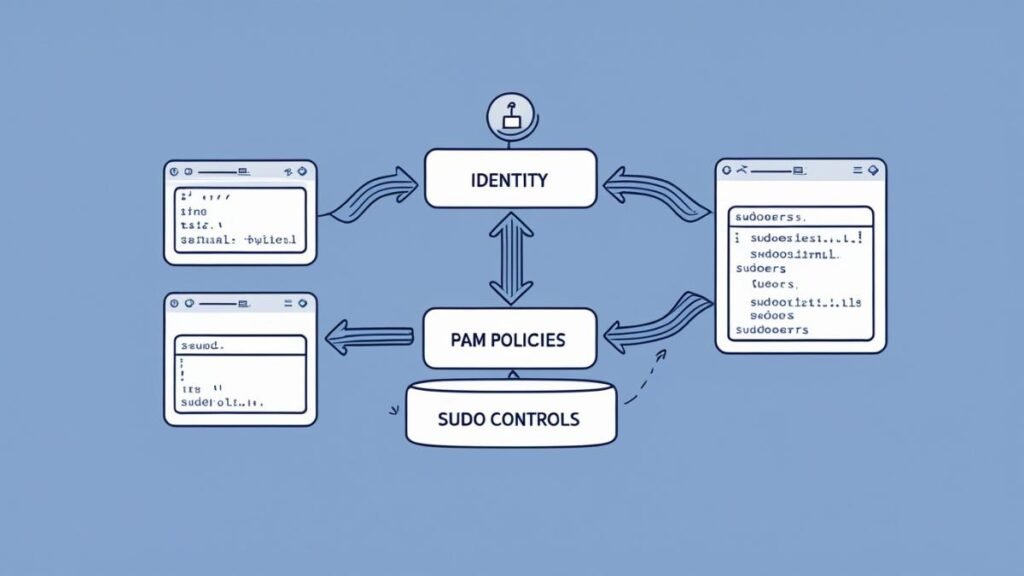
What’s the safest way to manage users, sudo, and passwords?
Create unique, named accounts. Keep sudo access minimal and logged. Enforce strong passwords and lockouts with PAM, and prefer multi-factor authentication where feasible.
Account hygiene
- No shared accounts.
- Set a login shell only where needed; set
/usr/sbin/nologinfor service users. - Expire stale accounts and keys on offboarding.
# List human users (UID ≥ 1000; adjust per distro)
awk -F: '$3 >= 1000 && $1 != "nobody" {print $1}' /etc/passwd

# Lock an account
sudo passwd -l username
Sudoers patterns
- Grant commands, not blanket admin:
%webadmins ALL=(root) /usr/bin/systemctl restart nginx. - Avoid
NOPASSWDexcept in controlled automation with logs. - Send sudo logs to a central collector.
# Create a role file
sudo visudo -f /etc/sudoers.d/webadmins
# Example line inside:
%webadmins ALL=(root) /usr/bin/systemctl restart nginx, /usr/bin/journalctl -u nginx
PAM hardening (lockouts and password quality)
- Use
pam_faillockfor lockouts. - Enforce length, entropy, and history with
pwquality.
# RHEL family faillock example
auth required pam_faillock.so preauth silent deny=5 unlock_time=900
auth [success=1 default=bad] pam_unix.so
auth [default=die] pam_faillock.so authfail deny=5 unlock_time=900
account required pam_faillock.so

# Password quality (common path)
echo 'minlen = 14
dcredit = -1
ucredit = -1
lcredit = -1
ocredit = -1
remember = 5' | sudo tee -a /etc/security/pwquality.conf
How do you lock down SSH without breaking access?
Use key-based auth, disable root login, and restrict who can SSH. Rate-limit authentication attempts and monitor logs for anomalies. Keep a break-glass path documented.
sshd_config essentials
# /etc/ssh/sshd_config (key items)
Protocol 2
PasswordAuthentication no
KbdInteractiveAuthentication no
PubkeyAuthentication yes
PermitRootLogin no
AllowUsers alice bob
ClientAliveInterval 300
ClientAliveCountMax 2
MaxAuthTries 3
Reload safely:
sudo sshd -t && sudo systemctl reload sshd
Key management and agent forwarding
- Use strong key types (ed25519 or rsa ≥ 3072).
- Disable agent forwarding unless required; avoid
ForwardAgent yesin global configs. - Rotate keys on role change.
Rate-limit and monitor
# Fail2ban quick start (Debian/Ubuntu)
sudo apt-get install fail2ban
sudo tee /etc/fail2ban/jail.d/sshd.local <<'EOF'
[sshd]
enabled = true port = ssh filter = sshd maxretry = 5 findtime = 600 bantime = 3600 EOF sudo systemctl enable –now fail2ban
Which firewall and network controls matter most today?
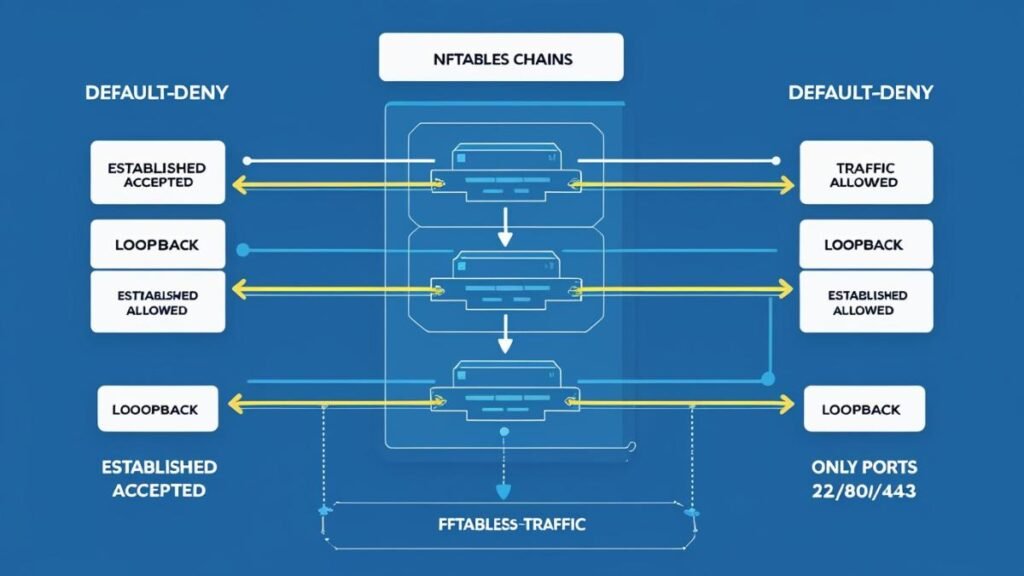
Adopt a default-deny inbound policy and open only required ports per role. Log drops to create useful signals. Where practical, restrict egress to known destinations.
nftables, firewalld, or UFW—quick patterns
# nftables example: minimal inbound for a web server
sudo tee /etc/nftables.conf <<'EOF'
table inet filter {
  chains {
    input { type filter hook input priority 0;
      policy drop;
      ct state established,related accept
      iif lo accept
      tcp dport { 22, 80, 443 } accept
      counter drop
    }
    forward { type filter hook forward priority 0; policy drop; }
    output  { type filter hook output  priority 0; policy accept; }
  }
}
EOF
sudo systemctl enable --now nftables
# firewalld example
sudo firewall-cmd --permanent --set-default-zone=drop
sudo firewall-cmd --permanent --zone=public --add-service=ssh
sudo firewall-cmd --permanent --zone=public --add-service=http
sudo firewall-cmd --permanent --zone=public --add-service=https
sudo firewall-cmd --reload
# UFW example
sudo ufw default deny incoming
sudo ufw default allow outgoing
sudo ufw allow OpenSSH
sudo ufw allow 80,443/tcp
sudo ufw enable
Minimal rules by role
| Role | Inbound allow | Optional egress control |
|---|---|---|
| Web server | 22, 80, 443 | To repo mirrors and CDNs |
| DB server | 22, 5432 (or 3306) from app subnets only | Block internet except updates |
| Jump host | 22 from admin IPs only | Allow to managed hosts only |
| CI runner | 22, needed app ports | Allow to SCM, package registries |
Should you use SELinux or AppArmor—and how do you start safely?
Keep MAC enabled. Start in permissive to gather denials, tune policy, then switch to enforcing. Use the distro default: SELinux on Red Hat family, AppArmor on Ubuntu and SUSE.
Distro defaults and quick checks
# SELinux status (RHEL/Fedora)
getenforce
sestatus

# AppArmor status (Ubuntu/SUSE)
sudo aa-status
Practical policy tuning
- For SELinux, read denials in
/var/log/audit/audit.logand useaudit2allowto propose rules. - For AppArmor, place a service in complain mode to learn, then enforce.
# SELinux: generate a minimal module from denials
sudo ausearch -m avc -ts recent | audit2allow -M mypolicy
sudo semodule -i mypolicy.pp

# AppArmor: learn and enforce
sudo aa-complain /usr/sbin/nginx
# After review
sudo aa-enforce /usr/sbin/nginx
Troubleshooting without disabling MAC
- Prefer targeted policy changes over global disables.
- Keep a rollback note for the exact change you made.
- Track changes in version control.
How do you harden filesystems and critical paths?
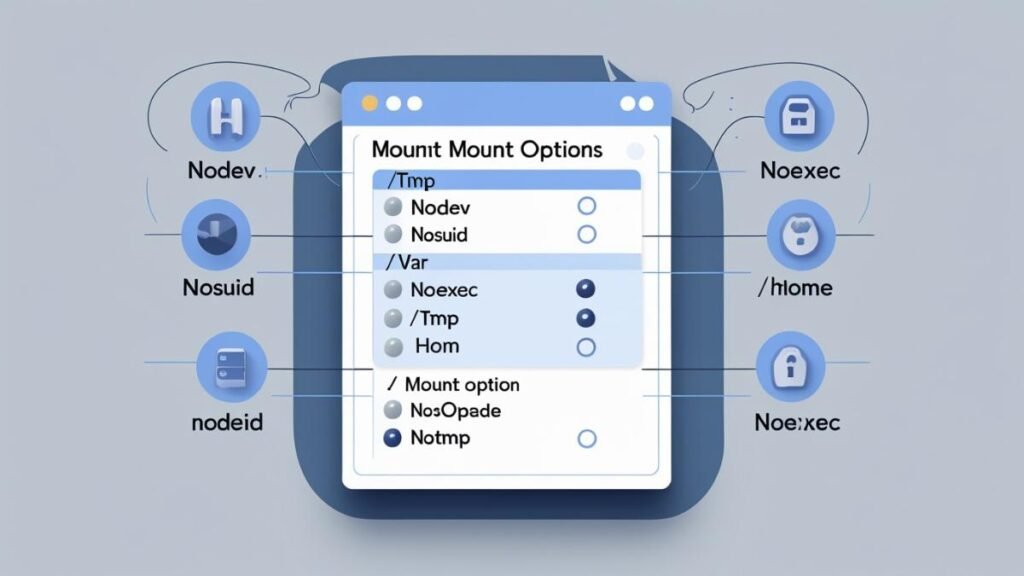
Use separate partitions and safer mount options. Apply nodev, nosuid, and noexec where appropriate, and guard temporary directories. Set strict permissions on sensitive paths.
Partitioning patterns
- Separate
/var,/tmp, and/homewhen possible. - Consider a small, locked-down
/boot. - Keep backups of
fstaband test before reboot.
Safe fstab examples
# /etc/fstab snippets
tmpfs   /tmp        tmpfs   defaults,noexec,nosuid,nodev,mode=1777  0 0
UUID=... /var       ext4    defaults,nodev,nosuid                    0 2
UUID=... /home      ext4    defaults,nodev                           0 2
Immutable flags for key assets
# Protect critical files (use with care)
sudo chattr +i /etc/ssh/sshd_config
sudo chattr +i /etc/sudoers
Remove the flag before planned edits:
sudo chattr -i /etc/ssh/sshd_config
How do you sandbox services with systemd safely?
Constrain services with systemd hardening directives. Drop capabilities, isolate filesystems, and give each service a private temp and, when possible, no direct device access.
Key directives that matter
NoNewPrivileges=yesProtectSystem=strictProtectHome=read-onlyortruePrivateTmp=yesPrivateDevices=yesCapabilityBoundingSet=~CAP_SYS_ADMIN CAP_NET_ADMIN ...RestrictAddressFamilies=AF_INET AF_INET6(allow only what is needed)ReadWritePaths=/var/lib/app(narrow the write surface)
Per-service override example
sudo systemctl edit nginx.service
# drop-in file
[Service]
NoNewPrivileges=yes
ProtectSystem=strict
PrivateTmp=yes
ProtectHome=read-only
CapabilityBoundingSet=CAP_NET_BIND_SERVICE
RestrictAddressFamilies=AF_INET AF_INET6
ReadWritePaths=/var/cache/nginx /var/log/nginx
Test:
sudo systemctl daemon-reload
sudo systemctl restart nginx
sudo systemctl status nginx
How do you set up auditing, logging, and file integrity that you’ll actually use?
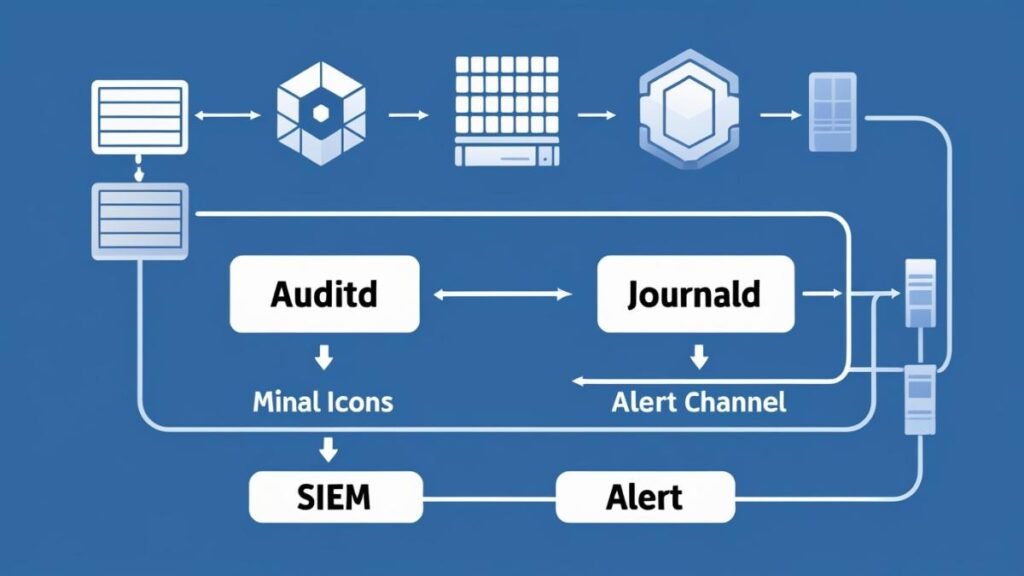
Enable audit rules for sensitive actions, centralize logs, and deploy AIDE to detect drift. Alert on authentications, sudo, policy denials, and changes to critical files.
Starter audit rules
# Example audit.rules fragment
-w /etc/sudoers -p wa -k scope
-w /etc/ssh/sshd_config -p wa -k scope
-a always,exit -F arch=b64 -S execve -k exec
-w /var/log/secure -p wa -k auth
Centralize and rotate logs
- Forward journald or rsyslog to a log server or SIEM.
- Keep logrotate tuned to preserve enough history.
AIDE baseline and schedule
sudo apt-get install aide || sudo dnf install aide
sudo aideinit
sudo mv /var/lib/aide/aide.db.new.gz /var/lib/aide/aide.db.gz
# Daily check via cron
echo '0 3 * * * root /usr/bin/aide.wrapper --check' | sudo tee /etc/cron.d/aide
Which kernel and sysctl settings close common holes?
Harden IP behavior to block spoofing and redirects, keep sane TCP defaults, and reduce unnecessary features. Apply changes through /etc/sysctl.d and reload.
Example secure sysctl settings
# /etc/sysctl.d/99-security.conf
net.ipv4.conf.all.rp_filter = 1
net.ipv4.conf.default.rp_filter = 1
net.ipv4.conf.all.accept_source_route = 0
net.ipv4.conf.default.accept_source_route = 0
net.ipv4.conf.all.accept_redirects = 0
net.ipv4.conf.default.accept_redirects = 0
net.ipv6.conf.all.accept_redirects = 0
net.ipv4.tcp_syncookies = 1
net.ipv4.tcp_timestamps = 0
kernel.kptr_restrict = 2
kernel.unprivileged_bpf_disabled = 1
Apply and verify:
sudo sysctl --system
sudo sysctl net.ipv4.conf.all.rp_filter
Can you apply these 10 tips in 30 minutes on a fresh host?
Yes. Triage in this order: access, network, MAC, and monitoring. Use a checklist, test each step, and keep a rollback note for changes.
30-minute baseline checklist
- Add your admin user and SSH keys; disable root login.
- Turn off password auth in
sshd_config; reload and test a second session. - Default-deny firewall; open only required ports for the role.
- Remove unused packages; disable unneeded services.
- Enforce sudo least privilege via
/etc/sudoers.d/. - Set PAM lockouts and password policy.
- Enable MAC (SELinux/AppArmor) in permissive; tune; switch to enforcing.
- Apply filesystem mount options for
/tmp,/var,/home. - Add systemd hardening directives to internet-facing services.
- Enable auditd rules, set up AIDE, and forward logs off-host.
Key Takeaways
- Shrink exposure first: close ports, stop services, remove packages.
- Lock SSH with keys, no root login, and rate-limit attempts.
- Keep MAC on; tune, then enforce.
- Harden filesystems with
nodev,nosuid,noexec. - Use systemd to sandbox each service.
- Turn on auditing and file-integrity checks to catch drift.
- Apply kernel and sysctl settings that block spoofing and redirects.
Conclusion
Linux hardening works best when it is role-based, layered, and verified. Start with fast exposure cuts, add strict access control, then confine services and watch for drift. The baseline above is repeatable and durable for most small and mid-size environments.
Read next: a CIS-aligned Linux baseline and a deeper SSH hardening guide.
FAQ
Is changing the SSH port required for security?
No. It reduces noise but does not replace keys, lockouts, or allowlists. Keep focus on keys and policy.
Should new teams pick SELinux or AppArmor?
Use the distro default and learn it. Both enforce MAC and reduce blast radius.
Will noexec on /tmp break apps?
Some installers expect exec in temp paths. Use mount -o remount,exec temporarily or provide an alternate writable path.
How much egress control is practical on a small team?
Start with allowlists for package mirrors and required APIs. Review logs to add or prune destinations.
Do systemd hardening directives hurt performance?
They rarely do. Most constraints remove unsafe capabilities rather than add heavy checks.
Sources
- Center for Internet Security (CIS) Benchmarks for Linux distributions — cisecurity.org
- NIST SP 800-123, Guide to General Server Security — nist.gov
- OpenSSH
sshd_configreference — man.openbsd.org/sshd_config - Red Hat SELinux documentation — access.redhat.com/documentation/en-us/red_hat_enterprise_linux/
- systemd.exec and security directives — freedesktop.org
