Skip to content
HakTechs
  • Best Products
    • Security Gadgets
    • Network & Connectivity
    • Desk Setup & Productivity
    • Charging & Mobile Accessories
  • Cyber Hub
    • 🔰 Learn Ethical Hacking
      • 👶 Beginner Zone
      • 🎓 Career & Certs
    • 🛠️ Fix Security Issues
      • 🔧 Fix & Prevent
      • ⚠️ Misconfigs
      • 🛡 Hardening Tips
    • 🌐 Protect Your Network
      • 🛜 Web & Network
      • 🦠 Malware Analysis
    • 🧪 Test Attack Defense
      • ⚙️ Tools & Usage
      • 🛑 Vulnerabilities
      • 🧠 Red vs Blue
    • 🕵️ Hacker Groups
    • 🔓 Real Hacks
    • 📱 APK & App
  • About
  • Contact
I Was an Incident Responder for a Massive Corporate Hack—Here’s the Inside Story

I Was an Incident Responder for a Massive Corporate Hack—Here’s the Inside Story

December 24, 2025 by Ethan Cross

Sharing is caring, Please share now!

What happens when odd emails turn into a full-scale credential phishing campaign—can a team stop it in under three hours? That question drove every call we made during the CyberOne case study. Early alerts showed odd mail headers and DKIM failures. Those signals led to a rapid, evidence-driven response that moved from first detection to mail-flow blocks and enterprise-wide protections fast.

Table of contents
  1. Key Takeaways
  2. A stormy night, a buzzing phone, and the first clue something was wrong
  3. The inside story of a corporate hack incident responder
  4. Threat timeline: from odd emails to coordinated incident response
    1. Escalation across tenants: pattern recognition
    2. Minutes matter: the first hour defines your posture
    3. Containment checkpoints
  5. Inside the IR war room: roles, process, and playbooks in action
    1. Analysts on the line: investigation, containment, recovery
    2. Customer communications vs. technical response: parallel tracks
    3. Assigning responsibility: who handles threat, people, and process
  6. Tools and telemetry: how we turned noise into signal
    1. What email metadata revealed
    2. How Microsoft Sentinel tied signals across environments
    3. From payload analysis to shared protection
  7. Think like an attacker: the human side of incident response
  8. Business impact in hours, not months: risk, response, and communication
    1. How did visibility reduce panic?
    2. How did we protect customers while operations continued?
  9. Insurance, vendors, and the cost of a wrong first call
    1. When “use insurance” collides with real security needs
    2. Pre-onboarding preferred IR partners before an incident
  10. Outcomes and lessons learned: what went well and what changed
    1. Speed, depth, protection: measurable results in under three hours
    2. Post-incident wash-up: closing gaps, refining rules, raising resilience
  11. Conclusion
  12. FAQ
    1. What are the first indicators that an email-based intrusion is underway?
    2. How fast should a response team act once suspicious email activity is detected?
    3. Who needs to be on the call when an escalation goes to the war room?
    4. What containment actions are most effective for mail-based attacks?
    5. How do teams preserve evidence without disrupting business operations?
    6. What telemetry sources matter most during an email compromise investigation?
    7. How do incident teams differentiate between opportunistic phishing and a coordinated attack?
    8. When should a company involve external incident response vendors or insurers?
    9. How do you balance customer communication with technical containment?
    10. What role does automation play in limiting damage during the initial response?
    11. How should lessons from the event be turned into durable defenses?
    12. What common mistakes extend recovery time after an email compromise?
    13. How can smaller companies prepare their teams for rapid incidents?
    14. What metrics should leaders track during and after an event?

An expert take by Ethan Cross, HakTechs.com Lead Analyst

Incident response here meant structured roles, a live IR “war room,” and real-time telemetry from Microsoft Sentinel. Analysts mapped patterns across tenants, removed messages with soft and hard deletes, and rolled out Hyperion rules to protect all clients.

The human side mattered: clear briefings to leadership, calm coordination, and decisions guided by metadata and proven playbooks. Read further for a practitioner’s view on the tactical steps and why pre-onboarding a trusted partner beats calling in a vendor under pressure. For context on how far such attacks can reach, see the SolarWinds profile in NPR for background on large-scale compromise: SolarWinds attack overview.

Key Takeaways

  • First moves matter: early email metadata and DKIM/SPF/DMARC checks speed containment.
  • Structured response: assigned roles and a war room turn chaos into controlled action.
  • Scale protections: centralized rules engines can share defenses across tenants quickly.
  • People first: clear communication with leadership keeps recovery focused and fast.
  • Prep wins: pre-onboarding a trusted IR partner beats last-minute vendor reliance.

A stormy night, a buzzing phone, and the first clue something was wrong

A late-night buzz on my phone pulled me out of bed and into a cascade of alerts. That single call reported “malware on the factory floor,” and at first it looked local and contained.

Within hours, vacation-day calls revealed backups wiped and servers impacted. What began as an isolated alarm became a sign that credential theft or upstream compromise had likely pivoted across systems.

Early user reports of an odd email mattered. One suspicious message can be the visible artifact of a coordinated credential phishing campaign.

  • First minutes count: verify alert provenance, confirm sensor integrity, and check recent email activity.
  • Document what you see: who was paged, the alert timestamp, and initial actions taken.
  • Escalate fast: a rapid call to action often prevents wider threat propagation.

Codify paging rules to reduce phone alert fatigue and give analysts clear steps for triage. One well-handled early sign can save your team a long day and protect business systems in real time.

A stormy night casts an eerie glow on a desk, where a smartphone buzzes urgently, its screen displaying a blinking email notification. The phone's surface reflects the flickering lights from outside, creating a sense of unease and impending crisis. The desk is cluttered with scattered papers and a half-empty mug of coffee, suggesting a workspace in disarray, mirroring the escalating situation. The lighting is dramatic, with sharp shadows and highlights that accentuate the ominous mood. The camera angle is slightly low, heightening the sense of tension and emphasizing the phone's central role in the scene.

The inside story of a corporate hack incident responder

What looked like routine noise became a disciplined, time-sensitive process for protecting assets. We framed this as a past, verified case with real decisions made in real time. The aim here is clear: show the process, the people, and the rationale so teams can learn practical steps.

Case study scope: this covers a single verified event that affected multiple companies and critical sectors such as hospitals and manufacturing. We trace detection through post-incident review, focusing on repeatable process rather than heroics.

  • Roles: analysts, engineers, delivery leads, customer success, and senior leadership—each with defined actions.
  • Process: detection → scoping → evidence gathering → containment → eradication → recovery → review.
  • Human dynamics: people raised observations; experts tested simple hypotheses before escalating posture.

This section sets expectations: you will read what we saw, what we did, and why each step mattered. Upcoming sections walk through the timeline and artifacts so teams can apply the same process in their environments.

A vast corporate data center, rows of servers humming with activity. Flashing lights and intricate circuit boards reveal the complex inner workings of this digital landscape. In the foreground, a lone technician hunched over a laptop, brow furrowed in concentration as they navigate the labyrinth of software and security protocols. The atmosphere is tense, the air thick with the weight of an unfolding crisis. Bright monitors cast an eerie glow, illuminating the scene with an ominous, neon-tinged palette. Dramatic shadows and high-contrast lighting heighten the sense of urgency, as if the very fate of the organization hangs in the balance. This is the heart of the incident response, where the battle against the cyber threat is waged in real-time.

Threat timeline: from odd emails to coordinated incident response

A single flagged message can flip routine noise into a full operational alert. The first hour sets the posture: fast triage gives teams purchase to contain and communicate.

Early indicators showed urgent tones and credential lures that moved the event from nuisance to priority.

  • One user reported an odd email. Then multiple emails arrived across clients and tenants.
  • Security operations opened a formal ticket and convened an IR war room within minutes.

Escalation across tenants: pattern recognition

Analysts examined email metadata, link behavior, and sender domains. The signals matched a coordinated credential phishing attack.

Minutes matter: the first hour defines your posture

Teams acted in real time: soft deletes removed messages while preserving recovery. After verification, hard deletes removed malicious content completely.

Containment checkpoints

Attacker mail came from Google Cloud with valid DKIM/SPF/DMARC, which lowered automated suspicion. Human review pulled the thread.

  • Tactical mail-flow blocks interrupted delivery while weighing business impact.
  • Microsoft Sentinel ran cross-tenant searches for shared indicators.
  • Teams configurations were checked to prevent lateral chat-based attack paths.

A dimly lit office desk, a laptop displaying a timeline of threat emails, with digital documents and security alerts strewn across the surface. Soft ambient lighting casts a sense of urgency, the glow of the screen illuminating the serious expression of the incident responder as they analyze the unfolding situation. Faint reflections on the laptop screen hint at the gravity of the corporate hack, the responder's focus unwavering as they navigate the threat timeline, piecing together the escalating sequence of suspicious emails. Depth of field blurs the background, drawing the viewer's attention to the critical task at hand.

Outcome: within three hours the team confirmed social engineering payloads and pushed a Hyperion rule that protected all customers.

Inside the IR war room: roles, process, and playbooks in action

The war room formed fast and every role had a clear purpose. That rapid clarity kept technical work and customer communications running as two parallel tracks.

When the war room lit up, roles were assigned in minutes and each person knew their next move. The core team included leads for investigation, containment, recovery, threat intel, and communications.

Analysts on the line: investigation, containment, recovery

Analysts handled email removals, starting with soft deletes to preserve evidence and moving to hard deletes once verification completed. They also implemented mail-flow blocks and logged each action.

Short discussion cycles let analysts validate assumptions, commit actions, and immediately check impact before the next task.

Customer communications vs. technical response: parallel tracks

Technical teams ran hunts and pushed protections while communications staff sent plain-language updates to leaders and staff. This kept business units informed and reduced risky user actions.

Running these tracks in parallel kept the overall response smooth and prevented mixed messages.

Assigning responsibility: who handles threat, people, and process

  • Threat intelligence — lead analyst
  • People ops and staff guidance — communications lead
  • Process and playbook adherence — incident lead

Prebuilt playbooks sped decisions and ensured clear handoffs. When anomalies required deviation, leads documented why and kept the timeline complete as part of the final wash-up.
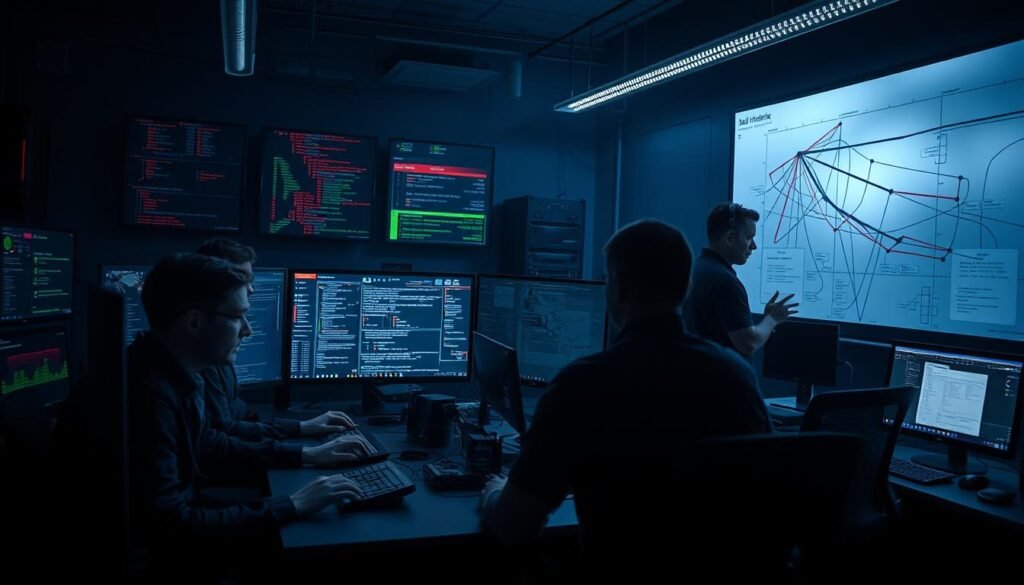
A dimly lit war room, the air thick with tension. In the foreground, a team of incident responders huddle over screens, fingers flying across keyboards as they analyze data and coordinate response efforts. Monitors display a complex web of network activity, security alerts, and incident timelines. In the middle ground, a senior analyst stands at a whiteboard, mapping out the attack vector and potential paths of escalation. Toward the back, a team lead confers with external stakeholders on a secure video call, relaying critical updates and formulating next steps. Diffused lighting casts dramatic shadows, heightening the sense of urgency. The room's atmosphere is one of focused determination, as this elite team works tirelessly to contain the breach and protect the organization.

The final wash-up reviewed timeline, gaps, and follow-ups so the team could shorten dwell time on future incidents and improve playbook parts for faster recovery.

Tools and telemetry: how we turned noise into signal

Telemetry gave us the clear threads we needed to move from alerts to action. By layering tools and human review, the team converted scattered logs into reliable detections.
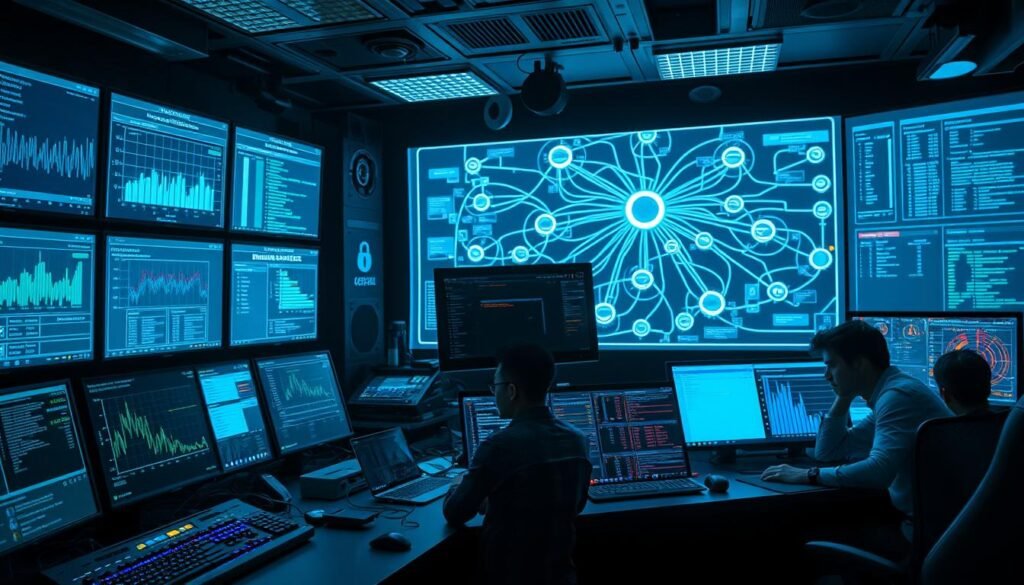
A high-tech control room, with various screens and dashboards displaying real-time security telemetry data. In the foreground, an array of sophisticated tools, including network analyzers, packet sniffers, and threat detection software, all connected to a central monitoring console. The lighting is a cool, blue-tinted hue, creating a sense of urgency and focus. The background features a complex diagram of a corporate network, with intricate connections and potential vulnerabilities highlighted. The overall atmosphere is one of intense concentration and vigilance, as the incident responders work tirelessly to turn the noise of security data into a clear, actionable signal.

What email metadata revealed

Email headers, sender domains, IPs, timestamps, and URLs supplied discrete data points that let analysts distinguish benign anomalies from a coordinated campaign.

We traced delivery paths and found all messages coming from one Google Cloud Platform mail server with valid DKIM/SPF/DMARC alignment. That alignment can be abused, so layered review mattered.

How Microsoft Sentinel tied signals across environments

Microsoft Sentinel aggregated telemetry from many systems and ran hunt queries that matched indicators across every managed environment. That correlation sped escalations and reduced blind spots.

From payload analysis to shared protection

Reverse engineering confirmed credential-harvesting pages and intent. Engineers then codified findings into Hyperion rules so one confirmed pattern protected all customers in real time.

  • Preserve evidence: keep chain of custody and avoid destructive actions.
  • Partner work: analysts find patterns; engineers build low-noise detections.
  • Validate: tune thresholds post-deployment to cut false positives and speed containment.

When tools, people, and playbooks align, security operations cut dwell time and make incident response faster and repeatable.

Think like an attacker: the human side of incident response

Seeing the network through an adversary’s goals changes how you hunt and respond. Shift from reactive triage to proactive probing: anticipate objectives, test likely paths, and challenge assumptions that alerts miss.

Threat hunting is disciplined work: form hypotheses, query telemetry, and follow breadcrumbs even when no alert fires in real time.

“If you want to be a good incident responder, you kind of have to think like a hacker,” Alex Johnson (Ascent Solutions) said, noting attackers run like a company and that AI shifts their tempo.

— Alex Johnson, Ascent Solutions

An expert reads social engineering cues, infrastructure reuse, and operational tempo. That lets teams predict next moves and hunt lateral paths such as chat platforms and Teams links.

Attackers are people organized with roles—finance, ops, and management—and they iterate quickly. AI helps them craft adaptive lures, but defenders also use AI to correlate signals and scale detections.

A determined hacker, cloaked in digital shadows, hunches over a glowing computer screen, the faint glow illuminating their focused expression. In the background, a maze of circuitry and data streams pulse with an ominous rhythm, hinting at the complex web of systems they seek to infiltrate. The scene is lit by a cool, teal-tinted light, creating an atmosphere of calculated intensity. The camera angle is slightly low, emphasizing the hacker's sense of control and authority over the digital landscape. The overall mood conveys the cunning and analytical mindset required to think like an attacker in the high-stakes world of incident response.

  • Communicate with a clear voice: guide users during hunts to reduce panic clicks.
  • Train continuously: tool mastery, data analysis, and soft skills keep teams nimble.
  • Combine intuition with hunts: turn isolated indicators into actionable intelligence and faster containment.

For deeper TTP context, see this threat tactics overview.

Business impact in hours, not months: risk, response, and communication

Fast, clear action in the first hours limits financial exposure and keeps operations running. Transparent updates calm staff, protect customers, and let technical teams finish containment without confusion.

Minutes shape outcomes. CyberOne held a leadership briefing, then an all-staff update at 14:35 that said what happened, what we did, and what to watch for.

How did visibility reduce panic?

Clear, timely updates cut risk by aligning behavior. Staff knew what to click, what to report, and which processes to pause.

That single mid-incident note removed guesswork and stopped duplicate efforts across teams.

How did we protect customers while operations continued?

Containment and preventative steps ran in parallel with communications. Technical teams pushed blocks and deletes while leaders explained visible changes to users.

A dimly lit office space, the air thick with tension. In the foreground, a harried business executive pores over a laptop, fingers tapping furiously as they navigate a web of financial data and risk assessments. Beside them, a phone lies abandoned, its screen flickering with urgent notifications. The middle ground is dominated by a conference table, where colleagues huddle, faces etched with concern. Shadows cast by the harsh overhead lighting lend an ominous atmosphere, heightening the sense of urgency. In the background, the cityscape beyond the window is barely visible, a testament to the all-consuming nature of the crisis at hand. The overall mood is one of trepidation and a race against the clock, capturing the essence of "business impact in hours, not months: risk, response, and communication".

Cadence mattered: an initial leadership brief, a mid-incident all-staff note with specific guidance, and a wrap-up that documented fixes and next steps for customer-facing teams.

Measured reporting converted security metrics into business terms: affected mailboxes, hours to containment, and ongoing monitoring steps. That language kept the line between security work and business decisions clear.

“Disciplined communications are a core pillar of response maturity and a differentiator customers remember.”

When leaders stay calm and factual, the company preserves trust and service levels. Fast response plus clear communication protects customers and reduces long-term risk.

Insurance, vendors, and the cost of a wrong first call

Picking the right vendor before you need one saves time, money, and reputation. When coverage routes you to an unfamiliar firm, incentives can clash with real security needs.

When “use insurance” collides with real security needs

Insurance can help cover costs, but coverage clauses sometimes default to a preferred vendor list that fits the insurer more than your operations. That mismatch can lead to slow engagement, narrow playbooks, or pressure toward ransom pathways. The FRSecure narrative warns that several companies reported poor outcomes after being tied to a firm that favored the wrong early options.

  • Practical tension: insurer directives may prioritize cost containment over rapid containment.
  • FRSecure caution: some companies found delays and dismissive service when the chosen firm lacked relevant experience.

Pre-onboarding preferred IR partners before an incident

Do this work now: run interviews, complete vendor questionnaires, and agree rate cards. Pre-onboarding preserves choice and stops the insurer process from dictating your first call when minutes count.

  1. Align your policy language to list your preferred firm(s) so the insurer approves them up front.
  2. Use a decision matrix that scores firms on experience with your network and stack, SLA commitments, communications, and past incident track records.
  3. Include the insurer, legal counsel, and the vendor in tabletop exercises. That discussion clarifies approval flows and escalation thresholds.

Contractual safeguards matter: require clear data handling, evidence preservation, and post-incident reporting so work stands up to scrutiny. This point is simple: the right first call lowers total risk and cost; the wrong one can extend downtime and deepen exposure.

Outcomes and lessons learned: what went well and what changed

The team delivered clear, measurable results in under three hours. Fast escalation, layered analysis, and immediate protections stopped further compromise and set the stage for durable fixes.

Speed, depth, protection: measurable results in under three hours

The timeline was sharp: from first advisory to estate-wide Hyperion deployment in under three hours.

Measurable outcomes:

  • Hours: containment and protection rolled out inside the three-hour window.
  • Number of affected users contained and verified; no further compromise found after containment.
  • Reverse engineering and multi-analyst reviews produced high-confidence indicators for durable rules.

The analysts translated telemetry and payload data into detection logic that engineers pushed across all systems. That quick handoff cut dwell time and reduced follow-up work.

Post-incident wash-up: closing gaps, refining rules, raising resilience

The final wash-up produced a reconstructed timeline, a gap register, and assigned owners with target dates over the next month.

  • Assigned remediation actions mapped over the coming month and tracked beyond to months and years for refinement.
  • Rule refinement cycles scheduled: quick tuning in weeks, deeper reviews across months and years to counter evolving threats.
  • Systems hardening steps: mail-flow safeguards, identity protections, and collaboration platform checks.

Communication quality proved as important as technical depth. Clear guidance let stakeholders act fast and kept budgets and training aligned with outcomes.

Point: evidence handling and thorough documentation positioned the organization well for compliance and insurer follow-up.

At the end, iterative improvements were framed as ongoing security practice, not an afterthought.

Conclusion

Clear roles, calm communication, and practiced playbooks let teams stop threats in hours, not weeks. Fast, strong, measured actions in the first hour set the tone for recovery and reduced risk.

This brief shows that a trained team can turn noisy emails and phone alerts into evidence-led defenses. People used email artifacts, telemetry data, and technology-assisted hunts to map the network and limit exposure across companies and customers.

Think like an attacker, then build playbooks to block likely paths. Keep communication on the line crisp, document each step, and pre-onboard your preferred vendors so the first call helps—not hinders—response time. With the right people, process, and tools, one day of disciplined work can prevent longer-term damage to systems and reduce risk for everyone.

FAQ

What are the first indicators that an email-based intrusion is underway?

Early signs include unusual sender domains, sudden spikes in outbound mail, messages with urgent language or credential prompts, and authentication failures flagged in logs. Look for mismatched DKIM/SPF/DMARC results and repeats of similar phishing templates across tenants. Those signals often appear minutes before downstream payloads or lateral movement.

How fast should a response team act once suspicious email activity is detected?

The first hour is critical. Analysts should validate telemetry, block malicious senders or domains, and apply mail-flow rules or quarantines within 60 minutes. Rapid containment reduces exposure and narrows investigation scope, turning noisy alerts into actionable data for recovery and forensics.

Who needs to be on the call when an escalation goes to the war room?

Include incident lead, senior security operations analysts, mail administrators, network engineers, legal or compliance, communications, and a customer-facing liaison. That mix keeps technical containment, business impact assessment, and external messaging synchronized in real time.

What containment actions are most effective for mail-based attacks?

Start with targeted mail-flow blocks, quarantining affected mailboxes, and disabling compromised credentials. Use soft deletes to preserve evidence, then hard delete only after forensic capture. Parallel actions should include blocking attacker infrastructure at DNS/IP layers and updating detection rules in SIEM tools like Microsoft Sentinel.

How do teams preserve evidence without disrupting business operations?

Capture full mailbox exports and email headers, snapshot affected endpoints, and collect relevant logs before taking aggressive remediation. Use staged remediation: isolate affected accounts while maintaining read-only access for users when possible. Clear communication with leadership and customers helps manage expectations during this phase.

What telemetry sources matter most during an email compromise investigation?

Email headers, Exchange Online Protection logs, authentication logs (Azure AD sign-ins), DNS query records, endpoint telemetry, and SIEM alerts are top priorities. Combine DKIM/SPF/DMARC results with sender infrastructure mappings to trace attacker tooling and pivot to network indicators.

How do incident teams differentiate between opportunistic phishing and a coordinated attack?

Pattern recognition across tenants—such as repeated templates, synchronized send times, or shared callback infrastructure—suggests coordination. Correlate email content, attacker domains, and IPs with external threat intelligence and watch for lateral movement or odd privilege elevations to confirm scope.

When should a company involve external incident response vendors or insurers?

Engage preferred IR partners early if internal capability is limited, evidence points to broad compromise, or legal/regulatory exposure is high. Contact insurers per policy terms, but avoid relying solely on coverage to dictate technical choices. Pre-onboarding vendors and clarifying engagement playbooks before incidents saves hours during a crisis.

How do you balance customer communication with technical containment?

Run parallel tracks: technical teams execute containment and forensics while communications crafts clear, factual updates for customers and stakeholders. Provide frequency and scope for updates, avoid speculative details, and coordinate approval paths through legal and leadership to maintain trust without delaying remediation.

What role does automation play in limiting damage during the initial response?

Automation speeds containment—automated mail quarantines, conditional access blocks, and Sentinel playbooks can neutralize known threats within minutes. But automation needs safe guardrails: ensure playbooks are tested, avoid wholesale account disables without verification, and log every automated action for audit and rollback.

How should lessons from the event be turned into durable defenses?

Run a fast post-incident review to identify gaps in detection, playbook coverage, and communication. Prioritize fixes: rule tuning in SIEM, adding telemetry sources, refining mail-flow controls, and regular tabletop exercises with vendors and insurers. Measure improvements with time-to-detect and time-to-contain metrics.

What common mistakes extend recovery time after an email compromise?

Delayed evidence capture, overreliance on insurance without technical consultation, failing to pre-authorize vendor access, poor internal communication, and blocking broad infrastructure prematurely are frequent missteps. Each can add hours or days to regain full operational posture.

How can smaller companies prepare their teams for rapid incidents?

Predefine incident roles, maintain an up-to-date runbook for mail incidents, pre-onboard at least one external response partner, and deploy core telemetry (mail logs, authentication, endpoint agents). Regular tabletop drills and clear communication templates reduce panic and speed decisions when real events occur.

What metrics should leaders track during and after an event?

Track time-to-detect, time-to-contain, number of affected accounts, volume of malicious messages blocked, and customer-impact indicators. Post-incident, measure repeat incidents, rule efficacy, and mean time to remediate. These metrics drive investment and show whether changes reduced organizational risk.
Categories Hackers Tags Corporate Hack Incident, Corporate Security Incident, Cyber Attack Response, Cyber Incident Management, Cybersecurity breach, Data Breach Recovery, Incident Handling Procedures, Incident Response, Incident Response Team, Insider Account

Sharing is caring, Please share now!

Ethan Cross

Ethan Cross is a cybersecurity analyst and tech journalist with over a decade of experience in ethical hacking, malware analysis, and digital forensics. At HakTechs.com, he delivers in-depth reports, security tips, and expert analysis to help readers stay ahead of emerging cyber threats.

Your Cybersecurity Career Roadmap: A Simple, Step-by-Step Guide from Beginner to Expert

How Hackers Steal Your Passwords Without Malware: A Simple Guide to Their Tricks

Follow us

.st1{display:none}Hot Discussions

Dark Web APK Stores — What You Should Know

January 25, 2026

What is Social Engineering in Cybersecurity? Stay Safe Online

August 14, 2025

How to Use SQLMap for Database Exploitation: A Guide

July 24, 2025

How to Set Up Secure DNS for Better Privacy and Security

August 3, 2025


.st1{display:none}Latest posts

Google Gemini vs ChatGPT vs Copilot Key Differences

Google Gemini vs ChatGPT vs Copilot: Key Differences

August 6, 2026

Unknown Meta Charge in India How to Check and Dispute It

Unknown Meta Charge in India? How to Check and Dispute It

August 3, 2026

Can You Hack Pokémon GO Cheats, Risks and Safe Options

Can You Hack Pokémon GO? Cheats, Risks and Safe Options

August 3, 2026

Fortinet Zero-Day Exploit How UNC3886 Targeted Networks

Fortinet Zero-Day Exploit: How UNC3886 Targeted Networks

August 3, 2026

HakTechs logo

HakTechs is your trusted source for cybersecurity insights, ethical hacking guides, real hack analysis, and the latest tech updates. We simplify complex security topics to help you stay informed and protected in the digital world.


Follow us

Popular Categories

Beginner Zone

Career & Certs

Fix & Prevent

Vulnerabilities

Hacker Groups

APK & App

Misconfigs

Web & Network

Real Hacks

LAtest post

  • Google Cloud Cryptomining Attacks What the 86% Figure Means
    Google Cloud Cryptomining Attacks: What the 86% Figure Means
    by Ethan Cross
    August 6, 2026

© 2025 HakTechs

  • Terms and Conditions
  • Affiliate Disclosure
  • Privacy Policy
  • Disclaimer
  • contact us
  • about us
  • Sitemap
  • Best Products
    • Security Gadgets
    • Network & Connectivity
    • Desk Setup & Productivity
    • Charging & Mobile Accessories
  • Cyber Hub
    • 🔰 Learn Ethical Hacking
      • 👶 Beginner Zone
      • 🎓 Career & Certs
    • 🛠️ Fix Security Issues
      • 🔧 Fix & Prevent
      • ⚠️ Misconfigs
      • 🛡 Hardening Tips
    • 🌐 Protect Your Network
      • 🛜 Web & Network
      • 🦠 Malware Analysis
    • 🧪 Test Attack Defense
      • ⚙️ Tools & Usage
      • 🛑 Vulnerabilities
      • 🧠 Red vs Blue
    • 🕵️ Hacker Groups
    • 🔓 Real Hacks
    • 📱 APK & App
  • About
  • Contact