Imagine waking up to find your personal data leaked online. Scary, right? In today’s digital world, database security is more critical than ever. Yet, many web applications remain vulnerable to threats like SQL injection, a sneaky technique hackers use to exploit weaknesses.
Did you know that in 2024, 8% of websites are still at risk? This isn’t just a tech issue—it’s a real-world problem. From stolen tax data to leaked passwords, the consequences can be devastating. But don’t worry, we’ve got your back.
In this guide, we’ll walk you through six hacker-proof techniques to safeguard your web application. Whether you’re dealing with a legacy system or building something new, these steps will help you stay one step ahead. Ready to level up your security game? Let’s dive in!
Key Takeaways
- SQL injection remains a top cybersecurity threat in 2024.
- Real-world consequences include data leaks and financial fraud.
- Parameterized queries and input validation are essential for protection.
- Quick fixes and long-term solutions vary based on system type.
- Tools like Tenable and NordLocker can simplify the process.
What Is SQL Injection and Why Is It Dangerous?
Your login form could be the gateway to a full-blown data heist. SQL injection is a sneaky trick where attackers exploit vulnerabilities in your app to run malicious commands. Think of it as a backdoor into your database—no key needed.
Here’s the kicker: it’s not just about stealing data. Attackers can bypass login screens, delete records, or even take control of your entire system. Scary, right? And it’s not just a theoretical threat. In 2019, a single injection attack exposed the tax records of 5 million people.
Understanding SQL Injection Attacks
So, how does it work? Attackers insert malicious code into input fields, like login forms. For example, typing ' OR 1=1-- can trick the system into granting access. It’s like saying, “Hey, I’m legit because 1 always equals 1.” Sneaky, huh?
But it gets worse. Hackers can use UNION-based attacks to merge their malicious queries with legitimate ones. This lets them extract sensitive information without raising alarms. As Acunetix explains, these vulnerabilities are a goldmine for attackers.
The Impact of SQL Injection on Web Applications
The fallout from a successful attack is massive. Financial losses? Check. Regulatory fines? Double check. In 2023, the average breach cost $4.45 million. And that’s not counting the damage to your reputation.
Here’s the scary truth: 52% of the OWASP Top 10 vulnerabilities are injection-related. Attackers don’t stop at stealing data. They can pivot from your database to executing commands on your operating system. It’s a nightmare scenario.
“SQL injection remains one of the most dangerous threats to web applications today.”
So, what’s the takeaway? SQL injection isn’t just a tech issue—it’s a business risk. Stay tuned as we dive deeper into how you can protect your app from these sneaky attacks.
How SQL Injection Attacks Work
Ever wondered how hackers sneak into databases without a key? It’s all about exploiting vulnerabilities in your app’s code. By injecting malicious sql queries, attackers can manipulate your database to their advantage. Let’s break it down.

Common Techniques Used by Attackers
Hackers have a toolbox of sneaky techniques to bypass your defenses. Here are some of the most common ones:
- UNION-based attacks: Stitching data from multiple tables to extract sensitive information.
- Time-based blind SQLi: Using
sleep()commands to guess passwords based on page load times. - Second-order attacks: Storing malicious payloads for later execution.
- Obfuscation tricks: Encoding attacks in HEX or using null bytes to bypass firewalls.
Real-World Examples of SQL Injection
These aren’t just theoretical threats. In 2018, a crypto heist stole $350 million using a single injection attack. Another example involved a major retailer leaking millions of customer records. These breaches highlight the real-world impact of poor database security.
| Technique | How It Works | Impact |
|---|---|---|
| UNION-based | Combines malicious queries with legitimate ones | Extracts sensitive data |
| Time-based | Uses delays to guess passwords | Bypasses authentication |
| Second-order | Stores payloads for later execution | Delayed data theft |
Understanding these techniques is the first step to protecting your app. Stay tuned as we dive deeper into prevention strategies.
How to Prevent SQL Injection Attacks in Websites
Think of your database as a vault—only the right keys should open it. Hackers are always looking for ways to exploit weak code, and sql vulnerabilities are their favorite entry point. But don’t worry, there are proven methods to keep your app secure.

Use Prepared Statements and Parameterized Queries
Prepared statements and parameterized queries are your best friends when it comes to database security. Instead of directly inserting user input into queries, these methods separate the code from the data. This makes it nearly impossible for attackers to inject malicious commands.
For example, in Java, using PreparedStatement ensures that user input is treated as data, not executable code. In .NET, the Parameters.Add() method does the same trick. Even ORM tools like Hibernate enforce parameterized queries by design, making your life easier.
- 💡 Pro tip: Avoid string concatenation in queries—it’s a ticking time bomb.
- 💻 Language-specific tips: Use Python’s
?, PHP’sbindParam(), or Ruby’sexecute().
Implement Stored Procedures Safely
Stored procedures can be a double-edged sword. While they centralize sql logic, they can also introduce risks if not used carefully. Granting EXECUTE permissions without proper checks can open the door to abuse.
For instance, JPMorgan Chase handles over 10 million daily transactions using parameterized queries and tightly controlled stored procedures. They ensure that only trusted code runs on their systems.
- 🚫 Avoid granting unnecessary permissions like
EXECUTEorALTER. - 🔐 Use ORM tools like Hibernate to enforce safe practices automatically.
By following these steps, you can turn your app into a fortress that hackers can’t crack. Stay tuned for more tips on securing your sql database!
Input Validation: Your First Line of Defense
Your app’s first shield against chaos? Input validation. Every time a user types something into a form, there’s a chance they’re not playing by the rules. Whether it’s a username, email, or phone number, unchecked user input can open the door to vulnerabilities.
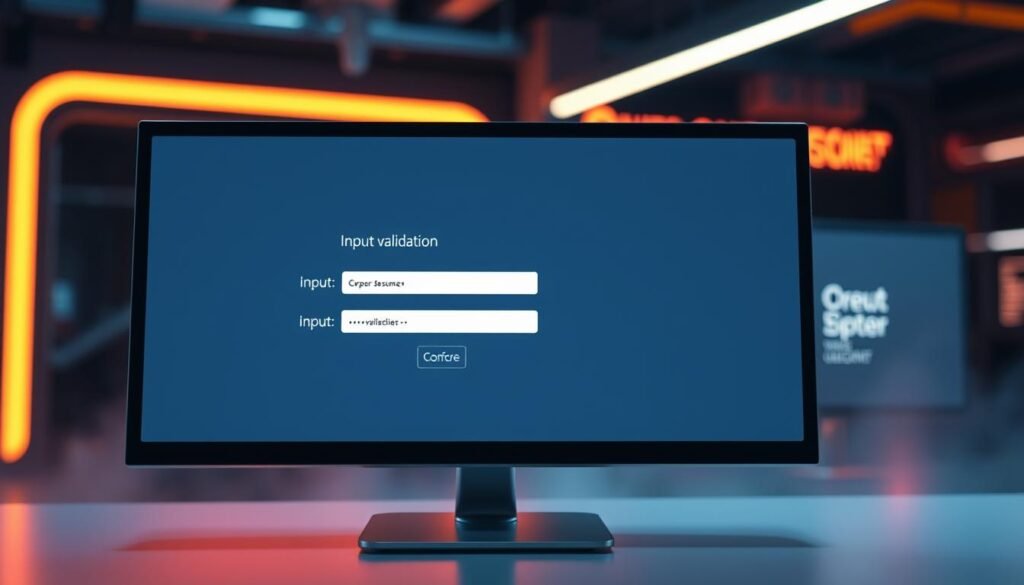
Think of it like this: you wouldn’t let a stranger into your house without checking their ID. The same logic applies to your app. By validating user input, you ensure only the right data gets through. It’s not just about keeping bad actors out—it’s about maintaining your app’s security and integrity.
Allow-list vs. Block-list Validation
When it comes to validation, there are two main approaches: allow-list and block-list. The difference? One says “yes” to what’s allowed, while the other says “no” to what’s not.
- ✅ Allow-list example: Only accept a-z and 0-9 in usernames. Sorry, XÆA-12, you’re out!
- ❌ Block-list fails: Trying to blacklist ‘DROP TABLE’ is like playing whack-a-mole—hackers always find a way around it.
Allow-lists are the gold standard. They define exactly what’s acceptable, leaving no room for sneaky queries or malicious code. Block-lists, on the other hand, are reactive and often miss new threats.
Best Practices for Input Sanitization
Validation is just the first step. To truly lock down your app, you need input sanitization. This process cleans up user input, removing anything that could cause harm.
- 🔢 Validation tiers: Start with type checks, then format checks, and finally business logic checks.
- 🧼 Sanitization pro tip: Use OWASP’s ESAPI.clean() instead of rolling your own solution.
- 🚦 Defense layers: Combine validation with parameterization, encryption, and monitoring for maximum security.
“Input validation is the cornerstone of secure coding. Without it, even the best defenses can crumble.”
By following these steps, you can turn your app into a fortress that hackers can’t crack. Remember, input validation isn’t just a feature—it’s a necessity.
Enforce the Principle of Least Privilege
Ever thought about who has the keys to your database kingdom? 🏰 In the world of security, less is more. The principle of least privilege ensures that users and applications only have the access they absolutely need. It’s like giving someone a key to the front door but not the vault.

Limiting Database Access for Application Accounts
Your app doesn’t need the keys to the entire castle. Separate database accounts into tiers: Reader, Writer, and Admin. Most apps only need the first two. Shopify, for example, isolates over 1 million merchant databases with granular access controls. This way, even if one account is compromised, the damage is limited.
- 🔑 Permission tiers: Reader → Writer → Admin (your app only needs the first two).
- 👥 Real-world setup: Shopify’s approach to isolating merchant data.
- 🚷 Danger zone: The
db_ownerrole is like drunk texting—just don’t do it.
Using SQL Views to Restrict Data Access
SQL views are like bouncers for your database. They create read-only projections that hide sensitive columns. For example, a view might show only customer names and emails, excluding payment details. This adds an extra layer of security without complicating your app’s logic.
- 📊 View magic: Create read-only projections that hide sensitive columns.
- 🛂 Audit checklist: 5 questions to ask your dev team about database permissions.
| Permission Level | Access Type | Best Use Case |
|---|---|---|
| Reader | Read-only | Reporting and analytics |
| Writer | Read and write | App functionality |
| Admin | Full control | Database management |
By enforcing the principle of least privilege, you’re not just protecting your data—you’re building a fortress. 🛡️ Stay tuned for more tips on keeping your app secure!
Keep Your Software Stack Updated
Outdated software is like leaving your front door unlocked—hackers will find their way in. 🚪 Whether it’s your database server or the frameworks you use, staying current is your first line of defense against attacks. Let’s dive into how you can keep your code fortress secure.

Regularly Patch Database Servers and Frameworks
Patching isn’t just a chore—it’s a lifesaver. Hackers love exploiting known vulnerabilities in old versions. Tools like Tenable and Sophos make it easier to stay on top of updates. Here’s how to make patching a habit:
- ⏰ Patch cadence: Make “update Tuesday” your new holy day. Sync with OWASP’s quarterly reports for maximum security.
- ☁️ Cloud gotcha: AWS RDS auto-patching is a lifesaver, but manual EC2 updates need your attention.
- 🧩 Dependency hell: Manage framework updates without breaking legacy apps—test thoroughly before rolling out.
Monitor for Vulnerabilities with Security Tools
Even with patches, new vulnerabilities pop up all the time. That’s where monitoring tools come in. Tenable, Qualys, and Rapid7 are your best friends for spotting security holes before hackers do.
- 🛡️ Tool showdown: Tenable vs Qualys vs Rapid7—which finds code flaws fastest?
- 📆 Pro tip: Set up automated alerts for CVEs (Common Vulnerabilities and Exposures) to stay ahead of the game.
“The best defense against cyber threats is a proactive approach to software updates.”
By keeping your software stack updated, you’re not just protecting your data—you’re building a fortress that hackers can’t crack. 🛡️ Stay vigilant, stay updated, and keep your app safe!
Use a Web Application Firewall (WAF)
What if your app’s security was as strong as a medieval castle? 🏰 That’s where a web application firewall (WAF) comes in. It’s like a digital moat that keeps hackers at bay. Whether you’re running a small blog or a massive e-commerce site, a WAF is your best defense against sneaky attacks.

WAFs like Cloudflare and AWS Shield act as gatekeepers, analyzing every request to your app. They use SQLi rule sets to catch malicious payloads before they can do any harm. Think of it as a bouncer who knows every trick in the book.
How WAFs Block SQL Injection Attacks
Ever wonder how a WAF stops sql injection in its tracks? It’s all about patterns. WAFs use regex to spot sneaky queries like ' OR 1=1--. They also rely on behavioral analysis to flag unusual activity. It’s like having a security guard who’s always one step ahead.
- 🛑 Regex magic: Catches malicious syntax before it hits your database.
- 🤖 AI-powered defense: Tools like Darktrace’s Antigena use machine learning to detect threats.
- 📊 Tuning tips: Adjust settings to reduce false positives without compromising security.
Choosing the Right WAF for Your Application
Not all WAFs are created equal. Some, like Cloudflare, are perfect for handling 10K+ requests per second. Others, like ModSecurity, offer more customization. Here’s how to pick the right one:
- ⚔️ Cloudflare vs ModSecurity: Which handles high traffic better?
- 💸 Budget-friendly options: Free Cloudflare WAF vs enterprise-grade Akamai.
- 🔧 Customization: ModSecurity lets you tweak rules to fit your app’s needs.
“A WAF isn’t just a tool—it’s your app’s first line of defense against cyber threats.”
By choosing the right WAF, you’re not just protecting your app—you’re building a fortress that hackers can’t crack. 🛡️ Stay tuned for more tips on keeping your security game strong!
Encrypt Sensitive Data to Limit Breach Impact
When a breach happens, encryption is your safety net. 🛡️ It’s like turning your data into a secret code that only you can crack. Whether it’s passwords, credit card numbers, or personal info, encryption ensures that even if hackers get in, they can’t make sense of the loot.

Hashing Passwords with Strong Algorithms
Let’s talk passwords. Storing them in plain text is like leaving your house keys under the doormat. 🔑 Instead, use strong hashing algorithms like bcrypt or Argon2. Here’s why:
- 🔐 Bcrypt: Great for most apps, but limited to 72-byte passwords. It’s like a sturdy lock for your front door.
- 💪 Argon2: Memory-hard design makes it tougher for hackers to crack. Think of it as a vault with multiple layers of security.
Pro tip: Always salt your hashes. It’s like adding a secret ingredient to your recipe—hackers won’t know what hit them.
Encrypting Financial and Personal Data
Your database holds sensitive info, and encryption is the best way to protect it. Here’s how to do it right:
- 💳 AES-256: The gold standard for encrypting credit card data. PCI DSS requires it, and for good reason—it’s virtually unbreakable.
- ☁️ Cloud KMS: Tools like AWS KMS, HashiCorp Vault, and Azure Key Vault make key management a breeze. They’re like having a personal bodyguard for your data.
- 🚨 Backup encryption: Don’t forget your pg_dump files. Use LUKS to keep them safe from prying eyes.
“Encryption isn’t just a feature—it’s a necessity in today’s digital world.”
By encrypting your sensitive data, you’re not just protecting it—you’re building a fortress that hackers can’t crack. 🛡️ Stay tuned for more tips on keeping your app secure!
Conclusion
You’ve just leveled up your defense game—now it’s time to lock it down. 🛡️ Start with an action checklist: parameterized queries, input validation, and least privilege enforcement. These steps are non-negotiable for database security.
Bake continuous protection into your CI/CD pipeline. Automate vulnerability scans and patch updates to stay ahead of threats. Tools like OWASP’s cheat sheets and PentesterLab courses can sharpen your skills further.
Here’s a reality check: “We’ve never been hacked” is the riskiest phrase in tech. 🚨 Complacency is the enemy. Stay vigilant, and keep your security practices up to date.
You’re now more aware of vulnerabilities than 90% of devs. 💪 Go forth and build apps that hackers can’t crack. Your database—and your users—will thank you.
