
What if a service you trust suddenly hands your data to strangers—how fast can you act?
I tell a real-world case that began with strange two-factor texts and ended with cryptocurrency gone. I kept unique passwords, email aliases, and two-factor authentication (2FA), yet a path through exposed remote access on a Windows server and third-party gaps let attackers move funds.
The narrative mixes first-hand timeline and public breach reporting from 2017 through recent 2024–2025 incidents at providers like Salesforce, Discord, and the Tea platform. You’ll see where security held, where it failed, and practical cleanup steps that worked in this post.
Expect clear, reproducible guidance: triage steps, hardening methods, and rebuild actions that help people and small teams recover control without overengineering.
Key Takeaways
- Follow a timeline to find the point of compromise quickly.
- Pair first-hand observations with public breach details for reliable guidance.
- Lock banking and credential pathways before rebuilding devices and networks.
- Third-party provider gaps can expose data across platforms—check integrations.
- Practical hardening and updated 2FA methods reduce repeat exposure.
What It Felt Like When Everything Changed in Hours
What began as routine pings soon became a compressed storm of urgent, half-formed signals. The next few hours decided what evidence we kept and what would vanish.
Shock moves fast. Trusted flows that had worked for years broke within a single afternoon. Multiple alerts arrived at once, and time shrank as I tried to sort meaning from noise.
I weighed which notification mattered, which app to open, and which data to preserve before it changed. The stress felt physical: hands on the keyboard, heart racing, and decisions made on partial information.
A power event made the place feel normal even as systems silently rebooted. That false stability hid a server that came back online in an unexpected state.
I argued with myself: act now, or collect timestamps for later analysis? I learned to write a rapid sequence of what I saw. That quick log protected memory and gave banks and platforms exact windows to investigate.
Nontechnical people feel this fear too; the emotional load clouds judgment. A calm first 15 minutes paid off—preserve logs and session state before resets—because those early choices framed the later triage and cleanup.

The Hack Unfolds: A Personal Timeline From First Odd 2FA Text to Empty Accounts
This section lays out the precise sequence of events so you can spot similar signs quickly. Read the timeline to see how small, noisy alerts can mask high-impact theft and which information to capture immediately.
It started with one SMS code I didn’t request—and then hours of noisy, confusing signals followed. The first message was a Telesign two-factor authentication text that arrived with no login prompt. That unexpected code on my phone was the early siren.
Within an hour I got an Amazon email about about $3,000 in gift cards sent to an unknown address. Microsoft/Xbox purchase attempts then popped up but failed. Those retail attempts created a lot of distracting activity while something else was moving.
Later I discovered Coinbase transfers had completed with no user alerts. That transfer was the real loss. Document timestamps, amounts, and transaction IDs immediately—those details are vital when you contact support and your bank.
Midday a power outage hit. Hours later a Windows server showed as online when I expected it down. VNC exposure was a likely pivot point; open remote ports often give the easiest access for attackers who try low-friction routes like gift cards before targeting crypto.
Collect device, IP, and session activity where possible before revoking sessions. Preserve logs and session details to aid investigations and to reduce further data loss.
Immediate Triage: Freezing Funds, Locking Accounts, Slowing the Damage
Act fast to stop financial loss and preserve evidence. The first minutes shape what you can recover and what is lost to time. Start by halting transactions, then focus on capturing the data that support later investigations.
Call banks and card issuers right away. In my case, Chase locked cards quickly after I reported fraud; Coinbase support took far longer. Ask your bank about provisional credits, fraud workflows, and any temporary holds the service can place.
Revoke sessions and rotate credentials from a trusted device. Sign out active sessions, then reset passwords and update recovery email and phone details if you suspect they were exposed. Use a device you know is clean when making changes.
Capture activity logs before they disappear. Export or screenshot recent login history, device lists, IPs, and timestamps. This information helps support teams and law enforcement trace where the breach started.
- Compile a single incident document with timestamps, amounts, transaction IDs, code messages, phone numbers, and contact notes for support.
- Update password manager entries, tag compromised items, and monitor those entries for 90 days.
- Notify collaborators on shared services and force global logouts to remove potential backdoors.
- Keep a dedicated phone line or email thread for all support interactions to reduce confusion and repetition.
Be ready to repeat details to multiple support agents. A concise, time-ordered summary speeds investigations and reduces errors. Preserve every alert, code, and message—these small details often unlock faster remediation and better support outcomes.
How the Attackers Got In: Remote Access, VNC, and a Server State I Overlooked
The entry was direct: an exposed VNC listener on port 5900 and a server that auto-started after a power event. This combination let remote actors find and probe a service I assumed stayed offline.
Why VNC on 5900 is risky: public VNC endpoints are routinely scanned. Weak or single-factor protection lets a hacker brute-force or attach easily. Many VNC implementations accept default negotiation steps (RFB) that leave useful data in logs.
What the OS reinstall and power event changed
A recent Windows reinstall reset firewall defaults and services. That altered which ports were open without clear prompts. A UPS/BIOS auto-start policy then brought the machine online after power returned.
“A service you think is offline can become visible after routine maintenance or a reboot.”
| Risk | Why it matters | Practical fix |
|---|---|---|
| Open VNC (5900) | Scanned and targeted by attackers | Close port, require VPN/SSH, enforce MFA |
| OS reinstall defaults | Firewall and services reset | Inventory services after updates; re-apply hardening |
| Auto-boot on power | Re-exposes offline services | Disable auto-power; test boot behavior |
Capture RFB/VNC negotiation logs as corroborating information. Run internal port scans and keep a service inventory so the site exposure matches intent. Treat admin interfaces as high-risk and put them behind a VPN or SSH tunnel to limit access and raise overall security.

Favorite app hacked personal account aftermath: What I Saw, What I Missed, What I Learned
Multiple safeguards slowed many attackers, yet a narrow path still let them do the critical work. Documented notes taken under stress later revealed gaps I missed in the moment.
Even though I used unique email aliases, relational passwords, and mixed two-factor methods, the breach rode a single exposed service that I assumed stayed offline.
What worked: bank fraud holds, merchant risk engines, and clear logs from some providers limited damage and created useful information for support teams.
- What I missed: an admin remote listener that auto-started after power events and weak crypto alerting.
- Cognitive load: high stress obscured subtle signals—automation and default-deny would have helped.
- What helped later: incident notes and time-stamped screenshots that proved vital days after memory faded.
| Item | What worked | What to change |
|---|---|---|
| Banking | Rapid holds, chargeback paths | Keep dedicated fraud contact, enable alerts |
| Remote services | None in this case | Require VPN/SSH, enforce MFA, disable auto-boot |
| Logging | Partial logs saved | Automate exports, centralize retention |

Translate this into work you can repeat: run a short retro, document timelines, retire risky services, and add automated detections. If you keep clear information and replayable steps, rebuilding confidence becomes a procedure, not a blame exercise.
Credentials and Email Addresses: My Relational Password System and Alias Strategy
I organized credentials around personal cues so each password felt unique but stayed memorable. This section explains how I combined relational passwords and per-service email aliases to raise the bar and where that approach still fell short.
I used short, private prompts—places, dates, song lines—as anchors to build long, varied passwords. The method kept passwords usable without obvious reuse patterns. It reduced copy-paste weak points and made spotting reuse easier when reviewing logs or support information.
How the relational system worked and its blind spots
The strength: cues make each password distinct and resist simple pattern guessing.
The risk: if someone captures the hint mapping or a single clue store, attackers can reconstruct many passwords. Length and entropy still matter; never rely on cues alone.
Why per-service email aliases helped—and where they failed
Aliased email addresses stopped credential stuffing across platforms. Unexpected mail to an alias became a clear flag that a site leaked data. I tracked sign-ups per alias to spot odd logins and reused details quickly.
- Use a password manager to generate and store high-entropy passwords and to keep the cue method as a fallback, not the sole defense.
- Rotate recovery addresses and phone numbers across domains and carriers to limit cascade risk.
- Audit aliases regularly and close stale accounts to shrink exposure.

Remember: this strategy improved information hygiene and made life easier, but it did not stop an exposed remote service from being leveraged. Layered security remains essential.
Two-Factor Authentication in the Real World: Authy, Google Authenticator, and SMS
Not all 2FA is equal: delivery quirks and provider advice create practical gaps you must close. This section explains how different methods affect your security and what steps protect your data and recovery paths.
Why SMS-based codes remain vulnerable to modern attacks
SMS is convenient but fragile. SIM swaps, interception, and delayed delivery make a phone number a weak second factor compared with app-based codes.
A stolen SIM or social-engineered carrier transfer can let attackers receive a code and pivot into services. Treat SMS as a fallback, not the primary defense for critical accounts.
Provider shifts and fragmentation: emails recommending authenticator changes
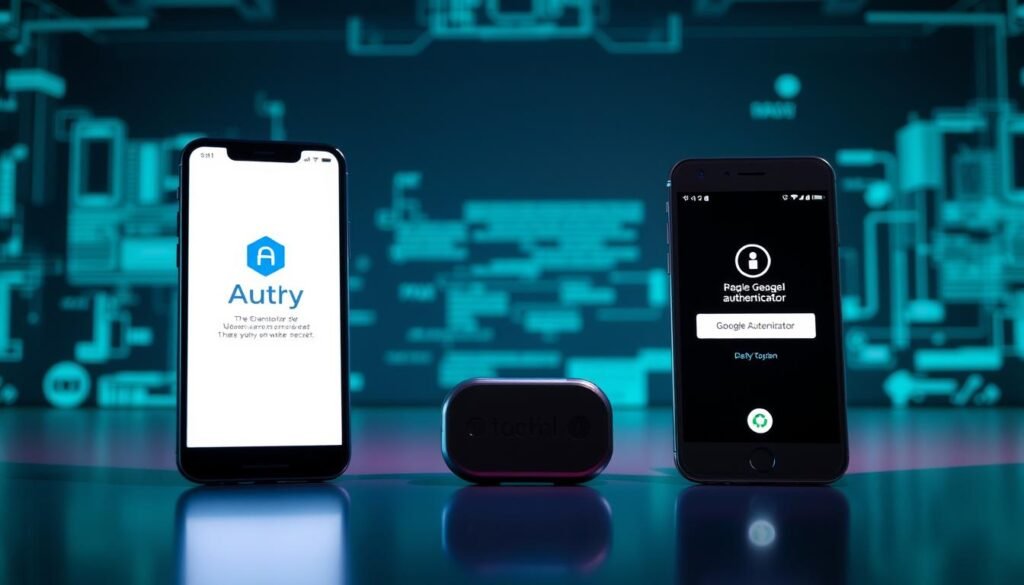
Vendors sometimes ask users to switch authenticators; Coinbase advised moving from Authy to Google Authenticator in 2017. These changes create fragmentation.
Track provider guidance and record where each factor lives. Without that information, users risk stranded recovery paths when a provider changes support or enrollment flows.
Backup codes, device loss, and recovery pitfalls
Store backup codes offline and test recovery steps now. Put codes in a safe, document their location, and verify a restore from a clean device.
Keep a device inventory for authenticator apps and revoke lost or sold devices immediately. Tie 2FA to a dedicated number or eSIM that is not publicly listed to reduce social-engineering risk.
“Strong 2FA improves outcomes, yet it cannot compensate for exposed remote admin services.”
- Turn on alerts for new device enrollments and factor resets; treat them as urgent signals.
- Phase out SMS where alternatives exist and audit 2FA coverage across critical services.
- Keep short recovery notes with which provider holds which factor and where backup codes live.
Financial Impact and Support Experiences: Banks vs. Platforms
When fraud began, my bank froze activity the same day, but the platform response lagged for days. That timing difference shaped what I could recover and what was lost.
Regulated banks and card issuers prioritize containment. Chase placed immediate freezes and provided clear escalation paths. Merchants’ fraud engines blocked gift card buys quickly. By contrast, a crypto service took roughly four days to respond, and transfers on-chain were irreversible.
Why some transactions fail while crypto transfers succeed
Gift card attempts often trip risk heuristics tied to merchant liability. Banks can reverse or hold charges. Crypto transfers move on the blockchain and lack consumer chargebacks.
- Bring this to support: transaction IDs, timestamps, IPs, device fingerprints, and any third-party references.
- Ask for case numbers, SLAs, and escalation contacts. Log every call and email.
- Expect chargebacks with cards; expect permanent loss on successful crypto sends.
| Party | Typical response | Recovery options |
|---|---|---|
| Bank / Card issuer | Fast freeze, provisional credits | Chargebacks, fraud team escalation |
| Merchant / Payment processor | Risk engine blocks suspicious buys | Reversal if flagged before fulfilment |
| Crypto platform | Longer investigation; limited holds | Trace on-chain; legal routes only, no automatic reversals |
Practical steps: track all communications in one incident log, enable spending limits, whitelist destinations, and add withdrawal delays so you gain time and better information when a breach occurs.
Third-Party Providers: The Hidden Weak Link for Accounts and Support
A single vendor breach can send sensitive records across dozens of companies in minutes. That fast spread makes third-party risks a core part of any incident plan.
Think of vendors as extensions of your perimeter. If a support provider stores ticket attachments or billing files, your data may live outside your controls.
What happened with customer support vendors and CRMs?
Discord disclosed that a third-party customer service vendor may have exposed names, email addresses, billing details, and images of government IDs. Similar incidents in the Salesforce ecosystem show how a compromised integration can cascade across many organizations.
Which data types are at risk — and how attackers use them
- Names and email addresses: fuel targeted phishing and credential-stuffing attempts.
- Billing details (type, last four digits): lend credibility to social-engineering scams and support fraud.
- ID images and attachments: enable identity theft and fake verification flows.
| Data type exposed | Typical attacker use | Mitigation to ask vendors |
|---|---|---|
| Names / email addresses | Spear phishing, account takeover | Redaction, tokenized storage, MFA on support portals |
| Billing fragments | Convincing social engineering, payment fraud | Masking, limited retention, encrypted fields |
| ID images / attachments | Identity fraud, synthetic identity creation | Encrypted at rest, access logs, RBAC (role-based access control) |
Questions to ask your vendors now
- How do you store support attachments and access tokens? Are they encrypted at rest?
- Which staff roles can view sensitive files, and is RBAC enforced?
- What are your data retention schedules and deletion guarantees?
- Do you send outbound alerts when third-party tokens or support credentials are rotated or revoked?
Treat provider incidents as first-class risks. If a service you use is affected, rotate passwords and factors tied to that provider, monitor for unusual access, and demand clear incident timelines from the provider. Fast, verified information reduces the blast radius and helps protect your users and services.
Zooming Out: Data Breaches in 2024-2025 and What They Signal Right Now
Breaches in 2024–2025 underline a clear trend: social engineering opens doors and third-party links widen the blast radius. Organizations and individuals must treat vendors and integrations as active parts of their attack surface.
Top attack types: why phishing, vishing, and ransomware still win
Phishing and voice-based scams (vishing) remain the easiest way in. Attackers use crafted messages to get credentials or reset flows, then turn those initial gains into bigger moves.
Ransomware now monetizes both data theft and downtime, forcing painful choices for many teams.
The widening blast radius of third-party platforms and CRMs
When a support vendor, CRM, or integration is compromised, many sites inherit exposed records fast. Attacks on one provider can leak email addresses, token fragments, and other info that attackers reuse.
That multiplier effect makes vendor hygiene and periodic attestations critical to reduce systemic risk.
Costs, downtime, and real recovery windows businesses face
Recent incidents show direct and indirect costs often in the million-dollar band. Recovery usually spans days to weeks, not hours.
| Impact | Typical range | Recovery window |
|---|---|---|
| Direct financial loss | $100K–$10M | days–weeks |
| Operational downtime | hours–weeks | days–weeks |
| Reputation & legal | costs vary | weeks–months |
- Practice tabletop exercises that include vishing and MFA-reset scenarios so teams learn to react before a real incident.
- Isolate endpoints and use out-of-band communications to keep command and control during active incidents.
- Monitor vendors continuously: request yearly attestations, verify notification windows, and confirm incident response commitments.
Track breach trends over years and shift budgets toward controls that stop the most common failure modes. Small, repeatable steps make a big difference when attackers target human paths to access.
Parallels From Another App: The Tea App Data Leak and Risks of Sensitive User Data
The Tea leak shows how identity files and private messages can turn into real-world danger. Even limited exposure can enable fraud, stalking, and coordinated harassment if metadata and images are released.
A July 25 discovery revealed that drivers’ licenses, direct messages, and selfies were exposed for people who signed up before February 2024. The company took the implicated system offline and said it found no evidence of broader access.
Drivers’ licenses, DMs, and selfies exposed; class actions follow
Government IDs and private messages carry high abuse potential. IDs fuel identity fraud; DMs and selfies enable doxxing and harassment.
Two class actions filed in California underscore legal fallout when sensitive information leaves a site.
Metadata misuse and location mapping: offline risks from online leaks
Photo metadata can betray locations and routines. Trolls used exposed metadata to map where people lived and traveled, turning online leaks into real-world safety issues.
- Scrub metadata from photos before upload and store identity documents in segmented, encrypted storage.
- Use aliases and compartmentalized email addresses for high-risk communities; still limit what you share.
- Request retention details and verified deletion when you must provide documents.
| Risk | Why it matters | What to do |
|---|---|---|
| ID images & selfies | Enable fraud and doxxing | Store separately; encrypt; restrict access |
| DMs and email addresses | Fuel targeted scams | Limit retention; monitor for abuse |
| Photo metadata | Maps locations, routines | Strip EXIF before upload; disable geotags |
Remember: third-party or internal failures at any app can ripple across users’ lives. Monitor services you use and act fast if you see unusual access or messages. For deeper context on vendor risks, read this analysis.
Cleanup Playbook Part One: Accounts, Passwords, and Authentication
Begin with the few credentials that act as master keys: your primary email, identity providers, and financial services. Locking these quickly reduces the attacker’s ability to pivot.
Start calm, act precise. Capture timestamps and support details before you rotate anything if possible. Then move through the priority list without skipping steps.
Priority rotation order
Set this rotation and follow it strictly.
- Primary email first, then government ID records and your mobile carrier.
- Bank and payment services next, then secondary services and social logins.
- Update recovery email and phone entries and use separate addresses where possible.
Upgrade two-factor authentication
Move critical logins to app-based authenticators and hardware keys. Reduce SMS reliance except as a last resort. Turn on alerts for new logins and factor resets.
Password managers, aliases, and breach monitoring
Use a password manager to create long, unique passwords and to track rotation progress. Consider an alias domain for recovery addresses. Enroll in breach monitoring and set alerts for suspicious data or logins.
“Secure the master keys first; everything else follows from those controls.”
| Step | Why it matters | Quick action |
|---|---|---|
| Primary email | Unlocks most recovery flows and support tickets | Rotate password, enable hardware key, update recovery addresses |
| Mobile carrier / phone | SMS can be hijacked for resets | Lock carrier account, use PIN/eSIM, move off SMS where possible |
| Banking & payments | Direct financial impact | Set withdrawal whitelists, add delays, notify fraud support |
Cleanup Playbook Part Two: Devices, Networks, and Providers
Decide quickly which systems you can prove are clean and which must be rebuilt. Treat any host you cannot validate as compromised until proven otherwise.
A practical rebuild treats each compromised host as a liability until you can prove its integrity. That mindset shortens recovery time and limits further data loss.
Reimage vs. clean: when to nuke and rebuild
If you cannot attest to a computer’s state, reimage it. Partial cleaning can miss persistent backdoors. A fresh image from a hardened baseline is faster and safer.
After reinstalling, patch the OS and firmware, enable secure boot, and validate checksums before reconnecting to networks.
Closing exposed ports and hardening hosts
Verify router and firewall rules. Close port 5900 and other legacy holes immediately. Block inbound admin access from the internet by default.
Standardize host baselines: disable unused services, enforce host firewalls, and require VPN or SSH for administrative access. These measures reduce remote exposure and stop routine scans from yielding access.
Coordinating with providers and support
Open tickets with each affected service and provider. Attach evidence, request a case ID, and agree on timelines and responsibilities.
Rotate API keys and OAuth tokens for integrations that might have been exposed. Keep an inventory of devices and services and mark the final state for each item.
“Document evidence and assign ownership—time lost to coordination is time attackers use to move laterally.”
- Establish logging and alerting to detect unusual activity at the network edge and on endpoints.
- Patch quickly and validate that updates did not reopen services unexpectedly.
- Keep concise incident notes with case details, timestamps, and point-of-contact records for all providers and support teams.
Long-Tail Aftermath: Credit, Identity, and Data Removal
Long-term recovery hinges on slow, disciplined steps that stop identity misuse before it snowballs. Focus on credit controls, takedowns, and sustained monitoring to limit future harm.
Start with the financial locks. Place credit freezes with the major bureaus and add fraud alerts to slow new-account fraud. Enroll in identity monitoring that watches for new lines of credit, address changes, and high-risk transactions over time.
Credit freezes, fraud alerts, and ongoing monitoring
Ask each bureau for freeze confirmation and keep those case numbers. Use monitoring services that send alerts for suspicious data use. Keep law enforcement case numbers and support documentation handy for disputes and insurance claims.
Takedown requests and minimizing exposed personal information
File takedown requests where images or documents appear online. Review public records and data broker profiles and request removals to reduce correlation risk. Change mailing and billing address details if forwarding has been abused and confirm the address of record with institutions.
| Action | Why it matters | Suggested time frame |
|---|---|---|
| Credit freeze | Prevents new lines of credit | Immediate |
| Identity monitoring | Detects suspicious account openings | Continuous (30/60/90 check-ins) |
| Takedown requests | Removes exposed images and documents | Days to weeks |
| Carrier PIN & alerts | Stops SIM port-out attacks | Immediate; review monthly |
Signals You Should Never Ignore Again
Small anomalies often contain big warnings. Treat odd codes, failed buys, and device glitches as if they matter right now. Act fast, capture facts, and stop lateral moves before they become losses.
If you see an unexpected two-factor message, pause and assume it’s live. Validate recent logins, revoke active sessions, and open the security page for each affected service. Keep a timestamped note of every event and every support contact.
- Treat any unsolicited code as an incident: check device lists and revoke suspicious sessions.
- Investigate clusters of failed purchase attempts: they can be probes before higher-value theft.
- Flag power or reboot anomalies: unexpected boots or new processes often signal external access.
- Prioritize new device enrollments and factor-reset emails: these are urgent alerts, not routine notices.
- Watch for recovery email or phone changes: act within minutes to block takeover routes.
“If a signal feels off, pause and check rather than dismiss it.”
Keep a quick incident worksheet to capture time, IPs, and activity details while you act. Small, repeatable steps save time and reduce missed information. Make checking these signals a habit.
What I’d Do Differently: Security Measures That Would Have Changed the Outcome
I would change the way remote access and strong authentication are enforced so exposed services can’t be found or abused. Practical, repeatable security measures—zero-trust access and hardware keys—would have closed the pivot attackers used.
The core shift is simple: assume every service is discoverable and require verification before any connection completes. This prevents small data leaks from turning into large losses.
How to treat remote access: VPN, SSH tunneling, or nothing
Close direct administrative exposure. Never publish VNC or RDP to the internet. Require a VPN with device posture checks or an SSH tunnel with MFA before any admin session starts.
Enforce allowlists and just-in-time access for admin roles so standing privileges are minimal. That reduces the chance a scanned port becomes a live entry point.
Why hardware security keys matter for critical accounts
Adopt phishing-resistant authentication. Use FIDO2/WebAuthn hardware keys for primary login flows on banks, email, and crypto platforms.
Hardware keys bind sessions and make credential theft far less effective. Combine keys with withdrawal whitelists and mandatory transfer delays for better transaction protection.
- Centralize secrets and rotate them after any suspected exposure.
- Use monitored DNS and firewall alerting to detect configuration drift.
- Practice incident drills and keep clear checklists so the right steps are automatic under pressure.
- Prefer platforms that support security keys and granular policy controls for sensitive services.
| Risk | Recommended measure | Why it works |
|---|---|---|
| Published VNC/RDP | Require VPN/SSH tunnel | Blocks direct scans and forces authentication |
| No hardware MFA | Deploy FIDO2 keys | Resists phishing and token theft |
| Standing admin privileges | Just-in-time access | Reduces time window for misuse |
| Secrets sprawl | Centralize & rotate | Limits fallout after exposure |
Conclusion
Layered defenses and practiced response cut damage and sped recovery. Treat vendors and remote admin paths as part of your perimeter and harden them now.
Even though no control is perfect, a clear playbook and phishing-resistant factors make incidents smaller and briefer. Document each event, share distilled information with your team, and review provider posture regularly.
Pick one high-impact change today: close an exposed port, add a hardware security key, or rotate a recovery address. Small actions done over time add up; rigorous habits make future post-incident years quieter for your people.
For a useful first-hand breach account and more context, review prior reporting and adapt its lessons. Thank you for investing time in prevention—preparation is the quiet victory that protects data and preserves trust.
