
Can a few simple changes stop most common device attacks before they start?
Today’s connected gadgets give big convenience and bigger attack surfaces. More devices mean more doors into a household network. This piece shows how to harden both devices and networks with clear, repeatable steps.
Start by knowing what lives on the network. Then lock defaults, enable two‑factor methods where offered, and keep firmware current. Hardening a router with modern Wi‑Fi standards and a guest segment cuts lateral movement. Simple habits yield enterprise‑grade results without enterprise budgets.
Standards lag while adoption speeds up; that gap makes practical, repeatable practices vital now. For U.S. readers, official resources such as NIST cybersecurity guidance and hands‑on advice like this article build a defensible routine. Expect monthly checks, device removal when unused, and clear trade‑offs around tools like VPNs.
Key Takeaways
- Know what’s on your network: inventory devices and remove unused ones.
- Harden defaults: change passwords, enable multi‑factor options, and update firmware.
- Segment and monitor: use guest networks and router firewalls to limit lateral access.
- Routine beats one‑offs: set monthly and yearly checks to keep data and devices safe.
- Start small, act smart: most protection comes from settings on routers and vendors, not costly tools.
The present-day IoT landscape: growth, gaps, and the expanding attack surface
Connected gadgets now sit in almost every room, and each one adds new paths into a household network. Rapid adoption has expanded convenience and exposure at the same time.
The “Internet of Things” (internet things) covers cameras, thermostats, locks, TVs, sensors and more. Each device handles some level of data and often talks to cloud services or companion apps. That variety makes baseline security uneven.
Why this matters now: more devices, more data, more threats
Every new class of iot devices widens the set of devices and services that handle user information. One unpatched device can enable lateral movement, account takeovers, or data theft by opportunistic hackers.
“Fragmentation, not complexity, is the central problem—many manufacturers ship inconsistent update models and defaults.”
The standardization gap: fragmented protocols and what that means
Major vendors and smaller manufacturers use competing protocols. That creates inconsistent patch cadences and more vulnerabilities to manage. Cloud backends, mobile apps, and local network paths all become threat vectors alongside physical devices.

| Area | Common Issue | Practical Impact | Action |
|---|---|---|---|
| Device firmware | Irregular updates | Unpatched vulnerabilities | Enable auto-update or check monthly |
| Protocols | Fragmented standards | Interoperability and patch delays | Favor vendors with clear policies |
| Data flows | Unencrypted channels | Snooping and replay risks | Enforce encrypted links and strong passwords |
| Companion apps | Over-permissioned | Sensitive data exposure | Limit permissions, unlink unused accounts |
Takeaway: Because standards lag, homeowners must apply consistent policies and hands-on checks across all iot categories. Start with inventory, updates, and simple network segmentation.
For deeper context on vendor behavior and broader iot security challenges see iot security challenges, and for companion app hardening consider recommendations for web application protections.
Know your environment: visibility, inventory, and traffic awareness across connected devices
A clear map of devices and their data flows turns guesswork into manageable tasks. This section shows practical steps you can run on a phone or laptop and repeat monthly.

Build a live map of devices, data flows, and access paths
Start with discovery: list every connected device and iot devices like cameras, TVs, thermostats, and hubs. Note make/model, MAC address, IP, and assigned SSID so you can track changes quickly.
Map where data leaves the network. Flag devices that phone home or require cloud access. That lets you focus on high-risk paths and set sensible access rules.
What a monthly audit looks like
Run a short audit each month. Check for new devices, stale entries, and odd traffic spikes. Review router logs and any security app alerts for unusual activity or repeated auth failures.
- Inventory: keep a simple sheet with admin portals and last update dates for better management.
- Baseline: record normal traffic per device so deviations stand out.
- Prune: factory-reset and retire unused devices to reduce attack surface.
Verify admin access and enable MFA (multi-factor authentication) where offered. For tips on spotting unauthorized network access, see this detection checklist. For broader industry context and device trends, consult research from Parks Associates.
Network-first defense: router hardening, segmentation, and encrypted tunnels
Defend networks by setting firm rules at the edge: your wireless gateway. This section gives clear steps you can apply on most home routers to increase network security and reduce lateral threats.
Router security measures
Enable WPA3 (WPA = Wi‑Fi Protected Access) where supported; use WPA2 only if hardware lacks WPA3. Pick a long passphrase and rename SSIDs to non‑identifying labels.
Disable WPS (WPS = Wi‑Fi Protected Setup) to remove a common attack path. Turn on automatic firmware updates or check firmware quarterly and install vendor patches promptly.
Harden admin authentication: change default admin credentials, disable remote management, and enable MFA if your router supports it.

Segmentation for device containment
Create a guest SSID or VLAN for devices. Put laptops and phones on a separate network to stop compromised devices from reaching critical gear.
Isolate high‑risk devices—cameras, locks, and voice assistants—on their own segment to reduce the blast radius if one device is breached.
Firewalls and encrypted tunnels
Enable the router firewall so all inbound and outbound traffic is inspected. Close unused ports and turn off UPnP if you do not need it.
Consider a router‑level VPN (VPN = Virtual Private Network) to encrypt outbound data from the entire network. Test for latency; router VPNs can protect devices that lack native VPN apps but may require a paid service.
Practical checklist:
- Enable WPA3/WPA2, use a strong passphrase, and hide SSID identity.
- Disable WPS and UPnP; enable automatic firmware updates when possible.
- Create guest SSID/VLAN for devices and document which device lives where.
- Turn on router firewall and block unnecessary ports; log and review traffic monthly.
- Weigh a router VPN for full‑network encryption; monitor performance during streaming and gaming.
| Action | Why it matters | Quick steps |
|---|---|---|
| WPA3 / WPA2 | Strong encryption prevents easy Wi‑Fi eavesdropping | Enable WPA3; if unavailable use WPA2 + long passphrase |
| SSID hygiene | Non‑identifying names reduce targeting by attackers | Rename SSIDs, avoid personal info, separate guest SSID |
| Segmentation (guest SSID/VLAN) | Limits lateral movement from compromised devices | Place cameras/locks on guest/VLAN; keep phones on main SSID |
| Firewall & port control | Filters malicious traffic at the edge | Enable firewall, close unused ports, disable UPnP |
| Router VPN | Encrypts outbound data for all devices | Test service impact; choose paid provider for reliability |
For steps on blocking unknown devices from joining networks, see this blocking unauthorized devices.
Device-level hardening: authentication, firmware updates, and privacy-by-default settings
Treat each device like a tiny server: configure it, update it, and limit what it shares. This mindset keeps routine work small and effective.

Kill the defaults: unique passwords, strong passphrases, and multi-factor authentication
Replace default usernames and passwords immediately. Use unique credentials for each device and store them in a password manager.
Enable multi‑factor authentication (MFA) — MFA combines something you know with something you have or are. Turn it on for vendor accounts and companion apps when available.
Update discipline: automatic firmware and software updates
Prefer devices that support automatic firmware and software updates. If a device lacks auto‑update, set a monthly reminder and apply patches promptly.
Favor manufacturers with public advisories and steady patch cadence. Avoid abandonware; unpatched devices increase risk.
Limit permissions: reduce data collection and lock down access
Scope data permissions tightly. Disable unused features like remote access, microphone, or cloud backups when possible.
Unlink third‑party accounts you do not need. Back up configs before major firmware changes and label devices for quick incident response.
- Quick checklist: unique credentials, MFA, auto‑updates, vendor research, minimal permissions.
- Build a quarterly health check for firmware, software, and battery status to maintain layered security across the network.
High-risk smart home devices to prioritize for protection
Not all connected gadgets carry the same risk; some deserve immediate, priority hardening. Focus first on devices that can record, open, or directly affect daily safety. Then move down the list to reduce overall exposure.
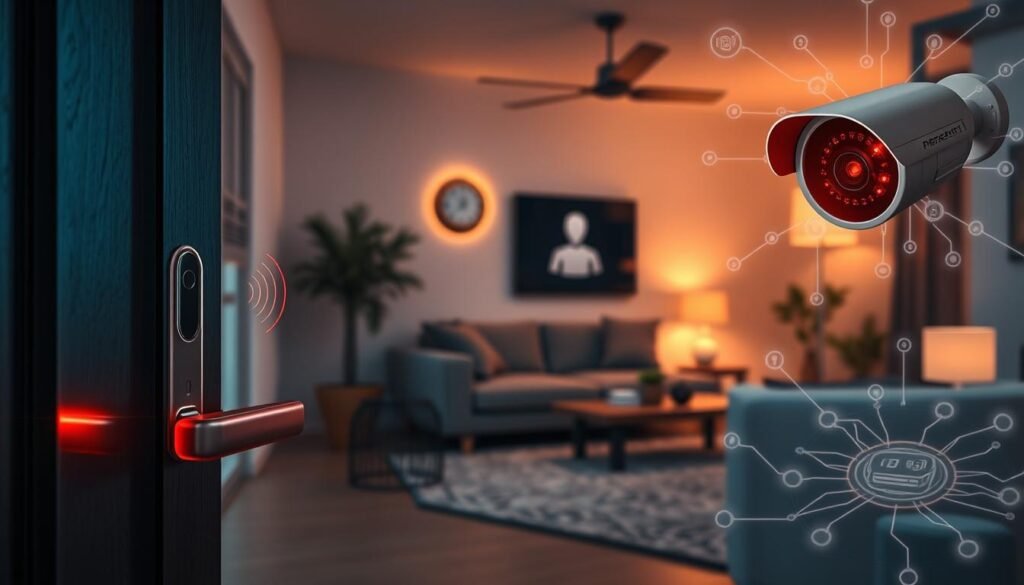
Cameras and doorbells: these capture live video and often store sensitive data in clouds. Use strong, unique credentials, enable multi-factor authentication (MFA), and place them on an isolated SSID or VLAN.
Smart locks and garage controllers: treat as critical infrastructure. Keep firmware current, disable default PINs, and limit integrations that create extra access paths.
Baby monitors: enforce long passphrases and turn off remote viewing when not needed. Rotate keys and accounts periodically to deter opportunistic hackers.
Smart TVs and streaming boxes: restrict microphone and camera permissions, block unneeded outbound domains when possible, and apply software updates to reduce adtech tracking risks.
Voice assistants: review retained recordings and enable auto‑delete where available. Limit third‑party skills and apps to reduce permission creep and protect privacy.
- Networked appliances: treat as untrusted devices and keep them off the main network.
- Behavioral exposure: strip identifiable metadata from app settings to protect sensitive data and location patterns.
- Prioritize patching: check vendor update and data retention policies before purchase.
- Test recovery: rehearse lock resets and camera recovery so you can respond quickly to hackers or misconfigurations on your network.
Practical rule: protect entry control and surveillance first, then assistants and TVs, then other devices. For details on common vulnerabilities, read this iot device vulnerabilities and basic defenses at cybersecurity basics.
Continuous protection: monitoring tools, anomaly detection, and lifecycle management
Keep defenses live rather than one-off fixes. Ongoing monitoring and clear lifecycle rules turn intermittent checks into predictable security outcomes. Build simple routines and use available platform features to maintain visibility and reduce surprise incidents.

Device-level visibility and intrusion detection for home networks
Enable always-on visibility. Turn on router or vendor dashboards that show current devices, recent connections, and unusual outbound data flows. Real-time device behavior analysis and intrusion detection can flag DNS anomalies, spikes in outbound traffic, or repeated failed logins.
Configure alerts for new device joins, failed authentication, and policy changes. Set thresholds for automatic blocking and review alerts weekly. If you see command-and-control patterns or repeated malware callbacks, isolate the affected device immediately.
Retire risk: factory resets, removing old devices, and incident response basics
Practicing lifecycle hygiene reduces legacy exposure. Decommission unused devices with a factory reset, revoke cloud access, and remove associated app permissions. Keep simple incident notes: what happened, what information was affected, and steps taken.
Monthly management cadence: inventory devices, apply updates and patches, and scan admin authentication logs. Quarterly, revisit isolation rules, blocklists, and backup configs so you can swap compromised units with minimal downtime.
For deeper malware cleanup tactics, consult this malware removal article. Regular practice and documented response plans make securing iot devices and networks a repeatable, manageable task.
Conclusion
Turn the tactics in this article into repeatable practices that protect people and data.
This is a simple three‑part way: know which connected devices live on your network, harden the network itself, and lock down each iot device with unique credentials, MFA, and timely firmware and software updates.
Make it routine. Run a short monthly audit, patch quickly, and retire unused gear. Document basic policies: who may add devices, where they connect, and how incidents get triaged.
Core controls matter: a strong admin password, WPA3/WPA2, disabled WPS, and an enabled router firewall cut most common threats. Close vulnerabilities before they become attacks.
For a compact checklist and update practices, see this essential resource. Small, steady steps keep data safe and make security a durable, manageable habit.
