NowSecure found 62% of Android apps request at least one dangerous permission. That number shows this is a widespread, not an occasional, problem.
Many apps ask for location so they can offer maps, local search, or nearby recommendations. Those requests can make sense when tied directly to app functionality.
But background location access, added in Android 10 (API level 29), lets an app collect continuous data. Paired with camera, audio, or storage access, that continuous collection can reveal routines and sensitive patterns.
Scoped Storage, also introduced with Android 10, caps direct file access to improve privacy. Still, users often grant access without reading prompts, and developers sometimes request more than needed.
This guide will explain when location access is reasonable, when it should raise concern, and how to spot excessive requests by looking at runtime prompts, stated purpose, and real app examples.
Key Takeaways
- 62% of apps request dangerous permissions, so vigilance matters.
- Location access can be required for core functionality but background collection is more sensitive.
- Scoped Storage limits file access, improving user privacy on modern Android versions.
- Watch for combined access (location + camera/audio/storage) — it increases data exposure.
- Check runtime prompts and stated purpose before granting access.
What it means when an APK asks for your location
When an app asks for your location, it can mean anything from a needed map feature to continuous tracking that profiles your movements. Evaluate the request by matching the stated purpose to the app’s core functionality.
Legitimate features include navigation, delivery routing, local search, fraud checks, and weather that requires live position. Those uses justify foreground access when you are actively using the app.
Some apps request location without a clear reason. Utility tools or simple toys that ask for location may be collecting information for analytics or advertising rather than delivering a functionality you expect.

Foreground vs. background access — what changes
Foreground access limits data collection to when the user actively uses the app. Background access, introduced in Android 10, allows an app to run and gather location even when closed.
Android shows choices such as Allow once, Allow while using the app, or Don’t allow. Choosing least privilege reduces continuous data collection and preserves user privacy.
- Developers should explain the purpose at request time so users can decide.
- Location can be approximate (cell/Wi‑Fi) or precise (satellite + sensors); combined signals yield high accuracy.
- Periodically review and downgrade background to foreground access in your device settings, and remove apps that ask for more access than needed.
For details on how Android handles these dialogs and choices, see Android runtime permissions.
APK GPS permission risks: how location data can be abused
A steady feed of coordinates becomes a profile once linked to device IDs, accounts, or contacts. That link turns raw position points into actionable intelligence for advertisers, analysts, or adversaries.
How profiling and surveillance happen
Apps and embedded SDKs collect location alongside device identifiers and can correlate visits to clinics, workplaces, or places of worship.
- This enables behavioral profiling for targeted advertising and analytics without clear user consent.
- Malicious apps or over‑privileged apps can log time‑stamped movement and tie it to accounts, contacts, or messages.
When tracking becomes a physical threat
Continuous background access can reveal home addresses, school routes, and daily routines.
Exposure or resale of that information creates real safety threats, from stalking to targeted theft.
Third‑party SDKs and data brokerage
SDKs in otherwise legitimate apps can siphon precise location to brokers. Buyers then aggregate and resell detailed location data for advertising or other uses.
“ACCESS_BACKGROUND_LOCATION enables continuous tracking,” noted researchers who study mobile permissions.
Action: review an app’s declared functionality and revoke location access if the purpose isn’t essential. For broader context on dangerous app behavior, see dangerous permissions in top apps.
What the data shows right now about dangerous app permissions
Recent scans of hundreds of thousands of apps show that dangerous requests are the norm, not the exception. NowSecure found 62% of Android apps ask for one or more dangerous entries, and top apps often request double‑digit sets of access.
Top-line numbers matter: CyberNews reports leading Android titles average 11 dangerous entries. The most common types include READ/WRITE external storage, camera, record audio, and post notifications. These items often combine to broaden the kinds of data an app can collect about a user and a device.

Android 10 changed the system. It introduced explicit background location and Scoped Storage to limit file access. Yet legacy apps and embedded SDKs still request broad access more often than they need.
- Example: A shopping app may legitimately ask for location to show nearby stores. But read/write storage and microphone access are excessive unless the app documents a clear use case.
- Communication and shopping apps lead in requests because they push media, video, and engagement features that need extra rights.
- Treat permissions as living settings: audit after updates and revoke access that isn’t essential.
“62% of apps requesting dangerous entries signals a routine audit should be part of every user’s security checklist.”
For a deeper look at which entries to watch and how to act, read this guide on dangerous Android permissions.
When GPS access is reasonable — and when it’s a red flag
Decide if an app truly needs your position by matching its stated features to real-world use. If core functionality depends on where you are, foreground location while the app runs is often justified.
Reasonable uses:
- Maps, navigation, ride‑share, delivery: These require live position to work.
- Travel and local shopping: Finding nearby stores or estimating delivery windows is valid.
Red flags:
- Beauty, basic weather, simple utilities, or lightweight media tools asking for precise or background access.
- Apps that cite advertising metrics as the main purpose for location without user benefit.
Quick checks for users: Toggle to “Allow only while using the app.” If features keep working, deny background access. If an app keeps requesting access after the task ends, treat it as suspicious.
Developer guidance: ask only when a user triggers a location feature (for example, tapping “Find nearby”). For platform rules and best practices see developer guidance.
Related dangerous permissions that often travel with location access
Apps that request multiple high‑level rights can combine location with visuals, audio, and files to build a much deeper profile. Audit combinations of access and limit each grant to first use or foreground-only when possible.
Certain apps bundle camera and microphone rights with location to create a richer portrait of a user. That compounds what a single app can infer about where you go and what you do.
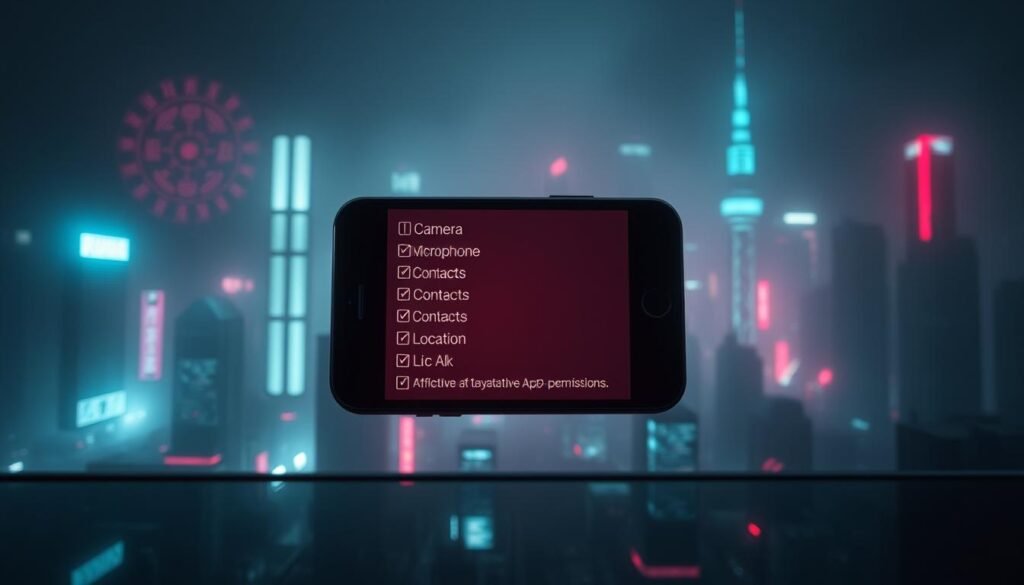
How can camera and microphone amplify exposure?
Camera and microphone turn coordinates into context. An app that can record video or audio can log not just where you were, but what you saw and said.
- Silent image or video capture can tie photos to timestamps and places.
- Background audio recording can capture conversations tied to location.
What does storage read/write allow an app to do?
Broad storage access lets an app read or exfiltrate photos, documents, and other files. Correlating file timestamps with location builds a detailed activity map of a user.
Scoped Storage reduces blanket file access but does not remove exposure from over‑privileged apps.
Why do contacts, phone state, and SMS matter?
Access to contacts, accounts, call state, or messages links names and identifiers to places. Combined with location, this enables targeted social engineering or account abuse.
Action: audit apps for camera, microphone, storage, and contacts access. Revoke any grants that don’t match an app’s core functionality or switch to one‑time or foreground‑only access.
How to protect your data privacy on Android today
Treat every app request as a choice, not a default. Follow least-privilege practices, audit grants regularly, and prefer one-time access for sensitive sensors like the camera and microphone.
Quick wins:
- Grant least privilege: set location and sensitive grants to “Allow only while using the app” and deny background access unless the feature absolutely needs it.
- Audit and revoke: open Settings, review app grants, revoke anything that does not map to current use, and uninstall unused or suspicious apps.
- Vet before install: read recent reviews, check the developer’s track record, and scan the app’s manifest or requests page for mismatched access.

What platform controls help most?
Keep the system updated to benefit from Scoped Storage and improved prompts. Enable Google Play Protect and use reputable antivirus on your phone.
What should businesses require?
Governance matters: ask developers to request only necessary access, assess embedded SDKs, and run automated tests (for example NowSecure Platform) during CI to flag excessive data flows.
For step-by-step device guidance, see Android privacy controls and learn how to verify sharing settings at check sharing settings.
Conclusion
Good apps ask for access at the moment of need and explain why they require it.
Keep this rule in mind: if an app requests location data, storage, camera, or microphone without a clear link to app use, treat that as a warning sign. NowSecure’s 62% finding shows excessive requests are common.
Choose foreground-only grants, review and revoke unneeded access, and remove apps that cannot justify sensitive access. Remember that files, photos, video, audio, and contacts compound exposure when combined with location data.
Developers should request only what the app needs and show purpose at request time. For a practical checklist before you install, see this safety checklist.
By applying least privilege and regular audits, users keep enjoying apps and social media while protecting device information and privacy.
FAQ
Why do some Android apps ask for location access — is that a red flag?
Many apps request location for legitimate features like navigation, delivery, or local search. However, it becomes a red flag when a simple utility or content app asks for precise or continuous background location without a clear need. Look for mismatches between stated app function and the data it requests; those are often signs of unnecessary tracking, advertising profiling, or worse.
What does it mean when an app asks for my location?
When an app requests location, it’s asking to read your device’s coordinates to provide location-aware features. This can improve maps, nearby results, and safety functions. But the same data can be stored, shared with third parties, or used to build a profile of your habits if the developer or embedded SDKs misuse it.
How do foreground location and background location differ?
Foreground access runs only while you actively use the app and is generally less invasive. Background access lets the app collect location information when the app is closed or running in the background, enabling continuous tracking. Grant foreground-only whenever possible and deny background access unless the app clearly needs it.
How can location data be abused by apps?
Location data can be combined with other signals to create behavioral profiles, fuel targeted advertising, or enable surveillance. Ad networks, analytics SDKs, and data brokers may aggregate and resell this information. In extreme cases, continuous location can expose home addresses, routines, and real-time whereabouts, raising safety concerns.
Could continuous tracking put my physical safety at risk?
Yes. Persistent tracking can reveal daily patterns, places you frequent, and when you’re away from home. Stalkers or criminals can misuse that information. Even if an app isn’t malicious, leaked or sold location records increase the risk of physical harm or burglary.
What role do third-party SDKs and data brokers play?
Many apps include third-party software development kits (SDKs) for ads, analytics, or social features. These SDKs can collect and transmit location alongside other identifiers to data brokers, multiplying exposure and bypassing direct user control over how data is shared and monetized.
What does the data say about dangerous app requests today?
Recent industry audits report widespread high-risk requests: for example, about 62% of Android apps request at least one dangerous permission. Commonly requested capabilities include storage access, camera, microphone, and notification controls. Background location became a distinct concern after Android 10 introduced stronger controls and visibility.
When is it reasonable for an app to request location?
Reasonable use cases include turn-by-turn navigation, ride-hailing, delivery tracking, map-based search, travel check-ins, and certain retail features that rely on proximity. For these, foreground access and clear user-facing explanations are appropriate.
What are clear red flags for location requests?
Red flags include apps with unrelated primary functions—like beauty tools, basic calculators, or simple weather widgets—asking for precise or background access. Also beware of apps that demand multiple sensitive capabilities with vague privacy notices or no clear business reason.
Which other dangerous capabilities often accompany location access?
Camera and microphone access can enable visual or audio surveillance. Read/write storage permits exfiltration of photos and documents. Contacts, phone state, and SMS permissions open avenues for identity exposure and social-engineering attacks. Together, these increase the impact of any data breach or misuse.
How should I grant location and other sensitive access on Android?
Follow least-privilege: grant access only while using the app and deny background when possible. Use the OS’s one-time or foreground-only options when available. Avoid blanket “always allow” settings unless the app has a clear, ongoing need.
What practical steps protect my privacy from risky apps?
Regularly audit and revoke unnecessary rights, uninstall unused or suspicious apps, and review app permissions in system settings. Check developer reputations and user reviews before installing. Inspect app manifests or permission lists in trusted stores. Keep the OS and apps updated, enable scoped storage, and use reputable mobile security tools for additional checks.
How can enterprises and advanced users test app behavior?
Use dynamic analysis tools and enterprise mobile management (EMM) solutions to monitor runtime data flows. Static manifest inspection and runtime sandboxes can reveal unexpected network calls or third-party SDK activity. Combine automated testing with manual review of privacy policies and traffic captures for a thorough assessment.
