
One surprising fact: attackers who alter system records cut investigation time by more than half if their changes go unnoticed.
Our team found an active attempt to remove traces from critical logs. We acted fast to protect the system and preserve original records for response and legal review.
Logs are an operational diary. They show who signed in, what files were opened, and system errors. Even a single modified entry can mislead investigators.
We will show how a perpetrator can delete or inject entries, why preserving evidence matters in the United States, and how disciplined triage kept the attacker from widening access.
Expect practical guidance grounded in ethical hacking know-how, plus simple architecture changes you can apply without a full overhaul. For a concise primer on methods of altering records, see this ethical hacking overview.
Key Takeaways
- Preserve evidence first: isolate and image the affected host before making changes.
- Logs are vital: they act as a system diary for sessions, file access, and failures.
- Small changes matter: one altered entry can shift the breach timeline.
- Work across teams: bridge ops, legal, and security for quick, lawful response.
- Build resilience: validate integrity, centralize records, and harden logging controls.
Why Hacker Log Tampering Matters Right Now
Altering audit records gives adversaries the breathing room to deepen compromise without immediate notice. This form of concealment helps intruders keep access, modify controls, and stage follow-on attacks while defenders chase false trails.
Covering tracks enables persistence: attackers can change timestamps, swap user identifiers, or delete entries so events look routine. That lets them install backdoors and move laterally with reduced risk of interruption.
The business impact in the United States is material. Missing or falsified records can trigger compliance failures, escalate legal exposure, and extend downtime. Logs often contain PII, credentials, and configuration hints that speed privilege escalation and widen exposure.

- Operational risk: altered records lengthen investigations and raise recovery costs.
- Compliance risk: auditors need complete, verifiable trails—gaps invite penalties and lawsuits.
- Extortion risk: attackers may spray false entries to force remediation demands.
Treat integrity as a core control: validate sources, centralize archives, and set clear escalation paths. For practical details on handling system records and retention, see system log best practices.
What Logs Are and Why Attackers Target Them
A clear timeline of system activity often lives in plain sight—inside everyday records on each computer. These records show who signed in, which files were opened, and what changes occurred. Protecting that timeline is the fastest way to keep investigations accurate.
Audit logs vs. application logs: what they record and where they live
Audit logs are produced by the operating system. They record events like logons, privilege changes, and file access. These typically live in system-level directories and are essential for cross-system correlation.
Application logs come from programs and services. They often appear as .log files and capture business actions, errors, and input parameters. Application records are stored with app data or in centralized collectors when teams forward them.
What sensitive information shows up in records?
Logs can include PII, session tokens, and configuration details that reveal default credentials or software versions. That information helps attackers learn defenses and map a way through the network.
- Why they target records: to hide activities and harvest credentials or config data for privilege escalation.
- Defender priorities: map where logs live, limit who can write to them, and verify integrity across systems.
Common Log Tampering Techniques You Must Expect
Expect four primary techniques: deletion, alteration, injection, and disabling logging. Each can happen on endpoints, during transit, or in centralized storage, and each aims to corrupt evidence or blind monitoring.

How does deletion work?
Deletion removes specific entries or entire files to erase indicators of compromise.
Attackers with elevated rights delete records to break investigative timelines. This can occur on a computer, at a collector, or in archived storage.
What does alteration look like?
Alteration edits timestamps, usernames, and event details so malicious actions appear routine.
Changing a timestamp or user ID reroutes analysis and hides privilege changes.
Why do attackers inject false events?
Injection plants fake entries to create noise, trigger alerts, or mask real activity.
How do they silence sensors?
Disabling logging stops future records by turning off services or changing configurations.
When the pipeline lacks authentication or integrity, even robust systems can be compromised.
| Technique | Where it occurs | Goal | Quick defenses |
|---|---|---|---|
| Deletion | Endpoint / Archive | Erase indicators | Immutable backups, access controls |
| Alteration | File system / Collector | Mislead timeline | Hashing, versioned storage |
| Injection | Ingest / Forwarder | Noise & distraction | Authenticated forwarding, validation |
| Disabling | Service / Agent | Create blind spots | Service monitoring, immutable configs |
Hacker Log Tampering Detection
Look for subtle timing gaps, sequence breaks, and entries that don’t fit normal behavior. These signs often expose attempts at erasing or altering system records. Act fast to validate and preserve evidence.

What signals should trigger an alert?
Watch for missing stretches where heartbeats or audit events usually appear. Such gaps often mean entries were removed or never forwarded.
Track out‑of‑order sequences and impossible actions, like admin changes without prior authentication. Flag strange source IPs during off hours.
How do you confirm across systems?
Correlate endpoints, applications, and network devices. When one source is altered, others usually retain truthful timestamps and activity details.
- Hashing and baselines: compare current hashes to known baselines for integrity drift.
- Telemetry comparison: reconcile system logs with backups and network flows.
- SIEM analytics: use anomaly detection to escalate suspicious sequences quickly.
Ethical hacking exercises help define realistic tampering signatures so tooling can spot them. Preserve originals, document every step, and escalate anomalies to legal and response teams without delay.
Immediate Actions When You Suspect Tampering
Freeze the scene immediately: capture volatile memory, secure current records, and stop further modification. These steps preserve critical evidence and buy time for a controlled investigation.
Act fast—attackers can erase or change files within minutes. Snapshot volatile memory, then export affected logs to a secure location. Switch collection to read-only targets so new entries append but cannot be altered.
How do you preserve volatile evidence and prevent more loss?
Preserve memory and copies: take a memory snapshot while the host stays powered. Back up current log files and hash each export to create a verifiable baseline.
How do you establish chain of custody and limit the blast radius?
Isolate the affected host from the network to stop ongoing manipulation, but keep power where memory matters. Restrict access to storage and enable emergency controls so only authorized personnel can touch archives.
- Capture configs: export agent and service settings to record what ran at the suspected time.
- Document every action: start chain-of-custody logs immediately—who handled evidence, when, and why.
- Scope and prioritize: work with leadership to define the blast radius and restore trustworthy telemetry first.
Tip: triage before remediation. Preserve originals, then fix. This keeps evidence admissible and helps investigators reconstruct the full time sequence of events that hackers tried to hide.
Forensic Techniques to Validate Log Integrity
Verify integrity by hashing and comparing to trusted baselines, reconciling clocks to reveal timestamp edits, and cross-checking backups and telemetry. These steps surface silent changes and restore confidence in what the records truly show.
Start by creating verifiable fingerprints of each record so changes stand out instantly. Generate cryptographic hashes (SHA‑256 or better) for every log file and store the hashes in a separate, write-once location. Preserve provenance: who created the hash, when, and which tool was used.
Establish baselines for normal growth and rotation. Track expected size, frequency, and file names so unexpected shrinkage or truncation raises an immediate flag. Use automated scripts to compare current hashes to prior known-good values and record any drift.

How do you reconcile timelines?
Perform timeline analysis across hosts. Reconcile NTP offsets and clock drift to uncover impossible sequences or edited timestamps. Align events by real‑world time sources like network flow and DNS artifacts to build a consistent time picture.
How do you cross-validate records?
Compare entries with backups, endpoint telemetry, and system artifacts such as process lists or memory images. Examine metadata—permissions and modification times—to detect stealth edits that content checks might miss.
- Use differential analysis: isolate which portions moved and map them to suspected attacker activity.
- Document everything: preserve hashes, chain-of-custody notes, and repeatable commands for review or legal use.
- Run ethical hacking drills: pre-build playbooks that list the first artifacts to collect when integrity is in question.
Tools That Help: auditd, File Integrity Monitoring, and SIEM
Use auditd to capture OS-level file and process events, run File Integrity Monitoring (FIM) to hash and watch critical files, and feed both into a SIEM for cross-source correlation. These tools together reveal deletion, alteration, and injection attempts early so teams can respond fast.
Visibility tools tie filesystem events to processes so suspicious edits stand out. Configure auditd to watch logging paths and services. That way you get true, system-level evidence of writes, truncation, or service stops.
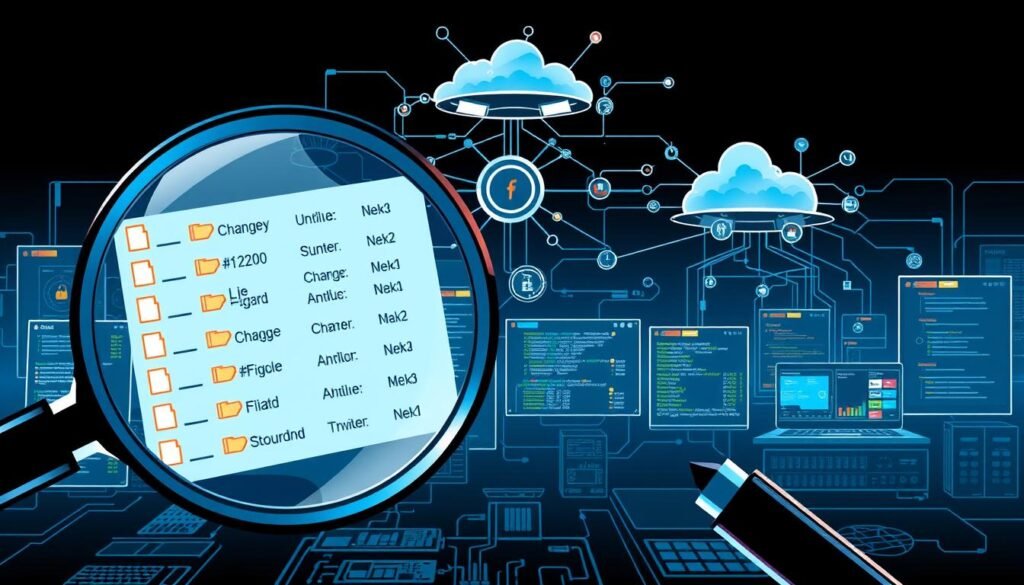
How should you configure auditd rules?
Watch critical directories and the binaries that handle logging. Audit writes, truncates, and permission changes. Alert on sudden service stops or unexpected execs tied to those paths.
What does File Integrity Monitoring do here?
FIM tools baseline hashes for key files and alert on unauthorized changes. They also catch metadata shifts like permission flips or inode changes that content checks might miss.
How does SIEM tie it all together?
Forward auditd and FIM output into a SIEM. Correlate endpoints, application traces, and network flows. Build anomaly models for volume drops, format deviations, and pipeline failures to flag probable tampering.
| Tool | Primary role | Key signals | Quick action |
|---|---|---|---|
| auditd | Record OS file/process events | Unauthorized writes, service stops | Capture events, lock file access |
| FIM | Hash and monitor file integrity | Checksum changes, perm flips | Notify and snapshot file copy |
| SIEM | Correlate and model anomalies | Gaps, spikes, cross-source mismatch | Trigger triage playbook |
Tip: use authenticated, encrypted forwarding for agents and test rules in a lab. Bring ethical hacking findings into tune rules so your team sees real-world tactics without overwhelming alerts.
Designing Tamper-Resistant Logging Architectures
Secure transport with TLS and mutual authentication, centralize records on segregated servers with strict access, and keep archives on append-only or WORM media. These steps close numerous vulnerabilities and make rewriting history costly for attackers.
Start by treating logs as critical records: encrypt them in transit and require mutual authentication for every collector and aggregator. Use TLS with certificate validation and rotate keys regularly to reduce long‑lived exposure.
How should you protect transport and agents?
Require authenticated forwarding so only trusted agents send data. Sign and version agent configs so unauthorized changes stand out. Monitor certificate expiry and automate renewals to avoid blind spots.
Where should central servers live?
Host centralized, segregated servers in isolated network segments behind dedicated firewalls. Limit admin access paths and enforce least privilege so most users only get read-only rights.
Why use append-only storage and immutable retention?
Write-once or WORM systems prevent even privileged users from rewriting history. Pair immutable retention with audited custody logs and redundant copies to balance availability and compliance for U.S. rules.
“Design for least privilege and immutable retention from day one; it reduces insider risk and strengthens evidence for audits.”
- Practical controls: enforce append-only storage, signed agent configs, and certificate rotation.
- Operational design: segregate servers, restrict admin roles, and build redundancy.
- Assurance: run periodic ethical hacking reviews to find small misconfigs that create big vulnerabilities.
Operational Controls: Rotation, Retention, and Access Governance
AI overview: Rotate frequently and enforce strict roles so deletions only affect small, recoverable slices. Combine cadences, compression, and backups with regular audits to keep records trustworthy and manageable.
Rotate and segment archives so a single deletion only removes a tiny slice of history.
How often should you rotate and archive?
Define rotation cadences by source volume and risk. High-volume system and application sources may rotate hourly; low-volume appliances can use daily cycles.
Compress and archive rotated files to cut surface area and storage costs while keeping files readable for audit. Use consistent naming and metadata so teams can keep track of lineage and retention.
Who should have access?
Apply strict role‑based access controls. Most staff get read‑only rights to log files. Only a small, vetted team should approve changes.
Separate duties: split collection, storage, and analysis so no single admin can alter and approve the same records.
- Back up archives to a logically separate environment with tested recovery procedures.
- Audit access patterns regularly and run periodic access reviews to catch drift.
- Align policies across application and infrastructure so rotation and retention are consistent company-wide.
“Shrink the blast radius: frequent rotation, immutable archives, and clear separation of duties make records resilient and auditable.”
Real-Time Monitoring and Alerting for Tamper Signals
Watch for sudden volume drops, parser errors, and pipeline failures that signal collection issues or deliberate interference. Alert on deletions, config edits, and service stops, and correlate signals in a SIEM to cut noise and speed response.
Watching heartbeats and parser health in real time gives you an early warning when collection breaks. Build monitors that track expected event cadence and trigger when a source goes quiet for defined windows.
Track schema mismatches and parser errors. These often show injected or malformed entries entering your pipeline. Flag format deviations and parser failures immediately.
What to alert on and why
- Volume drops: sudden declines can mean truncated files or forwarding failure.
- File deletions/truncations: watch sensitive paths and collector stores.
- Config edits & service stops: agent changes and restarts often precede wider compromise.
- Cross-host correlation: escalate when multiple sources go dark at once.
| Signal | Where it appears | Why it matters | Immediate action |
|---|---|---|---|
| Heartbeat missing | Agent/endpoint | Collection gap | Ping, isolate host, verify agent |
| Parser/schema error | Ingest pipeline | Malformed or injected entries | Quarantine batch, roll back parser rules |
| File deletion/truncate | Collector/storage | Evidence loss risk | Snapshot storage, hash exports |
| Config edit / service stop | Agent/aggregator | Agent disabled or compromised | Lock configs, notify on-call, start playbook |
Integrate alerts into on-call workflows and attach short runbooks. Use cybersecurity analytics to link tampering signals with lateral movement so the response team can contain an attacker faster.
Testing and Training: Red-Teaming Your Logging and Educating Staff
Run controlled tampering drills to validate detection, integrity checks, and response. Train staff on why logs hold sensitive information and how to handle them carefully.
Regularly testing your logging pipeline exposes weak links before they become incidents.
How do simulated tampering drills help?
Conduct red-team exercises that attempt deletion, alteration, injection, and disabling scenarios. Measure how fast your team notices and preserves evidence.
Validate alerts and escalation: confirm that alarms trigger runbooks, that chain-of-custody steps run, and that archives remain intact under pressure.
How do you reduce human-driven risk?
Teach staff why system records contain sensitive information and which ways mishandling creates exposure. Emphasize strong access practices and change control.
Use scenario-based modules and cross-team drills so IT, security, and developers practice failover and recovery together.
“Treat training like insurance: simulated stress reveals the gaps you can’t see in theory.”
| Exercise | Goal | Measure |
|---|---|---|
| Simulated deletion | Test archive resilience | Time to recover original files |
| Injection test | Validate parsing & filters | False-positive rate & triage time |
| Agent disable | Failover readiness | Time to restore pipeline |
Keep a lessons-learned log and track metrics over time. Use those results to tune monitoring, update playbooks, and improve overall cybersecurity posture.
For guidance on structured red-team engagements, see a practical red-teaming advisory and a primer on safe practice in ethical hacking training resources.
From Incident to Resilience: A Repeatable Response Playbook
A clear, repeatable response starts with preserving visibility as you contain the incident. Contain affected systems, preserve and hash evidence, correlate across sources, then harden controls so the company learns and improves.
Contain affected systems while keeping volatile evidence intact. Preserve artifacts and create verifiable hashes. Correlate events across systems to rebuild accurate timelines. Then harden transport, server placement, and access controls to prevent repeat attacks.
Containment that keeps visibility means isolating hosts without powering them down or wiping memory. Do not cut off telemetry sources; instead reroute collection to read-only targets so investigators can still see tracks.
Preserve evidence and start chain of custody. Export files, snapshot memory, and hash each artifact. Record who handled each item and when. These steps protect legal validity and investigative clarity.
Investigate across sources. Cross-validate endpoints, applications, and archives to overcome any single altered record. Reconcile clocks and use baselines to flag impossible sequences.
- Restore trust: validate hashes and confirm rotation and retention behave as intended.
- Harden controls: require authenticated TLS transport, segregate collectors, enforce least privilege, and use append-only or WORM storage.
- Communicate: brief leadership on scope, risk, and the remediation plan that reduces recurrence.
Treat incidents as catalysts: prioritize high-impact fixes, align improvements to observed target vectors, and capture the playbook with roles, triggers, and SLAs so the next response is faster and cleaner.
Conclusion
Real resilience comes from combining secure transport, immutable storage, and trained staff. Build layers so one failure does not erase your timeline or slow a response.
Protective design matters. Use TLS‑secured forwarding, segregated collectors, append‑only or WORM archives, and integrity monitoring to lock down your records. Rotate and archive with clear retention rules so the system stays auditable.
Expect deletion, alteration, injection, and disabled services. Prepare targeted alerts, hashing baselines, and cross‑validation across sources so teams can spot manipulation quickly.
Train people and run drills. Practice restores and playbooks so staff act fast under pressure. These steps turn noisy incidents into repeatable recovery and help teams see through what hackers try to hide.
Apply the controls in this article and you’ll keep investigators grounded in truth while reducing risk in day‑to‑day operations.
FAQ
What immediate steps should we take if we find evidence someone tried to erase their tracks?
Preserve volatile evidence first—collect memory dumps, endpoint images, and any open file handles. Stop further log loss by isolating affected systems or blocking the attacker’s accounts. Export existing logs and copy them to an immutable location (write-once or WORM storage) to prevent overwrite. Notify your incident response team and begin chain-of-custody procedures for all collected artifacts.
How can we tell if entries were deleted, altered, or forged?
Look for time gaps, sequence anomalies, and mismatched event IDs. Compare timestamps across sources (endpoints, network devices, and application telemetry). Validate log file hashes against previous baselines or backups. If timestamps are inconsistent, perform timeline analysis using metadata from file systems and device clocks to detect manipulation.
Which sources should we correlate to detect tampering effectively?
Correlate event sources across endpoints, servers, network devices (switches, firewalls), authentication services (Active Directory), and cloud provider logs. Use SIEM or central telemetry to join events by session IDs, IP addresses, and process IDs. Cross-validation with backups, host-based sensors, and application traces reduces blind spots.
What defensive controls prevent attackers from covering their tracks?
Implement centralized, segregated log servers with strict access controls and authenticated, TLS-encrypted forwarding. Use append-only or immutable storage and enforce retention policies. Deploy file integrity monitoring (FIM) and host auditing (auditd on Linux) to detect unauthorized changes. Enforce least-privilege for admins and split duties to avoid a single point of compromise.
Can sysadmins or insiders erase forensic evidence, and how do we guard against that?
Yes—privileged insiders can disable logging, delete files, or alter events. Mitigate risk by separating log ingestion and administrative rights, using dedicated logging accounts, logging all admin activity to an external immutable store, and requiring multi-party approval for sensitive changes. Regular audits and FIM help catch unauthorized modifications.
Which tools help detect and alert on tamper attempts?
Use SIEM platforms for correlation and anomaly detection, file integrity monitoring for unexpected changes, and host audit frameworks like auditd to record process and file events. Network telemetry, EDR (endpoint detection and response), and immutable backups complete the picture. Configure alerts for sudden drops in event volume, deleted files, or disabled services.
How do hashing and baselines validate log integrity?
Calculate cryptographic hashes (SHA-256 or stronger) of log files and metadata regularly and store hashes in a separate, protected repository. Compare current hashes to historical baselines to detect tampering. Combine with incremental baselines to spot partial edits and use signed logs where possible to provide non-repudiation.
What role does timeline analysis play in investigations?
Timeline analysis reconciles events from multiple clocks and artifact sources to expose timestamp manipulation and gaps. Reconstructing a unified timeline from file system metadata, network captures, and application traces reveals when activity actually occurred versus what edited entries claim.
Should we run red-team exercises focused on record wiping?
Yes. Simulated tampering exercises uncover weaknesses in logging, retention, and alerting workflows. Test your detection, response, and forensic collection procedures under realistic attack scenarios. Use findings to harden controls, improve runbooks, and train staff on proper evidence handling.
How do compliance requirements in the U.S. affect how we handle tampering risks?
Regulations like HIPAA, SOX, and state privacy laws require secure audit trails and incident reporting. Tampered records can trigger regulatory fines, legal exposure, and breach notifications. Maintain documented retention and access controls, and ensure you can produce reliable logs during audits or legal discovery.
What are common signs of disabled or disrupted logging pipelines?
Watch for sudden drops in event volume, changes in expected formats, repeated connection failures from forwarders, or configuration changes to logging services. Alerts should trigger when agents stop reporting, when forwarding is disabled, or when significant schema deviations occur.
How do we preserve chain of custody for logs and artifacts?
Record who collected each artifact, when, and how. Use read-only copies and secure transfer methods to store evidence in an immutable repository. Maintain logs of all handling steps, and avoid working on original media—always analyze copies to retain evidentiary integrity for investigations or legal actions.
Can backups and immutable storage fully protect us from tampering?
They significantly reduce risk but aren’t a total guarantee. Regular, verified backups and immutable retention prevent single-point deletions. However, attackers may target backup credentials or retention policies. Protect backup systems with strict access controls, separate credentials, and regular integrity checks.
What logging architecture changes deliver the best ROI for preventing covered tracks?
Centralized, access-restricted logging with authenticated TLS forwarding and immutable storage offers high impact for effort. Add host-level auditing, FIM, and a SIEM for correlation. Implement role separation and automated alerts on pipeline anomalies to detect issues early.
How should small businesses prioritize defenses against record manipulation?
Start with centralized logging to a cloud or managed provider, enable FIM on critical servers, enforce least-privilege for admin tasks, and schedule regular offsite backups. Use affordable SIEM-as-a-service or managed detection offerings to get correlation and alerting without large in-house teams.
