
Surprising fact: in a single afternoon, three nearly successful attacks targeted my grandparents — by the time I stepped in, they had nearly given away account details and bank access.
This piece maps what happened and why it matters. You’ll see how slick messages on social media, a convincing phone call, and a fake email worked together to pressure polite, trusting elders into risky moves.
We explain the tactics scammers use: urgency, authority impersonation, and scare language that seeks personal information. You’ll learn quick checks to verify senders and callers before clicking or sharing sensitive data.
The goal is practical: simple defenses, sample phrases to push back, and steps to lock down devices without stripping dignity from your family members. Real examples from one day show what almost happened and how to stop it.
Key Takeaways
- Three near-misses show how multiple channels—social media, phone, and email—combine to trick people.
- Scammers rely on pressure; slow down, verify, and never give passwords or account numbers aloud.
- Simple phrases and verification steps can defuse urgent-sounding requests instantly.
- Set device guardrails and clear rules for sharing personal data with relatives.
- Keep conversations respectful; safety coaching preserves independence and dignity.
What Happened in One Day Online: A Quick Story and Why It Matters Now
I watched three different ploys unfold in a few hours—and they fit a pattern.In one day my grandparents received a call, an email, and a text that all pushed urgency and asked for sensitive details. The thread was pressure to act before verifying.

The morning started with a phone call about a “security problem.” An hour later, an email demanded account verification. Then a text warned a package was undeliverable unless a fee was paid.
Scammers layered messages to make the story feel real. One email even referenced friends to lower suspicion. Another message hinted at romance to tug on emotions.
What stopped loss: a simple rule—no action on first contact. We hung up, looked up official numbers independently, and called back to verify.
This day shows the safest way: pause, verify through official channels, and never share personal information on first contact. Read a related perspective at You’d never fall for an online scam, right
common internet scams You’re Most Likely to See Today
The most common scams you’ll see today look like urgent messages on social media, email, and phone that demand payment or credentials. Red flags include shortened or misleading links, requests for money or gift cards, and threats or unbelievable offers. Verify independently before you click, pay, or reply.

Why are older adults prime targets on social media, email, and phone?
Scammers use authority and politeness to push fast decisions. They count on platform unfamiliarity and trust in familiar names. That keeps victims engaged while requests escalate.
What are the top red flags to watch for?
Look for: mismatched sender addresses, links that redirect to a look-alike website, spelling errors, odd capitalization, and payment requests via gift cards or wire. If a message pressures you to act or demands secrecy, treat it as a likely scam.
| Red Flag | What it looks like | Immediate Action |
|---|---|---|
| Urgent demand | Countdown timers or threats | Pause and verify by phone |
| Suspicious links | Shortened or misspelled URLs | Type the official website yourself |
| Payment requests | Gift cards, crypto, or P2P asks | Refuse and call the company |
On social media, fake profiles push investment or romance offers in trusted groups. Scammers often spoof numbers and reuse brand logos. For tactics and deeper examples, see attackers using CAPTCHAs.
Tech Support Pop-Ups and Calls: “Your Computer Has a Virus—Call Now!”
Tech support alerts are often fake pop-ups or unsolicited calls that claim your computer is infected and push you to call or allow remote access. Never grant access or pay; restart, power off, and contact a verified provider using the official website or phone number.
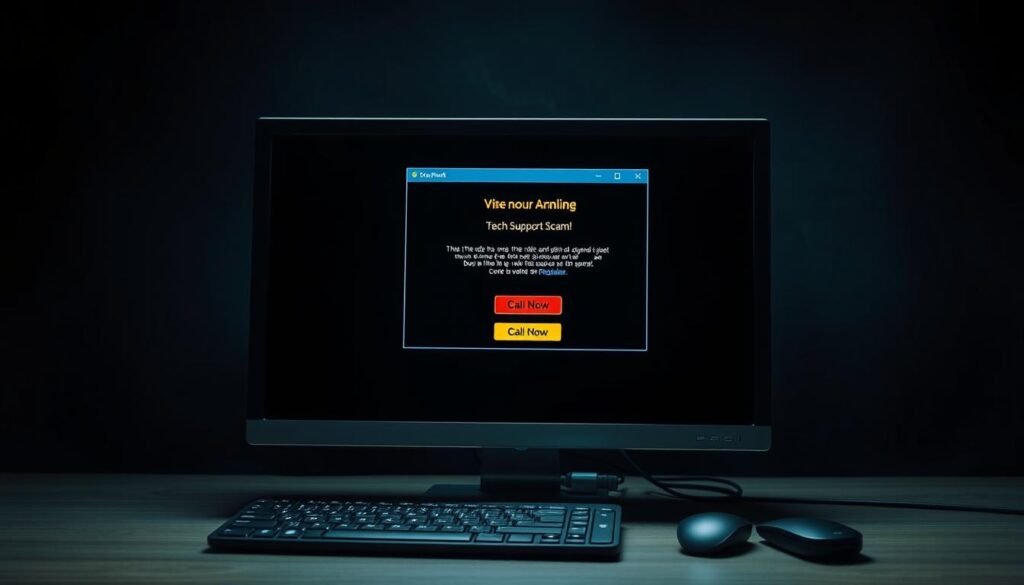
What it looks like
Fake error screens use real logos and a bogus “scan” to show dozens of critical issues. A toll-free number or urgent prompt asks you to call now.
What almost happened
The caller asked for remote access and pushed a “diagnostic” fee that turned into an annual product service charge. That access would let scammers search files for personal information and steal account credentials.
How to stay safe
Do not call numbers from pop-ups. Do not click unknown links or run tools. Restart or power off, then find support via the vendor’s verified site.
“No remote access and no payments to unsolicited tech support—hang up and verify.”
| Signal | What it claims | Safe action |
|---|---|---|
| Alarming pop-up | Fake scan, urgent phone number | Restart device, visit official website |
| Unsolicited call | Pressure for remote access | Hang up and call vendor directly |
| Payment request | One-time fee → recurring services | Refuse; check bank if charged |
| After access | Files searched, spyware installed | Disconnect, change passwords from clean device |
If you want guidance on teaching elders to recognize abuse of trust, see making the internet safe for seniors.
Government, Bank, and Charity Impostors: The Trust-Me Trap
Impostors look like officials from government agencies, banks, or charities and pressure you to pay or share data. Caller ID, emails, and even voices can be faked—hang up and call the real organization using an official number. Legitimate agencies, including federal regulators, do not demand immediate payments via gift cards or wires.
Spoofed numbers and cloned voices let fraudsters sound like a bank or agency on the line.
How they work: Scammers use look-alike email addresses, forged letterheads, and fake caller ID to build trust. They push urgency with stories about taxes, lawsuits, or “fraud on your account.” A caller may demand money or personal information and insist you keep it secret.

What to do right now
- Hang up immediately on suspicious phone calls.
- Look up the agency or bank number yourself and call back.
- Refuse payment methods that bypass protections (gift cards, wire transfers, crypto).
- If you gave identity details, place a credit freeze and monitor accounts.
“Never trust caller ID alone. Verify using an official number you find yourself.”
| Impostor Claim | What it looks like | Safe Response |
|---|---|---|
| Unpaid tax or fine | Threat of arrest or penalty | Hang up; call IRS or state tax office via official site |
| Bank fraud alert | Request for account number or transfer | End call; call your bank using the number on your card |
| Charity emergency | Emotional plea after disaster | Verify charity via official registry before donating |
Romance Scams on Dating Apps and Social Media: From Friendship to Financial Loss
Romance scams look like fast-moving relationships on dating or social media, driven by daily messages and emotional stories that end in requests for money. The usual asks are wires, gift cards, or a money order for an “emergency.” Verify identity, keep personal information private, and never send funds to someone you haven’t met in person.
What starts as daily attention on social platforms may end with demands for urgent funds. Scammers script the courtship: intense praise, quick intimacy, and claims of shared jobs or values to build trust.

How trust gets built so fast
They move conversations off the app and avoid live video. Excuses include work travel or military deployment.
Small requests test a response, then escalate to larger crises like medical bills or legal troubles.
How to protect your heart and wallet
- Slow down. Pause before sharing details or sending money.
- Verify. Do a reverse image search and insist on a live video call.
- Keep records. Save messages and refuse to act for someone else.
“If a new relationship asks you to hide payments or rush a transfer, treat that as a red flag.”
Employment Scams: Fake Jobs, Real Identity Theft
Employment scams often pose as easy remote jobs with fast hiring and requests for upfront fees, equipment purchases, or credit card information. Legitimate employers do not ask you to pay to get hired. Verify the company’s website and contacts, and never buy equipment or process payments for a new role.
Watch for interviews that happen only via messaging apps or chat. A rushed offer without references is a key red flag.
What to watch for
- Upfront fees: Any ask to buy a laptop, software, or training is suspect.
- Requests for identity: Do not share Social Security or bank details until you see a formal offer on a verified company domain.
- Processing orders: Being asked to handle orders or deposits through your personal accounts is often money-laundering.
| Red Flag | What it looks like | Safe Action |
|---|---|---|
| Upfront fee | Buy equipment or pay training costs | Refuse payment; confirm via company website |
| Personal data request | SSN or bank info during first contact | Wait for written offer on official emails |
| Reshipping or processing | Take deliveries or move funds | Decline; it’s often stolen goods or laundering |
| Free-email addresses | Offers from Gmail, Yahoo, etc. | Verify staff via LinkedIn and company domain |
If you suspect identity theft
Freeze credit, notify your bank and credit card issuer immediately, and keep all emails and messages. A clear paper trail helps banks and law enforcement trace fraud and stop money loss.
Investment Scams: Guaranteed Returns That Don’t Exist
A glossy profit screenshot does not equal a real, audited return. Investment scams sell certainty: screenshots, testimonials, and “limited spots” to force quick moves. There are no guaranteed high returns without risk. Verify independently and slow your decisions.
How do promoters push you to act now?
Promoters show fake dashboards and push you to move money into wallets or platforms you do not control. They use jargon, unregistered brokers, and claims about special algorithms to earn your trust.
Watch for refusals to provide audited statements or a clear business model. If a person asks you to keep the opportunity secret from an advisor, treat that as a red flag.
- Verify registration: check broker status and read independent reviews.
- Test withdrawals: start with a small amount before larger transfers.
- Document everything: keep records and use escrow or regulated exchanges.
“If an offer looks like a sure thing, assume the risk is hidden.”
For further reading on how these offers are structured and how to protect your money, see eight common investment schemes.
How Scammers Masquerade as Real Agencies and Companies
Scammers can make caller ID and emails look like legitimate agencies or companies. If anything feels off, do not share information—hang up and call the organization using an official number from its website.
Spoofed phone numbers and look-alike email domains are tools fraudsters use to build instant trust.
They may show a government or bank name on your caller ID, then press for account details or a “verification” code. Caller ID can be faked; the Australian Competition and Consumer Commission (ACCC) has warned that it does not call from its reception lines and advises hanging up if asked for personal data.
Warning signs to watch for
- Subtle domain changes: extra characters or swapped letters in an email address that at a glance look like the real one.
- Urgent scripts: callers pushing immediate transfers or codes and refusing pauses.
- Unverifiable proof: screenshots or forwarded emails used as “evidence” — these can be fabricated.
What to do when in doubt
Do not share passwords, codes, or bank details on a call or in reply to an email. End the call and find the organization’s phone number on its official website or the back of your card.
- Document the attempt: note time, number, and instructions, then report it.
- Use a verification script: say, “We do not act on incoming requests. We call back using a number we find ourselves.”
- Learn more: read the government’s guidance and reporting steps in the little black book of scams.
“Hang up if a caller asks for personal details. Then call the official number you find on the organization’s website.”
Spot the Bait: Emails, Texts, and DMs That Try to Harvest Your Data
Phishing bait looks like urgent emails or texts with shortened links or fake login pages that steal credentials. Never click directly—open a browser and visit the website yourself, verify the sender, and scan attachments before opening. If you entered data on a fake page, reset passwords and enable multi-factor authentication immediately.
How do links trick you?
Shortened links and redirects hide where you will land. Hover to preview or paste the URL into a safe link expander first.
Fake login pages copy logos and layout but the address is slightly different. Sign in only via a bookmarked website or the official app.
- Tip: If a message urges a password or code, close it and go to the site yourself.
- Tip: Use a password manager to detect mismatched domains on login pages.
- See spam text examples for real-world patterns attackers exploit.
What about attachments and media?
Attachments labeled “invoice” or “document” can carry malware, spyware, or ransomware. Scan files with antivirus before opening.
If your computer behaves oddly after opening a file—pop-ups, slow response, or new extensions—disconnect from the network and run a reputable malware scan.
- Do not reply to verification requests. Instead, forward headers to your security team or provider and verify through a trusted channel.
- Keep your operating system and browser updated to reduce exploitable gaps.
- Learn about common attack types to recognize how messages and media deliver harm.
“If a link asks for personal information, pause. Go to the official site yourself and confirm before you type anything.”
Personal Information at Risk: From Account Details to Identity Theft
The first target is personal information—logins, account numbers, and identifiers that enable identity theft. With enough data, criminals open accounts, reroute money, or impersonate you to access services. Minimize exposure and monitor for unusual activity to contain risk quickly.
Small facts add up. A date of birth, an address, or the last four digits of a card let attackers bypass weak checks.
Identity theft may not appear immediately. Fraud can surface weeks after a successful phish as new credit inquiries or strange mail.
Treat security questions like passwords. Use fictional or hard-to-guess answers stored in a password manager. That prevents someone else from guessing answers from social posts or public records.
“If you shared data, record exactly what was exposed, change passwords from a clean device, and enable multi-factor authentication everywhere possible.”
Use a credit freeze and set account alerts to block or detect fraudulent openings. If data was shared, act fast: document the breach, notify banks, and lock accounts.
- Write down what was exposed: accounts, emails, and identifiers.
- Change passwords from a trusted device and enable MFA (multi-factor authentication).
- Place a credit freeze and enable transaction alerts.
- Limit future risk: shred sensitive documents and store records securely.
| Risk | Example data | Why it matters | Quick action |
|---|---|---|---|
| Account takeover | Login & password | Access to funds and services | Change password, enable MFA |
| New accounts opened | SSN or DOB | Loans, credit cards in your name | Freeze credit, monitor reports |
| Verification bypass | Last 4 digits, address | Reset authenticators or phone-based recovery | Update recovery methods, alert providers |
| Physical fraud | Mail/financial statements | Cards or notices redirected to attacker | Contact issuer, change mailing preferences |
For step-by-step recovery guidance, see official advice on recognizing and protecting against identity theft at protecting against identity theft. For a recent example of how a text can harvest data, read this Verizon phishing text report.
Rapid-Response Checklist If You Clicked, Paid, or Shared Information
If you clicked or paid, act fast: disconnect the device, change passwords from a clean device, and call your bank or card issuer to block or reverse charges. Report the incident to platforms and, when needed, government agencies, and warn friends family so they can stay safe.
Immediate steps: Disconnect from Wi‑Fi or cellular. Run a reputable malware scan and update your operating system and browser.
Change passwords next. Start with email, bank, and your password manager. Turn on multi-factor authentication for critical accounts.
Call your bank or credit card issuer using the number on the back of your card. Dispute charges, replace cards, and flag the account for fraud.
If you sent a money order, wire, or crypto, contact the provider and request a recall. Have transaction IDs and timelines ready.
If you shared credit card information, watch for small test charges and ask for a new card. Consider a credit freeze and fraud alerts with the bureaus.
- Report fake emails to your provider’s abuse address; forward suspicious text messages to 7726 (SPAM) where supported.
- If a government impostor contacted you, record the phone number, emails, and the script used for reports.
- Tell close contacts what happened so friends family can ignore follow-up lures referencing you.
“Document dates, actions taken, and outcomes. A simple incident log helps banks and law enforcement prioritize recovery.”
Prevent repeat harm: use strong, unique passwords; keep devices updated; and adopt a standing rule: verify independently before sharing information or sending money.
Conclusion
The key lesson from that day: a steady routine beats panic when a message, call, or post demands action.
Scams thrive on urgency and secrecy across social media, phone, and email. Pause, verify on an official website or number, and never pay or share sensitive data on first contact.
Share these rules with friends and family so everyone reacts the same way. Keep an offline list of bank and card numbers, and treat any request to move money, place an order, or reveal identity details as suspicious.
If you want step-by-step guidance to lock down devices and services, read this secure web applications guide. The disciplined way you respond is the best defense against future attacks.
FAQ
What are the most common online schemes my grandparents might face in a single day?
They can encounter tech support pop-ups and unsolicited calls claiming the computer has a virus, impersonated calls or emails from banks or government agencies demanding payment, romance-style approaches on dating apps or social media that ask for money, fake job offers that request fees or personal data, and investment pitches promising guaranteed returns. These all rely on urgency, trust, or emotional pressure to get money or personal details.
Why are older adults frequent targets on social media, email, and phone?
Scammers target older adults because they often have accumulated savings, may be more trusting of authority, and might be less familiar with digital red flags. Platforms like Facebook, email, and phone provide easy ways for fraudsters to build rapport, spoof identities, and exploit emotional ties—especially when messages seem urgent or official.
What are the top red flags to watch for in messages and calls?
Look for urgent language demanding immediate payment, requests to click unfamiliar links or download files, ask for wire transfers or gift cards, spelling errors and misspelled domains, pressure to skip normal verification steps, and unsolicited contact from people or organizations you didn’t initiate contact with.
What does a tech support scam typically look like?
It often begins with an alarming pop-up or an unsolicited call saying your computer is infected. The scammer then asks you to grant remote access, install software, or pay for a “service” fee. Fake error screens and high-pressure language push victims to act quickly.
How did a tech support attempt almost trick my grandparents?
In many cases, victims grant remote access after seeing alarming pop-ups. The scammer then shows fabricated errors and requests payment for fixes, or installs malware to steal passwords. Nearly every successful case involves a rushed decision to give control or payment information.
What immediate steps stop a tech support con in its tracks?
Don’t allow remote access. Close the browser or power off the device if necessary. If you answered a call, hang up and call the company using a verified number from the official website. Run antivirus scans and, when in doubt, consult a trusted local technician or the device maker’s official support.
How can I tell a real bank or government message from an impostor?
Real agencies will not demand immediate payment through gift cards or wire transfers, nor will they threaten arrest in a sudden call. Check the sender’s email domain carefully, avoid links, and hang up to call the organization using a number from an official website or recent statement. If the caller insists, verify by contacting the institution directly.
What tricks do romance fraudsters use to gain trust quickly?
They start with frequent messages, shared interests, flattery, and early expressions of deep feeling. Then they create emergencies—medical bills, travel problems, or business setbacks—and request money via wire transfer, money order, or gift cards. They often avoid in-person meetings and resist video calls.
How should someone protect themselves from romance-related money requests?
Slow down the relationship, verify identities with video calls and reverse image searches, never send money or financial details, and keep personal documents private. If pressured, consult a friend or family member and report suspicious profiles to the platform.
What are the warning signs of fake job or employment offers?
Red flags include requests for upfront fees or equipment purchases you must reimburse, demands for your Social Security number or bank info before an interview, offers with vague job descriptions or unrealistic pay, and communications from free email providers rather than corporate domains.
How do investment scams typically operate? What should I watch for?
Fraudsters promise guaranteed, high returns and push for quick decisions. They use persuasive testimonials, fabricated performance data, and unsolicited outreach. Always verify licenses, check the SEC (Securities and Exchange Commission) or FINRA (Financial Industry Regulatory Authority) records, and never rush into investments without independent advice.
How do scammers make calls or emails appear to come from real organizations?
They use caller ID spoofing, cloned voice technologies, and look-alike email domains to mimic banks, government agencies, or charities. These techniques exploit trust and make fraud attempts seem legitimate at first glance.
What should I do immediately if a message or call seems suspicious?
Do not share personal or financial information. Avoid clicking links or opening attachments. Hang up if on a call, then call the organization directly using an official number. Report the attempt to the Federal Trade Commission (FTC) at reportfraud.ftc.gov and your bank if financial details were exposed.
How do phony emails, texts, and DMs try to steal data?
They use shortened URLs, misspelled domains, fake login pages, and infected attachments to trick you into entering credentials or downloading malware. Links can redirect to credential-harvesting sites that look nearly identical to real login screens.
What risks come from opening attachments in unknown messages?
Attachments can carry malware, spyware, or ransomware that steals credentials, encrypts files, or creates a backdoor into devices. Only open attachments from trusted senders, verify unexpected documents via a separate channel, and keep software patched and antivirus active.
What personal information is most valuable to fraudsters?
Account usernames and passwords, Social Security numbers, bank and credit card details, date of birth, and answers to common security questions. Even partial data can be used to commit identity theft or reset account access.
If I clicked a malicious link or paid a scammer, what should I do first?
Disconnect the device from the network, change passwords from a secure device, contact your bank or credit card company to stop payments and dispute charges, enable fraud alerts or a credit freeze with major bureaus, and report the incident to the FTC. If remote access was granted, seek professional help to remove malware.
How can families help older relatives stay safe online without being patronizing?
Have calm, regular conversations about typical fraud tactics and red flags. Offer hands-on help setting strong, unique passwords, enable two-factor authentication (2FA), and place important numbers in contacts. Encourage verification steps like calling back official numbers and saving suspicious messages to review together.
Where can I find verified resources and report scams?
Use official sources such as the Federal Trade Commission (FTC) at consumer.ftc.gov, the FBI’s Internet Crime Complaint Center (IC3) at ic3.gov, and your bank or credit card issuer. For investment checks, consult the SEC (sec.gov) or FINRA (finra.org). Report suspicious social media profiles to the platform and preserve evidence like screenshots.
