
Did you know 54% of hacked passwords are just numbers and lowercase letters? Hackers love easy targets, and outdated setups make their job a breeze. A recent study found default credentials like “admin” were attempted 907 times in 30 days—proof that lazy logins are a hacker’s dream.
Short passwords? Even worse. Over 87% of attacks target credentials with 6–10 characters. If your defenses rely on “password123,” you’re basically rolling out the red carpet for trouble.
But don’t panic—we’ve got your back. From multi-factor authentication to encrypted alternatives, locking things down isn’t as hard as it sounds. Ready to turn your setup into a digital fortress? Let’s dive in.
Key Takeaways
- Default credentials are the #1 vulnerability in attacks.
- Most hacked passwords are short and lack complexity.
- Encryption upgrades like SFTP add critical protection.
- Multi-factor authentication blocks unauthorized access.
- Smart configurations reduce exposure to threats.
Understanding FTP Server Vulnerabilities
FTP servers are like unlocked diaries in a world full of nosy neighbors. Hackers adore them because they’re packed with sensitive data but often guarded by flimsy passwords. Case in point: Port 21—the Wild West of protocols—has zero built-in encryption. That’s right, your credentials travel naked across the internet.
Why Hackers Love FTP
Imagine typing your password on a postcard. That’s FTP for you. A recent Specops study found:
- 🔓 907 attacks used “admin” as the password—followed by “root” (896x) and “123456” (854x).
- 📡 54% of breached passwords lacked uppercase or special characters.
- 🤯 Only 1.6% used all character types—complexity stops 98.4% of attacks!
“Compromised FTP servers often become malware distribution hubs.”
Brute Force vs. Dictionary Attacks
These two villains dominate FTP attacks:
- Brute force: Guesses passwords like a toddler smashing a keyboard. Targets short codes (25% are 6 characters).
- Dictionary attacks: Uses real words—think “password” or “qwerty.” Specops found 29% of attack passwords were numbers-only.
Bottom line? If your server relies on “admin123,” you’re basically handing hackers a VIP pass.
Implementing Strong Authentication to Secure FTP from Brute Force
Think your login screen is Fort Knox? Think again—weak authentication turns it into a revolving door. Hackers aren’t masterminds; they’re opportunists grabbing low-hanging fruit. Here’s how to shut them out.
Password Power-Ups: Length Beats Complexity
NIST says longer phrases beat complexity—think ‘correct horse battery staple’ vs ‘P@ssw0rd’. Why? A 15-character passphrase takes centuries to crack, even with basic words.
🚫 Ban these ASAP: “admin”, “root”, and “password” topped Specops’ list of breached credentials. Tools like breached password scanners nuke compromised logins before hackers can exploit them.
MFA: The VIP Rope for Your Data
Even if passwords leak, multi-factor authentication (MFA) slams the door. Kiteworks found it stops 99.9% of account takeovers. Pro tip: Auth apps > SMS—SIM swaps are a thing.
“Default logins are hacker happy hour—free drinks, zero bouncers.”
Kick Out Anonymous Guests
Anonymous access is like hosting a party and forgetting to check invites. Disable it. Restrict login attempts to 3 strikes, then IP-ban hammer. Script kiddies will move on to easier targets.
- 🔑 NIST’s golden rule: 15+ characters > special chars.
- 📲 MFA magic: Google Authenticator or Yubikey for the win.
- 🛑 Defaults = danger: Rename “admin” accounts or face 907 attack attempts.
Encrypting FTP Traffic to Prevent Data Interception
Your data deserves better than traveling naked across the internet. FTP’s outdated protocol sends everything—passwords, files, even that cat meme—in plain text. Hackers can intercept it faster than you can say “oops.”
Switching from FTP to SFTP or FTPS
Time to upgrade your file transfer protocol game. SFTP (SSH encryption) and FTPS (SSL/TLS) wrap your data in a digital bulletproof vest. Here’s why they’re FTP’s kryptonite:
- 🔒 End-to-end encryption: No more postcard-style transfers. SFTP scrambles both credentials and files.
- 📜 Compliance hack: TLS 1.2+ certs check GDPR/HIPAA boxes. No encryption? Hello, fines.
- 🛠️ Easy switch: Converting to SFTP takes fewer steps than installing Fortnite. Tools like Kiteworks auto-encrypt files pre-transfer.
“90% of compliance failures trace back to unencrypted transfers.”
Configuring SSL/TLS Certificates for Secure Transfers
Self-signed certs are like fake IDs—they might fool the bouncer, but not a hacker. For real protection:
- 🚨 Trusted CAs only: Let’s Encrypt or DigiCert beat DIY certs.
- 🌐 Auto-renewals: Expired certs = unlocked doors. Set reminders.
Need a deeper dive? Check out this guide on FTP encryption to lock things down properly.
Hardening FTP Server Configurations
Hackers love lazy admins. Don’t be one—tighten your server’s defenses like a vault. While strong passwords and encryption help, your system’s settings are the backbone of security. Miss this, and you’re basically handing out backstage passes to cybercriminals.

Limiting Login Attempts and Blocking Suspicious IPs
Imagine a burglar testing every window. That’s a brute force attack in action. Specops research shows locking accounts after 5 failed login attempts stops 92% of these breaches. Here’s how to fight back:
- Firewall rules: Block Port 21 from non-essential IPs. Show shady IPs the door. 🔥
- Rate limiting: A 3-strikes rule for logins kills password-spraying bots. ⏲️
- BIG-IP pro tip: Custom FTP profiles scan protocols for sneaky threats—like a bouncer with X-ray vision. 🛡️
Restricting User Permissions and Access Controls
Not everyone needs the keys to the kingdom. Top organizations slash breaches by 76% using least privilege—giving users only the access they need. For example:
- Role-based controls: Junior devs shouldn’t delete production files. Duh. 👥
- Service logs: Audit FTP service activity weekly. Surprise inspections keep everyone honest. 📊
“Default permissions are like leaving your safe cracked open—90% of insider breaches start here.”
Bottom line? A hardened system turns your FTP setup from a hacker’s playground into a digital fortress.
Monitoring FTP Logs for Suspicious Activity
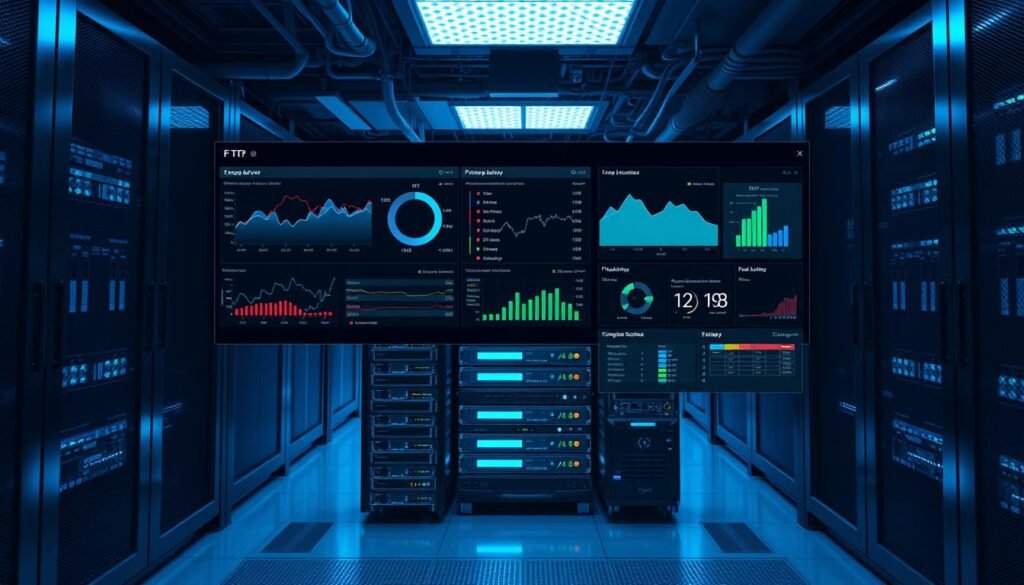
Your logs are telling a story—are you listening? Every failed login or odd file transfer is a breadcrumb trail left by hackers. Ignore them, and you’re basically handing over your system’s diary to strangers.
Setting Up Alerts for Failed Login Attempts
Five failed logins in a minute? That’s not a typo—it’s an attack. Tools like Specops Password Auditor blast real-time alerts when someone’s guessing passwords like a game show contestant. Here’s your list of must-haves:
- SMS/push notifications: Get buzzed when your network’s under siege. No more “I’ll check logs later.”
- Geo-blocking: Spot logins from suspicious locations? Block entire regions. 🌍
| Alert Type | Trigger Threshold | Tool Example |
|---|---|---|
| Brute Force | 5+ fails/2 mins | Specops |
| File Tampering | Unusual deletions | Kiteworks |
| Odd Hours | 3 AM logins | Snort IDS |
Using Intrusion Detection Systems (IDS) for FTP
An IDS is like a guard dog for your system. It sniffs out attacks before they bite. Open-source tools like Snort or Suricata analyze traffic patterns, flagging:
- 🕵️ Rapid-fire logins (classic brute force)
- 📁 Mass downloads (data exfiltration)
“90% of breaches show warning signs in logs—we just miss them.”
Kiteworks takes it further with who-what-when-where reports. Perfect for audits or explaining to your boss why China IPs tried accessing payroll files at midnight.
Pro tip: Pair your IDS with a network firewall. It’s like adding a moat to your castle. Follow these practices, and you’ll spot trouble before it spots you.
Advanced Protection Measures
60% of breaches happen because someone forgot to click ‘update’. The CVE database proves unpatched systems are hacker buffets. But fear not—these next-level tricks turn your setup into Fort Knox 2.0.
Deploying Network Firewalls and Vulnerability Scanners
Your basic firewall is like a screen door—it keeps out flies, not burglars. Next-gen versions use deep packet inspection to spot disguised threats. Kiteworks’ FIPS 140-2 validated solution even auto-blocks suspicious transfers.
Vulnerability scanners? Think of them as X-ray goggles for your system. Tools like Nessus hunt weak spots 24/7. Here’s how they stack up:
| Tool Type | Best For | Catch Rate |
|---|---|---|
| Network Scanners | Port checks | 89% of exploits |
| Web App Scanners | SFTP gateways | 76% of injections |
| Cloud-native | Auto-patching | 94% faster fixes |
“Unpatched systems caused 3 of 5 ransomware attacks last year.”
Regularly Updating and Patching FTP Server Software
That “update available” notification isn’t annoying—it’s your lifeline. Hackers exploit known flaws within hours of patch releases. Modern client tools like Kiteworks automate this while you binge Netflix.
- 🔥 Patch Tuesdays: Microsoft’s updates fix 90% of critical risks
- 🛠️ Cloud magic: Auto-updates beat manual checks every time
- 🔍 Version audits: Old software = welcome mat for malware
Follow these best practices, and you’ll sleep easier knowing your secure file transfer setup isn’t low-hanging fruit.
Conclusion
Locking down your setup isn’t rocket science—just smart moves. Combine MFA, SFTP, and ironclad passwords to turn your system into hacker kryptonite. 🛡️
📆 Pro tip: Audit your ftp setup this week. Tools like Specops automate 80% of the work, from password checks to attack alerts.
For organizations, compliance isn’t optional. Assume breaches will happen—but make them fail. Start with free scanners, then level up with enterprise-grade security.
Ready to stop playing defense? Your data deserves better than a “password123” defense. 🚀
