
Imagine leaving your front door wide open with a sign that says, “Come on in!” 🚪💥 That’s essentially what happens when you leave default credentials unchanged on your network devices. Hackers love easy targets, and these pre-set logins are like a neon invitation for cyberattacks.
Real-world examples, like attacks on New Zealand servers and Berkeley Lab’s network, show how hackers brute-force their way in using these weak logins. It’s not just about changing a password—it’s about building a hacker-resistant process to protect your digital life.
In this guide, we’ll walk you through locking down your routers, IoT gear, and other devices like a pro. From finding those sneaky default logins to creating robust security practices, we’ve got you covered. Let’s make your cybersecurity as strong as your Wi-Fi signal. 💪
Key Takeaways
- Default logins are a major security risk—change them immediately.
- Hackers often target devices with unchanged factory settings.
- Secure your network by updating firmware regularly.
- Create unique, strong passwords for all devices.
- Disable features like WPS to prevent brute-force attacks.
Why Default Credentials Pose a Serious Security Risk
Default logins are the low-hanging fruit for cybercriminals. 🍒 They’re the first thing attackers look for when scanning for vulnerable systems. Why? Because they’re easy to exploit and often left unchanged.
Berkeley Lab discovered default settings on RaspberryPi devices, Grafana installations, and other equipment. A DOE report reveals that 63% of IoT breaches start with these unchanged logins. It’s not just a hypothetical risk—it’s happening right now. 🚨

Hackers maintain massive databases like www.defaultpassword.com—think of it as their cheat sheet. Recent attacks on Tomcat and Jenkins interfaces show how quickly these logins get exploited. Default credentials are essentially a free VIP pass for attackers to your entire network. 🎟️👾
“Leaving default passwords unchanged is like leaving your front door unlocked in a busy neighborhood.”
Here’s a quick breakdown of why default credentials are so dangerous:
| Risk | Example |
|---|---|
| Easy Access | Hackers brute-force their way in using known defaults. |
| Network Compromise | Once inside, attackers can move laterally across systems. |
| Real-World Impact | Lab systems were compromised due to unchanged Nagios demo passwords. |
These aren’t “maybe” risks—they’re actively being exploited. 🛑 Don’t let your systems become the next target. Strengthen your cybersecurity by addressing this critical vulnerability today.
Assessing Your Network for Default Credentials
Your network might be hiding a ticking time bomb—default logins waiting to be exploited. 🕵️♂️ Before you can secure your setup, you need to know where the risks lie. Start by identifying hardware and software that might still be using factory settings.

Old VoIP phones, forgotten access points, and retired routers are prime suspects. These “zombie devices” often slip under the radar but can be a hacker’s dream. 🧟♂️ Free tools like Lansweeper can help identify up to 85% of devices with default logins in less than an hour.
Identify Hardware and Software with Default Credentials
Begin with a thorough inventory of your hardware and software. Check your CMDB if available, or use Windows SCCM to catalog your systems. Prioritize internet-facing devices, as they’re the most vulnerable.
Found a device manual online? Use CTRL+F to search for “default password.” It’s a simple trick, but it’s also what hackers do first. 🕵️♀️ Create a “default credentials hit list” that includes routers, databases, BIOS interfaces, and ICS systems.
Use Scanning Tools to Detect Vulnerabilities
Port scanning isn’t just for tech experts anymore. Tools like Nessus, OpenVAS, and even Shodan.io can uncover exposed admin panels and weak configurations. These tools are your best friends in the fight against cyber threats.
Focus on ports and services that are commonly exploited. Regularly scan your network to stay ahead of potential breaches. Remember, the goal is to make your setup hacker-proof, not just hacker-resistant. 🛡️
How to Fix Default Credentials in Network Devices
Your digital fortress is only as strong as its weakest link—default settings. 🏰💻 These factory presets are like leaving your keys in the door, inviting trouble. Berkeley Lab insists on changing them before deployment, and so should you. Let’s make your setup hacker-proof, not just hacker-resistant.
Swap Out Default Usernames and Passwords
First things first: ditch the default username password combos. That means no more “admin” or “password123.” 🚫 Instead, create unique, strong passwords that even a supercomputer would struggle to crack. Think passphrases like “MyRouterIsNotYourCafe2024!”—memorable yet secure.
Pro tip: Use tools like LastPass to store your new passwords securely. And don’t forget to check your auth logs before making changes. That “guest” account might be running legacy HVAC controls—always verify before disabling. 🔍
Disable Unnecessary Default Accounts
Not all accounts are created equal. Some are just sitting ducks for hackers. 🦆 Identify and disable any unnecessary default accounts. But be cautious—check logs first to ensure you’re not shutting down something critical.
For extra security, create decoy admin accounts with honey tokens. 🍯🚨 These act as tripwires, alerting you to any unauthorized access. It’s like setting a trap for cyber intruders—smart and sneaky.
“Automate password rotations with tools like CyberArk or Thycotic—set it and forget it.”
By updating your configuration and eliminating weak links, you’re building a digital fortress that’s tough to breach. 💪 Stay one step ahead of hackers and keep your network safe and sound.
Embedding Credential Management into Your Processes
Good credential management is like brushing your teeth—skip it, and things get messy. 🦠 To keep your systems secure, you need to bake these practices into your everyday workflow. It’s not just a one-time fix; it’s a mindset shift for your IT team.
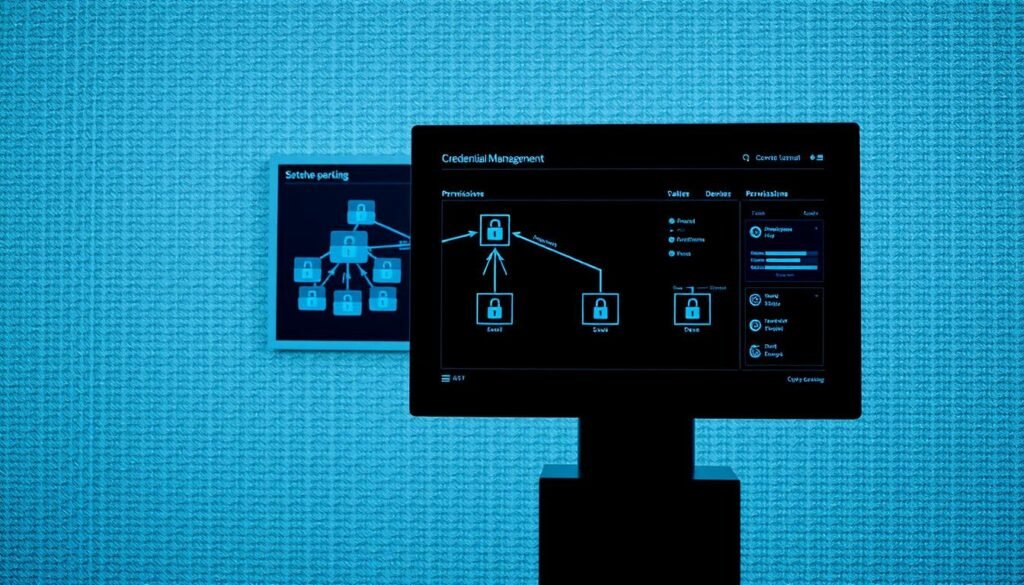
Start by making credential hygiene part of your DNA. Every time you roll out new hardware or software, ensure default logins are changed and demo accounts are disabled. 🛠️ This proactive approach minimizes risks before they even start.
Add Credential Checks to Onboarding Procedures
When new gear arrives, don’t just plug it in and hope for the best. Create a “default credentials” checklist:
- Change logins ☑️
- Disable demo accounts ☑️
- Update firmware ☑️
This ensures every device is secure from day one. 🚀
Update Standard Builds and Hardening Guidelines
Your golden images—whether it’s AWS AMIs or Docker templates—should never include default settings. Update your standard builds to reflect this. 📦 Pro tip: Use Git for version-controlled configs. This lets you track exactly when and where defaults were removed. 🔍
“Automate credential audits with tools like CyberArk—set it and forget it.”
Don’t forget offboarding. When employees leave, audit their accounts to ensure no lingering vulnerabilities. 🕵️♂️ By embedding these practices into your processes, you’re building a hacker-resistant fortress that’s tough to crack. 💪
Monitoring and Maintaining Secure Credentials
Think of your network as a fortress—default logins are the cracks in the walls. 🏰 Hackers are always looking for these weak spots, so staying vigilant is key. Regular monitoring and proactive management can keep your setup secure and hacker-proof. 💪

Set Up Alerts for Default Account Access
Configure your SIEM system to alert you whenever someone tries to log in as “admin” or “root.” 🚨 Treat these alerts like fire alarms—they’re your first line of defense. Berkeley Lab uses this method to catch unauthorized access attempts early.
Automate these alerts to save time and ensure nothing slips through the cracks. Pro tip: Use scripts to auto-remediate factory-reset devices by pushing new credentials instantly. 🛠️
Regularly Scan for Default or Common Passwords
Schedule monthly scans using tools like Nessus to hunt for default or weak passwords. 🕵️♂️ These scans can uncover hidden vulnerabilities before hackers exploit them. BloodHound is another great option for Active Directory environments, helping you find hidden service accounts.
Test your defenses with BreachLock to see exactly how hackers might target your services. 🎯 This proactive approach ensures you’re always one step ahead of potential attacks.
“Automation is your best friend in cybersecurity—set it up once and let it do the heavy lifting.”
By embedding these practices into your routine, you’re building a hacker-resistant network that’s tough to crack. 🛡️ Stay vigilant, stay secure, and keep those cracks in your fortress sealed. 🔒
Additional Security Measures to Strengthen Your Network
Your network’s security is like a castle—strengthen the walls to keep invaders out. 🏰💻 Beyond changing default settings, there are advanced steps to make your setup hacker-proof. Let’s dive into the best practices that can take your security to the next level.

Implement Multi-Factor Authentication
MFA is your digital bouncer, ensuring only the right people get in. 🚪🔐 Berkeley Lab mandates MFA for all access, and you should too. Add it to everything—routers, applications, even your smart fridge’s admin panel (yes, really). 🧠
For critical systems, consider hardware keys like YubiKeys or biometric authentication. These add an extra layer of control, making it nearly impossible for hackers to breach your databases.
Enforce Password Standards and Least Privilege
Weak passwords are like leaving your keys under the mat. 🗝️ Enforce 16-character minimums and block common ones like “Summer2024.” Use tools like Azure Conditional Access to auto-block suspicious login attempts. 🛑
Adopt the principle of least privilege—limit admin access to only what’s necessary. Zero Trust ensures no one has “always-on” full privileges. 🚫 This minimizes risks and keeps your applications secure.
“Automation is your best friend in cybersecurity—set it up once and let it do the heavy lifting.”
- 🔒 Add MFA to EVERYTHING—even your smart fridge’s admin panel.
- Enforce 16-character minimums + block common passwords.
- Limit admin access with Zero Trust.
- For critical systems: Deploy YubiKeys or biometric authentication.
- Use Azure Conditional Access to auto-block suspicious logins.
By embedding these best practices into your routine, you’re building a security fortress that’s tough to crack. 💪 For more tips, check out this guide on network device configuration security.
Conclusion
Securing your digital life starts with closing the gaps hackers love to exploit. 🛡️ Cybersecurity isn’t a one-and-done deal—it’s an ongoing process. Schedule quarterly audits to ensure your systems stay tight and hacker-proof.
Bookmark this guide and share it with your IT squad. Teamwork makes the dream secure, and everyone benefits from staying updated on best practices. Just changed your router’s login? Give yourself a pat on the back—you’re already ahead of the curve. 👏🎉
Stay vigilant by following CISA’s alerts on emerging threats. Your networks and devices deserve the best security you can provide. Keep those gaps closed, and your digital life will stay safe and sound. 💻🔒
