Ever had that sinking feeling when your computer freezes and a ransom note pops up? 😱 While real ransomware attacks are no joke, preparing for them doesn’t have to be a nightmare. Think of it as a cyber fire drill—practice makes perfect, and it’s better to stumble in a controlled environment than during an actual crisis.
Enter the world of ransomware simulation. It’s like staging a heist movie, but instead of stealing jewels, you’re testing your team’s ability to defend against digital threats. With tools like SpecterInsight’s ransomware emulation toolkit, you can create realistic scenarios without risking real data. Reversible encryption ensures your lab stays safe while your team learns valuable lessons.
Setting up your lab? Here’s a pro tip: don’t frag your only foothold. Use smart target lists and leverage MITRE ATT&CK techniques like T1046 and T1018 for authentic network reconnaissance. And don’t forget to assemble your ransomware squad—Encrypter, Loader, and Ransom Message app—each playing a critical role in the simulation.
Key Takeaways
- Simulating ransomware is like a cyber fire drill—essential for preparedness.
- Use reversible encryption tools to keep your lab environment safe.
- Balance realism with safety to avoid actual data loss.
- Smart target lists and MITRE ATT&CK techniques enhance authenticity.
- Regular simulations improve team skills and expose defense gaps.
Understanding the Importance of Ransomware Simulation
Ransomware isn’t just a buzzword—it’s a real threat that can cripple businesses overnight. In 2023 alone, 24% of breaches involved ransomware, according to the Verizon DBIR. That’s why preparing for these scenarios isn’t optional; it’s essential.
Why Simulate Ransomware Attacks?
Think of it as a fire drill for your digital fortress. By staging realistic ransomware attacks, you can test your defenses and identify weaknesses before the real deal hits. 💸 The average payout for ransomware hit $1.5M in 2023, so the stakes are sky-high.
Here’s the kicker: “But we have backups!” is often the famous last words before $3M in downtime costs. Backups alone won’t save you if your incident response plan isn’t airtight.
The Role of Red Teams in Cybersecurity
Red teams are the unsung heroes of cybersecurity. 🎯 They’re not hackers—they’re ethical warriors stress-testing your digital castle. Using frameworks like MITRE ATT&CK, they mimic real-world threats to expose gaps in your defenses.
As one global payments company discovered, leveraging tools like SISA ProACT MDR improved their detection rates by 70%. That’s the power of a well-prepared red team.
“Cyber tabletop exercises are like D&D for incident responders—but with real consequences.”
- Simulating ransomware helps you stay one step ahead of attackers.
- Red teams provide invaluable insights into your security posture.
- Regular drills ensure your incident response plan is battle-ready.
Setting Up Your Lab Environment
Building a secure testing space is your first step toward cyber resilience. 🛠️ Your lab is where you’ll test defenses, uncover vulnerabilities, and sharpen your team’s skills. But before you dive in, you need the right tools and a safe setup.

Essential Tools and Software
Your toolbox is your best friend here. SpecterInsight’s components—Encrypter, Loader, and Deployment Script—are must-haves. Pair them with Windows Remote Management (WinRM) and Scheduled Tasks API for seamless execution. 🧰
Not a fan of SpecterInsight? Cobalt Strike and custom PowerShell scripts are solid alternatives. Each has its strengths, so choose what fits your team’s expertise.
Creating a Safe and Controlled Environment
Safety is non-negotiable. Start with an air-gapped network to isolate your lab from production systems. 🚧 VM snapshots are your undo button—use them liberally.
Set up a credential vault with fake Active Directory accounts. Give them “007”-level permissions to mimic real-world scenarios without risking real access. 🔐
Pro tip: Whitelist lab IPs to prevent accidental production system pwnage. And if you’re feeling adventurous, package your own harmless ransomware-like scripts for extra practice. 📦
Planning Your Ransomware Simulation
Planning a ransomware simulation is like mapping out a heist—every detail matters. 🕵️♂️ Your organization needs a clear roadmap to ensure the exercise is both effective and safe. Start by defining your objectives and scope, then identify the key players who’ll make it happen.

Defining Objectives and Scope
What’s your goal? Is it to test detection capabilities or evaluate your incident response plan? Be specific. For example, “Encrypt 50% of DEV domain file shares within 2 hours” is a measurable objective. 🎯
Follow NIST SP 800-84 guidelines to ensure your test controls are robust. This keeps your processes aligned with industry standards and minimizes risks.
Identifying Key Stakeholders
Your team isn’t just IT—it’s everyone from Legal to Jan in Accounting. 🧑💼 Each stakeholder plays a role, whether it’s approving the simulation or analyzing the results.
Set clear rules of engagement, like “No touching the SAN storage.” This ensures everyone stays on the same page and avoids unnecessary chaos. 🚩
Finally, track KPIs like mean time to detect (MTTD) to measure success. Because let’s face it, reducing boardroom panic levels is a win in itself. 🏆
Step-by-Step Guide: How to Simulate Ransomware Attack in a Lab Environment
Ever wondered what it takes to replicate a digital siege in a controlled setting? 🛡️ Whether you’re testing defenses or sharpening your team’s skills, following a structured approach ensures success. Here’s a breakdown of the process, from gathering intel to analyzing results.
Step 1: Threat Intelligence Gathering
Start by diving into the dark web to gather real-world tactics, techniques, and procedures (TTPs) used by malicious actors. 🕵️♂️ This phase is like an OSINT party—harvesting data to make your simulation as realistic as possible. Focus on understanding how attackers exploit vulnerabilities in active directory setups.
Step 2: Execution of Simulated Attacks
Time to flip the switch—but with safety goggles on. 🛠️ Use tools like SpecterInsight’s reversible encryption to mimic payload delivery and encryption processes. Techniques like AMSI bypass ensure your simulation runs smoothly without triggering alarms prematurely.
Step 3: Detection and Response Evaluation
Activate scramble mode for your SOC team. 🚨 Will they spot the malicious WMI calls or miss the signs? This step evaluates your team’s ability to detect and respond to threats in real time. It’s a litmus test for your incident response plan.
Step 4: Post-Assessment Analysis
After the dust settles, it’s report time. 📈 Analyze the results to identify gaps in your defenses. Did your team get owned in 14 minutes? Yikes. Use these insights to refine your strategies and improve future simulations.
| Step | Key Actions | Tools/Techniques |
|---|---|---|
| Threat Intelligence Gathering | Collect TTPs, analyze dark web data | OSINT tools, MITRE ATT&CK |
| Execution of Simulated Attacks | Payload delivery, encryption | SpecterInsight, AMSI bypass |
| Detection and Response Evaluation | Monitor SOC team actions | WMI calls, incident response tools |
| Post-Assessment Analysis | Analyze results, identify gaps | After-action reports, KPIs |
By following these steps, you’ll not only test your defenses but also build a stronger, more resilient team. Remember, practice makes perfect—especially when it comes to cybersecurity. 🛡️
Common Challenges and How to Overcome Them
Running a ransomware simulation can feel like walking a tightrope—balancing realism with safety. While the goal is to test your defenses, unintended consequences can pop up faster than a Windows update notification. Let’s tackle the most common hurdles and how to clear them like a pro.
Dealing with False Positives
Ever had your simulation trigger an avalanche of alerts? According to the SANS 2023 Report, 68% of simulations accidentally set off production alarms. 🚨 SpecterInsight’s self-removal feature helps by keeping your target lists clean, but here’s how to avoid waking up the on-call team at 2 AM:
- Whitelist lab IPs to prevent accidental pings to production systems.
- Use reversible encryption to ensure no real damage occurs during the event.
- Silence NOC alerts by temporarily adjusting monitoring thresholds.
Ensuring Minimal Disruption
Simulating attacks on remote workers? That’s a recipe for HR headaches. 🚧 Here’s how to keep things smooth:
- Run as a Domain Admin without actually being one—use fake Active Directory accounts with limited permissions.
- Set up system restore points and pre-sim backups as a safety net. 🛡️
- Contain simulation blowback by isolating test systems from critical services.
By addressing these challenges head-on, you’ll ensure your simulation is both effective and drama-free. After all, the goal is to improve your defenses, not create a new incident response case.
Best Practices for Effective Ransomware Simulation
Think of your cybersecurity team as actors in a high-stakes play—every role matters. 🎭 To nail your ransomware simulation, you need the right mix of preparation, realism, and teamwork. Here’s how to make it count.
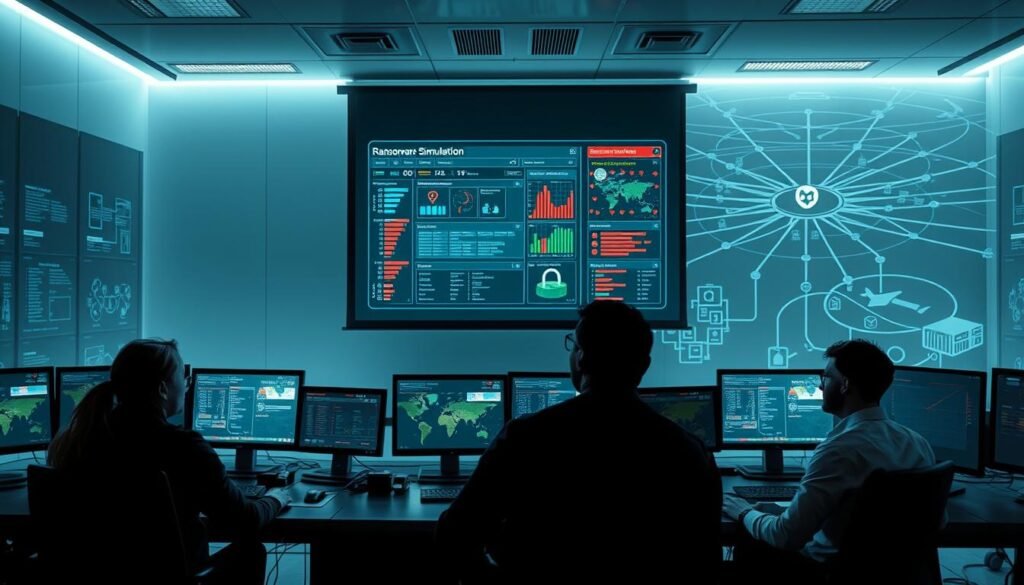
Involving Key Stakeholders
Your simulation isn’t just an IT thing—it’s a company-wide effort. From Legal to HR, every department plays a part. 🧑💼 For example, an automotive supplier once staged a tabletop exercise mimicking a JIT production crisis. The result? A clearer understanding of who does what when things go south.
Here’s how to get everyone on board:
- Roleplay time: Assign roles from script kiddie to APT29-level threat actors. It’s like D&D, but with firewalls. 🛡️
- Knowledge transfer: Turn red team secrets into blue team superpowers. Share insights to level up your defense game. 🧠
- Compliance checkmate: Map your simulation reports to NIST/ISO standards. It’s not just about the exercise—it’s about proving you’re ready. 📜
Using Realistic Attack Scenarios
If your simulation feels like a Hollywood script, you’re doing it right. 🎬 Craft scenarios that mirror real-world threats. For instance, imagine your CEO gets a fake “UPS delivery failed” phishing email. Would they click? 🤔
Here’s how to keep it real:
- Phishing 2.0: Design emails so convincing even IT falls for them. It’s not just about testing users—it’s about teaching them. 📧
- The iteration game: One simulation is never enough. Run multiple exercises to uncover all the gaps. 🔄
- Test capabilities: Use different types of attacks to see how your team handles varied threats. 🎯
By involving the right people and crafting realistic scenarios, you’ll turn your simulation into a powerful tool for improving your cybersecurity posture. 🚀
Analyzing the Results of Your Simulation
After the dust settles from your simulation, it’s time to dig into the data and uncover the real story. 🕵️♂️ This phase is where the magic happens—turning raw numbers into actionable insights. Whether it’s identifying gaps or refining your response plan, the results are your roadmap to better security.

Identifying Security Gaps
Your EDR missed 60% of lateral movement attempts? Yikes. 🚨 This is where the data tells the harsh truth. Dive into logs to find the smoking gun among 10k+ security events. Ask the tough questions: “Why didn’t we detect the malicious SchTasks creation?”
Here’s a quick checklist to uncover gaps:
- Log deep dive: Spot patterns and anomalies in your security events.
- Gap analysis: Identify weak spots in detection and response protocols.
- Boardroom stats: Translate tech jargon into “$$$ saved” metrics for leadership.
Refining Your Incident Response Plan
Once you’ve identified the gaps, it’s time to level up your processes. Add coffee-stained emergency checklists to your IR plan. 📝 Test your team’s ability to respond under pressure and refine your protocols for future simulations.
Key metrics to track:
| Metric | Description | Goal |
|---|---|---|
| Encryption Speed vs. Detection Time | How fast your team detects threats compared to encryption speed | Reduce detection time |
| Decryption Success Rate | Percentage of successfully decrypted files | Increase success rate |
| Mean Time to Detect (MTTD) | Average time to identify a threat | Lower MTTD |
| Mean Time to Respond (MTTR) | Average time to neutralize a threat | Lower MTTR |
“The best defense is a well-informed offense. Analyze, refine, and repeat.”
By leveraging tools like the ransomware simulation playbook, you can turn your simulation results into a stronger, more resilient security posture. 🛡️
Leveraging External Expertise
When your internal team hits a wall, it’s time to call in the cavalry. Cybersecurity isn’t a one-person show—sometimes, you need outside help to stay ahead of threats. 🛡️ Whether it’s a complex incident or a lack of resources, partnering with experts can make all the difference.

When to Partner with Cybersecurity Experts
Not every business has the luxury of a full-fledged cybersecurity team. If you’re facing a skills gap or an overwhelming workload, it’s time to consider external services. For example, MDR adoption has grown 300% since 2020, according to Gartner. 📈
Here’s when to bring in the pros:
- Complex incidents: When your team is out of their depth, experts can step in with specialized knowledge.
- Resource constraints: If you’re short on staff or tools, external services can fill the gap.
- High-stakes scenarios: For critical systems, having a backup plan is non-negotiable.
Benefits of Managed Detection and Response (MDR) Providers
MDR providers are like your cybersecurity wingman—always ready to jump in when things get hairy. 🤝 With an annual retainer ranging from $50k to $200k, it’s a small price to pay compared to a $5M ransom demand. 💸
Here’s why MDR is worth it:
| Benefit | Description |
|---|---|
| 24/7 Monitoring | Round-the-clock threat detection and response. |
| Expertise on Demand | Access to seasoned cybersecurity professionals. |
| Cost Efficiency | Lower costs compared to building an in-house team. |
| Proactive Defense | Identify and neutralize threats before they escalate. |
In high-pressure cases, having an MDR provider can be the difference between a minor hiccup and a full-blown crisis. 🚨
Ensuring Compliance and Regulatory Standards
Navigating the maze of cybersecurity regulations can feel like decoding a secret language. 📜 But here’s the deal: compliance isn’t just about ticking boxes—it’s about building a fortress that keeps your security intact. With evolving threats, staying compliant is your best defense against chaos.
Meeting NIST and ISO 27001 Requirements
Let’s talk frameworks. NIST CSF 2.0 and ISO 27001:2022 are the gold standards for cybersecurity. 🛡️ These guidelines aren’t just fancy acronyms—they’re your roadmap to reducing risk and ensuring access control. For example, NIST’s updated ransomware guidance helps you prepare for the worst, while ISO 27001’s new controls focus on cyber attack simulations.
Here’s how to ace compliance:
- Regulation bingo: Turn compliance into a game. Check boxes while actually improving your security posture.
- Continuous improvement: Move beyond “checkbox compliance” to cyber resilience. 🔄
- Gap analysis: Map simulation results to compliance frameworks to identify weak spots. 🔍
Staying Ahead of Evolving Threats
Hackers don’t take breaks, and neither should you. 🌐 Staying ahead of evolving threats means turning hacker gossip into defense strategies. For instance, Qilin ransomware’s new LoTL techniques are a wake-up call to update your playbook.
Pro tips for staying sharp:
- Threat intel feeds: Keep an eye on emerging TTPs to anticipate new threats.
- Emerging TTPs: Learn from the latest hacker tactics to refine your defenses. 🚨
- Risk management: Regularly assess your risk landscape to stay one step ahead.
“Compliance isn’t a one-time thing—it’s a mindset. Stay vigilant, stay secure.”
By aligning with NIST and ISO standards and staying proactive, you’ll not only meet regulatory requirements but also build a stronger, more resilient security framework. 🛡️
Conclusion
Cybersecurity isn’t just about tools—it’s about practice and preparation. 🛡️ The simulation lifecycle is your secret weapon: rinse, repeat, and level up your defenses. Regularly testing your team’s skills ensures they’re ready for anything, from phishing attempts to full-blown ransomware scenarios.
Looking ahead, integrating AI-powered simulations can take your prep to the next level. These advanced tools mimic real-world threats with precision, giving your response team a cutting-edge edge. 🚀 Plus, scheduling regular drills keeps everyone sharp and proactive.
Here’s the lightbulb moment: simulations transform IT from a cost center to heroes. 💡 By identifying gaps and refining strategies, your team becomes a fortress against digital threats. As the saying goes, “An ounce of simulation beats a ton of ransom.” 🛡️
