
Ever felt like your app’s security is a ticking time bomb? 🚨 You’re not alone. Picture this: you’re sipping your morning coffee, scrolling through Azure alerts, and bam—there it is. A cookie security warning. Suddenly, your “Remember Me” feature feels less like a convenience and more like a VIP pass for hackers.
Here’s the kicker: 85% of web attacks exploit cookie vulnerabilities. Yikes. Whether you’re running Azure Web Apps or managing an Application Gateway, cloud security isn’t magic. It’s about smart, actionable steps to armor-plate your cookies like Fort Knox.
This guide is your lifeline. We’ll break down the essentials—HttpOnly, Secure, and SameSite—so you can stop sweating and start securing. Let’s turn those vulnerabilities into strengths, one cookie at a time.
Key Takeaways
- Azure cookie security alerts can be a wake-up call for devs.
- “Remember Me” features can unintentionally expose your app.
- Azure Web Apps and Application Gateway setups need special attention.
- 85% of web attacks target cookie vulnerabilities.
- Armor-plate your cookies with HttpOnly, Secure, and SameSite attributes.
Understanding Insecure Cookie Settings and Their Risks
Think your app is safe? Think again—those cookies might be betraying you. 🕵️♂️ Default settings often leave your digital doors wide open, inviting hackers to stroll right in. Let’s break down what makes these settings risky and why you need to act fast.

What Are Insecure Cookie Settings?
Insecure cookie settings are like leaving your house keys under the doormat. They’re easy to exploit. Without proper attributes like Secure, HttpOnly, and SameSite, your cookies become a goldmine for attackers. For example, XSS attacks can steal authentication cookies via document.cookie, giving hackers access to user sessions.
Common Vulnerabilities Caused by Insecure Cookies
Here’s where things get scary. Missing a single semicolon can let hackers clone user sessions. TRACE requests can bypass HttpOnly by leaking server responses. And CSRF attacks thrive when SameSite restrictions aren’t in place. These vulnerabilities can turn your app into a hacker’s playground.
Why Secure, HttpOnly, and SameSite Attributes Matter
These three attributes are your app’s security superheroes. The Secure flag ensures cookies are sent only over HTTPS, protecting them from interception. HttpOnly prevents JavaScript from accessing cookies, blocking XSS attacks. SameSite controls when cookies are sent with cross-site requests, stopping CSRF attacks in their tracks.
| Attribute | Purpose | Impact |
|---|---|---|
| Secure | Ensures cookies are sent over HTTPS | Protects against interception |
| HttpOnly | Prevents JavaScript access | Blocks XSS attacks |
| SameSite | Controls cross-site cookie sending | Mitigates CSRF attacks |
According to a recent report, 63% of Azure app breaches start with cookie issues. That’s why these attributes aren’t just optional—they’re essential. Armor-plate your cookies and keep your app safe from harm.
How to Fix Insecure Cookie Settings in Web Apps
Ever wondered why your website feels like a hacker’s playground? 🎪 It’s time to lock it down. With a few tweaks, you can turn those vulnerable cookies into armored warriors. Let’s dive into the steps to secure your app like a pro.

Step 1: Set Secure and HttpOnly Attributes in Your Code
First things first, update your code. If you’re using C#, here’s a quick snippet to get you started:
var cookieOptions = new CookieOptions
{
    Secure = true,
    HttpOnly = true,
    SameSite = SameSiteMode.Lax
};
Response.Cookies.Append("SessionID", "your_session_value", cookieOptions);
This ensures your cookies are sent only over HTTPS and are inaccessible to JavaScript. 🛡️ Pro tip: Always set SameSite=”Lax” to prevent cross-site request forgery.
Step 2: Configure Web.Config for .NET Applications
For .NET apps, your Web.config file is your best friend. Add these settings to enforce secure cookies:
<httpCookies requireSSL="true" httpOnlyCookies="true" />
<sessionState cookieSameSite="Lax" />
This ensures every session is protected. No more sneaky attacks stealing your user data. 🔒
Step 3: Use Azure Application Gateway Rewrite Rules
If you’re using Azure, leverage the rewrite rule feature. Here’s how:
- Navigate to your Application Gateway in the Azure portal.
- Add a rewrite rule to append Secure and HttpOnly attributes to your cookies.
- Save and deploy. Boom! Your cookies are now bulletproof. 💥
Step 4: Enable HTTPS-Only in Azure Web Apps
Finally, make sure your website only accepts HTTPS traffic. In the Azure portal:
- Go to your Web App settings.
- Toggle the HTTPS Only option to On.
- Watch as all HTTP requests are automatically upgraded to HTTPS. 🚀
With these steps, your app’s security will be tighter than a drum. No more sleepless nights over cookie vulnerabilities. 😴
Best Practices for Secure Cookie Implementation
Are your cookies giving hackers a free pass? 🕵️♂️ It’s time to lock things down. Implementing secure practices isn’t just a good idea—it’s a must. Let’s explore the steps to turn your app’s defenses into an impenetrable fortress.
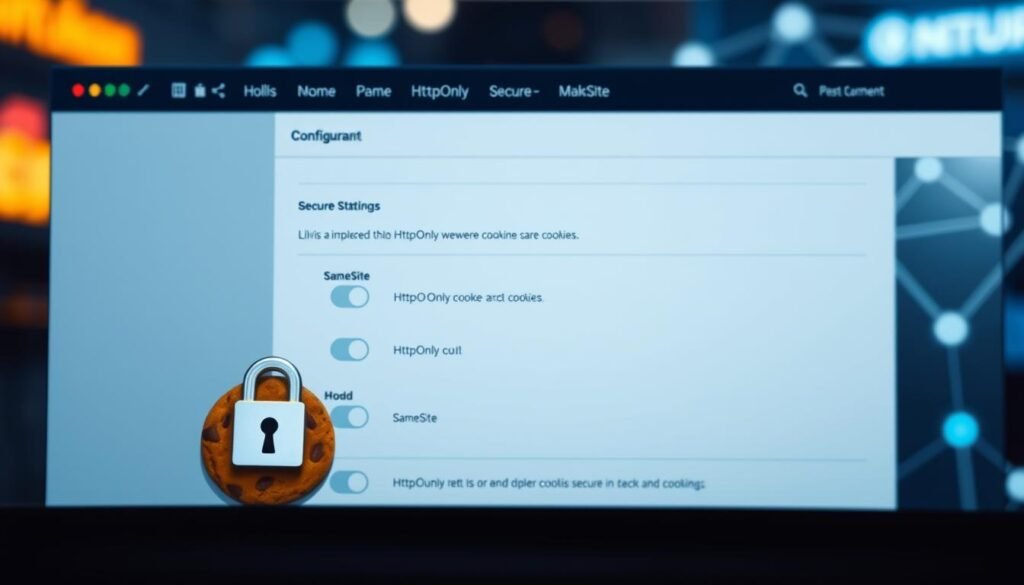
Mark Cookies as Secure and HttpOnly
First, ensure your cookies are armored with the Secure and HttpOnly flags. The Secure flag ensures they’re only sent over HTTPS, keeping them safe from interception. HttpOnly blocks JavaScript access, stopping XSS attacks in their tracks. 🛡️
Here’s a quick tip: Always double-check your code. Missing these flags is like leaving your front door wide open. 🚪
Use SameSite Attribute to Prevent Cross-Site Request Forgery
The SameSite attribute is your secret weapon against CSRF attacks. Setting it to Lax or Strict controls when cookies are sent with cross-site requests. Lax is great for most scenarios, while Strict offers extra protection for sensitive actions. 🎯
Pro tip: Use SameSite=”Lax” for a balance between security and usability. It’s like adding a deadbolt to your door without locking yourself out. 🔒
Eliminate TRACE Requests to Avoid Cross-Site Tracing
TRACE requests can leak sensitive data, making them a hacker’s dream. Block them in your Web.config file to keep your app safe. Here’s how:
<system.webServer>
  <security>
    <requestFiltering>
      <verbs>
        <add verb="TRACE" allowed="false" />
      </verbs>
    </requestFiltering>
  </security>
</system.webServer>
This simple step can save you from a world of trouble. Think of it as your app’s new bodyguard. 💪
Bonus Level: Encrypting Cookie Values with AES-256
For extra security, encrypt your cookie values using AES-256. This ensures even if hackers get their hands on your cookies, they’ll see nothing but gibberish. 🔐
Remember, security isn’t a one-time thing. Regular audits and updates keep your app safe from evolving threats. 📆
Conclusion
Ready to lock down your app’s defenses for good? 🛡️ By now, you’ve got the 4-step shield to armor-plate your cookies in Azure. From setting Secure and HttpOnly flags to leveraging rewrite rules, your application is now a fortress. But don’t stop there.
Next, implement monitoring tools like elmah.io to keep an eye on your security. Prevention beats cure every time. 🚀
Still unsure? Sometimes, it’s best to call in the pros. Complex issues need expert hands, and there’s no shame in asking for help. ❓
For deeper insights, check out Microsoft’s latest whitepapers on web security. Knowledge is power, and staying updated is key. 🌐
Remember, a secure session today keeps the hackers away. Stay vigilant, stay safe. 👋
For more tips on strengthening web security, dive into our detailed guide.
