
Ever felt like the digital world is a minefield? 🕵️♂️ You’re not alone. With cyber threats lurking around every corner, staying safe online feels like a full-time job. But what if you could peek into the mind of malicious software without risking your system? That’s where a sandbox comes in—your personal digital quarantine zone.
Think of it as a controlled lab where you can safely study suspicious files. No PhD in hacking required—just the right tools and a bit of curiosity. In fact, 72% of security teams rely on sandboxes to outsmart ransomware (thanks, CrowdStrike!). Whether you’re a cybersecurity newbie or a seasoned pro, this guide will show you the ropes.
Ready to catch malware red-handed? Let’s dive in and make the internet a safer place, one sandbox at a time. 🚀
Key Takeaways
- Sandboxes act as secure environments to study suspicious files without risking your system.
- 72% of security teams use sandboxes to combat ransomware effectively.
- No advanced technical skills are needed to get started with sandbox tools.
- Hybrid analysis methods can detect 40% more threats than traditional techniques.
- Setting up a sandbox is a proactive step toward improving your cybersecurity defenses.
Introduction to Malware Analysis and Sandboxing
Malicious software is like a chameleon—always changing its colors. 🦠 One moment it’s a harmless email attachment, the next it’s wreaking havoc on your system. To fight back, you need to understand the enemy. That’s where malware analysis comes in. It’s the digital equivalent of a forensic autopsy, helping you uncover the secrets of suspicious files or URLs.
What is Malware Analysis?
According to CrowdStrike, malware analysis is the process of dissecting suspicious files or URLs to detect potential threats. Think of it as peeling back the layers of an onion. 🧅 Static analysis examines the code without running it—like judging a book by its cover. But malware is sneaky. It often hides its true nature, making dynamic analysis essential. This involves running the code in a controlled environment to observe its behavior.
Hybrid analysis combines both methods, catching 68% more evasive threats than traditional techniques. It’s like having a magnifying glass and a microscope—you get the full picture.
Why Use a Sandbox for Malware Analysis?
Sandboxes are the ultimate malware zoos. 🦁 They provide a safe, isolated environment to study dangerous code without risking your system. Imagine triggering ransomware’s “kill switch” without losing a single file. That’s the power of a sandbox.
Here’s why they’re a game-changer for security:
- Isolation: Keeps threats contained, like a digital quarantine zone.
- Real-Time Interaction: Lets you observe malware behavior as it happens.
- Flexibility: Supports both static and dynamic analysis for a comprehensive view.
For a deeper dive into how sandboxes work, check out this guide on malware sandboxing.
| Analysis Type | What It Does | Why It’s Useful |
|---|---|---|
| Static | Examines code without execution | Quickly identifies obvious threats |
| Dynamic | Runs code in a controlled environment | Reveals hidden behaviors |
| Hybrid | Combines static and dynamic methods | Catches evasive threats effectively |
Whether you’re a cybersecurity newbie or a seasoned pro, understanding malware analysis and sandboxing is your first step toward building a stronger defense. 🛡️
Understanding the Basics of Sandbox Environments
Sandboxes are like digital playgrounds for studying dangerous software. They let you explore suspicious files without risking your systems. Think of it as a VR headset for malware—it believes it’s in a real system, but it’s actually in a safe, isolated environment.

What is a Sandbox?
A sandbox is a virtual space that mimics real operating systems. It’s designed to execute and monitor suspicious files or URLs. This setup captures detailed data like network traffic, system calls, and file changes. According to VMRay, sandboxes must replicate actual desktop and server systems in every detail to be effective.
Types of Sandbox Environments
Not all sandboxes are created equal. Here’s a quick breakdown of the top flavors:
- Cuckoo: An open-source option for those who love customization.
- Falcon Sandbox: Handles 25,000 files monthly, perfect for enterprise-grade needs.
- ANY.RUN: Offers real-time interaction with Windows/Linux VMs and MITM proxy for traffic analysis.
Pro tip: Customize OS dates and times to trick time-bomb malware into activating. Hardware-virtualized systems are more effective than emulated ones for detecting kernel-level threats.
| Type | Best For | Key Feature |
|---|---|---|
| Cloud | Instant setup | Accessible from anywhere |
| Local | Full control | Customizable environment |
| Hybrid | Best of both worlds | Combines speed and control |
Whether you choose a cloud or local setup, sandboxes are your go-to tool for safe and effective threat analysis. 🛡️
Setting Up Your Sandbox Environment
Setting up a sandbox environment is like building a fortress for your digital experiments. 🏰 It’s your safe space to test suspicious files without risking your system. But where do you start? Let’s break it down step by step.
Choosing the Right Sandbox Tool
Not all tools are created equal. Some are perfect for advanced threat hunting, while others are great for quick testing. Here’s a quick comparison to help you decide:
- Falcon Sandbox: Ideal for APT hunting, offering both cloud and on-prem solutions.
- ANY.RUN: Perfect for quick Discord token grabs, with OS customization and MITM proxy support.
- Cuckoo Sandbox: A free, open-source option for beginners or budget-conscious users.
Configuring Your Sandbox for Effective Testing
Once you’ve picked your tool, it’s time to set it up for success. Here are some pro tips for configuration:
- Enable FakeNet to catch worm-like spread attempts. 🐛
- Always check the “development soft set” box—it comes preloaded with Wireshark and x64dbg.
- Disable internet access to prevent suspicious files from phoning home. 📵
Pro tip: Customize OS dates and times to trick time-bomb threats into activating. 🕒
Whether you’re a newbie or a pro, setting up your sandbox is a crucial step in your cybersecurity journey. Ready to dive in? 🚀
How to Analyze Malware Behavior in Sandbox
Ever wondered what happens when malware gets unleashed in a controlled space? 🕵️♂️ A sandbox lets you observe its every move, from file changes to network communications. It’s like having a front-row seat to a digital crime scene. Here’s how to get started.

Step-by-Step Guide to Malware Execution in Sandbox
First, upload your suspicious file into the sandbox. Watch as the system executes it, tracking every action in real-time. Tools like ANY.RUN provide a live process tree, showing how the malware interacts with the system.
Look for red flags like sudden file explosions or unusual network activity. These are telltale signs of malicious intent. For example, a demo by ANY.RUN exposed stolen Discord tokens in just 30 seconds.
Monitoring Malware Behavior in Real-Time
Real-time monitoring is where the magic happens. Use kernel-level tracking to catch actions that user-mode apps might hide. This ensures nothing slips under the radar.
Pro tip: Extend the runtime for malware that uses sleep() functions. This prevents it from outwaiting your analysis and revealing its true behavior.
| Step | Action | Outcome |
|---|---|---|
| 1 | Upload file | Execution begins |
| 2 | Monitor process tree | Track system interactions |
| 3 | Analyze network traffic | Identify C2 communications |
For more insights on analysis techniques, check out this detailed guide. With the right approach, you can turn a sandbox into your ultimate malware detective tool. 🚀
Tools and Techniques for Effective Malware Analysis
When it comes to battling cyber threats, having the right tools and techniques can make all the difference. 🛠️ Whether you’re dealing with ransomware or zero-day exploits, a well-equipped sandbox platform is your best ally. Let’s explore the top options and some ninja-level moves to outsmart even the sneakiest malicious code.
Top Sandbox Tools for Malware Analysis
Not all sandboxes are created equal. Here’s a quick rundown of the tools that security pros swear by:
- ANY.RUN: Perfect for real-time interaction, this platform auto-flags unsigned processes and lets you dive deep into Windows/Linux VMs.
- Falcon Sandbox: A powerhouse for hybrid analysis, it uses anti-evasion tech to catch even the most elusive threats.
- Cuckoo Sandbox: The OG open-source option, ideal for those who love customization and control.
Pro tip: Chain sandboxes—start with an emulated environment, then switch to hardware-virtualized for double verification. 🚀
Advanced Techniques for Detecting Evasive Malware
Some malware is like a ninja—it hides in plain sight. Here’s how to catch it red-handed:
- Spoof MAC addresses: Trick malware into thinking it’s in a real network.
- Randomize VM fingerprints: Make your sandbox look like a real system.
- Use bare-metal analysis: For stubborn cases, this technique cuts through evasion tactics like a hot knife through butter.
LOL moment: Some malware checks for mouse movement—keep those VM clicks coming! 🖱️
For more insights on hybrid analysis and other advanced techniques, check out this guide from CrowdStrike.
Analyzing Malware Network Activity
Unlocking the secrets of malware often starts with its network activity. 🕵️♂️ By monitoring how suspicious files communicate, you can uncover hidden threats and stop them in their tracks. Tools like ANY.RUN and Falcon Sandbox make this process easier, providing real-time insights into malicious data exchanges.
Monitoring Network Traffic in Sandbox
When malware runs in a sandbox, it often tries to communicate with external servers. This is where network monitoring comes in. Tools like ANY.RUN’s MITM proxy can reveal these communications, exposing command and control (C2) servers. For example, it recently uncovered Pysilon’s C2 comms, giving researchers valuable threat intelligence.
Here’s what to look for:
- DNS tunneling: Watch for suspicious domains like .tk or .ru. 🌐
- Odd port numbers: IRC over port 6667? That’s a red flag. 🚩
- SSL certificate mismatches: Malware often uses fake certificates to hide its tracks.
Identifying Command and Control (C2) Servers
C2 servers are the brains behind malware operations. Identifying them is crucial for shutting down threats. Falcon Sandbox enriches its data with MITRE ATT&CK frameworks, making it easier to spot these servers.
Pro tip: Auto-export PCAP files to Wireshark for deep packet inspection. This lets you dive into the nitty-gritty of network communications. You can also compare activity against VirusTotal’s passive DNS database for added verification.
Fun fact: 83% of malware still uses HTTP for C2 communications. Basic monitoring can catch most of these threats! 🕵️♀️
| Tool | Key Feature | Best For |
|---|---|---|
| ANY.RUN | MITM proxy | Real-time C2 detection |
| Falcon Sandbox | MITRE ATT&CK integration | Threat intelligence enrichment |
| Wireshark | Deep packet inspection | Detailed network analysis |
By mastering network activity analysis, you can turn your sandbox into a powerful tool for uncovering and neutralizing threats. 🚀
Interpreting Malware Analysis Results
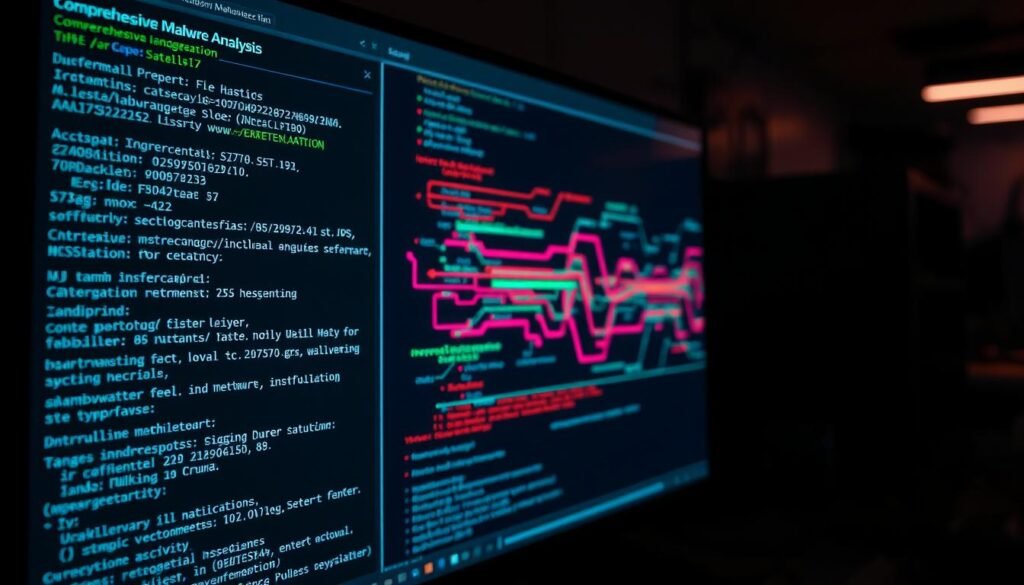
Decoding the results of malware analysis can feel like solving a digital puzzle. 🧩 Every suspicious file leaves behind clues—known as Indicators of Compromise (IOCs). These IOCs are the breadcrumbs that help you trace the malware’s steps and stop future attacks. Let’s break down the process of turning raw data into actionable intelligence.
Understanding Indicators of Compromise (IOCs)
IOCs are the fingerprints of malicious activity. They can range from strange mutex names (like “Global\GrimReaper”) to registry key changes and file hashes of dropped payloads. Here’s how to spot them:
- Mutex names: Malware often uses unique names to avoid duplication. 🕵️♂️
- Registry key changes: Look for unexpected modifications in system settings.
- File hashes: These are digital fingerprints of suspicious files.
Tools like ANY.RUN auto-generate IOC lists, making it easier to identify threats. Falcon Sandbox takes it a step further by aligning reports with the MITRE ATT&CK framework. This provides a detailed breakdown of Tactics, Techniques, and Procedures (TTPs).
Generating Comprehensive Malware Reports
A good report is more than just a list of IOCs—it’s a roadmap for action. Here’s what to include:
- TTP breakdown: Explain how the malware operates. 🛠️
- Risk score: Use a 1-10 scale to highlight the severity of the threat.
- Patching recommendations: Provide actionable solutions to fix vulnerabilities.
Pro tip: Auto-feed IOCs into your SIEM system for future blocking. This ensures you’re always one step ahead of attackers. And remember—always redact internal IPs before sharing reports. Forgetting this step is a facepalm moment waiting to happen. 🤦♂️
Best Practices for Safe Malware Analysis
Safety in malware analysis isn’t just a suggestion—it’s a must. 🛡️ When dealing with cyber threats, cutting corners can lead to disaster. Whether you’re a newbie or a pro, following best practices ensures your system stays secure while you study suspicious files.

Ensuring Isolation and Security in Sandbox
Isolation is the cornerstone of safe sandboxing. Tools like Falcon Sandbox offer air-gapped on-prem options, while ANY.RUN uses disposable VMs for added security. Here’s how to keep your environment locked down:
- Triple-check network isolation: Ensure no leaks to your main system.
- Use read-only shared folders: Prevent accidental file modifications.
- Regular VM snapshots: Roll back changes if something goes wrong.
Handling and Disposing of Malicious Samples
Once you’re done analyzing, proper disposal is crucial. Cryptoshredding samples post-analysis ensures they can’t be recovered. For drives, use the DoD 5220.22-M standard to wipe data completely. Here are some pro tips:
- Physical lab separation: Keep your analysis environment away from the main network.
- Hardware dongles: Add an extra layer of security for critical systems.
- Burner laptops: For super-sensitive samples, use dedicated hardware.
By following these practices, you’ll minimize risks and keep your system safe from threats. Stay sharp, stay secure! 🚀
Conclusion
Mastering cybersecurity is like unlocking a new level in a game—each step makes you stronger. 🚀 Now, you’re ready to turn sandboxes into malware interrogation rooms, armed with hybrid analysis and automated tools. These are your threat-fighting superpowers. 💪
Here’s your next move: try ANY.RUN’s free trial to get hands-on experience. Join malware analysis communities to share insights and learn from others. Automate IOC feeds to your firewall for real-time protection. These steps will keep you ahead of evolving malware threats.
Remember, the malware evolves, but your sandbox skills evolve faster! 🏁 Stay curious, stay sharp, and keep testing new solutions. The digital battlefield is yours to conquer. 🛡️
