
Ever had your favorite online game freeze mid-battle? That could be a DDoS attack wrecking the fun. These digital tsunamis flood networks with fake traffic, turning smooth operations into chaos. 🚨
Spotting these threats early is like having a cyber sixth sense. The right tools can sniff out suspicious patterns before they cause real damage. Think of it as a weather forecast for your network—knowing the storm’s coming gives you time to prepare.
Modern detection methods use smart algorithms to analyze traffic in real time. No need to panic—just stay ahead of the game. 💡
Key Takeaways
- DDoS attacks overload networks with fake traffic.
- Early detection prevents major disruptions.
- Machine learning helps identify threats faster.
- Real-time monitoring keeps your systems safe.
- Proactive measures reduce downtime risks.
Understanding DDoS Attacks and Their Impact
Imagine your website getting mobbed by thousands of fake visitors—that’s a DDoS attack in action. These digital stampedes overwhelm your servers until they collapse under the pressure. 🏗️💥

What is a Distributed Denial Service?
Think of your network as a nightclub. A distributed denial service attack is like sending 10,000 bots to crowd the entrance. Real guests can’t get in, and your bouncers (servers) quit from exhaustion.
The Three Troublemakers
Not all DDoS attacks work the same way. Here are the main culprits:
- UDP Floods: Data tsunamis that smash your bandwidth
- SYN Floods: Fake connection requests that exhaust server memory
- HTTP Floods: Zombie browsers repeatedly reloading pages
When Attacks Hit the Bottom Line
Darktrace research shows the average business loses $270k per incident. That’s $6,000 every minute your service is down. Even smart fridges have been weaponized to send malicious traffic!
The damage isn’t just financial. Customer trust evaporates faster than water in the desert. One compromised device once sent 100k+ requests overnight—proof that incoming traffic can turn deadly fast.
Early Warning Signs of a DDoS Attack
Your site’s performance dropping faster than a bad Wi-Fi signal? That’s your first clue. 🚩 Hackers don’t knock—they flood your gates with fake requests until your servers tap out. Here’s how to spot the red flags before the chaos hits.

Unusual Network Traffic Patterns
Normal traffic patterns look like a steady heartbeat. Attacks? More like a caffeine overdose. Watch for:
- Geographic oddities: A surge of visitors from Latvia at 3 AM? Unlikely.
- SYN packet overload: If 70%+ of traffic is connection requests, it’s a trap.
“65% of attacks originate from just 5 unexpected countries—always track your traffic sources.”
Performance Degradation Symptoms
When your site moves slower than a dial-up modem, check these anomalies:
| Symptom | Normal Range | Attack Alert |
|---|---|---|
| Server response time | <2s | >5s |
| Bandwidth usage | Steady | 500% spike |
Service Availability Red Flags
Error messages are your system’s SOS. Service crashes or “Error 503” screams “We’re full!”—like a digital nightclub at capacity. Pro tip: 82% of attacks end in under 24 hours, but minutes of downtime cost thousands.
Stay sharp. Your network traffic tells a story—listen before the plot twist hits. 🔍
Traditional Methods for DDoS Detection
Remember those old-school metal detectors at airports? Traditional DDoS detection works similarly—clunky but functional. These methods rely on predefined rules, like a bouncer with a strict guest list. They’ll catch the obvious troublemakers but miss the sneaky ones. 🕵️♂️

Traffic Analysis Techniques
Incoming traffic tells a story. Traditional tools scan for spikes in volume or odd geographic patterns. But here’s the catch: Basic analysis misses 22% of slowloris attacks—the digital equivalent of death by 1,000 paper cuts.
Think of it like a librarian spotting a loud patron. Easy. Now imagine finding one whispering chaos—much harder. That’s why combining traffic analysis with behavioral checks is key (more on that here).
Signature-Based Detection
This method’s the cybersecurity version of an FBI Most Wanted list. It only flags attacks it’s seen before. Problem? A 2024 Darktrace report shows it fails against 34% of novel threats. Hackers love this—like criminals wearing new disguises.
Threshold-Based Monitoring
Set a limit, sound the alarm. Simple, right? Until your monitoring system cries wolf during a flash sale. Threshold systems generate 40% false positives when traffic legitimately surges. Talk about awkward.
| Method | Pros | Cons |
|---|---|---|
| Traffic Analysis | Catches volume-based attacks | Misses slowloris & advanced threats |
| Signature-Based | Effective against known threats | Fails against new attack types |
| Threshold-Based | Easy to implement | High false positives |
Pro tip: Use these methods as a first line of defense—but don’t rely on them alone. Even the best flip phone won’t compete with a smartphone. 📟→📱
How to Detect DDoS Attack Early Using Machine Learning
Enter machine learning—the digital detective that spots trouble before your servers scream for help. Unlike old-school methods, AI analyzes traffic patterns with 99.2% accuracy (thanks, Random Forest models!). It’s like having a guard dog that never blinks. 🐕💻

Pattern Recognition for Anomaly Detection
Normal traffic flows like a lazy river. Attacks? More like a tsunami. Machine learning algorithms flag weird spikes—say, 10,000 login attempts from a single IP. Pro tip: The CICIDS2017 dataset uses 78 features to catch these anomalies. Smarter than your average bear.
Behavioral Analysis of Network Traffic
Hackers have tells—like poker players who sweat. AI studies behavioral analysis to spot:
- Geographic oddities: Why’s your site suddenly popular in Antarctica?
- Timing quirks: Midnight traffic surges when your audience sleeps.
Adaptive Learning Against Evolving Threats
Hackers change tactics faster than TikTok trends. Learning algorithms adapt in real time—like Darktrace’s AI stopping a smart toaster’s 100k requests. True story. 🍞🔥
“Random Forest models outperform humans 99.2% to 89%—because bots don’t need coffee breaks.”
Building Your DDoS Detection System
Forget cookie-cutter security—custom DDoS detection is like a tailored suit for your network. It fits your unique traffic patterns instead of forcing generic solutions. 🛠️ The secret? Three ingredients: clean data, smart machine learning picks, and rigorous testing.

Data Collection and Preprocessing
Step one: Gather network logs like you’re prepping for cyber doomsday. Firewalls, routers, and servers all spill juicy data—IP addresses, packet sizes, timestamps. But raw intel is messy. Pro tip: Scrub duplicates and outliers first. Garbage in = garbage detection out. 🗑️
Choosing the Right Detection Algorithms
Algorithm showdown time! Here’s how the contenders stack up:
- Random Forest: The MVP—50+ decision trees voting on threats (78% accuracy)
- Neural Nets: Powerful but needs GPUs and patience
- Logistic Regression: Fast but misses complex patterns
“Random Forest models outperform humans 99.2% to 89%—because bots don’t need coffee breaks.”
Model Training and Validation
Train your learning algorithms like a pro athlete: 70% data for practice, 30% for testing (set random_state=42 for consistency). Key features that matter most:
| Feature | Importance |
|---|---|
| Source IPs | 38% |
| Packet size | 22% |
| Protocol types | 18% |
Validation hack: ROC curves grade your model’s performance like a report card. Aim for AUC >0.95—anything less gets detention. 📊
Implementing Real-Time DDoS Monitoring
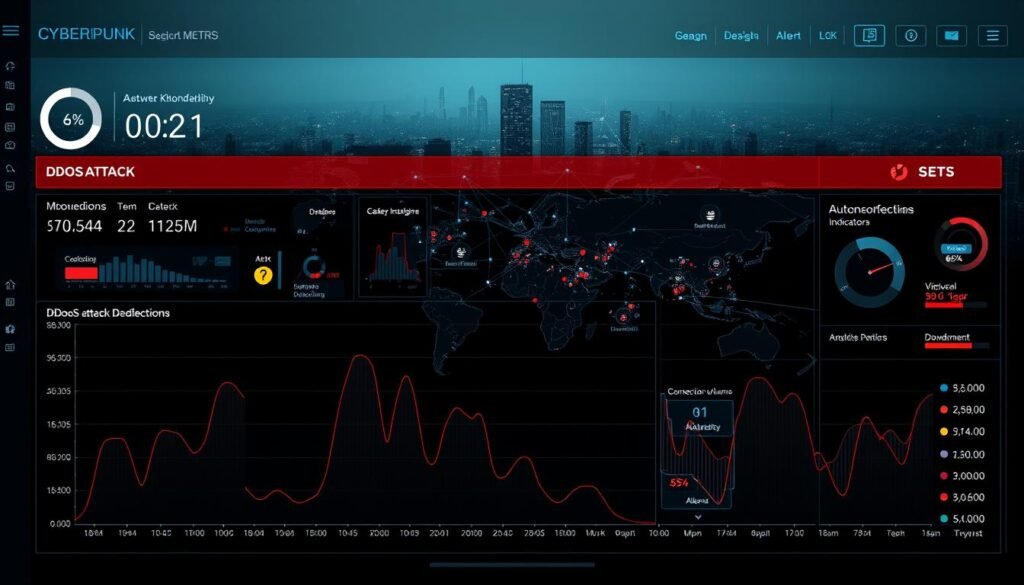
Picture your network as a busy highway—sudden gridlock means trouble ahead. Real-time monitoring acts like traffic cameras spotting accidents before they cause pileups. With Darktrace AI responding 60x faster than humans, you’ll squash threats before your coffee cools. ☕🚨
Network Traffic Analysis Tools
These digital microscopes examine every data packet. Top tools combine:
- Behavioral baselining: Knows your normal network traffic like a bartender knows regulars
- Geo-tracking: Spots suspicious visitors (looking at you, 3 AM Latvia traffic)
- Protocol analysis: Catches fake HTTP requests hiding in legit packets
Pro tip: Cloud-based operations cut mitigation time by 73%—like upgrading from dial-up to fiber.
Setting Up Alert Thresholds
Too sensitive = alarm fatigue. Too lax = breached defenses. The sweet spot?
- 150% baseline traffic spike + 3σ deviation
- Concurrent connection attempts exceeding CPU capacity
- Abnormal packet sizes (giant 65KB+ UDP packets scream trouble)
“Thresholds without context cause 40% false positives—always pair with behavioral checks.”
Integration With Existing Security Infrastructure
Your firewall feels lonely—introduce it to your new monitoring tools. Seamless integration means:
- Automatic traffic rerouting during attacks
- SIEM system alerts triggering mitigation response
- API connections that share threat intel across platforms
Darktrace’s secret? AI that blocks attacks before you finish reading this tweet. 🛡️
Final strategies: Combine real-time eyes with automated muscle. Cloud tools can slash downtime from hours to
Effective DDoS Mitigation Strategies
When cyber chaos hits, your network needs a superhero—not a sidekick. The right strategies turn panic into action, dropping malicious traffic faster than a bad Tinder match. From cloud force fields to digital bouncers, here’s how top-tier services keep operations smooth.

Immediate Response Protocols
First rule of mitigation attacks: Don’t freeze like a deer in headlights. Your response plan should activate faster than Avengers assembling:
- Cloud shields up: Services like AWS Shield block 98% of threats in under 3 minutes—quicker than microwave popcorn.
- Traffic triage: Redirect sketchy flows to scrubbing centers (where bots go to die).
- Black hole routing: The digital equivalent of “talk to the hand”—drops 100% malicious packets but needs precise calibration.
| Protocol | Speed | Best For |
|---|---|---|
| Cloud Scrubbing | 3 minutes | High-volume attacks |
| Rate Limiting | Instant | Application-layer threats |
| Black Hole | 30 seconds | Emergency scenarios |
Traffic Filtering and Rate Limiting
Think of this as your network’s VIP list. Suspicious traffic? That’s a hard “you can’t sit with us.” Pro moves:
- Geofencing: Block UDP packets from Antarctica (unless penguins suddenly gamed online).
- Rate limits: Cap connection attempts—65% fewer breach attempts according to Cloudflare.
- Protocol scrutiny: Reject oversized packets (anything >65KB is probably trouble).
“GitHub’s multi-cloud defense tanked a 1.35Tbps attack—proving redundancy isn’t backup, it’s survival.”
Cloud-Based Mitigation Solutions
Why build moats when you can rent an entire castle? Modern services offer:
| Provider | Specialty | Stopping Power |
|---|---|---|
| AWS Shield | Automated protection | 10x faster than manual response |
| Cloudflare | Edge network | Absorbs 45% of global mitigation attacks |
| Akamai | AI-driven scaling | Handles 70Tbps+ attacks |
Final tip: Combine these strategies like a cybersecurity smoothie—each ingredient boosts your immunity. Because when bots attack, you want to be the one laughing last. 😎
Conclusion: Building a Resilient Defense
Cyber threats evolve faster than fashion trends—stay ahead or get left behind. DDoS attacks aren’t just hiccups; they’re digital hurricanes. Your network needs armor, not just bandaids.
Mix machine learning brains with cloud muscle. AI spots trouble; cloud services smack it down. Like peanut butter and jelly, they’re better together. 🥪
Pro tip: Test defenses quarterly. Hackers don’t take vacations—neither should your detection drills. Early action saves $6k/minute (aka 1,200 avocado toasts). 🥑💰
Ready to level up? Your game plan: Monitor → Detect → Mitigate → Repeat. Because in cybersecurity, the best defense is a relentless offense. 🔄🛡️
