Misconfigurations make headlines for a reason. One toggle set to “public,” one port bound to the open internet, and a datastore can be crawled by scanners in minutes. From there, data theft, tampering, and extortion roll fast. This guide breaks the topic down in plain English and gives you concrete steps to spot exposures and lock them down—today.
Article Summary
- A “public database exposure” means a datastore is reachable from the internet without strong authentication.
- Top offenders: Object storage buckets and NoSQL services (MongoDB, Elasticsearch, Redis).
- Typical causes: Public bucket policies, services bound to
0.0.0.0, default or missing auth, leaked keys, and over-permissive IAM. - Attacker playbook: Exfiltrate, ransom, wipe/poison data, pivot deeper, and reuse harvested credentials.
- Quick checks: Cloud-native exposure settings, access analyzers, security group rules, and log reviews.
- Immediate fixes: Enforce auth, lock down network paths, enable encryption, rotate keys, and harden per-service.
- Long-term prevention: CSPM/CNAPP, IaC policy checks, least-privilege IAM, and drift detection.
- Compliance impact: GDPR/CCPA/HIPAA/PCI can trigger tight notification timelines and penalties.
- Use the incident checklist if exposure is confirmed.
- Tables and checklists inside for copy-paste action.
What Is a “Public Database” Exposure, and Why Does It Matter?
A public database exposure happens when a datastore is reachable from the open internet without proper authentication or access control. Attackers can find and access these systems in minutes using automated scanners, leading to data theft, tampering, and extortion. The cure is tight network boundaries, enforced authentication, and continuous configuration monitoring.
A database here means more than SQL. It includes NoSQL engines, analytics clusters, and object storage buckets. “Public” means the asset accepts requests from anyone on the internet—often with no login. That turns sensitive records, backups, and logs into easy targets. Even “read-only” exposures can reveal credentials, tokens, and internal paths attackers reuse elsewhere.
Which Databases and Cloud Services Are Most Often Exposed Today?
The repeat offenders are cloud object storage (S3, Azure Blob, Google Cloud Storage) and NoSQL services such as MongoDB, Elasticsearch/OpenSearch, and Redis. SQL databases do get exposed, but most large leaks start with storage buckets or NoSQL instances left open to 0.0.0.0 or configured for anonymous access.
Cloud Object Storage
- S3, Azure Blob, and Google Cloud Storage often go public due to permissive bucket/container policies or disabled “block public access” controls.
- Public links spread quickly through code repos, CI logs, and chat threads.
NoSQL
- MongoDB: Frequent exposures from no auth and world-reachable bindings.
- Elasticsearch/OpenSearch: Anonymous clusters indexed by search engines or hit by bots.
- Redis: Insecure internet exposure with protected mode disabled or misused.
SQL and Dev/Test
- MySQL/PostgreSQL/MSSQL sometimes appear on open ports with default accounts.
- Dev/test dashboards, backups, and temporary endpoints often slip past reviews.
[AI Image Prompt: A labeled threat map infographic showing icons for S3/Azure Blob/GCS, MongoDB, Elasticsearch, Redis, and SQL, with red lines indicating exposure paths: “Anonymous policy,” “Bind to 0.0.0.0,” “Default creds,” “Leaked keys.” Clean flat design, dark background, crisp vector style, white labels, accent reds for risk nodes.] – Alt text: Threat map of common public exposure paths.
How Do Public Exposures Actually Happen?
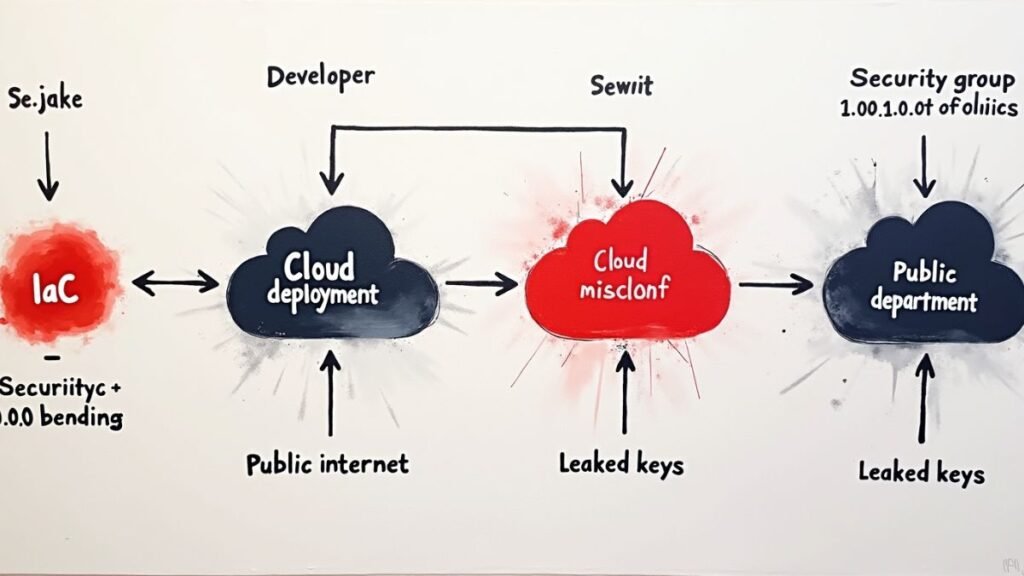
Most exposures come from misconfiguration: no authentication enabled, services bound to all interfaces, public bucket policies, default passwords, and permissive IAM. Leaked API keys and sloppy infrastructure templates reproduce the same mistakes across environments.
No Authentication / Default Credentials
- Services ship with optional auth that is never turned on.
- Test logins or weak defaults survive into production.
Bind to 0.0.0.0 + Open Firewalls
- Services listen on every interface while security groups allow
0.0.0.0/0. - A port scan is all it takes to find and probe.
Public Bucket Policies / Disabled “Block Public Access”
- A single “allow public” setting makes every object world-readable.
- Legacy ACLs linger even after ownership changes.
Leaked Keys in Code and CI
- Keys in Git, screenshots, or build logs grant powerful read/write access.
- Long-lived tokens expand blast radius.
Over-Permissive IAM and CORS
- Wildcard policies (
s3:*,*:*) or broad allowlists invite abuse. - CORS mistakes unintentionally enable cross-origin reads.
Third-Party/Vendor Drift
- External partners create buckets or snapshots that bypass your controls.
- Shadow resources avoid central review.
What Can Attackers Do With an Exposed Database?
Attackers exfiltrate data, leave ransom notes, wipe or poison records, pivot to other systems, and reuse credentials for account takeover. The collateral damage includes fraud, regulatory penalties, and reputation loss.
- Data theft and resale: PII, financials, source code, tokens.
- Ransom/extortion: “Pay or your data gets dumped.”
- Data destruction/poisoning: Break operations or sabotage analytics.
- Credential reuse: Harvested emails/passwords feed account takeover.
- Pivoting: Trust tokens and internal paths help deeper intrusion.
How Can You Quickly Check If Yours Is Exposed?
Start with provider controls and access analyzers, then verify network reachability and authentication. Confirm externally—legally—that no anonymous or unauthenticated public access is possible.
Cloud-Native Checks
- AWS: S3 Block Public Access at account and bucket scope; Access Analyzer for public findings.
- Azure: Disallow anonymous blob access at the account level; review container ACLs.
- Google Cloud: Public Access Prevention at bucket or org level.
Network & Port Validation
- Review security groups, firewall rules, and peering.
- Confirm services do not bind to public interfaces.
External Recon (Legal Only)
- Validate no anonymous GET/HEAD works from outside.
- Monitor for leak alerts involving your domains and storage endpoints.
Logs & Signals
- Access logs show public callers or spikes in egress.
- Alert on unusual API calls, excessive listing, or bulk downloads.
What Are the Immediate Fixes—Step by Step?
Lock down network paths, enforce authentication and TLS, and fix risky defaults. Apply the hardening checklist for each service family, then rotate exposed keys and invalidate tokens.
Object Storage (S3 / Azure Blob / GCS)
- Set account/org-level controls to prevent public access by default.
- Remove
allUsers/anonymousACLs and disable open listings. - Use short-lived signed URLs for sharing; encrypt data at rest; restrict listings by prefix.
- Add VPC/private endpoints or service endpoints for internal apps.
MongoDB
- Enable authentication and role-based access control.
- Set
bindIpto private addresses/VPC; require TLS. - Restrict dangerous commands in production; rotate admin creds.
Elasticsearch/OpenSearch
- Enable built-in security features for auth and TLS.
- Restrict HTTP layer to private networks; use IP allowlists or proxies.
- Lock index permissions and disable unsafe plugins.
Redis
- Keep protected mode on; don’t expose to the internet.
- Bind to private interfaces; require ACLs and TLS.
- Disable risky commands where possible.
MySQL/PostgreSQL/MSSQL
- Private networking and strict firewall rules.
- Strong users/roles, TLS required, slow query and auth logs on.
- Remove default accounts and test schemas.
Hardening Quick Map (Copy/Paste)
| Service | Default Port | Secure Binding | Must-Have Auth | Key Logs to Check |
|---|---|---|---|---|
| S3 / Blob / GCS | HTTPS | Private endpoints / deny public | IAM + deny public access | Access logs, list/get spikes |
| MongoDB | 27017 | Private/VPC only | Users/Roles + TLS | Auth failures, admin ops |
| Elasticsearch | 9200 | Private/VPC only | Security features + TLS | Index changes, auth failures |
| Redis | 6379 | Private/VPC only | ACLs + TLS + protected mode | Keyspace ops, config changes |
| MySQL/PostgreSQL | 3306 / 5432 | Private/VPC only | Users/Roles + TLS | Failed logins, schema changes |
[AI Image Prompt: A minimalist “Immediate Lockdown” checklist UI: toggles for “Block Public Access,” “Auth Required,” “Private Networking,” “TLS Only,” and “Key Rotation,” with green checks toggled on. Flat, modern dashboard look, soft shadows, readable headings, 16:9.] – Alt text: UI-style checklist of immediate security actions.
How Do You Prevent Repeat Exposures at Scale?
Bake guardrails into your pipeline: enforce CIS benchmarks, run IaC policy checks pre-commit, scan continuously with CSPM/CNAPP, and alert on drift. Block risky changes before they hit production.
Continuous Posture & Policy
- CSPM/CNAPP: Continuous scans for public exposure findings.
- IaC Policy (OPA/Conftest/Terraform Cloud Policies): Fail builds that create public buckets or world-open security groups.
- Least-Privilege IAM: Deny wildcards and use service control policies.
- Drift Detection: Alert when runtime config differs from code.
- Centralized Logging & DLP: Catch anomalous egress and object listings.
Controls-to-Misconfig Mapping (Quick Reference)
| Misconfiguration | Preventive Control |
|---|---|
| Public bucket/container | Account/org setting to block public access; policy checks in CI |
Service bound to 0.0.0.0 | IaC rule requiring private interfaces; firewall template |
| Default/no auth | Baseline requiring auth/TLS; platform guardrail |
| Leaked keys | Secret scanning; short-lived tokens; automated rotation |
| Over-permissive IAM | Least-privilege roles; deny-by-default SCPs |
What Are the Legal and Compliance Risks?
Public exposures can trigger breach notification under GDPR, CCPA, HIPAA, and PCI DSS. Timelines are tight, and penalties and class actions follow when sensitive data is involved. Prepare legal, PR, and customer comms in advance.
- Identify which data types were accessible and for how long.
- Confirm affected jurisdictions and reporting clocks.
- Coordinate with regulators, customers, and partners.
Incident Response Checklist If Data Was Exposed
Treat exposure as a breach until proven otherwise. Contain access, preserve evidence, scope impact, rotate keys and passwords, notify as required, and add guardrails to prevent a repeat.
- Contain
- Disable public access; lock security groups; cut tokens.
- Preserve
- Snapshot systems; export access logs; avoid destructive changes.
- Scope
- Determine what was accessible and what was actually accessed.
- Eradicate
- Remove misconfigs; rotate keys; reset passwords; invalidate sessions.
- Notify
- Follow legal and contractual requirements; issue customer guidance.
- Recover
- Restore integrity of records and services.
- Improve
- Add account/org-level blocks; enforce IaC policy checks; monitor.
Key Takeaways
- Public database exposure is preventable with default-deny, enforced auth, and private networking.
- Object storage and NoSQL services are most at risk from simple misconfigurations.
- Use provider-level “block public access” controls and verify externally that nothing is anonymous.
- Build guardrails into code and pipelines so risky changes never deploy.
- Keep an incident checklist ready; minutes matter.
Conclusion
Public exposure often starts with a single permissive setting. Flip the defaults: deny public access by policy, force authentication, and keep services off public interfaces. Add continuous scanning and IaC checks so mistakes never reach production. Use the tables above to audit today and schedule a quarterly review.
Want hands-on hardening steps for your stack? Read our upcoming playbooks on S3, MongoDB, and Elasticsearch, and drop questions below—HakTechs prioritizes real-world problems from readers.
FAQ
1) Is a public bucket always “bad”?
No. Some organizations serve public assets by design. The risk appears when sensitive or listing-enabled content sits in public storage. If you must publish, restrict listing, use short-lived signed URLs, and separate public and private buckets.
2) How fast do attackers find exposed systems?
Minutes to hours. Automated scanners and search engines continuously index open ports and public endpoints. Assume discovery is near-instant.
3) Can IP allowlists replace authentication?
They help, but they are not a replacement. Use authentication and TLS, and keep allowlists tight as a defense-in-depth layer.
4) What should I rotate after an exposure?
API keys, database passwords, OAuth tokens, service account keys, and any embedded secrets or cookies that could be reused.
5) How do I safely test if an asset is public?
From a non-trusted network under your control, attempt anonymous access with legal authority. Log and document every step.
About the Author
Ethan Cross is a cybersecurity analyst and tech journalist with 12+ years in incident response, malware analysis, and cloud security hardening. He has led breach investigations tied to storage leaks, built guardrails for large cloud programs, and teaches blue teams how to operationalize CIS and cloud-native controls. Ethan writes at HakTechs to turn complex risks into practical steps any team can apply.
Editorial Process Note: To ensure the highest level of accuracy, every technical claim in this article was verified against primary sources and reviewed by our editorial team.
