What if one simple habit could stop many account takeovers without turning you into a password robot?
Most people think complex symbols equal safety, but length and uniqueness matter more. Use a passphrase made of four or more unrelated words and 15+ characters to block brute-force and rainbow-table attacks.
Set a clear goal: long, unique, memorable secrets for every account reduce unauthorized access and limit cascading data breaches.
When a site caps length, convert a sentence into a compact secret using initials, punctuation, and numbers. If allowed, prefer full passphrases; otherwise, build strong alternatives that you can recall.
Combine these steps with multi-factor authentication (MFA) and a trusted manager to generate and store unique entries so you don’t reuse them across services.
Key Takeaways
- Favor passphrases of 4+ words and 15+ characters to improve resilience.
- Length trumps forced complexity; screen new entries against breached lists.
- Use a manager to store unique secrets and avoid reuse across accounts.
- Enable MFA to add a second layer if an entry is exposed.
- A simple formula—passphrases, manager, MFA—cuts risk without losing usability.
Why Strong, Memorable Passwords Still Matter in Today’s Threat Landscape
One weak or reused secret can let attackers pivot from one service to many, turning a small leak into a widespread data breach. Length and uniqueness make a simple, memorable secret far harder to crack than a short string of symbols.
Attackers still target human gaps. Phishing, keyloggers, and credential stuffing rely on predictable entries or reuse. Short entries fall quickly to brute force and rainbow‑table attacks. Screening new entries against breached lists, as NIST advises, blocks many obvious choices.
Users who reuse the same entry across accounts multiply risk: one compromise lets hackers try that secret on shopping, email, and work systems. Allowing a “show” option reduces typos and needless resets that can leak credentials over insecure channels.
A practical rule: favor longer, unique secrets for each site and avoid public Wi‑Fi when logging in. The Canadian guidance mirrors this—use different secrets per account and keep device hygiene high.
| Attack Type | Main Vector | User Impact | Simple Mitigation |
|---|---|---|---|
| Credential stuffing | Reused entries | Many accounts breached | Unique secret per site |
| Phishing / keylogging | Deceptive links, malware | Stolen login data | Training, device hygiene |
| Brute force / rainbow tables | Automated cracking | Fast compromise of short entries | Increase length, screen against breaches |

Password security best practices you can apply right now
Start with a simple rule: aim for longer, distinct secrets and make complexity a choice rather than a demand. This reduces risky behavior like reuse and sticky note lists.
Prioritize length and uniqueness for every account
Go long and unique. Target 12–16+ characters or four random words. Never reuse across accounts. Screen new entries against breached lists before saving.
Balance complexity with usability to reduce risky behavior
Make variety optional. Favor length over forced letters or numbers rules. Allow copy/paste and a show option so the user avoids resets and insecure workarounds.
Defend against phishing and unauthorized access with layered controls
Layer defenses. Turn on multifactor authentication (MFA), train staff to spot phishing, and avoid public Wi‑Fi for logins. Use a password manager where allowed to generate and store unique entries.
| Action | Why it helps | Simple step |
|---|---|---|
| Length & uniqueness | Resists brute force and credential reuse | Use 12–16+ characters or 4+ words |
| Friendly UX | Reduces errors and reset risks | Allow copy/paste and show option |
| Layered controls | Stops account takeovers after a leak | Enable MFA and device checks |
Passphrases over passwords: building strong passwords you’ll actually remember
If you pair unrelated words into a vivid image, you create a resilient secret you can actually remember. A short, picture-driven passphrase gives you length and entropy without forcing odd symbol juggling.
How to craft a secure passphrase: four random words, 15+ characters
Start with four random words that are unrelated to each other. Aim for at least 15 characters total. That added length multiplies the work an attacker must do far more than extra symbols.
Memorability without predictability: avoid song lyrics and common expressions
Keep it personal, not predictable. Skip lyrics, quotes, and popular phrases—attackers load those into dictionary lists. Pick vivid images (a desk item, a route home) so you won’t write your secret down.
When sites impose limits: turning phrases into complex passwords
Compress intelligently. If a site caps length, use initials, switch case for some letters, add numbers and punctuation. For example, “Afternoon Rain Window Plant” can become “ArWp?LateDay!”—easy to recall, compact to store.
- Outcome: passphrases give you strong passwords that are memorable and resist common cracking lists.
Smarter management with a password manager
Delegating generation and autofill to a trusted tool keeps your accounts unique without memory strain. Use a vaulted manager to create long, random entries, store them safely, and fill forms for you.

Let the tool do the heavy lifting. A good password manager generates unique passwords, autofills login fields, and reduces reuse across accounts. Modern browsers and apps now integrate with managers and can re-authenticate via biometrics.
What to look for
- Encryption & updates: strong encryption and active patches from reputable vendors.
- Integration: browser and mobile support, plus secure autofill and copy/paste options.
- Extra features: breach alerts, time-based one‑time codes (TOTP), and secure sharing.
Lock the vault and scope storage
Use a strong password or passphrase for the master key and enable multi‑factor authentication on the vault. Prefer storing lower‑sensitivity credentials and avoid placing high‑risk banking or admin entries in shared vaults.
“Pick a reputable manager, lock it with a passphrase, enable MFA, and keep recovery methods tested and offline.”
| Task | Why it matters | Quick step |
|---|---|---|
| Generate unique passwords | Stops reuse and credential stuffing | Enable generator and use unique-per-site defaults |
| Secure vault | Protects stored data | Strong master passphrase + MFA |
| Hygiene | Reduces legacy risk | Audit entries, update manager, remove old info |
Multi-factor authentication: the extra layer that stops most account attacks
Adding a second verification step stops most account takeovers before they start. MFA gives you more than a single gate; it converts a leaked secret into an isolated incident.
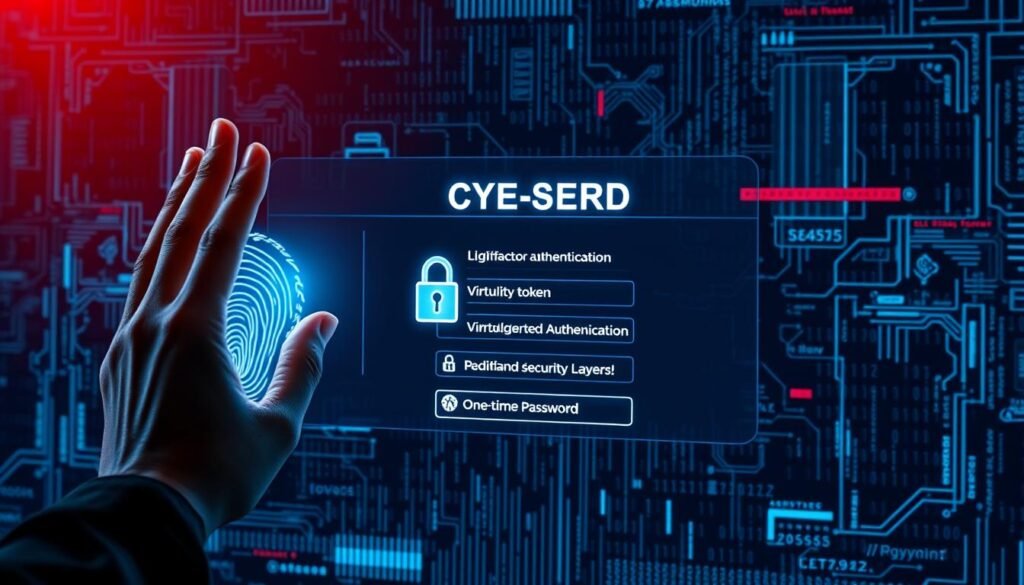
Something you know, have, and are — choosing the right factors
MFA requires at least two different factor types: something you know, something you have, or something you are.
Use strong factors where the risk is higher and convenient ones for everyday access.
SMS, authenticator apps, and security keys: strengths and trade-offs
SMS is easy but vulnerable to SIM swapping. Time-based authenticator apps (TOTP) balance convenience and protection.
Hardware security keys (FIDO/WebAuthn) provide the strongest defense for critical accounts.
Organization-wide MFA policies that improve adoption
Make MFA default, offer clear onboarding, and provide secure recovery options. Support single sign-on and modern tokens to reduce friction. Track enrollment and prompt success to refine the rollout.
For implementation guidance, see the MFA guidance.
| Factor | Typical Strength | Usability | Notes |
|---|---|---|---|
| SMS | Low | High | Susceptible to SIM attacks |
| Authenticator app (TOTP) | Medium | Medium | Good balance for daily use |
| Hardware key (FIDO) | High | Medium | Best for high-risk accounts |
| Biometrics | Medium | High | Use as convenience factor; limit per NIST |
Under-the-hood protections: storage, authentication, and usability settings
Store and process secrets so a leak is non‑catastrophic. Design limits and UX to stop bots and help real users log in correctly.
Good backend choices reduce risk and make safe behavior the easy default.

How should you hash and salt credentials?
Store only hardened hashes. Use Argon2id, bcrypt, or PBKDF2 with a unique salt per entry and strong iteration counts.
Remove plaintext quickly from memory and logs (zeroization). That lowers the chance of leaked data being usable by hackers.
What stops brute force and automated sprays?
Implement rate limiting, progressive timeouts, and account lockouts to blunt brute force attempts.
Combine timeouts with CAPTCHAs and allowlists for admin interfaces to reduce noisy, automated dictionary attacks.
How can usability support safe choices?
Allow copy/paste and a “show” option so users avoid typos and insecure resets.
Eliminate hints and forceful rules that drive reuse. Set generous max characters and accept ASCII/Unicode to improve entropy and recall.
When should you screen new entries?
Block submissions found in breached lists, common terms, or company-specific phrases at creation.
Secure transport, strong session handling, regular audits, and zero-knowledge patterns keep pipeline data protected and limit unauthorized access.
- Store only hashes: modern algorithms + unique salts.
- Defend the door: rate limits, lockouts, CAPTCHAs.
- Make good behavior easy: copy/paste and show options.
- Screen at creation: block breached and common entries.
“Layered protection frustrates attackers while making safe choices simple for users.”
Avoid these common mistakes that lead to data breaches
A single predictable secret can let criminals move from one service to another in minutes. Small conveniences—reuse, defaults, and hints—turn into large cleanup costs when a breach happens.
Weak, reused, or guessable entries and predictable patterns
Never reuse. Duplicate entries turn one compromise into multiple breaches and raise organizational risk.
Ditch predictable patterns. Sequences like “123456” or personal details are trivial for attackers and automated tools to guess.
Vendor defaults, personal info, and hint pitfalls
Replace defaults immediately. Out‑of‑the‑box logins are widely known and exploited after deployment.
Eliminate hints. Hint text often leaks the context needed to guess an entry; disable them and rely on a manager or vault instead.
Watch for lures. Phishing remains a top cause of account compromise. Verify the sender, hover over links, and never enter a secret unless you trust the request.
- Treat sensitive accounts specially: protect admin and banking accounts with the strongest options and multi‑factor controls.
- Audit exposure: scan breach datasets and rotate any entry that appears.
- Keep the circle small: avoid sharing secrets; use delegated access or secure secret-sharing features.
| Common Mistake | Why it matters | Quick fix |
|---|---|---|
| Reuse across accounts | One leak becomes many breaches | Unique entries per account; use a manager |
| Predictable patterns | Easy for automated cracking | Choose long phrases or random words |
| Vendor defaults & hints | Public knowledge and context leaks | Change defaults; disable hints |
| Phishing lures | Direct credential theft | User training; verify URLs and senders |

From policy to practice: a US-focused implementation roadmap
Turn agency-level rules into repeatable steps that reduce risk without slowing users. Start with clear, length-first requirements, pair them with modern authentication controls, and give staff the tools and training they need to follow through.
How do we align with NIST guidance on length and reset cadence?
Codify length-first rules: set defaults of 12–16+ characters, allow up to 64 characters, and avoid mandatory symbol requirements. Screen new entries daily against breached and dictionary lists and permit copy/paste and a visibility toggle to reduce risky workarounds.
How do you train users and operationalize a manager?
Equip every user with clear training: run phishing simulations, explain multi-factor authentication (MFA) choices, and show people how to use a vetted manager to generate and store strong entries across accounts.
Operationalize the manager: define vault policies, limit shared collections, and audit access regularly so the organization scales safe behavior.
How should monitoring and recovery be enforced?
Instrument access and alert fast: integrate logs with SIEM, watch for unusual access patterns, and automatically disable suspect accounts. Rate-limit authentication attempts and cap rapid retries to blunt automated attacks.
Right-size rotation: require resets after compromise or annually, log recovery events, and tighten recovery workflows to avoid social-engineering risk.
- Harden storage and auth: use Argon2id/bcrypt/PBKDF2 with unique salts and strict rate limiting.
- Make MFA standard: require multi-factor authentication org-wide and prefer TOTP apps or hardware keys where risk is high.
- Measure outcomes: track resets, compromised credentials, support calls, and overall cyber risk to inform requirements and training.
“Practical rules, user tools, and rapid detection together close common gaps and keep data safer without extra friction.”
Conclusion
Small changes to how you create and store secrets cut risk across an organization. Favor length, uniqueness, and tools that remove human error so real users can work without extra friction.
Lead with long, memorable phrases — four or more words or 15+ characters — and screen new entries against breach lists. Turn a phrase into a compact, strong password when sites limit characters or demand numbers. Use a reputable password manager and keep the vault protected with a solid master key and multi‑factor authentication (MFA).
Treat critical admin and financial access differently: add hardware keys, stricter rotation, and tighter audit controls. Measure resets, incidents, and adoption so your organization lowers risk while staying usable. Simple habits — passphrases, MFA, and good tooling — deliver practical protection for your data and access.
