Skip to content
HakTechs
  • Best Products
    • Security Gadgets
    • Network & Connectivity
    • Desk Setup & Productivity
    • Charging & Mobile Accessories
  • Cyber Hub
    • 🔰 Learn Ethical Hacking
      • 👶 Beginner Zone
      • 🎓 Career & Certs
    • 🛠️ Fix Security Issues
      • 🔧 Fix & Prevent
      • ⚠️ Misconfigs
      • 🛡 Hardening Tips
    • 🌐 Protect Your Network
      • 🛜 Web & Network
      • 🦠 Malware Analysis
    • 🧪 Test Attack Defense
      • ⚙️ Tools & Usage
      • 🛑 Vulnerabilities
      • 🧠 Red vs Blue
    • 🕵️ Hacker Groups
    • 🔓 Real Hacks
    • 📱 APK & App
  • About
  • Contact
How to Stop Hackers from Hijacking Your Social Media

How to Stop Hackers from Hijacking Your Social Media

October 4, 2025 by Ethan Cross

Sharing is caring, Please share now!

People spend about 147 minutes a day on feeds; some countries average nearly four hours. That scale means one compromised profile can cascade into stolen money, breached email, and exposed cloud data.

Table of contents
  1. Key Takeaways
  2. Why does social media security matter right now?
  3. What threats are targeting your social media accounts today?
    1. How do impersonation and fake requests trick you?
    2. What about malware and risky third‑party apps?
    3. How does password theft via breaches and quizzes happen?
  4. How do you stop social media hacking with core account protections?
    1. How do you create strong unique passwords and use a password manager?
    2. Why enable two‑factor authentication on every platform?
    3. How do you secure the primary email tied to your social accounts?
    4. How should you review privacy settings and go private when appropriate?
  5. What smart daily habits protect your social media?
    1. How do you verify friend requests and messages before engaging?
    2. How should you think before you post about location, routine, and personal information?
    3. Why should you never click suspicious links or attachments?
  6. How should you protect your devices and connections?
  7. How can you spot if your social media account was hacked?
    1. What universal red flags appear across platforms?
    2. What platform‑specific warning signs should you watch for?
    3. How do you use data leak monitoring to catch exposed credentials?
  8. What immediate steps should you take if your account is compromised?
    1. How do you reset passwords and sign out of all sessions?
    2. How do you contact the platform’s support and report the breach?
    3. How do you audit posts, messages, connected apps, and alert your contacts?
  9. What’s the bottom line on stopping social media hacking?
  10. FAQ
    1. How do I keep hackers from hijacking my social media accounts?
    2. Why does social media security matter right now?
    3. How are my accounts extensions of my identity?
    4. What do U.S. usage and the rising cadence of attacks look like?
    5. How do phishing scams and fraudulent links on feeds, DMs, and emails work?
    6. How do impersonation, identity theft, and fake friend requests trick you?
    7. What about malware, ransomware, and vulnerable third‑party apps?
    8. How does password theft via breaches, quizzes, and reused passwords happen?
    9. How do I create strong unique passwords and use a password manager?
    10. Why enable two‑factor authentication on every platform?
    11. How do I secure the primary email tied to my accounts?
    12. How should I review privacy settings and go private when appropriate?
    13. How do I verify friend requests and messages before engaging?
    14. How should I think before posting about location, routine, and personal information?
    15. Why should I never click suspicious links or attachments?
    16. Why be wary of public Wi‑Fi, and when should I use a trusted VPN?
    17. Why keep apps and software updated to patch vulnerabilities?
    18. Which reputable antivirus/anti‑malware software should I use?
    19. Why avoid piracy and risky downloads that hide malware?
    20. What universal red flags show that an account may be hacked?
    21. What platform‑specific warning signs appear on Facebook, Instagram, X, TikTok, and LinkedIn?
    22. How do I use data leak monitoring to catch exposed credentials?
    23. How do I reset passwords and sign out of all sessions after a compromise?
    24. How do I contact the platform’s support and report a breach?
    25. How do I audit posts, messages, connected apps, and alert my contacts after a breach?
    26. What’s the bottom line on stopping account compromise?

An expert take by Ethan Cross, HakTechs.com Lead Analyst

This guide gives a clear, practical way to tighten your security without breaking your routine. We show how ordinary users become targets, which threats matter most, and the exact protection moves that cut attack paths.

Start with core hygiene: unique passwords, multi-factor sign-in, and locked-down account recovery. Then add daily habits and simple device hardening so your digital life stays usable and safer.

Key Takeaways

  • Understand why widespread use makes compromise common and costly.
  • Begin with strong, unique passwords and multi-factor sign-in.
  • Learn common attack signs and how to secure linked accounts fast.
  • Protect the flow of your personal information and sensitive data.
  • Follow steps that scale from a single profile to many accounts.

Why does social media security matter right now?

Most profiles act like living ID cards; heavy use and nonstop attacks make compromise likely. Over 56% of people worldwide use these platforms and average 147 minutes per day. U.S. users spend just over two hours daily, which widens exposure.

Your online presence collects names, photos, workplaces, routines, and contacts. That mix of personal details becomes a map attackers use to guess recovery answers or craft convincing phishing. With a U.S. cyberattack about every 44 seconds, ignoring security raises real reputational and legal risks.

A dark, moody scene depicting the dangers of social media security breaches. In the foreground, a hooded figure silhouetted against a glowing computer screen, hands poised to infiltrate an social media account. The middle ground shows a network of interconnected devices, their lights blinking ominously. In the background, a cityscape shrouded in ominous shadows, symbolizing the far-reaching consequences of social media hacking. The scene is lit by cool, harsh lighting, creating an atmosphere of tension and unease. Dramatic angles and deep shadows emphasize the sense of threat and vulnerability. Overall, the image conveys the urgent need for robust social media security measures in the face of relentless cyber threats.

“Treat account security as identity security: protect the identity layer first, then devices and networks.”

  • Information exposure across platforms can lead to identity theft and account takeover.
  • High engagement makes detection harder; add monitoring and alerts so users find issues early.
  • Review settings and privacy controls often; defaults and features change and can weaken protection.
Metric Global United States
People using platforms 56%+ —
Average daily time 147 minutes ~120+ minutes
Attack cadence — Every 44 seconds

If an account is hijacked, attackers often pivot to email, banking, or cloud services. The best way to reduce risk is to assume partial exposure and harden controls now. For a primer on attack types that target accounts, read this overview of common cyber attacks.

What threats are targeting your social media accounts today?

Attackers use everyday interactions—comments, DMs, and ads—to turn friendly posts into credential traps. These threats mix technical exploits with social engineering to harvest credentials, tokens, and private information.
A dark, ominous landscape with a shadowy figure lurking in the foreground. Gloomy clouds loom overhead, casting an eerie hue over a sprawling cityscape in the distance. In the middle ground, various social media icons - Twitter bird, Facebook "f", Instagram camera - appear distorted and corrupted, as if being hacked or infiltrated by a malicious entity. Sinister lines of code and data streams flow around these symbols, creating a sense of digital vulnerability and threat. The scene is lit by an ominous red glow, heightening the sense of danger and unease. The overall tone is one of digital peril, where social media platforms are under attack from unseen forces.

Phishing remains a top vector. Fake login prompts, prize claims, and policy alerts arrive in messages and email with look‑alike domains. Click a malicious link and you may hand over your password or a session token.

How do impersonation and fake requests trick you?

Fraudulent profiles clone names and photos to target followers. Attackers count on trust—friend‑of‑friend requests and urgent DMs push people to share access or reset info.

What about malware and risky third‑party apps?

Malware and ransomware come through downloads, sideloaded tools, and shady apps. Third‑party apps with broad permissions can siphon data and post as you if tokens are exposed.

How does password theft via breaches and quizzes happen?

Breaches fuel credential stuffing when reused passwords are tried across platforms. Quizzes and “fun” challenges harvest personal answers that become password hints.

  • Phishing: fake emails, messages, and ads with look‑alike domains.
  • Scams: malicious links in comments or DMs—always verify URLs.
  • Impersonation: cloned accounts targeting followers and brand contacts.
  • Malware/Apps: downloads and over‑permissioned apps that leak tokens and data.
  • Passwords: reuse and breached lists let attackers pivot to other accounts.

“If a link or request feels urgent or out of character, pause and validate through a second channel.”

For a deeper look at emerging platform threats, see this emerging platform threats.

How do you stop social media hacking with core account protections?

Start by locking the account layer: passwords, two‑factor codes, and recovery email controls cut most takeover paths. These basics remove the easiest wins for attackers and raise the cost to breach you.
A stylized digital illustration depicting social media account protection. In the foreground, a secure lock icon hovers over a smartphone screen, representing the core security feature. In the middle ground, a network of interconnected accounts and profiles are shielded by a protective forcefield, hinting at comprehensive access controls. The background features a sleek, futuristic cityscape with glowing skyscrapers, conveying a sense of modern, tech-savvy security. The overall composition emanates a feeling of digital safeguarding, with a color palette of blues, grays, and subtle highlights to maintain a professional, authoritative tone.

How do you create strong unique passwords and use a password manager?

Use a password manager to generate and store strong unique passwords. Aim for 12–16 characters or a long passphrase. Avoid personal clues and never reuse passwords across accounts.

  • Generate 12–16 character random strings or a 4‑word passphrase for each login.
  • Store backups of your vault and enable breach alerts in the manager.
  • Rotate high‑risk credentials every 6–12 months or after any incident.

Why enable two‑factor authentication on every platform?

Two‑factor authentication (2FA) adds a one‑time code or physical key that makes a stolen password far less useful. Prefer app‑based codes or hardware keys over SMS for stronger protection.

“Any 2FA beats none—turn it on now for every account that supports it.”

How do you secure the primary email tied to your social accounts?

Lock the recovery email with its own unique passwords and 2FA. Treat that inbox as the master key. Turn on alerts for new sign‑ins and remove forwarding rules you don’t recognize.

How should you review privacy settings and go private when appropriate?

Check privacy settings quarterly. Limit who can see posts, tags, and friend lists. For personal profiles, consider private mode to reduce exposure—45% of users miss these controls, so review them now.

For step‑by‑step guidance on protecting linked profiles, see ways to protect your social accounts.

What smart daily habits protect your social media?

Small, consistent actions each day are the best defense for your online profiles. Use quick checks and cautious habits to reduce risk and keep accounts usable.
A serene, minimalist composition capturing the essence of social media. In the foreground, a smartphone rests on a clean, white surface, its screen displaying a simple social media interface with clean icons and a soothing color palette. The middle ground features a soft, out-of-focus backdrop, suggesting a peaceful, distraction-free environment. The lighting is natural, diffused, and calming, casting a gentle glow on the smartphone. The overall mood is one of tranquility and focus, hinting at the smart daily habits that can protect one's social media presence.

How do you verify friend requests and messages before engaging?

Treat every new connection with skepticism. Confirm mutual contacts or message the person on a known channel before accepting friend requests.

Be wary of “Hey, is this you?” messages that include shortened links. Those are common scams and phishing lures.

How should you think before you post about location, routine, and personal information?

Consider privacy before you share. McAfee warns that “the internet is forever.” Don’t post live check‑ins, travel dates, or details that reveal your location or daily routine.

Assume screenshots: remove identifiers and delay uploads from events. Verify promotions on verified social media accounts or official sites before participating.

Why should you never click suspicious links or attachments?

“Don’t click suspicious links” works because it prevents credential theft and malware. Open a new tab and type the site yourself instead of trusting in‑feed prompts.

  • Keep a separate inbox for newsletters and protect your primary email.
  • Report fake profiles fast—platforms remove millions of fake media accounts, and reports help other users.
  • When unsure, move the conversation off DMs and don’t download attachments.

“Facebook acted on 1.8B fake accounts in Q3 2021”—verify contacts and keep habits tight to reduce exposure.

How should you protect your devices and connections?

Keep devices and connections locked down so attackers have fewer easy routes to your accounts. Treat phones, laptops, and routers as the first line of defense.

A serene cyberpunk cityscape at dusk, the skyline dominated by towering skyscrapers adorned with glowing neon signs. In the foreground, a lone figure stands vigilant, a protective cloak of digital code shimmering around them, guarding the intricate web of social media connections that link the bustling metropolis. Soft, diffused lighting casts long shadows, creating an atmosphere of cautious vigilance. The scene conveys a message of safeguarding one's digital identity and online presence, a testament to the importance of robust cybersecurity measures in the modern age.

Avoid logging into social media on open Wi‑Fi. Attackers can mimic hotspots or intercept traffic. If you must, use a vetted VPN to encrypt your data and guard sessions.

Why keep apps and software updated?

Install OS and software updates promptly. Patches close known holes before criminals can weaponize them. Update browsers and any app that accesses accounts.

Which antivirus should you use and why avoid risky downloads?

  • Run reputable AV with real‑time protection and web filtering to block malware across platforms.
  • Verify app publishers and remove unused integrations that hold tokens.
  • Do not sideload or download pirated content—it often hides malicious installers.

Quick device rules: use a PIN or biometrics on your phone, enable full‑disk encryption, back up 2FA codes, and pick a single security suite that bundles VPN, AV, and breach alerts.

These steps help you safely access social media and protect social media profiles when you travel or switch networks. For mobile‑focused tips, see how to protect your phone.

How can you spot if your social media account was hacked?

Quick checks can reveal a compromised profile before damage spreads to other accounts.

Watch for sudden account changes like password resets or recovery emails you didn’t request. These are high‑priority red flags.

What universal red flags appear across platforms?

Look for login prompts from unknown devices, messages or posts you didn’t send, and duplicate profiles that mimic your account. Strange follows, mass friend requests, and logins from odd locations also signal trouble.

What platform‑specific warning signs should you watch for?

Facebook: unauthorized posts and unknown sessions under Settings & Privacy → Activity Log. Sign out unfamiliar devices and change passwords.

Instagram: spam suspensions, altered bio info, or content you did not publish.

X (Twitter): mass follows/unfollows, spam replies, or temporary locks for suspicious activity.

TikTok: deleted or new videos you didn’t upload or a changed registration phone number.

LinkedIn: unknown invites accepted or recruiter links sent from your account.
A dimly lit home office, the glow of a laptop screen casting eerie shadows. On the screen, a series of unsettling icons: a padlock with a warning sign, a suspicious network connection, and an alert for unauthorized login attempts. The atmosphere is tense, evoking a sense of unease and the need for vigilance. The lighting is moody, with a mix of warm and cool tones, creating an ominous and foreboding mood. The composition is balanced, with the laptop screen taking center stage, surrounded by subtle details that highlight the warning signs of a compromised social media account. The overall image conveys a clear message: be aware of the telltale signs that your online presence may have been breached.

How do you use data leak monitoring to catch exposed credentials?

Enable breach alerts in your password manager and subscribe to a data leak monitoring service. These tools notify you when your information appears in dumps so you can rotate credentials fast.

  • Turn on login alerts on every platform and check access logs weekly.
  • Audit connected media accounts and integrations; remove unknown apps.
  • If you find a clone, warn friends not to accept friend requests or click suspicious links.

“Treat any unexpected email or sign‑in prompt as potential compromise and contain it immediately.”

If compromise is likely, follow recovery steps right away. For guidance on regaining control of accounts and email, see how to recover a hacked account.

What immediate steps should you take if your account is compromised?

A sudden loss of control over an account demands quick, coordinated action to limit damage. Take containment steps now: lock credentials, cut active sessions, and notify the platform so recovery moves faster.
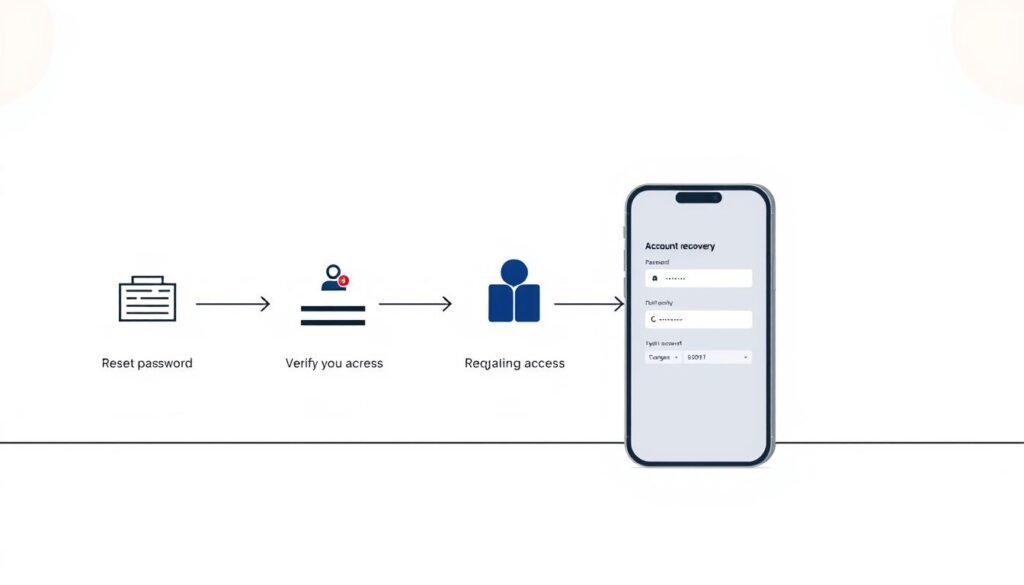
A minimalist, clean-styled illustration depicting the step-by-step process of account recovery. In the foreground, a series of simple icons or graphics representing the recovery actions - resetting password, verifying identity, regaining access. The middle ground shows a sleek, modern smartphone or computer interface with input fields and menus. The background is a soft, neutral-toned gradient, creating a sense of focus on the core task at hand. The overall mood is one of efficiency, security, and the restoration of control over a compromised online account.

How do you reset passwords and sign out of all sessions?

First, change the account password immediately and pick a unique, strong passphrase. If you used that password elsewhere, update those accounts too.

From settings, sign out of all other sessions and revoke active logins. This forces any attacker tokens to expire and reduces ongoing access.

How do you contact the platform’s support and report the breach?

Use the platform’s official “compromised account” or help flow and follow its instructions. Provide your recovery email, ID, and timestamps to speed verification.

Beware of follow‑up phishing requests that mimic support. Verify URLs by typing the site address directly rather than clicking links.

How do you audit posts, messages, connected apps, and alert your contacts?

Review recent posts, DMs, and messages and delete anything malicious. Warn your followers and users who may have received suspicious requests.

Revoke unknown apps and rotate API tokens. Run reputable antivirus or security software on your devices to check for malware or stolen session tokens.

  • Save evidence: capture timestamps, IPs, and screenshots to support a report.
  • Re-enroll two-factor: enable two-factor authentication with an authenticator app or hardware key.
  • Harden recovery: update recovery settings, change security questions, and adopt a safer routine to access social media.

“Contain first, collect evidence second, then rebuild with stronger controls.”

For step‑by‑step recovery guidance, use the official FTC instructions to recover a hacked account.

What’s the bottom line on stopping social media hacking?

A practical defense mixes strong credentials, vigilant routines, and fast response when things go wrong.

Build the basics first. Use strong unique passwords, enable two-factor authentication, and harden your recovery email. Combine that with updated software and device hygiene to cut common threats.

Data shows risk is real: about 37% of people reported accounts were compromised in 2021, with Facebook, Instagram, and TikTok among the most affected. For individuals and teams, formalize approvals, rotate vault keys, and limit public exposure of personal information.

Keep breach alerts on, watch for evolving scams, and commit to a single, maintainable security stack. Do this and you will meaningfully reduce risk from hackers across your social media and other media accounts.

FAQ

How do I keep hackers from hijacking my social media accounts?

Use a layered approach: create strong, unique passwords for each account, store them in a reputable password manager, and enable two‑factor authentication (2FA) everywhere possible. Secure the primary email linked to your accounts, review and tighten privacy settings, and remove unknown third‑party apps. Regularly scan devices for malware and avoid clicking suspicious links or accepting unexpected friend requests.

Why does social media security matter right now?

Accounts are prime targets for identity theft, fraud, and reputational attacks. Threat actors exploit platforms to steal credentials, spread scams, and pressure contacts. With more commerce and personal data shared online, a single compromised account can lead to financial loss, identity exposure, and wider network compromise.

How are my accounts extensions of my identity?

Profiles often carry personal identifiers—photos, email addresses, work details, and contact networks. Attackers reuse that information for impersonation, targeted phishing, and social engineering. Treat accounts like digital ID: protect them to protect your reputation and relationships.

What do U.S. usage and the rising cadence of attacks look like?

Platform usage is high across age groups, and adversaries have shifted to low‑effort, high‑reward attacks like credential stuffing, message scams, and deepfake impersonation. Breach disclosures and automated attack tools increase the volume and speed of compromise attempts.

How do phishing scams and fraudulent links on feeds, DMs, and emails work?

Phishing lures you to disclose credentials or install malware via fake login pages, malicious attachments, or deceptive short links. Scammers often mimic trusted brands or contacts, adding urgency to bypass caution. Always verify URLs, preview links, and confirm senders before interacting.

How do impersonation, identity theft, and fake friend requests trick you?

Attackers create lookalike profiles or hijack real accounts to request connections, ask for money, or solicit information. They leverage mutual contacts and public details to appear legitimate. Verify requests out of band (call or message via a known channel) and scrutinize new contacts that ask for favors.

What about malware, ransomware, and vulnerable third‑party apps?

Malicious apps and downloads can exfiltrate credentials or install backdoors. Ransomware may arrive through attachments or compromised integrations. Audit and remove unnecessary third‑party apps, install software only from official stores, and maintain endpoint protections to block these threats.

How does password theft via breaches, quizzes, and reused passwords happen?

Data breaches expose credentials that attackers test across sites (credential stuffing). Social quizzes and personality tests can reveal answers used for account recovery. Reusing passwords makes a single leak a multiply exploitable weakness. Use unique passwords and a manager to eliminate reuse.

How do I create strong unique passwords and use a password manager?

Choose long passphrases or generated passwords with mixed characters; aim for length over complexity. Use a trusted password manager (1Password, Bitwarden, or LastPass) to generate and autofill credentials, and protect the vault with a strong master passphrase and 2FA.

Why enable two‑factor authentication on every platform?

2FA adds a second verification step beyond a password, which blocks many automated and opportunistic attacks. Prefer app‑based authenticators or security keys (FIDO2) over SMS when available, since SMS can be intercepted or SIM‑swapped.

How do I secure the primary email tied to my accounts?

Treat your recovery email as the crown jewel: enable 2FA, use a unique password, restrict account recovery options, and monitor for unusual activity. Consider a separate email used only for account recovery and limit its exposure in public profiles.

How should I review privacy settings and go private when appropriate?

Audit each platform’s privacy controls to restrict who can view posts, send messages, or tag you. For personal accounts, select private or friends‑only options to reduce exposure. Remove or limit information that aids impersonation, such as personal phone numbers or alternate emails.

How do I verify friend requests and messages before engaging?

Check mutual connections, recent activity, and profile age. If a request asks for money or sensitive data, verify via another channel before responding. Treat unsolicited links and attachments as hostile until validated.

How should I think before posting about location, routine, and personal information?

Avoid real‑time location sharing, tagging predictable schedules, or posting details that reveal security answers. Share sparingly and think of posts as permanent—attackers mine public posts for social engineering cues and tracking.

Why should I never click suspicious links or attachments?

Links and attachments are common vectors for credential harvesting and malware. They can lead to fake login pages or install remote access tools. Pause, inspect the URL, and verify the sender before clicking. When in doubt, navigate to the service directly instead of following links.

Why be wary of public Wi‑Fi, and when should I use a trusted VPN?

Public Wi‑Fi can expose traffic to eavesdroppers and man‑in‑the‑middle attacks. Use a reputable VPN (NordVPN, ExpressVPN, or a corporate VPN) when accessing accounts over untrusted networks, and prefer mobile data for sensitive actions if a VPN isn’t available.

Why keep apps and software updated to patch vulnerabilities?

Updates often contain security patches for known vulnerabilities (tracked in CVEs). Delaying updates leaves devices exploitable. Enable automatic updates for operating systems and apps to close attack vectors promptly.

Which reputable antivirus/anti‑malware software should I use?

Choose established vendors with good independent test results, such as Microsoft Defender, Malwarebytes, Bitdefender, or Kaspersky. Keep definitions current, run regular scans, and combine endpoint protection with safe browsing practices.

Why avoid piracy and risky downloads that hide malware?

Pirated software and cracked installers are high‑risk carriers for trojans and keyloggers. They often bypass vendor protections and introduce persistent threats. Use licensed software from official sources to reduce infection risk.

What universal red flags show that an account may be hacked?

Sudden unfamiliar posts or messages, login notifications from unknown locations or devices, password reset notices you didn’t request, and missing or altered profile details are common signs. Also watch for blocked access or unexpected 2FA prompts.

What platform‑specific warning signs appear on Facebook, Instagram, X, TikTok, and LinkedIn?

Facebook: unexpected friend list changes and unfamiliar third‑party posts. Instagram: mass follows or direct messages you didn’t send. X (formerly Twitter): sudden tweets with links or DMs promoting scams. TikTok: uploaded videos you didn’t create or account settings changed. LinkedIn: connection requests with fabricated work histories or unauthorized job posts. Each shows active misuse requiring immediate action.

How do I use data leak monitoring to catch exposed credentials?

Subscribe to services like Have I Been Pwned, use integrated alerts in password managers, or enable breach notifications from major providers. Monitor email addresses and domains for exposures and rotate affected passwords immediately.

How do I reset passwords and sign out of all sessions after a compromise?

Change the account password to a new, unique one and log out all devices from account settings. Revoke app permissions, remove unknown connected apps, and update recovery options. If you can’t access the account, use the platform’s account recovery workflow and provide requested verification.

How do I contact the platform’s support and report a breach?

Use official help centers and abuse/reporting forms on the platform (Facebook Help Center, Instagram Help, X Support, TikTok Safety Center, LinkedIn Help). Provide timestamps, screenshots, and any phishing messages. For identity theft or fraud, escalate to the platform’s dedicated safety team and consider filing a report with local law enforcement.

How do I audit posts, messages, connected apps, and alert my contacts after a breach?

Review recent posts and DMs for malicious content and delete suspicious items. Revoke权限 for third‑party apps and rotate API keys or tokens. Notify followers and close contacts about the breach so they can ignore fraudulent messages and avoid links that may have been sent from your account.

What’s the bottom line on stopping account compromise?

Defense is layered and ongoing: strong, unique passwords; password managers; 2FA (prefer app or hardware keys); secure recovery email; device hygiene; cautious behavior online; and active monitoring. These combined practices drastically reduce the risk of takeover and limit damage when incidents occur.
Categories How-To Fix & Prevent Tags Account protection, Cybersecurity Tips, Digital safety measures, Online threat prevention, Preventing online hacking, Social media privacy, Social media security

Sharing is caring, Please share now!

Ethan Cross

Ethan Cross is a cybersecurity analyst and tech journalist with over a decade of experience in ethical hacking, malware analysis, and digital forensics. At HakTechs.com, he delivers in-depth reports, security tips, and expert analysis to help readers stay ahead of emerging cyber threats.

The Digital Fugitives: The Unbelievable True Stories of History’s Greatest Hacker Escapes

I Got a Blue Screen from a Virus—Here’s How I Diagnosed and Fixed It from Safe Mode

Follow us

.st1{display:none}Hot Discussions

The Privacy Audit of Cracked Software: What Data Are You Really Giving Away?

March 5, 2026

Metador hacker group TTP overview, attacks & tactics 2025 Overview

June 29, 2025

We Sinkholed a Live C2 Server—Here’s a Look at the Commands It Was Sending to Its Bots

February 14, 2026

The Mac User’s Security Handbook: A Step-by-Step Guide to a Hacker-Proof System

February 27, 2026


.st1{display:none}Latest posts

Google Gemini vs ChatGPT vs Copilot Key Differences

Google Gemini vs ChatGPT vs Copilot: Key Differences

August 6, 2026

Unknown Meta Charge in India How to Check and Dispute It

Unknown Meta Charge in India? How to Check and Dispute It

August 3, 2026

Can You Hack Pokémon GO Cheats, Risks and Safe Options

Can You Hack Pokémon GO? Cheats, Risks and Safe Options

August 3, 2026

Fortinet Zero-Day Exploit How UNC3886 Targeted Networks

Fortinet Zero-Day Exploit: How UNC3886 Targeted Networks

August 3, 2026

HakTechs logo

HakTechs is your trusted source for cybersecurity insights, ethical hacking guides, real hack analysis, and the latest tech updates. We simplify complex security topics to help you stay informed and protected in the digital world.


Follow us

Popular Categories

Beginner Zone

Career & Certs

Fix & Prevent

Vulnerabilities

Hacker Groups

APK & App

Misconfigs

Web & Network

Real Hacks

LAtest post

  • Google Cloud Cryptomining Attacks What the 86% Figure Means
    Google Cloud Cryptomining Attacks: What the 86% Figure Means
    by Ethan Cross
    August 6, 2026

© 2025 HakTechs

  • Terms and Conditions
  • Affiliate Disclosure
  • Privacy Policy
  • Disclaimer
  • contact us
  • about us
  • Sitemap
  • Best Products
    • Security Gadgets
    • Network & Connectivity
    • Desk Setup & Productivity
    • Charging & Mobile Accessories
  • Cyber Hub
    • 🔰 Learn Ethical Hacking
      • 👶 Beginner Zone
      • 🎓 Career & Certs
    • 🛠️ Fix Security Issues
      • 🔧 Fix & Prevent
      • ⚠️ Misconfigs
      • 🛡 Hardening Tips
    • 🌐 Protect Your Network
      • 🛜 Web & Network
      • 🦠 Malware Analysis
    • 🧪 Test Attack Defense
      • ⚙️ Tools & Usage
      • 🛑 Vulnerabilities
      • 🧠 Red vs Blue
    • 🕵️ Hacker Groups
    • 🔓 Real Hacks
    • 📱 APK & App
  • About
  • Contact