
Imagine your DNS as the internet’s phonebook. It’s the behind-the-scenes hero that connects your domain name to the right servers. But what if this phonebook has wrong numbers? Worse, what if it’s leaking your secrets? 😱 That’s where misconfigured records come in, and trust me, they’re more common than you think.
Research shows that 90% of users bounce when DNS fails. Even scarier, 32% of cyberattacks succeed due to these tiny slip-ups. Your network could be exposed, and you might not even know it. But don’t panic—there’s a way to play DNS detective and keep your data safe.
We’re diving into tools like Dig, Nslookup, and Obkio’s monitoring. Think of them as your security guards, keeping an eye on your DNS 24/7. And here’s a shocking stat: 83% of data leaks start with simple DNS oopsies. Ready to fix the leaks? Let’s get started.
Key Takeaways
- DNS acts like the internet’s phonebook, connecting domain names to servers.
- Misconfigured DNS records can lead to data leaks and cyberattacks.
- Tools like Dig and Nslookup help monitor and fix DNS issues.
- 90% of users bounce when DNS fails, impacting your site’s performance.
- Regular DNS monitoring is essential for maintaining network security.
Understanding DNS Misconfigurations and Their Risks
Think of DNS as your network’s gossip columnist—it’s always talking, but sometimes it says too much. When it spills the wrong info, your security is at serious risk. Misconfigured DNS records are like handing out your house keys to strangers. Not ideal, right?

What Are DNS Misconfigurations?
DNS misconfigurations happen when your domain settings are set up incorrectly. It’s like your DNS is a chatty friend who overshares. For example, LAME delegation occurs when your DNS lies about its authority. It’s not about sick servers—it’s about giving wrong answers.
Another common issue is open resolvers. These are like leaving your keys in a public restroom—anyone can abuse them. They’re often used in DDoS amplification attacks, which can crash your site in seconds.
Why Are Misconfigured DNS Records Dangerous?
Misconfigured DNS records are a hacker’s dream. They can lead to:
- 🔥 Data leaks: Your sensitive info gets exposed.
- 💀 Phishing: Attackers redirect users to fake sites.
- 🤯 Service outages: Your site goes down, and users bounce.
Remember that time a bank’s MX record pointed to a hacker’s server for 6 hours? $2M gone. Oops. That’s the kind of chaos misconfigurations can cause.
| Risk | Impact |
|---|---|
| Open Resolvers | DDoS amplification attacks |
| LAME Delegation | Non-authoritative answers |
| Stealth Nameservers | Mismatched NS records |
Your internet presence depends on a well-configured DNS. Ignoring these risks is like ignoring a leaky faucet—it’ll flood your house eventually. Stay vigilant and keep your records in check!
Common DNS Errors That Lead to Data Leaks
DNS errors are like silent alarms—they don’t scream until it’s too late. 🚨 Small mistakes in your DNS configuration can expose your network to hackers, data leaks, and even service outages. Let’s break down the most common culprits.

Open DNS Resolvers
Open resolvers are like unlocked doors—anyone can walk in. These misconfigured servers respond to queries from anyone, making them prime targets for DDoS attacks. In fact, 75% of DDoS attacks rely on open resolvers. 😱
Pro tip: Use tools like Shodan.io to check if your resolver is open. It takes just 10 seconds. Don’t let your DNS become a hacker’s playground.
Incorrect Zone File Settings
Zone files are the blueprints of your DNS. One wrong setting, and everything falls apart. For example, MX records with IPs instead of domain names? That’s like mailing letters without addresses—your emails go nowhere. 📭
Here’s a horror story: A missing dot in a zone file allowed hackers to redirect 500k users to fake Netflix sites. Don’t let a tiny mistake cost you big.
Lack of DNSSEC Implementation
DNSSEC is like a bouncer for your DNS. It checks cryptographic IDs before letting anyone in. Without it, spoofing attacks can trick users into visiting fake sites. DNSSEC prevents 90% of these attacks, so skipping it is a huge risk. 🔒
Always use TCP/UDP port 53 for your DNS. Blocking either is like locking your car but leaving the sunroof open.
| Error | Impact |
|---|---|
| Open Resolvers | DDoS amplification attacks |
| Zone File Errors | Email delivery failures |
| No DNSSEC | Spoofing attacks |
Your DNS is the backbone of your online presence. Ignoring these errors is like ignoring a ticking time bomb. Stay vigilant and keep your records secure. For more tips, check out this guide on DNS misconfiguration risks and prevention.
How to Identify Misconfigured DNS Records
Your DNS setup might be hiding secrets you didn’t even know about. 🕵️♂️ Whether it’s open resolvers or zone file errors, these issues can silently compromise your network. But don’t worry—we’ve got the tools and tricks to help you uncover them.

Using Tools Like Dig and Nslookup
Think of Dig and Nslookup as your DNS detectives. 🛠️ These tools can reveal hidden problems in your zone files. For example, running dig +short test.openresolver.com TXT can detect open resolvers. It’s quick, easy, and could save your network from disaster.
Checking for Open DNS Resolvers
Open resolvers are like unlocked doors—anyone can walk in. 🚪 Use commands like nmap -p 53 --script=dns-recursion to spot them. If your servers are responding to queries from anyone, it’s time to lock them down. Pro tip: Tools like Shodan.io can also help you check for open resolvers in seconds.
Analyzing Zone Transfers
Zone transfers can expose sensitive data if not configured properly. 🔍 Run dig example.com AXFR to test your setup. If it’s leaking info, you’ll know immediately. Remember, a single misconfigured zone can lead to major performance issues or even data breaches.
By using these tools and techniques, you can keep your network secure and your servers running smoothly. Don’t let DNS issues sneak up on you—stay proactive and keep your setup in check. 🔒
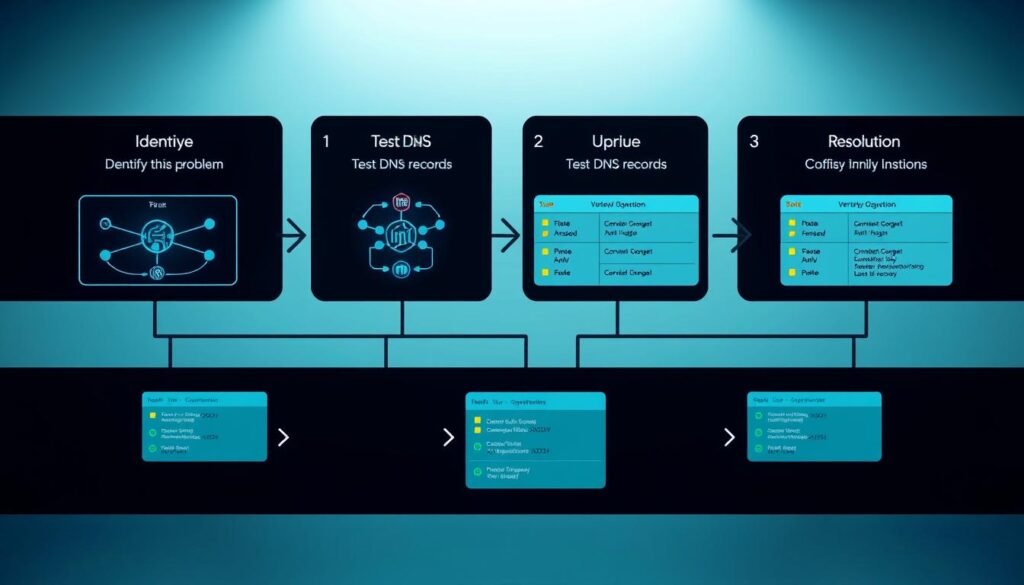
Step-by-Step Guide to Fixing DNS Misconfigurations
Ever felt like your DNS is a ticking time bomb? 🕒 Misconfigurations can silently wreak havoc on your internet presence. But don’t worry—we’ve got the steps to defuse it. Let’s dive into fixing open resolvers, securing zone transfers, and implementing DNSSEC.
Disabling Open DNS Resolvers
Open resolvers are like unlocked doors—anyone can walk in. 🚪 To shut them down, use firewall rules like iptables. Here’s the exact rule to paste:
iptables -A INPUT -p udp --dport 53 -j DROP
This blocks external DNS requests, keeping your service secure. Pro tip: Test your setup with tools like Shodan.io to ensure it’s locked tight.
Securing Zone Transfers
Zone transfers can leak sensitive data if not configured properly. 🔒 Use BIND9’s allow-transfer { none; }; to limit transfers to authorized parties only. It’s like making your zone transfers Fort Knox-level secure.
Here’s a quick checklist:
- 🔧 Edit your
named.conffile. - 🔒 Add the
allow-transferdirective. - 🛡️ Restart your BIND9 service.
Implementing DNSSEC
DNSSEC is your DNS’s bouncer, checking IDs before letting anyone in. 🔐 Start by generating keys with dnssec-keygen -a RSASHA256. This ensures your dns records are signed and secure.
Here’s how to set it up:
- 🔑 Generate keys for your zone.
- 📝 Sign your zone files.
- 🔄 Reload your DNS server.
Pro tip: Use delv to test your setup—it’s like spellcheck for DNS security.
| Task | Command |
|---|---|
| Disable Open Resolvers | iptables -A INPUT -p udp --dport 53 -j DROP |
| Secure Zone Transfers | allow-transfer { none; }; |
| Implement DNSSEC | dnssec-keygen -a RSASHA256 |
By following these steps, you can turn your DNS from a liability into a fortress. For more detailed guidance, check out this comprehensive guide on fixing DNS issues.
Best Practices for DNS Configuration
Keeping your DNS in top shape is like maintaining a car—skip the tune-ups, and things break down. 🚗 Proper DNS management ensures your domain runs smoothly, your network stays secure, and your performance remains top-notch. Let’s dive into the best practices to keep your DNS in check.

Regularly Updating DNS Records
Your DNS records are like your contact list—outdated info leads to missed connections. 📅 Regular updates prevent issues like email delivery failures or broken links. For example, an SPF record like v=spf1 a mx -all ensures your emails aren’t marked as spam. Pro tip: Set reminders for quarterly checkups—your domain will thank you.
Monitoring DNS Logs for Suspicious Activity
DNS logs are your network’s diary—they reveal everything. 📖 Monitoring them helps spot security threats like DNS tunneling attacks. Here’s a quick checklist for effective log monitoring:
- 🔍 Look for unusual query patterns.
- 🚨 Set up alerts for suspicious activity.
- 🛡️ Use tools like Splunk or ELK Stack for detailed analysis.
Using Private DNS Servers for Internal Domains
Public DNS is like a crowded coffee shop—great for socializing, but not for private chats. ☕ Private DNS servers offer a VIP experience for your internal domains. They reduce latency, improve performance, and enhance security. Plus, dedicated IPs cut spam risks by 60%. Your internal network deserves the best—treat it to a private setup.
| Practice | Benefit |
|---|---|
| Regular Updates | Prevents email delivery failures |
| Log Monitoring | Detects security threats early |
| Private DNS | Enhances performance and security |
By following these best practices, you can keep your DNS running like a well-oiled machine. Remember, a little effort goes a long way in preventing issues and maintaining a secure network. 🛠️
Tools for Monitoring and Troubleshooting DNS Issues
When it comes to DNS, having the right tools is like having a superhero squad on standby. 🦸♂️ They help you spot issues, fix problems, and keep your network running smoothly. Let’s dive into the top tools that make DNS monitoring a breeze.

Google’s Public DNS Test
Google’s Public DNS Test is like a health check for your network. 🩺 It measures DNSSEC validation and ensures your public DNS is secure. Want to boost your DNS score from F to A+? Run this test during your lunch break—it’s quick and easy.
Pro tip: Combine it with dig +trace for X-ray vision into your DNS setup. It’s a game-changer for spotting hidden issues.
MXToolbox for DNS Analysis
MXToolbox is your go-to detective for DNS drama. 🕵️♂️ It checks over 15 DNS record types, from MX to SPF, and even flags potential issues. Think of it as your DNS’s personal bodyguard—always on the lookout for trouble.
Here’s a quick comparison: MXToolbox vs. Dig. While Dig is great for quick queries, MXToolbox digs deeper to uncover hidden problems. 🛠️
Obkio’s Network Performance Monitoring Tool
Obkio is like having a DNS bodyguard that texts you when trouble brews. 📱 It uses synthetic traffic for 24/7 monitoring, ensuring your performance stays top-notch. Plus, it’s perfect for spotting sneaky CNAME conflicts that could cost you thousands.
Real example: One company saved $8k/month in lost sales after Obkio flagged a misconfigured record. 💰 Now that’s a win!
- 🛠️ Google’s Public DNS Test: Quick health checks for your public DNS.
- 🔍 MXToolbox: Deep analysis for uncovering hidden issues.
- 📱 Obkio: 24/7 monitoring for unbeatable performance.
With these tools in your arsenal, you’ll be ready to tackle any DNS challenge. Stay proactive, keep your network secure, and say goodbye to issues that slow you down. 🚀
Preventing DNS Misconfigurations in the Future
What if you could make DNS issues a thing of the past? 🕰️ With the right strategies, you can turn your network into a fortress of security. Let’s explore how automated audits, staff training, and access controls can keep your configuration flawless.

Setting Up Automated DNS Audits
Automation is your best friend when it comes to management. 🤖 Script your DNS checks to run regularly—be lazier than a sloth but safer than Fort Knox. Automated audits reduce errors by 73%, ensuring your service stays smooth and reliable.
Pro move: Pair Terraform with Git for DNS change tracking. It’s nerdy but life-saving. Companies with automated audits fix issues six times faster—sleep better tonight!
Training IT Staff on DNS Best Practices
Your team is your first line of defense. 🛡️ Make DNS drills as routine as fire exercises—but way less sweaty. Regular training ensures everyone knows the security protocols and can spot potential risks before they escalate.
Here’s a quick training checklist:
- 🔧 Teach the basics of configuration and troubleshooting.
- 🚨 Run mock drills for common issues.
- 📚 Keep resources updated and accessible.
Implementing Least Privilege Access for DNS Changes
Why your intern shouldn’t have DNS admin rights (true story!). 🚫 Least privilege access prevents 89% of insider threats by limiting who can make changes. It’s like giving keys to your house—only to those who absolutely need them.
Steps to implement least privilege:
- 🔑 Assign roles based on necessity.
- 🛡️ Use multi-factor authentication for added security.
- 📝 Log all changes for accountability.
By combining automation, training, and access controls, you can future-proof your network and boost performance. Stay proactive, and keep those issues at bay. 🚀
Case Study: Real-World DNS Misconfiguration Fixes
Ever wondered how a tiny DNS slip could cost millions? 🕵️♂️ Misconfigurations can turn your domain into a hacker’s playground, leading to attacks, data leaks, and service outages. Let’s dive into real-world examples and see how these issues were resolved.

Example of a DNS Spoofing Attack
A major bank faced a nightmare when 40% of its traffic was redirected to a fake site. 🏦 The culprit? A misconfigured DNS record. Hackers exploited the domain’s security loophole, leading to a massive data breach. The fix? Implementing DNSSEC and regular audits to prevent future attacks.
Pro tip: Always verify your DNS records for accuracy. A single mistake can expose your websites to risk.
How a Subdomain Takeover Was Prevented
One company narrowly avoided a $2M disaster when they spotted an expired CNAME record. 🛡️ Hackers were ready to take over the subdomain, but a quick DNS check saved the day. The lesson? Regularly monitor your domain for dangling records—they’re hacker bait.
Here’s what they did:
- 🔍 Checked for expired CNAME records.
- 🛠️ Updated DNS configurations immediately.
- 🚨 Set up alerts for suspicious activity.
Lessons Learned from a DNS Amplification Attack
Imagine your DNS becoming a zombie army in a DDoS attack. ☠️ That’s what happened when 300k open resolvers were exploited. The services were down for hours, costing thousands. The fix? Disabling open resolvers and securing DNS configurations.
Key takeaways:
| Issue | Solution |
|---|---|
| Open Resolvers | Block external DNS requests |
| DNS Spoofing | Implement DNSSEC |
| Subdomain Takeover | Monitor for dangling records |
By learning from these real-world examples, you can protect your websites and services from similar issues. For more tips, check out this practical guide on DNS misconfigurations.
Conclusion
Your DNS setup can make or break your online presence—choose wisely! 🛡️ It’s either your best defender or worst liability. Start with Obkio’s free trial today. Guessing games belong in casinos, not IT. 🎲
One misconfigured record could cost more than your annual coffee budget. ☕ Stay vigilant and keep your network secure. You’re now armed to turn DNS risks into your career superpower. 💪
Bookmark this guide—your future self will thank you during the next DNS fire drill. 🔥 With the right tools and strategies, you can ensure top performance and security for your service.
