
Surprising fact: a single botnet once powered an attack that flooded whole services with traffic, knocking major sites offline in minutes.
A botnet is a remote-controlled “zombie” network of compromised devices and computers. Adversaries infect endpoints with malware so they can issue commands, steal data, or rent the service to other criminals.
Each infected endpoint is a bot. The operator, or bot-herder, coordinates many bots to launch coordinated attacks across the internet. Modern groups favor peer-to-peer models to resist takedowns and hide control channels.
This guide previews infection paths, command-and-control models, common ddos patterns, fraud methods, and the signals that reveal an active compromise. Learn practical steps to spot red flags and harden devices with layered security.
Key Takeaways
- Botnets are coordinated armies of infected devices used for theft, spam, and disruption.
- Operators use centralized and peer-to-peer command methods; P2P boosts resilience.
- Cheap, always-on IoT gear has expanded botnet scale and stealth.
- Simple hygiene and monitoring can detect compromises early and limit damage.
- For an in-depth primer and examples, see this practical botnet guide.
Botnets 101: Definitions, devices, and why they matter today
A botnet is a criminally controlled mesh of infected devices that operate unseen, letting attackers steal data, send spam, or disrupt services at scale. Defenses start with simple hygiene: updates, strong passwords, and reputable antivirus.
Many everyday devices—phones, routers, and cameras—can silently join a criminal network without owners’ knowledge. A botnet collects compromised computers and IoT devices under a single operator. Each compromised endpoint is a bot, and the operator—called a bot-herder—keeps remote control to monetize attacks or rent access.
What these terms mean:
- Bot: one infected endpoint that follows commands.
- Zombie computer: an unaware device that runs malware and tasks.
- Bot-herder: the actor who coordinates and profits from the network.
Common recruitment targets include PCs and laptops, mobile devices, cameras and smart home gear, on-prem and cloud servers, and SOHO routers that ship with default credentials. These always-on endpoints widen attacker opportunity and increase vulnerability.
Compromised machines can exfiltrate information, send emails or spam, scrape websites, brute-force passwords, and join outages. One weak link can endanger an entire network across the internet.
Practical defenses include timely software updates, strong credentials, and reputable antivirus. At scale, bot-herders use varied C2 models to maintain resilience and evade takedown.
For broader context on related threats, see this primer on common types of cyber attacks.

How do botnets work: the lifecycle from vulnerability to activation
In two steps: attackers find a gap, then deliver malware, and finally turn infected machines into a controlled network for abuse.
The chain from weakness to full takeover begins when criminals find a gap in exposed software or a misconfigured device. They scan for unpatched CVEs, open services, and default credentials to gain initial access.
Stage one: Finding and exploiting a vulnerability
Attackers hunt windows of opportunity in cloud settings, routers, and services. Human error—weak passwords or misplaced admin keys—often lowers the barrier to entry.
Stage two: Malware infection via phishing, drive-by downloads, and social engineering
The delivery stage uses emails, malicious links, fake updates, and drive-by pages. A dropper installs malware that ensures infection, persistence, and lateral movement across the system and local network.
Stage three: Activation, remote control, and scaling the attack
Once enrolled, the bot-herder issues command sequences to each bot and asserts remote control. Automation shrinks the time from first compromise to full enrollment to minutes.
| Phase | Main actions | Common tools | Result |
|---|---|---|---|
| Recon & Exploit | Scan services, probe firmware, exploit CVEs | Port scanners, exploit kits | Initial device foothold |
| Delivery & Infection | Phishing, drive-by, malicious links | Droppers, loaders, social engineering | Persistent malware installed |
| Activation & Scale | Command push, lateral scans, payload updates | C2 servers, P2P modules, automation scripts | Coordinated attacks or monetization |
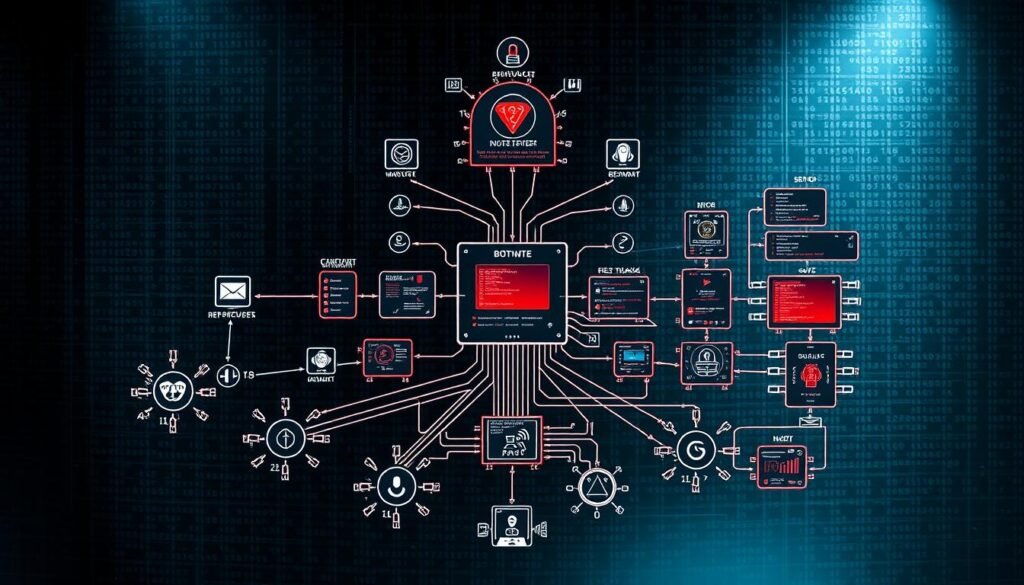
Small probes often test defenses before large assaults. For a deeper operational primer, read this botnet primer.
Inside botnet command and control: client-server vs peer-to-peer models
Command channels decide resilience and risk. Centralized servers let attackers push commands quickly but create a seizure point; peer overlays spread roles across machines to hide operators and resist takedown.
Command-and-control (C2) is the instruction layer that gives attackers control over a compromised device fleet. In a client/server model, each bot beacons to an IRC, web domain, or domain-based endpoint over the internet to fetch updates.
- Star topologies centralize to one hub. Multi-server setups add redundancy. Hierarchical designs cascade orders through tiers.
- Centralization is efficient. It also creates a single point of failure: seize or sinkhole the server, and the whole network can go dark.
- P2P peer models embed instruction roles on each node. Nodes forward encrypted updates to neighbors, which obscures the bot-herder and boosts resilience.
- P2P trades speed for survivability: propagation can lag, but there is no obvious hub to seize.
Detection differs by architecture. Centralized C2 often shows unusual DNS or HTTP patterns. Peer overlays reveal themselves through consistent peer-discovery traffic and overlay flows.
Response must follow the design: seize hubs and sinkhole domains for centralized networks; map overlays, poison peers, and disrupt trust for distributed models. Defenders who baseline normal beaconing and network flows gain the best chance to spot C2 regardless of the chosen model.

| Architecture | Typical C2 | Strength | Weakness |
|---|---|---|---|
| Client/Server (Star) | IRC or single domain | Fast, simple to manage | Single point of failure |
| Client/Server (Multi-server) | Multiple domains/servers | Redundancy for uptime | More infrastructure to manage |
| Hierarchical | Tiered servers | Scalable control | Tiers create chokepoints |
| Peer-to-Peer (P2P) | Node-to-node encrypted updates | Resilient, hides operator | Slower command propagation |
For a deeper operational primer on command architectures, see this practical botnet primer.
What are the most common botnet attacks and what do they look like?
Compromised computers and gadgets power a range of disruptive and profitable digital attacks. These attacks range from noisy outages to quiet data theft; defenders must spot patterns early and act fast.
DDoS and distributed denial-of-service: overwhelming websites and services
DDoS floods push synthetic traffic at a target until a website or service becomes unusable. Attackers may extort victims to stop the onslaught or hide a stealthy data theft operation.
Spam, phishing, and credential attacks
Large-scale messaging abuse sends billions of spam or phishing emails to spread malware and harvest credentials. Brute-force and stuffing efforts rotate IPs and user agents to bypass simple rate limits on login endpoints.
Click fraud, spyware, and financial theft
Compromised bots simulate ad views and clicks to siphon budgets. Spyware modules quietly exfiltrate data, while web-injects and keyloggers enable account takeover and direct financial theft.
- DDoS floods can target L7 HTTP or L3/L4 vectors, complicating mitigation.
- Spam and phishing expand enrollment and deliver next-stage payloads.
- Ad fraud and credential abuse convert control of machines into cash.
- Network edge defenses, anomaly detection, and WAF/CDN layers reduce impact.

Which real-world botnets should you know: Mirai, Gameover Zeus, Necurs, and Retadup?
These four families reveal practical lessons about architecture, resilience, and defender opportunities. Each case shows how design choices shape impact and response.

Mirai turned insecure IoT devices into a DDoS weapon. By guessing factory logins, Mirai enrolled cameras and routers and launched record floods — including a 665 Gbps assault that knocked the site Krebs on Security offline and forced Akamai to step back. Its lightweight control made reinfection fast and costly for defenders.
Gameover Zeus
Gameover Zeus used a peer-to-peer command model to steal banking credentials and exfiltrate data. The P2P design increased durability and complicated takedown efforts until coordinated action, called Operation Tovar, successfully disrupted the network and reduced losses.
Necurs
Necurs became an industrial-scale spam engine, infecting millions of computers. Microsoft analyzed its domain-generation scheme and pre-registered thousands of future names to curb abuse. Single infected machines were observed blasting millions of messages, showing the scale one node can add to network automation.
Retadup
Retadup exposed the flip side: centralized C2 fragility. A vulnerability in its server allowed French authorities and Avast to seize control and push a benign response that caused the malware to self-delete. The action cleaned hundreds of thousands of machines.
“These cases illustrate a core truth: architecture shapes both attacker advantage and defender options.”
- Mirai: insecure IoT defaults + massive ddos traffic.
- Gameover Zeus: resilient peer command propagation and credential theft.
- Necurs: spam scale, domain algorithms, and global disruption.
- Retadup: central server seizure enabled large-scale disinfection.
Study these families to anticipate persistence methods and plan targeted disruption. For practical primers and mitigation tactics, consult this concise overview on botnet basics.
How can you spot a botnet infection on your device or network?
Small performance drops, strange outbound connections, and odd account events are common early signals of compromise. Detecting these signs fast reduces damage and gives defenders a chance to contain spread.
Small, odd changes to performance or unexpected outbound connections can be the earliest clues a device is compromised. Watch for unexplained CPU spikes, devices that run hot, or sudden network slowdowns.
Check mail logs for a surge of sent emails — spam relays often reveal enrollment in a botnet. Unexpected outbound traffic from an idle device suggests command-and-control beacons or data exfiltration.
Account and authentication signs
Monitor repeated failed logins, unusual authentication patterns, and surprise passwords resets. Those events often indicate stolen credentials or replay attempts to gain access.
- Inspect the system for unknown services, scheduled tasks, or drivers that reappear after removal.
- On the network, spikes to odd destinations or blocked countries can reveal compromised devices or bots phoning home.
- Use reputable antivirus to scan, quarantine, and then validate remediation with fresh indicators and rescans.
- Baseline normal behavior for key devices; logging data retention helps correlate subtle changes.
“If multiple hosts show the same anomalies, assume coordinated activity and escalate to incident response immediately.”

For network-level detection techniques and free tools to inspect suspicious packets, see this practical guide on detecting malware in network traffic.
How do you defend against botnet attacks: layered strategies for home and enterprise?
Practical steps reduce exposure and limit attacker options. Patch promptly, enforce strong credentials, run reputable antivirus software, and segment networks to stop spread.
Start with identity and updates.
Patch OS and application software on all devices and computers quickly to close known flaws. Use strong, unique passwords and enable multi-factor authentication wherever supported.
Harden endpoints and IoT.
Remove or change factory default credentials on cameras and routers. Deploy reputable antivirus software or EDR to detect command-and-control beacons and lateral moves. Use allowlisting or a trusted execution model so only approved code runs.
Protect the network perimeter.
Apply ingress and egress filtering to block malicious flows and monitor DNS and web traffic for anomalies. Segment critical systems so a single compromised device can’t pivot to high-value assets.
Erase persistence and recover safely.
If a host is compromised, reimage or reinstall the OS from trusted media. For IoT, perform factory resets or flash firmware to remove persistent implants at the system level.
“Layered security beats any single control—train users, harden endpoints, and run continuous monitoring.”
- Patch rapidly and keep software current.
- Improve identity hygiene with unique passwords and MFA.
- Eliminate default credentials on all devices and rotate secrets.
- Deploy antivirus or EDR and use allowlisting.
- Apply network filters and monitor for C2 patterns.
- Reimage or flash firmware to fully remove infections.

What is the current botnet risk landscape in the United States?
In the U.S., organized fleets of compromised devices rose sharply in 2021, shifting from opportunistic probes to broad, profitable campaigns. Defenders now must treat repeated intrusions as the norm and raise telemetry visibility across the network.
In 2021 activity jumped: observed infections climbed from 35.1% in Q1 to 51.4% by Q3. Around 80% of that surge tied to the top ten known families. The United States absorbed roughly 40.80% of recorded incidents that year, making it a frequent target for ddos and fraud.
Trends and impact: rising activity, top targets, and economic cost
Key trends: commercial and consumer services face the greatest pressure. Cheap IoT and unmanaged computers act as easy staging points. Macro losses are vast — cybercrime costs were estimated at $6 trillion in 2021 and may reach $10.5 trillion by 2025.
- More than half of observed attacks peaked in Q3 2021 and linked to known families.
- Financial, healthcare, and cloud services reported disproportionate disruption.
- Telemetry noise masks subtle indicators, so normalized data and longer retention matter.
Why attackers choose this approach: scale, anonymity, and lower costs
Criminals favor these networks because they scale cheaply and obscure origin through many devices. Running a fleet often costs less than buying equivalent cloud power, and operators can pivot between ddos, fraud, or data theft by swapping malware modules.
Defender imperatives: assume recurring attempts, strengthen perimeter and endpoint security, and share actionable information across sectors to shorten response time on the web.
“Resilience on the defender side comes from visibility, rapid sharing of indicators, and broad remediation — not hope.”
For deeper analytics that can improve mitigation tactics, review this practical analysis of mitigation analytics.
Conclusion
Resilience comes from routine hygiene, tested playbooks, and partnerships that speed takedown when needed. Apply layered controls and assume attackers will try to pivot between spam, credential theft, and DDoS.
Practical next steps: patch and update software, enforce strong passwords and multi-factor authentication, run trusted antivirus software, and prepare an incident playbook to reimage machines and reset IoT after infection.
Expect both centralized and P2P design variants: seizing a compromised server can halt some families, while peer overlays need mapping and disruption. Pre-contract DDoS mitigation for your website, filter malicious emails and spam, and monitor for C2 to limit attacker control.
For a concise primer on the threat and response options, read what is a botnet. Keep dashboards and runbooks simple so teams act fast and protect critical information and access.
