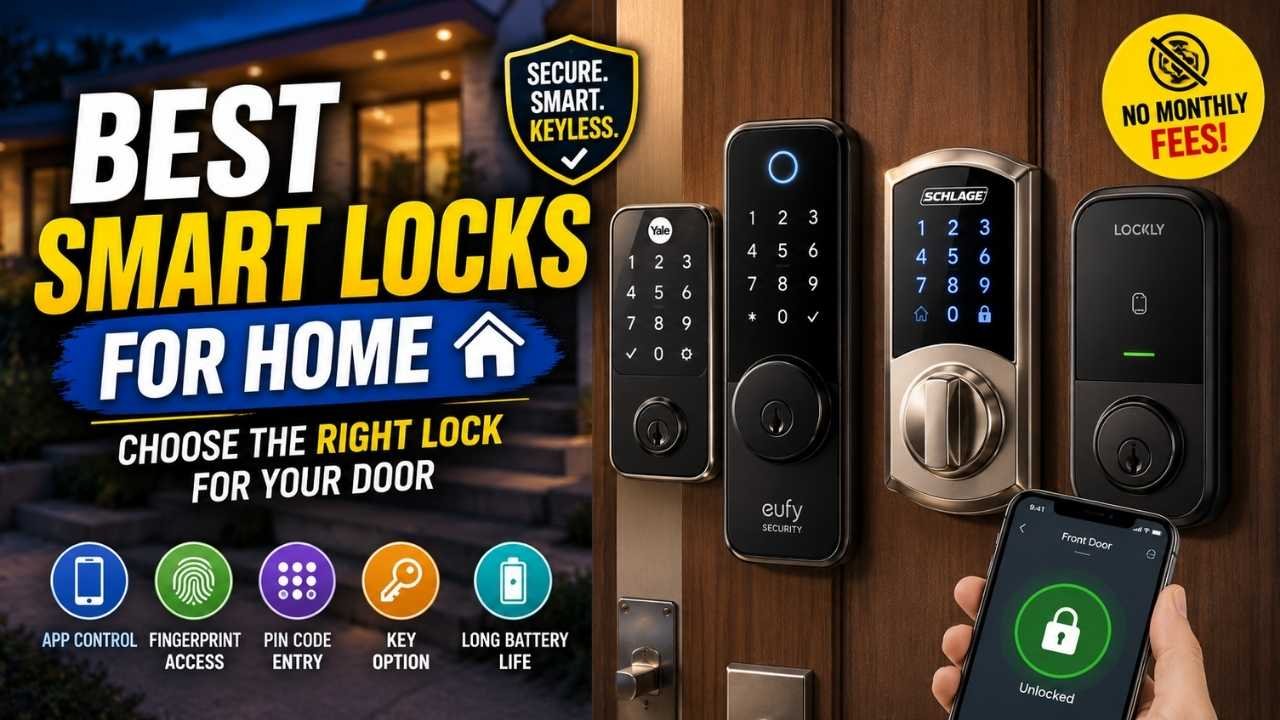
A long feature list does not automatically make a smart lock a good fit for your home. The lock still has to match your door, work with the smart-home system you use, and give everyone in the household a practical way to get inside.
For most homeowners, the Schlage Encode Plus is the strongest all-around choice. The Aqara U100 is a better match when fingerprint access and Apple Home Key are both high priorities. The eufy C220 covers fingerprint entry and Wi-Fi without adding video, while the eufy E330 is aimed at homes that also need a camera and doorbell. The August Wi-Fi Smart Lock takes a different approach by keeping the exterior portion of many compatible existing deadbolts in place.
Whichever one you prefer, check your deadbolt type, door thickness, backset and installation requirements before ordering. A physically incompatible lock is the wrong choice no matter how good its smart features look.
Quick Answer: The Best Smart Locks for Home
Best Overall: Schlage Encode Plus. It is a conventional full-replacement deadbolt with built-in Wi-Fi, keypad access, Apple Home Key, app controls and mainstream voice-assistant support.
Best for Fingerprint + Apple Home Key: Aqara Smart Lock U100. It adds fingerprint entry to Apple Home Key and touchscreen codes, though some remote, automation and ecosystem features depend on an Aqara hub.
Choose the eufy C220 when fingerprint access and Wi-Fi matter more than premium ecosystem features. Move to the eufy E330 when you also want front-door video. The August Wi-Fi Smart Lock is the outlier here, and that is exactly its appeal: it is designed for buyers who want to preserve compatible exterior lock hardware.
| Product | Best For | Key Strength | Main Tradeoff |
|---|---|---|---|
| Schlage Encode Plus Check Price | Best Overall | Wi-Fi + Apple Home Key | No fingerprint reader |
| Aqara U100 Check Price | Fingerprint + Apple Home Key | Multiple entry methods | Hub needed for some functions |
| eufy C220 Check Price | Value fingerprint option | Fingerprint + built-in Wi-Fi | No Apple Home Key focus |
| eufy E330 Check Price | Lock + video doorbell | Integrated 2K camera | More complexity than a basic lock |
| August Wi-Fi Smart Lock Check Price | Retrofit installations | Retains existing exterior hardware | Compatibility varies by deadbolt |
Before You Buy: Will a Smart Lock Fit Your Door?
Smart-home support gets plenty of attention, but door compatibility deserves to come first. A lock may support the exact ecosystem and access methods you want and still be unusable if the hardware does not match your door.
Check Your Existing Deadbolt Type
Start with the lock already on the door. Full-replacement models such as the Schlage Encode Plus, Aqara U100 and eufy locks replace the existing deadbolt hardware. The August Wi-Fi Smart Lock works differently: it attaches to the interior side of many compatible single-cylinder deadbolts and leaves the exterior hardware in place.
That difference changes what you get outside the door. Full-replacement locks can provide built-in keypads or fingerprint readers, while August is aimed at buyers who want to keep the exterior lock and key they already have.
Measure Door Thickness and Backset
A door that looks standard is not necessarily compatible with every smart deadbolt.
The Schlage Encode Plus is listed for door thicknesses from 1-3/8 to 1-3/4 inches and supports an adjustable 2-3/8- or 2-3/4-inch backset. Aqara lists the U100 for 35–55 mm door thickness and 60 or 70 mm backsets.
Compare those published measurements with your own door before ordering.
Check Door Alignment and Bore Dimensions
Smart locks still rely on a smoothly operating mechanical deadbolt. If you have to push, pull or lift the door before the bolt will turn, correct that alignment issue first rather than expecting the lock motor to overcome it.
Also pay attention to bore-hole requirements when the manufacturer publishes them. Aqara, for example, lists a 54 mm bore-hole requirement for the U100.
Full Replacement vs. Retrofit Installation
A full replacement changes more hardware, but it can also give you exterior controls such as a keypad or fingerprint reader. A retrofit lock changes less and may preserve the appearance and key operation of your current exterior deadbolt.
There is no universal winner between the two approaches. The better design is the one that matches what you want to change on the door.
Best Smart Locks for Home Compared
| Product | Access / Connectivity | Special Feature | Best Use Case |
|---|---|---|---|
| Schlage Encode Plus | Keypad, key, Wi-Fi, Apple Home Key | Built-in Wi-Fi | Balanced full replacement |
| Aqara U100 | Fingerprint, keypad, key, Bluetooth, Zigbee | Fingerprint + Apple Home Key | Multi-method Apple household |
| eufy C220 | Fingerprint, keypad, key, Wi-Fi | Value-oriented biometrics | Fingerprint without video |
| eufy E330 | Fingerprint, keypad, key, Wi-Fi | Integrated 2K camera | Lock + video consolidation |
| August Wi-Fi Smart Lock | Existing key, Wi-Fi, Bluetooth | Interior retrofit design | Keeping exterior hardware |
These five locks solve different problems. Schlage is the conventional all-rounder with particularly strong Apple support. Aqara adds fingerprint access but asks you to pay closer attention to hub requirements for some functions. The C220 keeps the focus on fingerprint entry and Wi-Fi, while the E330 deliberately adds video. August belongs in a separate lane because its main advantage is preserving more of the lock you already own.
Schlage Encode Plus — Best Overall
Schlage Encode Plus Smart WiFi Deadbolt

Amazon Link: Check Price on Amazon
Best For: Homeowners who want a conventional full-replacement smart deadbolt with built-in Wi-Fi, keypad entry and especially strong Apple integration.
Why It Stands Out
The Encode Plus does not rely on one unusual feature to justify its place here. Its advantage is how many common smart-lock needs it covers in one conventional deadbolt: remote connectivity without a separate Wi-Fi bridge, keypad entry, physical-key backup, app management and Apple Home Key.
For an Apple-focused household that does not need fingerprints, that mix is hard to fault. It covers several everyday ways of getting through the door without adding the cost and complexity of an integrated camera.
Recent observed pricing placed it at approximately $275–$330, although Amazon pricing can change.
- ANYWHERE ACCESS: With built-in WiFi compatibility, you can easily and securely connect your Schlage Encode Plus lock to your home WiFi network to control and monitor your home from anywhere with the Schlage Home app
- PEACE OF MIND: Lock and unlock from anywhere, manage up to 100 access codes, view lock history, receive customizable notifications and easily manage multiple locks at once - all when paired to the Schlage Home app and connected to a secure WiFi network
- TAP TO UNLOCK: Works with Apple HomeKit and Apple home keys; with home keys you can simply tap to lock or unlock using your iPhone or Apple Watch for easy and secure access to your home
- VOICE CONTROL: Works with Amazon Alexa and Google Assistant for optional, hands-free convenience when paired with the Schlage Home app and a voice enabled device
Key Buying Details:
- Built-in 2.4 GHz Wi-Fi.
- Supports Apple Home and Apple Home Key.
- Alexa and Google Assistant compatibility.
- Supports up to 100 access codes.
- Auto-lock and physical backup key.
- Four AA batteries.
- Manufacturer estimates up to approximately six months of typical battery life, depending on usage.
- Built-in customizable forced-entry/door-movement alarm.
- ANSI/BHMA A156.40 Grade AAA for Security, Durability and Finish.
- ANSI/BHMA A156.36 Commercial Grade 1.
Compatibility and Setup
Schlage lists the Encode Plus for doors 1-3/8 to 1-3/4 inches thick with an adjustable 2-3/8- or 2-3/4-inch backset. Check those measurements and confirm that the existing deadbolt moves freely before installation.
Key Pros:
- Built-in Wi-Fi removes the need for a separate Wi-Fi bridge.
- Apple Home Key gives compatible Apple users another entry method beyond keypad codes.
- A physical key remains available as backup.
- Up to 100 access codes gives households room for family and approved guests.
- Published ANSI/BHMA certifications provide a specific basis for evaluating the physical lock instead of relying on broad security claims.
Key Cons:
- No fingerprint reader.
- No integrated camera or video doorbell.
- Higher-priced than the simpler fingerprint-focused options in this shortlist.
Who Should Buy It
Good Fit If: You want a complete deadbolt replacement with direct Wi-Fi, keypad codes and Apple Home Key, and fingerprint entry is not a priority.
Main Limitations
Skip If: Fingerprint unlocking or an integrated front-door camera matters more to you than Apple Home Key.
Bottom Line: The Encode Plus is the easiest default recommendation in this group because it handles the conventional smart-deadbolt job well without depending on extra hardware for Wi-Fi. Apple households get the most from it. Buyers who care more about fingerprints have better reasons to look at Aqara or eufy.
Aqara Smart Lock U100 — Best for Fingerprint + Apple Home Key
Aqara Smart Lock U100

Amazon Link: Check Price on Amazon
Best For: Apple-oriented households that want fingerprint entry alongside Apple Home Key and keypad access.
Why It Stands Out
The U100 earns its place through access flexibility. A family member can use a fingerprint without carrying a phone, while compatible Apple users can use Home Key. The touchscreen keypad, mechanical key and emergency-power option provide additional ways to get in when needed.
Observed US pricing during research was approximately $125–$150, although promotions can materially change that figure.
- 【Apple Home and Home Key Support】The U100 is a smart door lock that is fully integrated into Apple Home. It can be unlocked with the Apple home keys by simply tapping an iPhone or Apple Watch, even when the iPhone or Apple Watch is out of power. Moreover, you can manage and share door access for your guests in Apple Home. (NOTE: To share Apple Home Keys, you need an Apple Home Hub)
- 【Fingerprint and More Ways to Unlock】The Smart Lock U100 offers multiple ways to unlock, including a high-precision fingerprint reader for up to 50 fingerprints, remotely configurable passwords via the Aqara Home app (An Aqara Zigbee 3.0 hub is required), one-time local passwords for visitors, and a mechanical key for emergency use. * The NFC card is not included and is sold separately.
- 【Automations with Aqara and Third-Party Devices】With an Aqara Zigbee 3.0 hub, the Smart Door Lock U100 is compatible with third-party ecosystems like Google Home, Alexa, IFTTT as well as the Aqara Home app, allowing it to be easily integrated into a wide range of smart home setups and used in smart home automations. For example, when someone presses the Aqara Video Doorbell G4, you will be able to view who is at your door and easily unlock the U100.
- 【Auto Lock & Do Not Disturb Mode】Thanks to the built-in gyroscope inside the lock, the auto-lock feature locks the door for you after you close it. Alternatively, you can disable this feature and leave the door always open. Also, the Do Not Disturb mode can mute the door lock sounds within a certain period of time, to avoid affecting your family’s sleep when you get back home late.
Key Buying Details:
- Apple Home and Apple Home Key support.
- Fingerprint reader supporting up to 50 fingerprints.
- Touchscreen keypad.
- Permanent, periodic and one-time password options.
- Bluetooth 5.0 and Zigbee 3.0.
- Mechanical-key backup.
- USB-C emergency power.
- Four AA batteries.
- Manufacturer states more than eight months under its specified usage assumption; real battery life varies.
- IP65-rated exterior/keypad section.
When an Aqara Hub Is Required
This is the detail to understand before buying the U100. Some remote functions, automations, Matter features and third-party integrations depend on an Aqara Zigbee 3.0 hub.
Bluetooth, Zigbee and Matter-related support do not mean every function works independently or behaves the same way in every smart-home platform.
Door Compatibility
Aqara lists support for 60 or 70 mm backsets, 35–55 mm door thickness and a 54 mm bore-hole requirement. Measure first rather than assuming a typical-looking US deadbolt cutout is automatically suitable.
Key Pros:
- Combines fingerprint entry with Apple Home Key.
- Gives household members several meaningfully different ways to unlock the door.
- Mechanical key and USB-C emergency power add backup options.
- The exterior/keypad section carries an IP65 weather rating.
Key Cons:
- Some remote, automation and integration capabilities require an Aqara hub.
- Less straightforward for buyers who want hub-independent cross-platform control.
Good Fit If: Your household wants fingerprints and Apple Home Key in the same lock, and you are comfortable checking whether your preferred automations require an Aqara hub.
Main Limitations
Skip If: You want your major remote and smart-home functions to work without adding another hub or controller.
Bottom Line: Pick the U100 over Schlage when fingerprint access genuinely matters. It gives mixed-device households more ways to get through the door, but the tradeoff is a smart-home architecture that requires closer attention to hub dependencies.
eufy Smart Lock C220 — Best Value Fingerprint Lock
eufy Security Smart Lock C220

Amazon Link: Check Price on Amazon
Best For: Buyers who want fingerprint access, keypad entry and remote app control without paying for a built-in camera.
Why It Stands Out
The C220 makes the most sense when your priorities are fairly simple: use a fingerprint or PIN at the door, keep a physical key as backup, and manage the lock remotely over built-in Wi-Fi.
It does not try to match Schlage on Apple Home Key or turn the lock into a video-doorbell system. For households that do not need either of those things, that narrower feature set can be an advantage rather than a limitation.
Observed pricing varied considerably, roughly from $100–$170, so the current Amazon listing is worth checking.
Key Buying Details:
- Fingerprint reader.
- Keypad with scramble-passcode support.
- Physical-key backup.
- Built-in Wi-Fi.
- Remote locking and unlocking through the eufy Security app.
- Scheduled fingerprints and passcodes supported through app settings.
- Auto-lock.
- Wrong-try protection.
- One-touch locking.
- USB-C emergency-power port.
- eufy lists AES128 + ECC secure-chipset encryption.
- Uses replaceable batteries.
Built-In Wi-Fi and Access Options
The built-in Wi-Fi is useful because remote app access does not depend on a separate Wi-Fi bridge. That keeps the setup more self-contained than locks where nearby Bluetooth control and out-of-home access depend on different pieces of hardware.
Key Pros:
- Fingerprint and keypad entry cover two common keyless-access preferences.
- Built-in Wi-Fi supports remote app control without another bridge.
- Physical key and USB-C emergency power give you fallback options.
- You are not paying for a built-in video system if you do not need one.
Key Cons:
- Does not have the Apple Home Key emphasis of the Schlage Encode Plus or Aqara U100.
- No integrated camera or video doorbell.
Who Should Buy It
Good Fit If: Your priorities are fingerprint access, PIN entry and built-in Wi-Fi at a more moderate price than many premium smart deadbolts.
Main Limitations
Skip If: Apple Home Key or built-in front-door video is central to your setup.
Bottom Line: The C220 is the practical biometric pick in this list. It focuses on the access methods many households use every day and leaves out premium ecosystem and camera features that would push the price higher.
eufy Video Smart Lock E330 — Best With a Video Doorbell
eufy Security Video Smart Lock E330

Amazon Link: Check Price on Amazon
Best For: Homeowners who want access control and visitor video in the same front-door device.
Why the Integrated Camera Matters
The E330 belongs in a different buying conversation from a basic fingerprint lock. It combines a smart deadbolt, fingerprint reader and video-doorbell system, so the built-in camera is the main reason to consider it.
That is useful when you need both products at the same entrance and prefer one combined setup. If a video doorbell you already like is staying on the door, much of the E330’s appeal disappears.
Recent observed Amazon pricing was approximately $200–$250, although promotions can lower it substantially.
- 3-in-1 Triple Security: This all-in-one device combines a speedy fingerprint recognition smart lock, a 2K HD camera with an f/1.6 lens for crystal clear visibility even at night, and a video doorbell. Enjoy full control over your front door and keep tabs on all the details, day or night.
- 5 Easy Ways to Unlock: The efficient chip and slim fingerprint film combine to recognize you in the blink of an eye, and unlock your door in a heartbeat. Control Video Smart Lock E330 via the eufy Security app, by chatting with your Alexa or Google Voice Assistant, by using the keypad, or with keys.
- Remote Control from Anywhere: No matter where you are, you can see who's at your door through the doorbell camera and manage your lock with the eufy Security app. Stay informed with notifications* and easily handle access for any visitor. *Push notifications with thumbnail previews require thumbnail preview images to be temporarily stored in the cloud.
- One Big Battery Covers Everything: With a large rechargeable battery, you won't have to keep buying batteries for your Smart Lock. It powers all features and has a generous 10,000 mAh capacity.
Key Buying Details:
- Smart deadbolt, fingerprint reader and video doorbell/camera in one device.
- 2K camera.
- Fingerprint unlocking.
- Keypad.
- eufy Security app control.
- Physical-key backup.
- Alexa and Google voice-assistant support.
- Remote access through built-in Wi-Fi.
- Rechargeable 10,000 mAh battery listed for the device.
When It Replaces Two Devices
The E330 is easier to justify when your shopping list already includes both a smart deadbolt and a video doorbell. In that situation, putting those functions in one device is the feature that matters most.
eufy describes installation as not requiring drilling on compatible standard US and Canadian deadbolt installations. That does not mean every door will fit. Compatibility still needs to be checked before purchase.
Key Pros:
- Combines door access and front-door video in one system.
- Provides fingerprint, keypad, app and physical-key access options.
- Built-in Wi-Fi supports remote access.
- The 2K camera gives it a different role from a conventional smart deadbolt.
Key Cons:
- More functionally complex than a standard smart lock.
- Can duplicate hardware for homes that already have a capable video doorbell.
- Uses a rechargeable battery architecture rather than the replaceable-AA approach of some alternatives.
Who Does Not Need It
Good Fit If: You are adding both smart-lock controls and a video doorbell to the same entrance.
Main Limitations
Skip If: You already have front-door video you plan to keep or only need fingerprint and keypad access.
Bottom Line: Treat the E330 as a combined lock-and-video system. It makes the most sense when it replaces two planned purchases. As a simple smart-lock upgrade, it is harder to justify.
August Wi-Fi Smart Lock — Best Retrofit Option
August Wi-Fi Smart Lock, 4th Generation

Amazon Link: Check Availability on Amazon
Best For: Homeowners or some renters who want smart controls while keeping the exterior side of a compatible existing deadbolt.
How Retrofit Smart Locks Differ
August is the least conventional lock in this roundup. Rather than replacing the entire deadbolt, the fourth-generation Wi-Fi Smart Lock mounts on the interior side of many compatible single-cylinder deadbolts.
The exterior hardware stays in place, so the existing key can continue working from outside. That makes August particularly relevant when changing the look of the exterior lock is undesirable.
- UPGRADE YOUR EXISTING DEADBOLT: August smart locks fit on the inside of your door, making your regular deadbolt smarter, more secure and way more convenient. Keep your keys just in case (but you won’t need them).
- GRANT ACCESS WITH THE AUGUST APP: Forget key copying. Quickly and easily share permanent, scheduled or temporary access to your home with friends, family and other people you trust, and never put a key under the doormat again.
- EASY TO INSTALL ON ANY DOOR: Even if you’re not so handy, installation only takes about 10 minutes. August locks fit perfectly over most single cylinder deadbolts and aren't much bigger than your original thumbturn.
- AUTO-LOCKS AND UNLOCKS: August Wi-Fi Smart Lock is able to Auto-Unlock as you get home for totally hands-free unlocking (optional). With Auto-Lock and DoorSense, your home automatically secures once your door is closed, or after a set amount of time.
Key Buying Details:
- Interior retrofit installation.
- Works with many compatible standard single-cylinder deadbolts.
- Retains existing exterior key operation.
- Built-in Wi-Fi.
- Bluetooth local operation.
- Remote operation does not require the separate August Connect bridge associated with older generations.
- Approximate dimensions: 2-7/8 inches in diameter and 1-3/4 inches deep.
Existing Deadbolt Compatibility
Compatibility deserves extra attention with August because the lock depends on the deadbolt you already have. Check August’s compatibility guidance for your specific hardware before buying.
Keeping Your Existing Key
Because the exterior side of a compatible deadbolt remains in place, the existing physical key can still operate the lock from outside.
Key Pros:
- Changes less of the existing door hardware.
- Keeps the exterior lock appearance and existing key operation.
- Built-in Wi-Fi removes the need for the older separate August Connect bridge for remote operation.
- Fits a specific need that full-replacement smart locks do not address as directly.
Key Cons:
- Compatibility depends heavily on the deadbolt already installed.
- No built-in exterior PIN keypad.
- Fingerprint access is not a reason to choose this model.
When a Full-Replacement Lock Is Better
Good Fit If: Your current deadbolt is compatible and keeping the exterior hardware matters more than adding a built-in outside keypad or fingerprint reader.
Skip If: You want a complete exterior smart-lock replacement with integrated keypad or fingerprint access. An additional keypad accessory would be needed for exterior PIN-code entry.
Bottom Line: August earns its place because it changes less. It is the one to choose when preserving a compatible exterior deadbolt is the priority, not when you want the most access controls built into the lock itself.
Which Smart Lock Should You Choose?
Choose Schlage If…
You want the most balanced conventional smart deadbolt in this group, especially when Apple Home Key, built-in Wi-Fi and keypad entry matter more than fingerprints.
Choose Aqara If…
You want fingerprint entry and Apple Home Key in the same lock and do not mind adding an Aqara hub where your preferred remote, automation or ecosystem features require one.
Choose eufy C220 If…
You care about fingerprint access and built-in Wi-Fi but have no need for Apple Home Key or a camera. It is the simpler biometric choice.
Choose eufy E330 If…
You are already shopping for both a smart deadbolt and front-door video. The E330 works best when those two purchases can be combined.
Choose August If…
You want to keep the existing exterior lock. Its retrofit design is the reason to buy it, assuming your current deadbolt is compatible.
What Actually Matters in a Home Smart Lock
Physical Lock and Door Compatibility
Start with the hardware. Check the deadbolt configuration, door thickness, backset and any required bore dimensions. Smart-home features are irrelevant if the lock does not physically fit.
Keypad vs. Fingerprint vs. Phone Access
Think about how people will enter the house day to day. A keypad works well for household members and approved visitors because it does not require a particular phone. Fingerprints can be convenient for regular users, including family members who do not carry smartphones. Phone-based credentials make more sense when everyone already uses the relevant ecosystem.
Whatever you choose as the primary entry method, check the backup methods too.
Built-In Wi-Fi vs. Hub-Based Connectivity
Bluetooth and Wi-Fi do different jobs. Bluetooth commonly handles nearby communication, while out-of-home control needs an internet-connected path.
The Schlage Encode Plus, eufy C220, eufy E330 and fourth-generation August lock all include built-in Wi-Fi. The Aqara U100 uses a different setup in which an Aqara hub is required for various expanded remote, automation and Matter-related functions.
Apple Home Key and Smart-Home Ecosystems
Apple Home support and Apple Home Key are not the same thing. Home Key specifically lets compatible Apple devices act as an access credential.
Alexa support, Google compatibility, Apple Home and Matter should also be evaluated separately. Matter support does not mean every manufacturer-specific feature becomes available in every platform.
Battery and Emergency Access
Look at both routine battery maintenance and what happens when power runs low. Schlage and Aqara use four AA batteries, while the eufy E330 uses a listed 10,000 mAh rechargeable battery.
Manufacturer battery-life estimates vary with usage, wireless activity and other conditions, so they should be treated as estimates rather than guaranteed replacement intervals.
Backup access also varies by model and may include a physical key or emergency USB-C power.
Weather Resistance
Pay attention to which part of the lock carries the weather rating. An exterior keypad or escutcheon is exposed to different conditions than the electronics on the inside of the door. A rating for one section should not automatically be applied to the whole assembly.
Temporary and Scheduled Access
For some households, guest access will matter more than another headline smart feature. Temporary or scheduled credentials can be useful for family members, cleaners and other approved visitors.
Schlage supports up to 100 access codes. Aqara offers permanent, periodic and one-time passwords, while the eufy C220 supports scheduled fingerprints and passcodes through its app settings.
What Most Smart-Lock Buyers Get Wrong
1. Buying Before Measuring
A smart lock being designed for residential doors does not mean it fits every residential door. Measure first, especially when the manufacturer publishes specific door-thickness, backset or bore requirements.
2. Assuming Bluetooth Means Remote Access
Bluetooth usually handles nearby communication. Out-of-home control needs an internet-connected component, whether that connection is built into the lock or supplied by a bridge, hub or smart-home controller.
3. Confusing Apple Home, Home Key and Matter
These are different features and standards. Support for one does not automatically include every capability associated with another.
4. Paying for Video You Already Have
The E330’s camera is useful when it replaces a separate purchase. If you already have a video doorbell you intend to keep, the camera can become duplicated hardware rather than an advantage.
5. Ignoring Backup Access
Smart locks still depend on batteries and electronics. Check the physical-key option, emergency-power provisions and normal battery-maintenance routine before buying.
6. Expecting a Smart Lock to Fix a Poorly Aligned Door
If the deadbolt already binds against the strike plate, the door has a mechanical issue. A motorized lock still has to move that same bolt and may end up working against unnecessary resistance.
How We Chose These Smart Locks
We compared these products using verified specifications, manufacturer-stated compatibility requirements, entry methods, remote-connectivity architecture, ecosystem support and the practical tradeoffs that matter when choosing a home smart lock.
The shortlist also represents five different buying paths rather than five nearly identical keypad deadbolts: a conventional Apple-focused replacement, fingerprint plus Apple Home Key, a value-oriented fingerprint lock, an integrated lock-and-video system and a retrofit option.
No recommendation in this guide relies on a claim of hands-on testing.
Frequently Asked Questions
What should I look for when buying a smart lock for my home?
Check physical compatibility first, including deadbolt type, door thickness, backset, bore dimensions where applicable and door alignment. After that, compare entry methods, Wi-Fi or hub requirements, smart-home support, battery type and backup access.
Will a smart lock fit my existing front door?
Not always. Manufacturers publish supported door dimensions and lock configurations. Full-replacement models replace the deadbolt hardware, while retrofit locks such as the August Wi-Fi Smart Lock rely on compatibility with the deadbolt already installed.
Do smart locks still work when Wi-Fi goes down?
Some access methods may. Depending on the lock, a physical key, keypad, fingerprint reader or certain Bluetooth controls may work without an active internet connection. Remote app control generally requires an internet-connected path, so check the specific model’s setup.
Which smart locks work with Apple Home Key?
Among these five picks, the Schlage Encode Plus and Aqara U100 support Apple Home Key. Aqara adds fingerprint access, while Schlage follows a more conventional keypad-and-Wi-Fi deadbolt design.
Is fingerprint entry better than a keypad?
Not universally. Fingerprints can be convenient for regular household members, while a keypad is easier when you need to give access to someone who is not enrolled in the biometric system. The Aqara U100 and eufy C220 provide both.
Do smart locks require a hub or monthly subscription?
Requirements vary by model and feature. Several locks here have built-in Wi-Fi and do not require a separate Wi-Fi bridge for their listed remote-control functions. The Aqara U100 requires an Aqara hub for certain remote, automation, Matter and third-party integration capabilities. Check the exact functions you plan to use rather than assuming every feature has the same requirement.
Can I keep my existing key with a smart lock?
Yes, with some models. Several full-replacement locks retain a physical backup key. The August Wi-Fi Smart Lock goes further by keeping the exterior portion of many compatible single-cylinder deadbolts, so the existing exterior key operation remains available.
Is a smart lock with a built-in camera worth it?
It can be when you need both a smart lock and a video doorbell. The eufy E330 combines those functions in one device. If you already own a video doorbell you plan to keep, a simpler lock may avoid paying for duplicated hardware.
Final Verdict
For the broadest range of homeowners in this shortlist, the Schlage Encode Plus is the strongest overall choice. Its built-in Wi-Fi, keypad, Apple Home Key, physical-key backup and mainstream smart-home support cover the core needs of a conventional smart-deadbolt installation.
The Aqara U100 is the better match when fingerprint access matters alongside Apple Home Key, as long as you understand when an Aqara hub is required. The eufy C220 keeps things simpler for buyers who mainly want fingerprints, PIN entry and Wi-Fi.
The eufy E330 is the specialist pick when a video doorbell and smart lock need to share one installation. The August Wi-Fi Smart Lock is the better fit when preserving compatible exterior hardware matters more than adding a built-in exterior keypad or fingerprint reader.
Before letting the ranking make the decision for you, verify the manufacturer’s door measurements, deadbolt compatibility and connectivity requirements. With smart locks, the right physical fit can matter more than any feature comparison.
