
Yep, you read that right. While you’re scrolling TikTok or binge-watching cat videos, your web browser might be silently handing over the keys to your digital kingdom. 🚨
Browsers are essential tools, but they’re also hacker playgrounds. From extensions to web apps, every click opens a door for malicious code to sneak in. And here’s the kicker: 95% of stealth malware rides these browser highways. 🎤
Think of browser security like Tinder—one wrong click, and you’re screwed. Updating Chrome won’t save you. But don’t worry, we’ve got your back with some ninja moves to keep you safe.
Key Takeaways
- Browsers are both essential tools and major attack surfaces.
- 95% of undetectable malware spreads through web browsing.
- Browser-borne attacks cost organizations $3.2M on average.
- Extensions and web apps are common entry points for attackers.
- Simple updates aren’t enough to ensure complete security.
Understanding Browser-Based Attacks
Think your browser is secure? Think again. These digital gateways are more vulnerable than you might imagine. Browser-based attacks exploit flaws to steal your data or inject malicious code. It’s like hackers turning your Netflix binge into a data heist 🍿💸.
What Are Browser-Based Attacks?
Browser-based attacks happen when hackers exploit weaknesses in your browser or its extensions. Imagine your favorite meme plugin turning into a Trojan horse. Or that sketchy “free Fortnite skins” site? Basically hacker bait. These vulnerabilities let attackers sneak in without you even noticing.
Why Do Browser-Based Attacks Happen?
Browsers are like Swiss cheese 🧀—developers patch holes, but hackers keep finding new ones. Outdated software, phishing scams, and malicious extensions are the main culprits. For example, Zoom’s 2020 “zero-click” attack let hackers take over meetings just by sending invites. Scary, right?
- 40,000+ known browser vulnerabilities exist—that’s like leaving your car unlocked in Detroit.
- Extensions and web apps are common entry points for attackers.
- Simple updates aren’t enough to ensure complete security.
Stay informed and vigilant. Your browser might be your daily companion, but it’s also a prime target for cybercriminals.
Common Types of Browser-Based Attacks
Ever wondered how hackers turn your browser into their playground? From stealing your data to sneaking in malicious code, browser-based threats are everywhere. Let’s break down the most common ones so you can stay one step ahead. 🕵️♂️
Cross-Site Scripting (XSS)
Imagine your favorite meme comment section turning into a hacker’s playground. That’s cross-site scripting for you. Hackers inject malicious scripts into web applications, stealing your login cookies 🍪. It’s like handing over your house keys to a stranger.
Drive-By Downloads
You click “Watch Squid Game for free,” and bam—your browser gets fingerprinted, and ransomware auto-downloads. This is a classic drive-by download. No warnings, no second chances. GG. 🎮
Phishing Attacks
That “Netflix payment failed” email? The login page looks so real, even Mr. Beast would fall for it. Phishing attacks clone legit sites to steal your credentials. Always double-check URLs before typing in sensitive info. 🎣
Man-in-the-Middle (MitM) Attacks
Hackers Wi-Fi spoofing at Starbucks? That’s a Man-in-the-Middle attack. They intercept your network traffic, digitally pickpocketing your bank login. Always use a VPN on public Wi-Fi. ☕
Pro tip: Spot malicious scripts? Look for ‘eval()’ functions—they’re like hacker cheat codes.
| Attack Type | How It Works | What to Do |
|---|---|---|
| Cross-Site Scripting (XSS) | Injects malicious scripts into web apps | Disable JavaScript on untrusted sites |
| Drive-By Downloads | Auto-installs malware on compromised sites | Use ad blockers and avoid sketchy links |
| Phishing Attacks | Clones legit sites to steal credentials | Verify URLs and enable 2FA |
| Man-in-the-Middle (MitM) | Intercepts network traffic | Use VPNs on public Wi-Fi |
How to Prevent Browser-Based Attacks
Your browser is more than just a gateway to the internet—it’s a potential vulnerability. Unpatched software causes 60% of breaches, making updates non-negotiable. Let’s dive into actionable steps to keep your digital life secure.
Keep Your Browser and Plugins Updated
Treat browser updates like TikTok trends—miss one, and you’re cringe (and hacked). Outdated software is a hacker’s playground. Enable auto-updates or write a PowerShell script to force them. Be the IT overlord your network needs.
Use Secure Browsers and Extensions
Not all browsers are created equal. Brave blocks trackers and ads by default, making it the Batman of browsers. Chrome with uBlock? Robin. Internet Explorer? Alfred—retired and full of secrets. Audit your browser extensions regularly. That “Super Bright Dark Mode” plugin with 12 installs? Probably made by Vlad the Hacker in his mom’s basement.
Enable Click-to-Play for Plugins
Make Flash beg for permission like it’s asking to borrow your car. Click-to-play settings ensure plugins don’t run without your approval. This reduces access points for malicious files. It’s a simple step with big security benefits.
Pro tip: Combine these strategies for maximum protection. Your browser’s security is only as strong as its weakest link.
Implementing Browser Isolation
Imagine surfing the web without worrying about malware sneaking into your system. That’s the magic of browser isolation. It’s like browsing in a digital hamster ball—malware can’t escape to your real system. 🐹

What Is Browser Isolation?
Browser isolation is a security technique that keeps your browsing activities in a virtual container. Think of it as a quarantine zone for your web sessions. Services like Cloudflare Browser Isolation route your traffic through remote servers, ensuring any threats stay locked away from your device.
Benefits of Browser Isolation
Why should you care about browser isolation? Here’s the lowdown:
- Malware Containment: Browse sketchy sites without fear. Any malicious code stays trapped in the virtual container.
- Enterprise-Level Security: Companies like JPMorgan use isolation to access risky data without compromising their systems.
- DIY Protection: Tools like Windows Sandbox let you test risky downloads safely—like a burner phone for your PC.
- Proven Results: Companies using isolation see 83% fewer malware incidents. That’s a lot of IT team high-fives ✋.
Pro tip: Isolation can sometimes lag like a Zoom call with 2 bars. Choose between local and cloud solutions wisely based on your needs.
Browser isolation isn’t just for tech giants. It’s a smart move for anyone who values their online safety. Whether you’re accessing sensitive applications or just exploring the darker corners of the internet, isolation keeps you secure.
Using Content Security Policy (CSP)
Ever feel like your website is hosting a party for hackers? That’s where Content Security Policy (CSP) comes in. Think of it as a VIP list for your site—only approved scripts get past the bouncer. 🚪
What Is CSP?
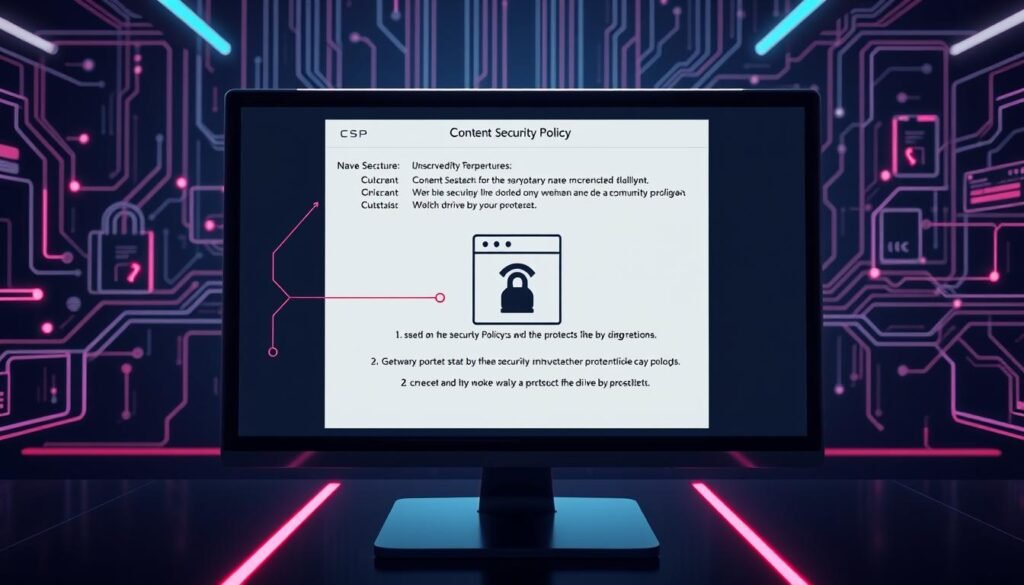
CSP is an HTTP header that tells your browser which resources are safe to load. It’s like a digital bouncer, blocking unauthorized scripts from sneaking into your pages. This helps stop attacks like cross-site scripting (XSS) and drive-by downloads. 🛑
How CSP Prevents Attacks
By setting strict rules, CSP keeps your site secure. For example, the header Content-Security-Policy: default-src 'self' blocks all external scripts. It’s like saying, “Only my friends are allowed in.” 🎟️
Tools like AppTrana make CSP easy. They scan your site, suggest fixes, and monitor violations—like Grammarly for security. Plus, Shopify reduced XSS attacks by 72% after implementing strict CSP policies. That’s a win! 🏆
Pro tip: Start with ‘report-only’ mode. It lets you test CSP without breaking your live site. Because crashing your site? That’s a career-limiting move. 😬
For more details on CSP, check out this guide on CSP headers. It’s packed with tips to keep your site safe and sound. 🛡️
Educating Users on Safe Browsing Practices
Let’s face it—your browsing habits could be putting you at risk. 🚨 Hackers love exploiting careless clicks, and 94% of malware arrives via email. Staying safe online isn’t just about tech—it’s about smart habits. Here’s how to browse like a pro.

Recognizing Phishing Attempts
Phishing is the ultimate social engineering trick. That “Netflix payment failed” email? It’s a trap. Always hover over links to check URLs before clicking. For example, “http://paypa1.update.info” is fake, while “https://www.paypal.com/” is legit. Spot the difference? 🕵️♂️
Forward suspicious emails to report@phishing.org. It’s like Snopes for scams. And if you’re managing a team, run mock phishing drills. Reward employees who spot fakes with Starbucks cards. ☕
Avoiding Suspicious Downloads
“Free Minecraft hack.exe” is about as safe as a back-alley sushi stand. 🍣 Always download from trusted websites and avoid sketchy links. Bookmark legit login pages—never Google “Bank of America” again. It’s a simple trick that keeps your information secure.
Training yourself to spot red flags is key. For instance, if a site asks for unnecessary permissions, it’s probably up to no good. Stay sharp, and you’ll dodge most threats.
Pro tip: Combine these strategies for maximum protection. Your browsing safety is only as strong as your habits.
Regular Vulnerability Assessments
Your digital safety isn’t just about updates—it’s about staying ahead of threats. Regular vulnerability assessments are essential to identify weak spots before hackers do. Think of it as a digital health checkup. 🩺

Assessments help you pinpoint risks and patch them before they escalate. Whether you’re a small business or a tech giant, these checks are non-negotiable. Let’s break down the two main approaches: penetration testing and automated scanning tools.
Conducting Penetration Testing
Penetration testing is like hiring a burglar to test your home security. Ethical hackers simulate real-world attacks to expose vulnerabilities. These pros can earn $15k-$30k per engagement, and for good reason—they know the digital streets better than anyone. 🕵️♂️
Pro tip: Hire ex-hackers. They’ve seen it all and can spot weaknesses faster than anyone.
Using Automated Scanning Tools
Automated tools are your 24/7 security guards. Tools like OWASP ZAP, Burp Suite, and Nessus scan your systems for flaws like XSS and SQL injections. These tools improve detection rates and save time. 🛠️
- Tool stack: OWASP ZAP (free), Burp Suite (pro), Nessus (enterprise)—pick your web app bodyguard.
- Scan schedule: Automate weekly scans. Treat it like your Netflix subscription, but for security.
- Bug bounty plug: Platforms like HackerOne let you crowdsource security. Pay hackers to break your site (ethically).
- Metrics that matter: Track mean time to patch. Under 72 hours = hacker repellent.
| Tool | Use Case | Cost |
|---|---|---|
| OWASP ZAP | Free, open-source scanning | $0 |
| Burp Suite | Professional penetration testing | $399/year |
| Nessus | Enterprise-level vulnerability scanning | $2,190/year |
By combining manual testing with automated tools, you’ll stay one step ahead of hackers. Monitor session activity and track user activity to spot unusual behavior. Regular assessments are your best defense in the ever-evolving world of cyber threats. 🛡️
Conclusion
Securing your browser isn’t just a task—it’s a mindset. Think of browser security as layers of an onion (or Shrek). Updates, isolation, CSP, and training work together to keep hackers at bay. 💪
Bookmark this guide. The next time your cousin asks about “weird pop-ups,” send them here. You’ll be their tech hero. 🦸♂️
Remember, in the web security game, you’re either the hunter or the XP farm. Choose wisely. Companies using these methods blocked 12M+ attacks last year. Be the next success story. 🏆
Stay safer than a VPN-protected sloth 🦥🔒. Your users and data deserve it. Keep browsing smart, and you’ll minimize risk every time you click.
