Ever gotten a text from “your bank” that just felt… off? 🚩 That’s social engineering doing the cha-cha in your DMs. It’s like that sketchy message sliding into your inbox pretending to be your crush—except it’s way more dangerous.
At its core, it’s psychological hacking. Think of it as the art of manipulating people into giving up sensitive info or access. And it’s not just annoying—it’s a serious threat. According to IBM X-Force, 41% of malware infections start with phishing. Yikes!
From the Nigerian Prince scam (the “Baby Shark” of cybercrime) to fake tech support calls, these attacks are everywhere. But don’t worry—by the end of this, you’ll spot these scams faster than a TikTok trend dies. Let’s dive in and keep you safe online!
Key Takeaways
- Social engineering tricks people into sharing sensitive info.
- Phishing is the starting point for 41% of malware infections.
- Common scams include fake bank texts and tech support calls.
- Psychological manipulation is the backbone of these attacks.
- Stay alert to avoid falling for these online traps.
Introduction to Social Engineering in Cybersecurity
Ever had someone try to trick you into sharing your secrets online? 🕵️♂️ That’s the essence of social engineering. Attackers play on your emotions—fear, curiosity, or even trust—to get what they want. They’re the emotional pickpockets of the internet.
Think of it like this: it’s the digital version of a stranger asking, “Can I borrow your phone?” Sounds harmless, but the intent is anything but. These schemes are everywhere, from fake emails to shady DMs. And they’re costing companies big time—BEC attacks alone rack up $2.4B annually, according to the FBI.
Your DMs are the new hunting ground—and everyone’s verified now 😬. One wrong click? That’s all it takes. In fact, just one clicked link has a 93% chance of breaching an enterprise network. Scary, right?
Here’s the deal: attackers are after your information. Whether it’s your bank details, login credentials, or even your identity, they’ll use any trick in the book to get it. Phishing emails, fake tech support calls, or even a too-good-to-be-true offer—they’re all part of the playbook.
Stay sharp. If something feels off, it probably is. Your data is valuable, and these attackers are counting on you to let your guard down. Don’t give them the satisfaction.
Why Social Engineering is So Dangerous
Imagine a single click compromising your entire organization’s security. That’s the reality of these attacks. They exploit trust, the one thing we rely on most. And once they’re in, it’s game over.
Here’s the kicker: 60% of breaches involve these tactics. Why? Because your aunt sharing Minion memes on Facebook is cybersecurity’s weakest link. Scammers know this and use it to their advantage.

They’ve even weaponized empathy. Think puppy pics bypassing firewalls 🐶. It’s not just cute—it’s a calculated move to lower your guard. And it works.
Take the 2020 Twitter Bitcoin hack. A single victim fell for a phone spear phishing scam. The result? A domino effect that compromised high-profile accounts. One mistake, and the entire organization was at risk.
But it gets scarier. Deepfake voice clones are now a thing. That “urgent request” from your CEO? It might be AI-generated. And once malware gets in, it spreads like a pandemic. One “Oops, I clicked” can make you Patient Zero for a data disaster.
| Threat | Impact |
|---|---|
| Weaponized Empathy | Bypasses firewalls using emotional triggers |
| Domino Effect | Single victim compromises entire organization |
| Deepfake Voice Clones | AI-generated requests trick employees |
| Pandemic Spread | One click can lead to widespread malware |
Stay sharp. These attacks are designed to catch you off guard. Your security depends on it.
How Social Engineering Works
Curious about the step-by-step process behind online scams? 🕵️♂️ It’s like a Netflix thriller, but with your data as the star. Attackers follow a clear lifecycle to trick their targets. Let’s break it down so you can spot the red flags before it’s too late.

Stages of a Social Engineering Attack
Think of these attacks as a four-part series. Each stage is designed to lure you deeper into the trap. Here’s how it goes:
- Stage 1: Research – Attackers go full cyberstalker mode. They scour LinkedIn, Instagram, and other platforms to gather intel on their victim. It’s like they’re writing a biography, but with malicious intent.
- Stage 2: Hook – This is where the bait drops. Phishing emails with urgent messages like “Reactivate your account!” or “Click this link now!” are common. They’re designed to make you panic and act fast.
- Stage 3: Play – The long con begins. Attackers use fake Slack or Trello lookalikes to keep you engaged. They’ll ask for more info or access, playing the role of a helpful colleague or service provider.
- Stage 4: Exit – Once they’ve got what they want, they cover their tracks. Fake Microsoft tech support alerts or sudden “system errors” are common exit strategies.
| Stage | Description |
|---|---|
| Research | Attackers gather intel on the victim’s online presence. |
| Hook | Phishing emails or messages create urgency to act. |
| Play | Multi-step attacks keep the victim engaged and trusting. |
| Exit | Attackers cover their tracks with fake alerts or errors. |
By understanding these stages, you can stay one step ahead. Remember, if something feels off, it probably is. Your data is valuable—don’t let it fall into the wrong hands.
Common Types of Social Engineering Attacks
Ever clicked on a link that promised free concert tickets, only to realize it was a scam? 🎟️ That’s just one example of how attackers manipulate trust to steal your data. These schemes come in many forms, but they all share one goal: to trick you into giving up sensitive information.
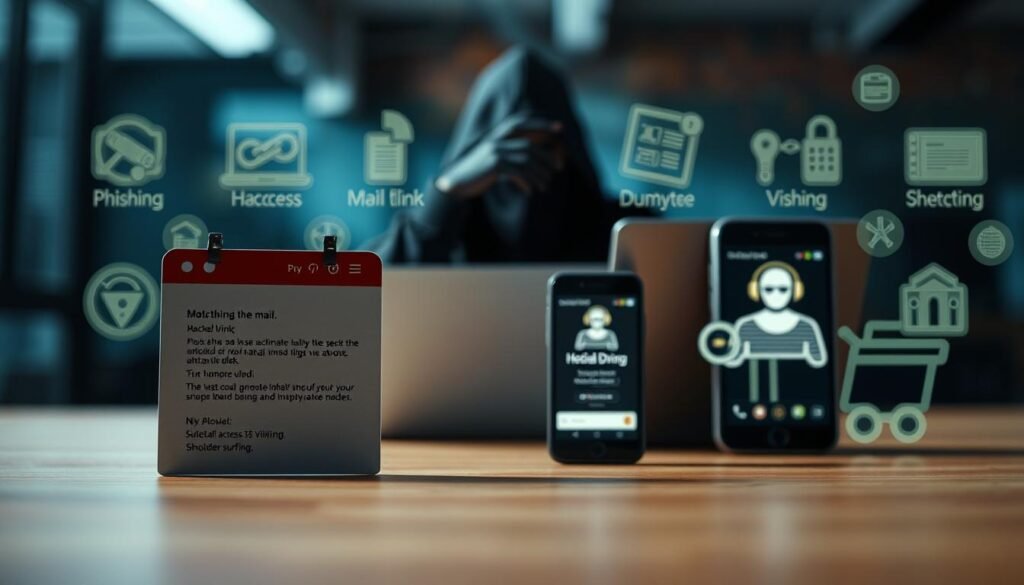
Phishing: The Shotgun Approach
Phishing is like throwing spaghetti at the wall—see what sticks. Attackers send mass emails or messages, hoping someone will bite. Fake Amazon Prime alerts or “urgent” account updates are common tactics. Did you know 96% of phishing happens via email? 📧
Spear phishing takes it up a notch. Instead of mass emails, attackers target specific individuals or organizations. They might impersonate your boss or a trusted colleague to gain access to sensitive data. Always double-check the sender’s email address—it’s often the first red flag.
Baiting: IRL Trolling
Imagine finding a USB drive labeled “Salaries 2024” in your office parking lot. Curiosity gets the better of you, and you plug it in. Boom—malware infects your system. 🚨 Baiting relies on your natural curiosity, and it’s surprisingly effective. Studies show 60% of employees fall for it.
Baiting isn’t just physical. Fake websites offering free downloads or too-good-to-be-true deals are digital bait. Remember, if it seems too good to be true, it probably is.
Pretexting: The Cyber Improv
Pretexting is like a bad improv skit. Attackers create a fake scenario to gain your trust. For example, they might call pretending to be from IT, saying, “We need to talk about your Hogwarts Legacy gameplay.” 🎮 The goal? To trick you into sharing passwords or other sensitive info.
These schemes often involve detailed backstories to make them believable. Always verify the identity of anyone asking for sensitive information—especially if they’re calling out of the blue.
| Attack Type | Method | Impact |
|---|---|---|
| Phishing | Mass emails with fake alerts | Steals login credentials or personal data |
| Baiting | Malware-loaded USBs or fake websites | Infects systems with malware |
| Pretexting | Fake scenarios to gain trust | Extracts sensitive information |
Stay sharp. These attacks are designed to catch you off guard. Your security depends on it. If something feels off, it probably is. 🚩
How to Protect Yourself from Social Engineering
Ever felt that sinking feeling when you realize you’ve been duped online? 🕵️♂️ It’s not just frustrating—it’s a wake-up call to tighten your security game. Here’s how you can stay one step ahead of these sneaky tactics.

Security Awareness Training
Think of this as your digital self-defense class. Training your employees to spot scams can reduce click rates by 70%. How? Run internal ‘Scam Olympics’ with prizes for spotting fake emails. 🏅 It’s fun, engaging, and builds a culture of vigilance.
Simulated attacks are another great tool. They mimic real threats, helping your team recognize red flags before it’s too late. Remember, a well-trained team is your first line of defense.
Multi-Factor Authentication
Your accounts need bouncers, not just velvet ropes. MFA blocks 99.9% of account hacks by adding an extra layer of security. It’s like a second lock on your digital door—even if someone gets your password, they can’t get in without the second key.
Set up MFA on all critical accounts, from email to banking. It’s a small step that makes a big difference in protecting your credentials.
Email Security Measures
Emails are the #1 entry point for scams. Protect your inbox by setting up DMARC—think of it as verifying blue checks for your domain. ✅ This ensures only legitimate emails reach you, blocking spoofed messages.
Use free tools like CanaryTokens to track bait files or Have I Been Pwned (HIBP) to check if your password has been compromised. And remember, “123456” won’t cut it—try something like ‘DogeToTheMoon2024!’ instead. 🚀
“Your security is only as strong as your weakest link. Stay sharp, stay safe.”
By combining training, MFA, and email security, you can build a fortress around your data. Don’t let attackers win—arm yourself with the right tools and knowledge.
What is Social Engineering in Cybersecurity: A Deep Dive
Picture this: a scammer using AI to mimic your boss’s voice in a Zoom call. 🎙️ Sounds like sci-fi, right? Welcome to the new era of threats, where generative AI is rewriting the rules of deception. Let’s break down the tech behind these schemes and how you can stay ahead.

The AI arms race is on. Think ChatGPT vs. FraudGPT—the ultimate bot showdown. While one helps you write emails, the other crafts phishing messages so convincing, even your IT team might fall for them. Scammers are leveraging AI security tools to create hyper-personalized attacks. It’s like they’ve got a cheat code for manipulation.
But here’s the good news: behavioral biometrics can outsmart them. Your mouse movements, typing speed, and even how you scroll can flag suspicious activity. It’s like your digital fingerprint—unique and hard to fake. 🖱️ This detection method is turning the tables on scammers.
Future threats? Deepfake Zoom calls requesting Bitcoin payments are already happening. Imagine a “CEO” asking for an urgent transfer—only it’s not them. These schemes are evolving fast, and staying vigilant is your best defense.
For enterprises, zero trust isn’t paranoid—it’s just good cyber-manners. Verify everything, trust nothing. This approach blocks 85% of novel attack patterns, according to IBM Guardium. It’s like having a bouncer for your data.
Insider tip: run red team vs. blue team war games. Simulate attacks to test your defenses and train your team. It’s like a fire drill for cybersecurity. 🔥 And remember, human error accounts for 68% of data. Training is your secret weapon.
“In the battle against scams, knowledge is your shield, and vigilance is your sword.”
Stay sharp. The threat landscape is changing, but with the right tools and mindset, you can outsmart even the most advanced schemes. 🛡️
Conclusion
Let’s wrap this up with a quick cyber-hygiene checklist to keep you sharp online. 🛡️ Remember the 5-second rule for suspicious DMs—if it feels off, it probably is. Trust your gut and double-check before clicking.
You’re now the Neo of the phishing Matrix, dodging those digital bullets like a pro. 💪 Empower yourself with awareness and share this guide with your group chat. Your friends’ cyber-hero journey starts here.
And here’s a final zinger: if Prince Harry really needs your SSN, he’ll DM from a verified account. 💂♂️ Stay vigilant and keep your security culture strong.
For an extra layer of protection, check out IBM’s free phishing simulator toolkit. It’s a game-changer for identifying threats and staying one step ahead. Stay safe out there! 🚀
