
Could breaking a flat network into smaller slices stop an intrusion before it spreads? That single change can make a huge difference for businesses and IT teams.
Network segmentation divides a larger system into smaller, manageable zones so teams gain clear visibility and tighter control. This reduces the attack surface, limits lateral movement of threats, and keeps sensitive data and critical assets isolated.
Segmentation also helps performance by separating heavy traffic—like video calls—from core systems. It makes monitoring and logging simpler for compliance checks, such as PCI DSS.
Physical methods use routers, switches, and firewalls, while logical approaches rely on VLANs and addressing. Microsegmentation takes policy down to workloads. A practical path follows four steps: map assets and flows, design zones, enforce least-privilege access, and monitor continuously.
For a deeper technical primer, see the concise guide on network segmentation.
Key Takeaways
- Segmentation reduces risk by limiting lateral spread of attacks.
- Performance improves when traffic for services like videoconferencing is isolated.
- Microsegmentation enforces policies at the workload level for stronger defense.
- Start practical: identify assets, design zones, enforce access, and monitor.
- Scale as needed from guest Wi‑Fi for small firms to PCI scopes in enterprises.
What Is Network Segmentation Explained Simply
Splitting a large system into smaller zones gives teams precise control over who, what, and how traffic flows. This approach reduces exposure and makes it easier to enforce rules that protect critical assets.
In plain terms, segmentation means dividing one broad environment into distinct subnets or zones. Each zone behaves like its own mini network with tailored policies.
Plain-language definition and why it matters today
Each network segment has rules that limit which users and devices can reach sensitive data. Gateways, firewalls, and filters allow specific ports and services and deny the rest.
Today’s remote staff, cloud apps, and many IoT devices multiply potential paths for attackers. Limiting those paths cuts accidental access and shrinks the blast radius when incidents occur.
How segments (subnets/zones) control traffic and access
Devices inside a subnet talk locally as needed. Cross-zone traffic passes only through enforced gateways that log, inspect, and block risky flows.

| Feature | Example | Benefit |
|---|---|---|
| Logical zones | VLANs, addressing | Fast changes, low cost |
| Physical | Routers, firewalls | Stronger isolation |
| Microsegment | Workload policies | Granular security |
- Start small: separate guest Wi‑Fi from internal systems.
- Map subnets: a simple diagram shows allowed paths and blocks.
Why Network Segmentation Is a Powerful Security Strategy
Segmentation shrinks risk and improves control across systems. It also reduces congestion and makes monitoring far more effective for teams.
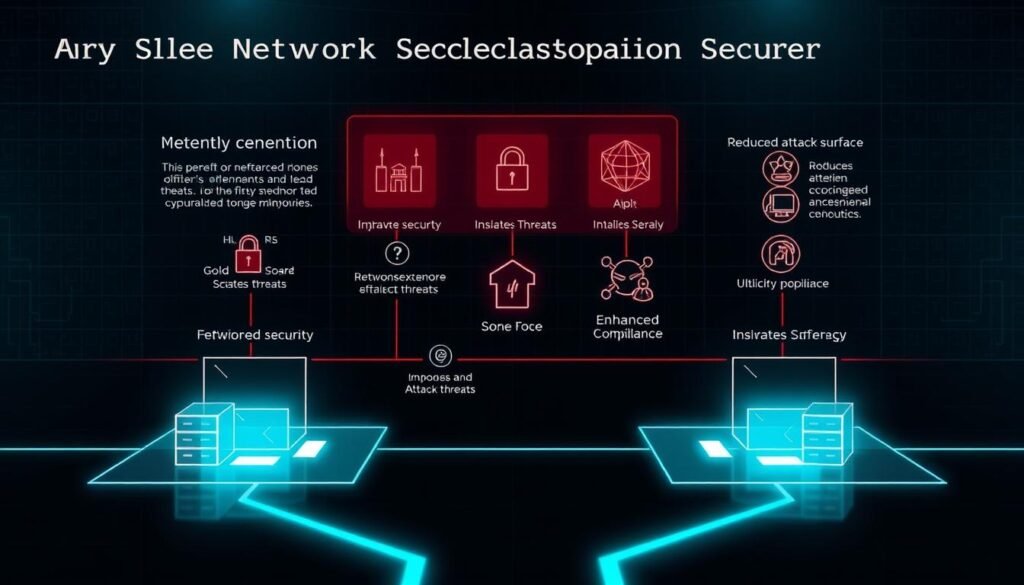
When systems are designed as separate zones, a compromise rarely spreads unchecked. Well-placed controls stop an infected app from moving to other hosts, shrinking the attack surface and slowing lateral movement.
Reduce spread and contain threats
Containment works: isolate critical assets so malware cannot jump freely. This gives defenders breathing room to detect and remove intruders before they reach sensitive data.
Boost performance and user experience
Separating heavy network traffic for video and backups keeps core services responsive. Users see smoother meetings and steadier application behavior when flows stay in the right lanes.
Improve monitoring, logging, and response
Smaller zones make logs easier to correlate. Teams detect anomalies faster and escalate with higher confidence. For PCI DSS, isolating cardholder data reduces audit scope and simplifies compliance.
- Use cases: healthcare isolating medical devices; retailers protecting payment zones; SaaS firms separating staging and production.
- Zero Trust: adopt “never trust, always verify” so access between zones requires explicit authorization.
- Resilience: segmentation slows propagation, giving security teams more time to respond and recover.
“Design clear policies and visible boundaries so non-security teams understand data paths and responsibilities.”
How Network Segmentation Works in Practice
Teams define exactly which applications can talk across segments, then lock down everything else. This approach keeps control simple and reduces surprises during incidents.
Start with clear policies: list required services, document ports and protocols, and adopt a default-deny stance. That single rule prevents accidental exposure and narrows the paths attackers can use.
Security policies and rules that govern inter-segment traffic
Document which hosts and services must communicate. Specify ports, protocols, and time limits for exceptions.
Policy flow: identify apps, record ports, allow minimal access, and revoke temporary exceptions on a schedule.
Role of gateways, firewalls, and ACLs between zones
Enforce policies with a layered stack. Gateways handle application inspection, firewalls block unwanted flows, and access control lists (ACLs) add precise source/destination filtering.
Physical hardware gives strict separation; VLANs and addressing enforce logical boundaries on shared infrastructure. Splitting into subnets cuts broadcast domains and makes traffic patterns auditable.

| Control Layer | Primary Role | Practical Benefit |
|---|---|---|
| Policy document | Define allowed services and ports | Clear, testable rules |
| Gateway / NGFW | Inspect and enforce application rules | Stops malicious traffic |
| ACLs | Fine-grained filtering by host | Minimal attack surface |
| Subnets / VLANs | Contain traffic and broadcast domains | Predictable, auditable flows |
- Least privilege for networks: only grant access a service truly needs and time-limit exceptions.
- Logging: record allowed and denied flows to spot misconfigurations and probes fast.
- Change safety: version rules, test in staging segments, and use maintenance windows to avoid outages.
“Make rules simple, test them often, and log everything crossing your zones.”
Physical Segmentation vs. Logical Segmentation
Choosing dedicated gear or virtual boundaries shapes cost, control, and how fast you can change rules. Both methods cut lateral movement and reduce blast radius, but they differ in scale and management.
Physical separation with dedicated hardware
Physical segmentation uses routers, switches, and firewalls to create isolated islands of infrastructure. This approach gives strong isolation and clear, minimal touch points between zones.
It feels simple to design, yet adding capacity across sites or data centers grows costly. Hardware changes may be required for even small policy tweaks.
Virtual boundaries using VLANs and addressing
Logical segmentation relies on VLANs and IP schemes to carve virtual lanes on the same devices. It reduces cost and speeds rollouts because no new cabling or racks are needed.
Virtual models adapt better to distributed and multi-cloud environments and let teams update policies at scale.
Cost, performance, and management trade-offs
Both types lower congestion inside segments and help protect sensitive data. Logical designs usually adjust faster to changing traffic and workloads.
Most teams blend approaches: use physical isolation for highly sensitive zones and logical controls elsewhere. Keep clear documentation of inter-zone dependencies to avoid accidental access paths.

Core Types and Techniques to Segment a Network
Teams pick from distinct techniques to split infrastructure into manageable, secure lanes. Below are practical methods and when to prefer each one.
VLANs and ACLs
VLANs carve broadcast boundaries using IP partitioning. Pair them with ACLs to define which sources reach which destinations. This is a cost‑effective, fast way to reduce unwanted east‑west traffic.
Firewall-based zoning
Firewalls build policy guardrails that filter inter-zone flows and block internal communications when needed. At scale, design complexity grows unless you centralize rules and logging.
SDN and centralized control
Software-defined networking (SDN) lets controllers program policies across infrastructure. Use SDN to automate consistent rules and speed policy changes.
Host-based and micro approaches
Endpoint agents add visibility and enforce per-host access. Microsegmentation then applies a default deny stance at the workload level to limit lateral movement.
Choose by application patterns, compliance, and skills. Document security policies for each technique and link policy diagrams to incident playbooks. For a practical guide to help you segment network, follow the recommended checklist below.

| Technique | Primary Control | Best For | Trade-offs |
|---|---|---|---|
| VLAN + ACL | Layer 2/3 partitioning | Quick isolation, low cost | May need complex ACL management |
| Firewall Zones | Policy enforcement | Clear inter-zone filters | Scale and device count concerns |
| SDN | Centralized policies | Automation across clouds | Requires controller expertise |
| Host / Micro | Endpoint controls | Granular workload isolation | Agent overhead and policy churn |
Network Segmentation, Zero Trust, and Access Control
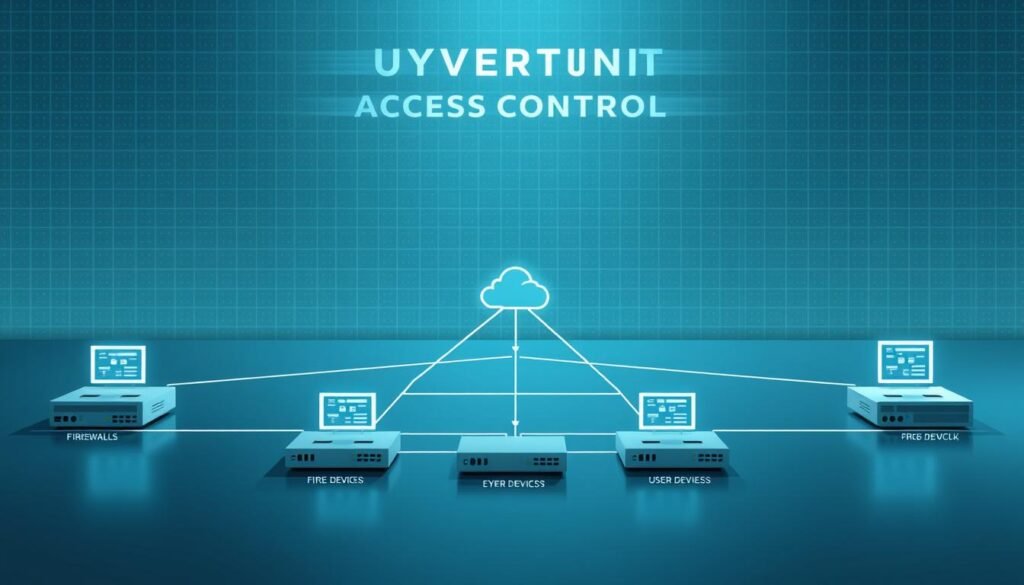
Zero Trust turns segmentation into an active gatekeeper: every cross-zone request must prove identity, posture, and intent before gaining permission. This shifts security from a single perimeter to continuous verification across zones and systems.
Never trust, always verify: enforcing least privilege
Apply least privilege so users and services receive only the access they need, for the shortest time. Pair short-lived credentials with strict role mapping to limit privilege creep.
Identity, IAM, and NAC in modern segmented networks
Identity and access management (IAM) brings SSO and MFA to authenticate and authorize identities consistently. Network access control (NAC) then checks device posture, assigns a device to the correct zone, or quarantines noncompliant endpoints automatically.
Combined with microsegmentation, these controls interrupt lateral movement by forcing fresh authentication and authorization at each step. Continuous evaluation adapts access decisions to signals like device health, location, and recent behavior.
Practical link: For federal-focused Zero Trust takeaways, see Zero Trust guidance for agencies.
Common Use Cases and Real-World Examples
Everyday scenarios show where proper segmentation delivers immediate wins for security and uptime. Practical examples help teams apply rules that protect data while keeping systems fast.
Below are typical use cases IT and security teams see in offices and clouds. Each entry shows the goal, the control, and the operational benefit.

Guest Wi‑Fi isolated from internal assets
Goal: let visitors reach the internet only.
Control: place guest SSIDs in their own subnet and block internal ports and shares.
Departmental access (marketing vs. accounting)
Keep departments in separate subnets so roles have limited access. Alerts fire on cross‑zone attempts that break policy.
Public cloud environments and shared responsibility
Cloud providers secure infrastructure, while your teams must segment applications and data inside tenant boundaries. Treat the cloud like on‑prem but with identity and IAM controls.
PCI DSS cardholder data environments
Carve a dedicated cardholder zone, allow only required flows, and log every crossing. This reduces audit scope and raises compliance confidence.
- Performance: isolate chatty services so network traffic never chokes critical apps.
- Devices: put printers and IoT in restricted lanes with minimal access to sensitive systems.
Step-by-Step: Implementing Segmentation Without the Headaches
Start with a clear, practical plan that protects critical assets while keeping operations smooth. This section lays out concise steps you can follow to segment network resources with minimal disruption and measurable security gains.
Identify critical assets and map flows
Inventory assets and label them by sensitivity. Map data and application flows between hosts so you see which communications are required and which are risky.
Choose strategy and design zones
Decide whether logical segmentation, physical separation, or a hybrid fits your budget and timelines. Draw zone boundaries and document allowed flows for each subnet and service.
Deploy gateways and define inter-segment rules
Place gateways at controlled choke points and start with a deny-all stance. Then open only the minimal ports and protocols required. Keep rules concise and review them often.
Establish access control and least-privilege policies
Tie access to identity and role, issue short-lived exceptions, and revoke temporary rights on schedule. Clear security policies reduce privilege creep and speed incident response.
Monitor, audit, and iterate
Set up continuous monitoring to catch drift and measure rule effectiveness. Use audits and change management to promote updates safely. Iterate based on incidents and evidence.
| Step | Primary Action | Expected Result |
|---|---|---|
| Inventory | Label assets by sensitivity | Prioritized protection |
| Mapping | Document data flows | Clear allowed paths |
| Design | Choose zones and subnets | Predictable isolation |
| Enforce | Deploy gateways and rules | Reduced attack surface |
| Govern | Monitor and audit continuously | Sustained security posture |
“Start small, document every rule, and measure impact—security improves when teams see clear results.”
Pitfalls, Risks, and How to Avoid Misconfigurations
Too many tiny zones can hide errors and tie up operations, turning protection into a management headache. Keep designs purposeful so teams can test and audit rules without overload.
Over-segmentation and operational complexity
Splitting systems into excessive slices raises change effort and creates conflicting rules. That conflict often causes outages or holes in policy.
Gaps in internal filtering and insider threats
A perimeter-only approach leaves internal traffic unchecked. Enforce filters between internal zones and audit privileged actions to limit roaming threats and privilege abuse.
Multi-cloud nuances and change management
Different providers express rules differently. Standardize policy intent and automate translations where possible. Use disciplined change control to avoid drift across environments and regions.
Practical checks before rollout:
- Run real workload tests to validate traffic paths and latency.
- Document rules, test rollback, and schedule reviews.
- Use centralized logging to spot conflicting rules fast.
| Risk | Cause | Mitigation |
|---|---|---|
| Operational overload | Too many tiny zones | Consolidate zones and simplify rules |
| Unchecked lateral movement | Missing internal filters | Apply deny‑by‑default between zones |
| Policy drift | Multi‑cloud differences | Automate policy translation and audits |
| Performance hit | Poor traffic design | Validate with load tests and optimize paths |
Best Practices to Sustain Performance and Security
Keep designs lean and add control depth only where sensitive systems demand it. Simple zone maps reduce errors and cut management time while preserving strong defenses where risk is highest.
Balance simplicity with security depth
Balance simplicity with security depth
Start with a compact architecture that covers high-value assets first. Use a few clear subnets and label them by function and sensitivity.
Layer extra controls—VLANs, ACLs, and firewall rules—only where risk or compliance requires it. That keeps management light and effective.
Automate discovery, labeling, and policy updates
Automate discovery, labeling, and policy updates
Deploy automated asset discovery so new devices and services land in the right segment from day one. Tagging and automated policies prevent drift.
Use orchestration to push consistent rules across devices and clouds. This saves time and reduces human errors during changes.
Continuous monitoring, logging, and response
Continuous monitoring, logging, and response
Monitor key segments continuously. Track north-south and east-west network traffic and alert on deviations from expected flows.
Review access regularly, prune unused rules, and validate least-privilege policies after major releases. Track latency and packet loss to catch misrouted traffic before users notice.
| Practice | Primary Tool | Benefit |
|---|---|---|
| Minimal design | Subnet maps, zone diagrams | Lower management burden, fewer errors |
| Automated labeling | Asset discovery, orchestration | Correct policy placement from day one |
| Consistent controls | VLANs, ACLs, firewall | Repeatable troubleshooting and compliance |
| Continuous monitoring | SIEM, flow logs | Faster detection and response |
| Access reviews | IAM, periodic audits | Maintains least-privilege and reduces risk |
Conclusion
A clear plan that divides your infrastructure into purposeful zones delivers both safer systems and steadier performance.
Strong, practical move: structure subnets with concise policies so you cut risk and keep traffic predictable. Use logical controls like VLANs and firewall rules for agility, and reserve dedicated hardware for the most sensitive assets.
Zero Trust is a posture, not a product—segmentation enforces it daily by limiting lateral access and improving monitoring.
Next step: map critical data flows, pick one or two high-impact zones to protect first, and expand iteratively. For a practical primer, see this concise network segmentation guide.
