
Imagine driving your car, unaware of a stowaway in the trunk secretly steering from the backseat. That’s rootkits for your computer—sneaky, silent, and dangerously effective. 🥷 These digital ninjas give hackers VIP access to your system, often without you noticing a thing.
Unlike viruses that crash your screen with loud alerts, rootkits operate in the shadows. A 2022 study revealed that 56% of personal cyberattacks rely on them. They’re not your grandpa’s computer bugs—modern versions can survive OS reinstalls! Remember Sony’s 2005 CD copy protection backfire? That’s how sneaky they can be.
Key Takeaways
- Rootkits are stealthy malware that hide in your system.
- They give hackers unauthorized access without detection.
- 56% of personal cyberattacks involve rootkits.
- Unlike viruses, they operate silently and avoid detection.
- Modern rootkits can survive operating system reinstalls.
Introduction to Rootkits
Think of your computer as a fortress, with rootkits as invisible invaders breaching its walls. These sneaky tools grant hackers continuous privileged access while staying hidden. Unlike other malware, they’re masters of disguise, often slipping past your security software unnoticed.
The name says it all: “Root” refers to admin-level control, and “kit” means a set of tools. Together, they form a hacker’s Swiss Army knife 🔪. Scarier still? Your antivirus might be waving at a rootkit it can’t see 👻. These digital cockroaches survive reboots and even hide in firmware, making them incredibly persistent.
In gaming terms, rootkits are like God mode cheat codes for hackers—your PC’s the game, and they’re calling the shots. Modern examples like BlackLotus (2022) have even bypassed Windows 11 Secure Boot, proving how advanced these threats have become.
| Feature | Description |
|---|---|
| Stealth | Hides from security software and operating systems. |
| Persistence | Survives reboots and firmware updates. |
| Access | Grants admin-level control to hackers. |
With 56% of personal cyberattacks relying on rootkits, understanding these threats is crucial. They’re not just bugs—they’re sophisticated tools designed to stay hidden while giving hackers full control.
The Evolution of Rootkits
Rootkits didn’t start as villains; they were once the unsung heroes of system administration. Over time, they’ve transformed from helpful tools into dangerous malware, evolving to exploit vulnerabilities in your operating system. Let’s dive into their journey from good to bad to downright sneaky. 🕵️♂️

Early Legitimate Uses
In the 1990s, rootkits were born as sysadmin helpers. They were designed to manage Unix systems, making life easier for IT pros. Think of them as the duct tape of the digital world—handy and practical. But like Anakin Skywalker, they eventually turned to the dark side. 🔄
Malicious Adaptation
By the mid-90s, hackers saw the potential in these tools. They began using rootkits to gain unauthorized access to systems. Kernel-level versions emerged, acting like shape-shifters within the operating system. These attacks became harder to detect, marking a new era in cybersecurity threats. 🦹♂️
Modern Malware Attacks
Fast forward to today, and rootkits have reached next-level stealth. Firmware versions hide in your BIOS, surviving even OS reinstalls. They’re like sleeper agents, waiting to strike. Experts call them “digital parasites,” evolving faster than our defenses. 💻
“Modern rootkits are digital parasites—they evolve faster than our vaccines.”
- 1990s Origin Story: Born as sysadmin helpers, turned to the dark side like Anakin 🔄
- 2000s Escalation: Kernel-level rootkits became OS shape-shifters 🦹♂️
- 2020s Next-Level: Firmware rootkits hiding in your BIOS like sleeper agents 💻
From the 2004 Greek Watergate wiretapping scandal to the 2022 CosmicStrand mysteries, rootkits continue to shape the world of cybersecurity. Understanding their evolution is key to staying one step ahead. 🚀
What Is a Rootkit and How Does It Hide?
Picture your computer as a stage, with rootkits as invisible actors manipulating the script. 🎭 These sneaky intruders use advanced techniques to stay hidden while pulling the strings behind the scenes. Let’s break down their cloak-and-dagger tactics.
First, they intercept API calls like invisibility cloaks 🧙♂️. This means they can trick your system into thinking everything’s normal, even while they’re running amok. It’s like a burglar photoshopping themselves out of security footage—creepy, right?

Next, they edit system files like a movie editor cutting themselves out of the final cut 🎞️. By altering these files, they ensure your security tools don’t spot them. It’s a digital sleight of hand that keeps them off the radar.
When it comes to network traffic, they’re ninjas 🚇. They siphon your data through hidden tunnels while showing fake “all clear” signals. Your system thinks everything’s fine, but your info is already on its way to the bad guys.
Some rootkits go even deeper, nesting in your BIOS like squirrels in your attic 🐿️. If your attic controlled everything, that is. These firmware versions can survive OS reinstalls, making them nearly impossible to remove.
“Rootkits are the ultimate digital chameleons—always hiding, always adapting.”
Understanding these tricks is key to protecting your system. Stay vigilant, and don’t let these invisible actors take the stage uninvited. 🚨
Types of Rootkits
Ever wonder how hackers sneak into your system without leaving a trace? The answer lies in the different types of rootkits. These sneaky tools come in various forms, each with its own way of causing trouble. Let’s break them down so you can understand what you’re up against.

Kernel-Level Rootkits
Think of your operating system as a high-rise building. Kernel-level rootkits are the elite hackers living in the penthouse 🏙️. They modify the OS kernel code, giving them full control over your device. This makes them incredibly hard to detect and remove, as they blend seamlessly into your system’s core.
User-Mode Rootkits
User-mode rootkits are the fake ID users partying in your apps’ VIP section 🎫. They operate at the application layer, replacing system libraries and executables. While they’re easier to spot than kernel-level versions, they can still cause significant damage by hijacking your software.
Firmware Rootkits
Firmware rootkits are the hardware-haunting ghosts that survive exorcisms (aka OS reinstalls) 👻. They infect your BIOS or UEFI, making them nearly impossible to remove. These malware types are the ultimate digital parasites, hiding in the deepest layers of your device.
| Type | Location | Threat Level |
|---|---|---|
| Kernel-Level | OS Kernel | High |
| User-Mode | Application Layer | Medium |
| Firmware | BIOS/UEFI | Extreme |
Understanding these types of rootkits is the first step in protecting your system. For more detailed insights, check out this comprehensive guide on types of rootkits. Stay informed, stay safe! 🛡️
How Rootkits Work
Your system is like a maze, and rootkits are the invisible guides. They navigate through your network, exploiting vulnerabilities to gain control. Let’s break down their sneaky process step by step. 🕵️♂️

First Vector of Infection
It all starts with a simple click. Phishing emails or malicious downloads act as the Trojan horse 🐴. These attacks disguise themselves as harmless files, tricking you into opening the door. Once inside, the rootkit begins its mission.
Gain Privileges
Next, the rootkit escalates its access like a hacker sneaking backstage 🎟️. It exploits system weaknesses to gain admin-level control. This step is crucial—it’s how they take full command of your device.
Hiding Presence
Finally, the rootkit goes into stealth mode. It edits system logs like a mob accountant cooking books 📉. By masking its activity, it ensures your security tools remain clueless. It’s the ultimate digital ninja 🥷.
“Rootkits are the ultimate digital chameleons—always hiding, always adapting.”
Understanding their process is key to protecting your system. Stay vigilant, and don’t let these invisible invaders take control. 🚨
Signs and Symptoms of Rootkit Infections
Your computer acting up? It might be more than just a bad day. Rootkit infections are sneaky, but they leave behind subtle clues. If your system starts behaving like it’s possessed, it’s time to investigate. 🕵️♂️

Unexplained System Slowdowns
Is your PC slower than dial-up? A rootkit infection could be dragging down your performance. These stealthy intruders hog resources, making your system feel like it’s running through molasses. 🐌
If tasks that used to be quick now take forever, it’s a red flag. Don’t ignore the signs—your system might be crying for help. 🚩
Unusual Network Activity
Spikes in network traffic when you’re not even online? That’s suspicious. Rootkits often send data to hackers, causing unexplained data usage. 📈
Check your network activity. If it’s higher than usual, it’s time to dig deeper. Your system might be leaking info without you knowing. 🕳️
Disabled Security Tools
Did your antivirus suddenly quit? That’s a classic sign of a rootkit infection. These intruders disable security software to avoid detection. 👻
If your protection tools are mysteriously deactivated, don’t wait. Your system could be under attack. 🚨
- Performance Red Flags: Slower than a turtle? Rootkits might be to blame. 🐢
- Network Clues: Data usage spiking like crazy? Investigate now. 📊
- Security Software Sabotage: Antivirus ghosting you? It’s a warning sign. 👻
For more details on spotting and dealing with rootkit infections, check out this guide. Stay vigilant, and keep your system safe! 🛡️
How to Detect Rootkits
Detecting rootkits is like finding a needle in a digital haystack—tricky but not impossible. These sneaky intruders are experts at hiding, but with the right tools and techniques, you can uncover their activities. Let’s dive into the methods that help you spot these digital ninjas. 🕵️♂️

Behavioral Analysis Tools
Behavioral analysis tools are like digital bloodhounds sniffing out suspicious activities. They monitor your system for unusual patterns, such as unexpected code execution or strange network traffic. These tools don’t rely on known signatures—they spot the shifty eyes and nervous twitches of rootkits. 😬
Signature-Based Scanners
Signature-based scanners are the detectives of the security world. They compare your system files to a database of known threats, looking for matches like recognizing a criminal’s tattoo. While effective against known rootkits, they might miss newer, more advanced versions. 🕵️♀️
Rootkit Removal Tools
When it comes to advanced cases, specialized tools are your best bet. Boot-time scans catch rootkits before they activate their invisibility cloaks, while memory dump analysis digs deep into your system’s core. Combining these methods is like cybersecurity Nutella—better together! 🥜+🍫
“Combining tools is the key to catching even the sneakiest rootkits.”
- Behavioral Profiling: Spot unusual patterns and suspicious activities.
- Signature Hunting: Identify known threats with precision.
- Boot-Time Raids: Catch rootkits before they hide.
With the right approach, you can turn the tables on these digital intruders. Stay vigilant, and don’t let them take control of your system. 🛡️
How to Remove Rootkits
Your computer acting sluggish? It might be under attack. Rootkits are sneaky, but with the right approach, you can kick them out for good. Let’s explore the best methods to reclaim your device and restore its protection.
Using Antivirus Software
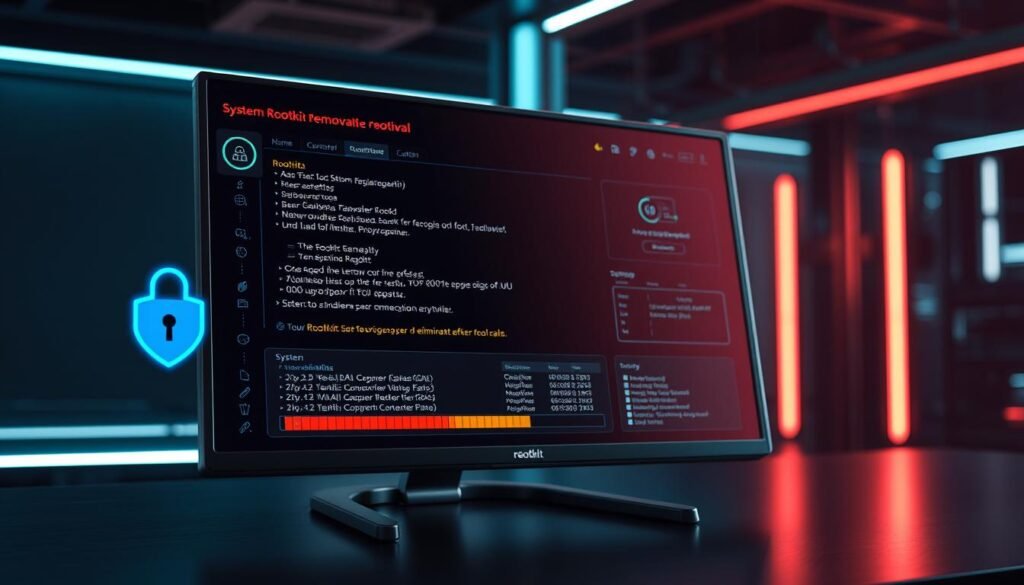
Think of antivirus software as your digital Excalibur 🐉. Tools like AVG AntiVirus are designed to hunt down and eliminate rootkits. They scan your system, quarantine threats, and scrub your device clean. Here’s how it works:
- Scan: Run a full system scan to detect hidden threats.
- Quarantine: Isolate suspicious files to prevent further damage.
- Remove: Delete the rootkit and repair affected files.
While antivirus software is effective, it’s not foolproof. Some advanced rootkits might still slip through the cracks. That’s where the next method comes in.
Reformatting the Hard Drive
When all else fails, it’s time to nuke your drive from orbit 💥. Reformatting your hard drive is the nuclear option—it wipes everything, including the rootkit. Here’s what you need to know:
- Backup: Save important files before starting.
- Reinstall: Reformat the drive and reinstall the OS.
- Verify: Ensure no traces of the rootkit remain.
This method is drastic but effective. It’s the only way to be sure your system is clean. However, it’s time-consuming and requires rebuilding your device from scratch.
| Method | Pros | Cons |
|---|---|---|
| Antivirus Software | Quick, easy, and non-destructive | May miss advanced rootkits |
| Reformatting | Guaranteed removal | Time-consuming and requires reinstallation |
“When dealing with rootkits, sometimes you need to go scorched earth to ensure your system is safe.”
Whether you choose antivirus software or a full reformat, the key is to act quickly. The longer a rootkit stays in your device, the more damage it can do. Stay vigilant, and keep your protection up to date! 🛡️
Preventing Rootkit Infections
Staying ahead of cyber threats is like playing a never-ending game of cat and mouse. 🐱🐭 To keep your system safe, you need a mix of smart habits and the right tools. Let’s explore how to build a fortress around your digital life. 🏰

Keeping Software Updated
Patching vulnerabilities is like fixing leaks in a boat—ignore them, and you’ll sink. 🚤 Regular updates to your operating system and apps close security holes hackers love to exploit. Think of it as being a digital handyman 🔧, always ready to fix what’s broken.
Pro Tip: Enable automatic updates to stay protected without lifting a finger. Your system will thank you. 🙌
Avoiding Suspicious Downloads
Spotting shady .exe files is like dodging sketchy street vendors—trust your gut. 👀 Phishing emails and fake downloads are common ways threats sneak in. Always verify sources before clicking, and avoid downloading from unknown sites.
Remember: If it looks too good to be true, it probably is. 🚫
Using Comprehensive Security Software
Your security software is your personal cybersecurity Avengers team. 🛡️ Tools like McAfee+ offer real-time protection, scanning for threats before they strike. Combine this with ad-blockers and firewalls for maximum defense.
Pro Tip: Treat USB drives like suspicious tacos—scan before consuming. 🌮
| Prevention Method | Benefit |
|---|---|
| Software Updates | Closes vulnerabilities hackers exploit |
| Avoiding Downloads | Reduces risk of phishing and malware |
| Security Software | Provides real-time protection and scanning |
“Prevention is the best cure—stay vigilant, and keep your system safe.”
Conclusion
In the digital jungle, rootkits are the ultimate predators—silent, stealthy, and deadly. 🦁 They’re the ninjas of the cybersecurity world, slipping past defenses and wreaking havoc. But now, you’re armed with the knowledge to fight back. 💪
TL;DR: Rootkits bad, updates good, antivirus bae 💖. Keep your system updated, avoid sketchy downloads, and trust your security software. It’s your shield against these sneaky threats.
Looking ahead, the battle is heating up. AI vs rootkits—the next-gen cyber war 🤖⚔️. Stay tuned, because the future of cybersecurity is evolving faster than ever.
You’re now rootkit-ready. Go forth and browse fearlessly! 🦸♀️ Share this guide like you’d share dank memes—protect the squad! 📲
Final wisdom: In the cyber world, paranoia is a virtue. Stay frosty ❄️, stay safe, and keep your system secure. 🛡️
