
The VPN Server Hardening Guide: A Professional’s Checklist for a Secure and Private VPN

Can one simple misconfiguration undo months of privacy and protection? That question sits at the heart of this field-tested guide.

Table of contents

An expert take by Ethan Cross, HakTechs.com Lead Analyst

This roadmap shows how to build and run a hardened VPN environment that balances strong privacy, practical security, and reliable access. You will see goals, modern protocols, encryption choices, and straightforward checks that catch leaks before they expose information.

Expect clear guidance on authentication, least-privilege, minimal network exposure, and baseline OS hardening. We explain verification steps like IP and DNS leak tests and speed checks so users can confirm protection without losing performance.

Where vendor claims arise, this guide turns marketing into measurable validation. Use the linked hardening checklist at server hardening resources and review feature guidance at what to look for in a to align policies and options with real threats and access needs.

Key Takeaways

  • Define clear goals: match protocols and placement to use cases.
  • Enforce least-privilege: strong auth and limited access reduce risk.
  • Validate regularly: run leak, IP, and speed tests after changes.
  • Harden hosts: firewall rules, patched OS, and safe defaults matter.
  • Translate claims to tests: verify vendor promises with evidence.

Set your mission and scope before you harden

Define clear missions and limits up front to keep hardening focused and repeatable. Match each goal to measurable requirements so policy and topology choices are justified.

Define primary use cases that drive every decision:

  • Privacy and anonymity: users needing minimal logging and tight leakage controls.
  • Streaming: teams that must access streaming services and specific catalogs.
  • Public Wi‑Fi and remote access: travelers and staff who need safe connectivity.
  • Torrenting and bypassing censorship: limited to approved, lawful tasks.

A serene, minimalist workspace with a desktop computer, a notebook, and a cup of coffee. The screen displays a VPN dashboard, showcasing a clear mission statement and the scope of the VPN setup. Soft, directional lighting casts a warm glow, creating a focused and productive atmosphere. The camera angle is slightly elevated, capturing the workspace from an elevated, bird's-eye perspective, emphasizing the importance of planning and preparation before hardening the VPN. The overall scene conveys a sense of purpose, diligence, and attention to detail, reflecting the subject of the article.

Inventory devices and map regions

Build an inventory that lists mobile devices, desktops, routers, smart TVs, and gaming consoles. Note OS versions and whether native apps or manual configs are needed.

Use Case Required Features Key Devices Region Priority
Privacy & anonymity No-logs policy, kill switch Windows, macOS, mobile devices United States, Europe
Streaming Catalog access, fast servers Smart TVs, desktops US, UK, EU
Remote access MFA, split-tunnel options Desktops, routers, mobile Global with US emphasis

Assign policy groups and support roles, pick plans and options that meet compliance, and decide which users need always-on tunnels versus on‑demand access.

Security hardening essentials for your VPN server and clients

Good hardening starts with protocol choices that balance speed, maturity, and cryptographic strength. Decide on defaults that protect users without blocking legitimate workflows.

Prefer WireGuard for lean code and higher throughput, or a hardened OpenVPN build with AES‑GCM and modern TLS. Disable deprecated ciphers and enforce perfect forward secrecy to keep encryption current.

Require a strong password policy and multifactor authentication (MFA) for every user account. Use short‑lived provisioning tokens during enrollment to stop rogue client onboarding.

A detailed digital illustration depicting the technical aspects of VPN encryption. In the foreground, a secure, encrypted data tunnel is shown, with intricate lines and geometric patterns representing the cryptographic protocols. In the middle ground, various network devices like routers, firewalls, and servers are depicted, all connected by the encrypted VPN link. The background features a dark, moody atmosphere with subtle hexagonal grid patterns, representing the complex infrastructure of a hardened VPN system. The overall scene conveys a sense of robust security, privacy, and technical sophistication, suitable for visualizing the "Security hardening essentials for your VPN server and clients" section of the article.

Lock down the host with a default‑deny firewall. Open only the service port and management channels. Restrict admin access to specific IPs and separate management networks.

Set split tunneling by group: full tunnel for sensitive traffic and untrusted networks, split tunnel with allowlists for heavy workloads. Enable a client kill switch so traffic halts if the connection drops, preventing accidental exposure of private activity.

  • Minimize exposure: disable unused services, pin DNS, and run on a hardened OS with least‑privilege accounts.
  • Log responsibly: record auth events and config changes, but do not retain browsing activity longer than policy allows.
  • Protect endpoints: enable phishing and malicious‑site filtering where supported and pair with basic malware and password manager tools.

A professional’s checklist for a secure vpn server

Start by confirming written privacy guarantees and independent audit evidence. Match payment and trial options to your operational needs so users stay private and functional.

No-logs policy and third-party audits: verify claims and privacy policies

Require a written no-logs policy and proof of third party audits. Read privacy policies to ensure they exclude user activity and DNS query storage. Prefer providers that publish audit reports from reputable firms.

Payment and privacy options: plans, Bitcoin availability, and billing data minimization

Choose plans that include essential features—kill switch, modern protocols, reliable DNS. Prefer payment options that reduce billing data, such as Bitcoin, and confirm what information is stored at signup.

Trial safety nets: free trials and money‑back guarantees to validate fit

Use free trials or money-back windows to test networks, devices, and websites. Validate performance and content access before committing to long contracts.

Travel resilience: ability to work in restrictive regions when needed

If travel matters, select services with obfuscation modes and rotating endpoints. Test access from target geographies and document reliability and interruptions.

A professional-grade VPN server, its hardware and software stacks optimized for security and privacy. In the foreground, a sleek server rack with a no-logs policy policy prominently displayed on its glossy facade, conveying the server's commitment to user privacy. The middle ground features intricate network diagrams and encryption protocols, highlighting the technical prowess underlying the secure VPN infrastructure. The background is shrouded in a moody, high-contrast lighting, casting an air of mystery and protection over the scene. The overall impression is one of a well-engineered, enterprise-grade VPN solution that prioritizes the user's online safety and confidentiality.

Feature Typical Inclusion Why it matters Example providers
No-logs audit Often published report Proves claims about data handling NordVPN, ExpressVPN, ProtonVPN
Payment options Card, PayPal, Bitcoin Reduces billing data exposure Surfshark, PIA, Hide.me
Trial & support Free trial or refund window Test on real networks and websites CyberGhost, StrongVPN, MysteriumVPN

Access, devices, and performance: build a usable, private connection

Confirm device coverage and user workflows early so connections stay private and predictable. This saves time and avoids surprise lockouts when users switch devices.

Plan apps and router fallbacks. Ensure native apps exist for Windows, macOS, iOS, Android, Linux, and key smart TV platforms. Where apps are missing, document manual router setup to cover those devices.

A sleek, modern array of streaming service icons and logos arranged in a dynamic, visually appealing layout. The foreground features prominent displays of popular platforms like Netflix, Hulu, Amazon Prime Video, and Disney+, each with their distinct branding and color schemes. The middle ground showcases subtler representations of emerging services, while the background subtly hints at the technological infrastructure powering these digital content hubs. Warm, diffused lighting creates a sense of accessibility and user-friendliness, inviting the viewer to explore the diverse offerings of the modern media landscape. The overall composition conveys the idea of a secure, private, and high-performance access to a vast array of streaming entertainment options.

Can streaming services and content be reached reliably?

Test access to Netflix, Hulu, Amazon Prime, HBO, ESPN, and BBC iPlayer from your target regions. Record success rates over several days to spot block events.

How many simultaneous connections are enough?

Match simultaneous connections to your headcount and device mix so users need not log out mid-task. Verify each app supports persistent logins and exposes a clear network status.

Is speed and stability good enough for HD and calls?

Measure baseline and tunneled throughput on wired and Wi‑Fi. Run Speedtest comparisons with and without the tunnel and tune server regions to balance privacy and performance.

Check Action Why it matters
App coverage List native apps and router options Keeps devices connected and manageable
Streaming access Test major services from target regions Confirms content reach and stability
Performance Run comparative speed and latency tests Ensures video quality and call reliability

Tip: Standardize DNS on all platforms and ensure the client provides a reliable kill switch and clear status so users can self‑diagnose interruptions. For quick setup guidance, see how to use VPN.

Verify, monitor, and maintain privacy over time

Periodic validation of IP, DNS, and connection state prevents silent information leaks. Run simple checks after changes and at scheduled intervals to ensure the protection you expect is actually running.
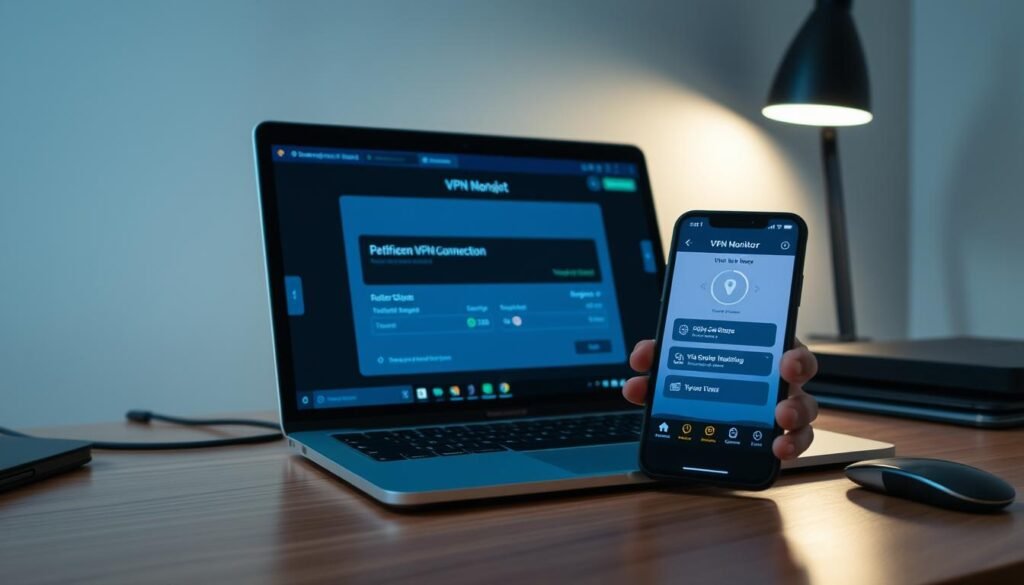
A modern, well-lit office desk with a laptop and smartphone. On the laptop screen, a VPN connection is being verified, with network statistics and security indicators displayed. The smartphone shows a VPN monitoring app, providing real-time updates on the VPN's performance and security status. The scene conveys a sense of professional attention to privacy and security, with the tools and interfaces designed for easy, intuitive access. Soft, directional lighting illuminates the workspace, creating a calm and focused atmosphere. The overall composition emphasizes the importance of consistently verifying and maintaining a secure VPN connection.

How do you check integrity and connectivity?

Confirm identity masking: use an IP checker to verify the public IP reflects the chosen region.

Run DNS leak tests: ensure queries resolve through the tunnel, not the local ISP.

Validate uptime: watch for unexpected drops and confirm the kill switch blocks traffic when a connection fails.

How should performance be measured?

Compare baseline speed tests with tunneled tests to spot throughput and latency changes. If encryption overhead hurts usability, try nearer endpoints or alternate protocols.

What ongoing protection tools help reduce risk?

  • Use a password manager and enforce MFA to reduce credential threats.
  • Enable dark web monitoring to catch exposed information early.
  • Turn on phishing and site‑block features where available to block hostile websites.
Check Action Why it matters
IP & DNS integrity Run IP and DNS leak tests after each connection Verifies traffic and queries route through the tunnel
Performance Run comparative speed and latency tests Ensures usability without sacrificing encryption
Ongoing hygiene Enforce password policies, MFA, and monitor dark web Reduces credential theft and exposure of user data

Tip: Build a short vpn checklist that users can run themselves, document runbooks, and audit compliance quarterly. When you need guidance on selecting regions and endpoints, consult optimal location guidance.

Conclusion

Keep this guide as a living checklist: define scope, harden configs, test routinely, and update policies as users and devices change. Make verification part of operations with regular IP/DNS leak tests and speed checks so protection stays real, not just promised.

Choose services that publish audits, support modern encryption, and give clear client status so teams actually use protection daily.

Document runbooks, run periodic bake-offs of vpns and services, and maintain a short toolset: password manager, phishing defenses, and selective controls. Train users on remote access steps and incident reporting. Layered security wins: combine hardened tunnels with vetted apps and endpoint hygiene to keep online activity private and resilient.

FAQ

What primary use cases should I define before hardening a VPN?

Define the main goals such as privacy and anonymity, secure access to streaming services, safe use on public Wi‑Fi, remote access for employees, torrenting needs, and bypassing censorship. Clear use cases guide protocol choices, logging policies, and regional server placement.

How do I inventory devices and clients that will use the VPN?

List every endpoint: mobile devices, desktops, routers, smart TVs, and gaming consoles. Record OS versions, client software, and whether devices need split tunneling or persistent routes. This inventory informs client provisioning and compatibility testing.

What compliance and region mapping should I consider?

Map required jurisdictions and legal obligations—focus on U.S. requirements while keeping options for global access. Check data residency, breach notification laws, and export controls. That shapes retention policies and server locations.
Prefer modern, audited protocols such as WireGuard or well‑configured OpenVPN. Use strong ciphers (ChaCha20-Poly1305 or AES‑GCM), robust key exchange (ECDH), and avoid legacy suites. Keep software up to date to receive crypto improvements and patches.

How should I enforce authentication on VPN clients?

Require strong, unique passwords and enable multi‑factor authentication (MFA). Use certificate‑based or tokenized provisioning for clients, rotate keys periodically, and automate revocation for lost devices. Centralize authentication where possible (RADIUS, LDAP, or SSO).

What network controls are essential to protect connections?

Implement strict firewall rules, segment VPN traffic, define split tunneling policies, and enable a kill switch on clients to block traffic if the tunnel drops. Use intrusion detection/prevention where feasible and limit management interfaces to trusted hosts.

How do I limit exposure on the host system?

Apply least privilege: disable unnecessary services, close unused ports, and run the OS with a hardened baseline. Use host-based firewalls, secure boot, and centralized patch management. Reduce the attack surface to minimize compromise risk.

What logging practices balance security and user privacy?

Log security events required for incident response but avoid retaining sensitive activity logs like user browsing or full session metadata. Adopt minimal retention periods, anonymize where possible, and document logging in your privacy policy.

How can endpoints defend against current threats like phishing?

Deploy web filtering and malicious site blocking on endpoints or at DNS level. Combine with endpoint protection, regular user training, and safe browsing policies. Ensure clients receive threat intelligence updates and block known bad domains.

How can I verify a provider’s no‑logs claim?

Look for public third‑party audits, verifiable warrant canaries, and transparent privacy policies. Review independent security assessments and check for court cases or disclosures that test the provider’s practices.

What privacy‑friendly payment options should be offered?

Offer billing choices that minimize personal data, such as cryptocurrency payments and prepaid plans. Limit required account information and provide clear retention and deletion options to reduce billing data risks.

Are free trials or money‑back guarantees safe to use when evaluating a service?

Trials and guarantees let you validate performance and compatibility without long‑term commitment. Test multiple endpoints, run DNS/IP leak checks, and assess streaming and latency before deciding.

How do I ensure VPN access works from restrictive countries?

Use obfuscation techniques, alternative ports, and protocols that resist DPI (deep packet inspection). Maintain servers in multiple regions and test regularly from target countries to ensure resilience during travel or censorship events.

How can I confirm streaming services compatibility?

Test access to platforms like Netflix, Hulu, Amazon Prime, BBC iPlayer, HBO, and ESPN from different servers. Keep an updated list of working endpoints and monitor IP blocks; some providers offer dedicated streaming servers for stability.

What should I consider about simultaneous connections and app coverage?

Check supported platforms—Windows, macOS, iOS, Android, Linux, routers, and smart TVs—and confirm the allowed number of simultaneous connections. Ensure routers and custom firmware support meet multi‑device needs for households or small offices.
Run comparative speed tests with and without the tunnel, measure latency to key servers, and monitor packet loss. Track performance over time and choose providers with high‑capacity backbones and load balancing for consistent throughput.

What tests verify VPN integrity and leaks?

Perform IP address checks, DNS leak tests, and WebRTC leak assessments while connected. Validate that the public IP matches the VPN exit and that DNS queries use the provider’s resolvers. Automate regular checks for continuous assurance.

How should I conduct ongoing performance checks?

Schedule periodic comparative speed and latency tests across multiple servers. Use automated monitoring to detect regressions and maintain baselines. Compare peak and off‑peak performance to assess capacity planning.

What ongoing protections help maintain user privacy?

Implement dark web monitoring for credential exposure, enforce password manager best practices, and encourage MFA. Consider parental control tools and endpoint hygiene policies to protect family or workforce users over time.

How do I keep clients and servers up to date with security fixes?

Centralize patch management, subscribe to vendor advisories, and apply updates in staged rollouts. Test critical patches in a controlled environment, maintain backup configurations, and schedule maintenance windows to minimize disruption.

Which tools help monitor VPN usage without breaching privacy?

Use aggregated telemetry and anonymized metrics for capacity planning and threat detection. Implement alerting on unusual patterns without storing identifiable session data. Combine log minimization with clear retention policies.

What policies should I publish for transparent user expectations?

Publish a clear privacy policy, acceptable use policy, and incident response plan. Explain logging, payment handling, and data deletion processes. Transparency builds trust and clarifies legal obligations for users and admins.

Ethan Cross

Ethan Cross is a cybersecurity analyst and tech journalist with over a decade of experience in ethical hacking, malware analysis, and digital forensics. At HakTechs.com, he delivers in-depth reports, security tips, and expert analysis to help readers stay ahead of emerging cyber threats.