
Could a few public details let someone erase years of your work and memories in under a day?
In August 2012, journalist Mat Honan watched his Google, Twitter, and Apple ID accounts fall within hours. That chain of events shows how minimal public information, a support-script gap, and linked services can let attackers pivot from one account to the next.
This introduction frames a clear, step-by-step analysis of how common verification points—an email recovery hint, a WHOIS billing address, and the last four digits of a card—were enough to seize control and remotely wipe devices.
We’ll map each move to practical defenses. Expect action items you can apply now: email hardening, two-factor authentication, payment segmentation, private WHOIS, and verified backups to protect your data and account estate.
Key Takeaways
- One linked account can become a pivot point that cascades through other services.
- Support workflows that accept semi-public details are risky; strengthen verification.
- Email is often the skeleton key—add strong multi-factor protection.
- Segment payment instruments and limit reuse to reduce recovery risks tied to card digits.
- Keep verified, offline backups to survive remote wipes and total data loss.
Why this case still matters: context, intent, and what you’ll learn
This is not just history. The same social engineering patterns that enabled a rapid takeover remain embedded in many contemporary support workflows.Read this section to see how small pieces of public information can cascade into full control, and what to fix right now.
Attackers sought speed and control. They moved through low-friction support channels to chain access across services in minutes. That intent matters because time and simplicity make these methods attractive to copycat threats.
Small public information points—an email recovery hint, a billing address, or card digits—can snowball into full account loss. Hardening email must be a first principle because a single inbox often handles resets and notifications.

Support scripts that accept partial data create hidden dependencies across cloud providers. Treat help desks and recovery flows as part of your attack surface and audit them regularly.
| Risk | Why it matters | Immediate fix |
|---|---|---|
| Shared recovery info | Lets attackers pivot between accounts | Use distinct recovery channels |
| Weak knowledge checks | Last four digits and addresses can be public | Remove stored credit info and require stronger ID |
| Single point email | Resets and alerts funnel through one inbox | Enable multi-factor and separate admin mailboxes |
| Support script gaps | Low-friction rules speed escalation | Audit help desk scripts and train staff |
Who benefits from this blueprint? Individuals, small businesses, and IT teams who manage mixed cloud accounts. Start by reviewing your help desk scripts and recovery policies. The next sections map a timeline, then give a defensive playbook you can apply immediately.
Forensic timeline: how a few data points enabled full account compromise
A public profile, a masked recovery hint, and a WHOIS entry started a rapid escalation that support channels finished. This timeline shows how small disclosures combined into full access and device wipe.

From public profile to a recovery hint that pointed to an Apple account
The attacker followed a Twitter link to a personal website and found a Gmail address. Trying Gmail recovery revealed a masked alternate email (mn@me.com). That single hint signaled an Apple ID to target next.
WHOIS and open records revealed a billing address
A WHOIS lookup produced a street address. Public directories often expose this same billing address information, which can be reused in phone verifications.
Using support to add a new card and reroute email
The first call to Amazon tech support let the caller add new payment details to an amazon account without a password. A second call used that newly added card to change the account email and then reset the password to an attacker inbox.
Extracting card digits and abusing AppleCare checks
Logged in, the intruder viewed the last four digits of the real credit card number. With a name, that email address, billing address, and those digits, AppleCare accepted identity checks and reset the Apple ID password.
iCloud access and remote wipe
Once inside the icloud account, the attacker used remote wipe to erase an iPhone, iPad, and MacBook Pro. Across services, partial facts replaced proper authentication and let conveniences become destructive tools.
- Key pivot: each step increased leverage and unlocked the next.
- Weak factors: masked emails, last four digits, and public address data behaved like true identity tokens.
What Apple and Amazon changed — and what went wrong
A mismatch in how providers treat billing data and card fragments turned routine support work into a vulnerability. After reporters reproduced the method, vendors moved to tighten support rules and limit phone-based resets.

Amazon’s response closed a direct path used during the incident. Wired learned that Amazon altered procedures after reporters were unable to reproduce the same flow. Customer-service staff told Wired a change was pushed to stop adding payment details as a fast route to change an email address.
Why last four digits mattered
The last four digits shown by Amazon became a usable identity token because Apple accepted similar partial data in its checks. That cross-service inconsistency let an attacker combine a name, billing address, and visible digits into a convincing proof of ownership.
Apple’s statement and temporary freeze
“We require multiple forms of verification,” Apple told Wired, while acknowledging that personnel did not fully follow internal policy in this case.
Apple also paused over-the-phone password resets while it reassessed procedures. This pause aimed to stop tech support from relying on semi-public information such as an email address, card number fragments, or a card file entry.
- Fix vendor workflows: stop treating last four digits and addresses as high-assurance signals.
- Audit scripts: require multiple, independent verification steps before sensitive changes.
- Log and alert: notify users when an account email or payment method changes.
Forensic teardown of the mat honan social engineering attack
In cloud-first systems, passwords are only one layer of a much larger defense perimeter. Support scripts, recovery hints, and masked data often form the true gatekeepers for sensitive changes.

Password-based security is not enough in the cloud era
Passwords are no longer good enough—not for the important stuff. Attackers used routine help channels to escalate without malware or brute force.
How interlinked services amplified risk across Gmail, Amazon, and iCloud
A masked alternate email pointed to a target account. An ecommerce support call allowed adding payment details. A device vendor accepted partial card digits and a billing address to reset an identity.
Key takeaways:
- Treat support flows as part of your security model; policy gaps are exploitable.
- Name, billing address, and four card digits are weak proofs; do not treat them as high-assurance information.
- Protect your inbox: any reset delivered there grants broad access—use hardware-backed factors and alerts.
- Require out-of-band confirmation and forced holds for sensitive changes to reduce rapid escalation.
Beyond one victim: why journalists and media are prime targets
When a reporter’s inbox or device is compromised, an attacker can harvest sources, unpublished leads, and privileged access to stories. This makes media accounts and devices unusually valuable to threat actors seeking influence, intelligence, or disruption.

Newsrooms handle a steady flow of sensitive information and wide contact networks. That reach gives hackers high leverage: one breach can expose sources, unpublished drafts, and contact lists.
Cyberattacks as intimidation of the press: World Press Trends insight
A 2022 World Press Trends survey found 45.7% of media orgs or staff reported at least one cyberattack. That makes attacks the most common intimidation method used against journalists.
APT focus on media: Hunt & Hackett and Proofpoint findings
Research groups track dozens of advanced persistent threat (APT) campaigns that target outlets around geopolitical flashpoints. Common TTPs include phishing (T1566), command-and-scripting interpreters (T1059), and obfuscation (T1027).
Not just states: individual actors and opportunists
Opportunistic hackers can mimic sophisticated tradecraft by collecting names, addresses, partial card numbers, or other public traces from a website or social feed. Mixed work setups widen exposure when recovery links tie to personal email or phone accounts.
- Practical moves: separate work and personal identities, enforce strong authentication, and run phishing drills.
Defensive playbook: practical fixes to the exact weak links exploited
Practical defenses focus on locking recovery channels and separating payment instruments to halt rapid escalations. Start with inbox protections, reduce public exposure, and make payment data useless to callers who try to pivot across services.

These steps are tactical and repeatable. Apply them in order and test each change. Small moves stop fast, destructive chains.
Harden inboxes and recovery paths
Enable two-factor authentication (2FA) on primary email accounts and admin mailboxes. Prefer phishing-resistant options like security keys or app prompts.
Lock down recovery channels and remove old recovery email address entries and SMS routes. Set alerts for any change to an email or phone used for resets.
Reduce public exposure
Turn on private domain registration to hide a billing address from WHOIS. Scrub public profiles that list a home address or other identifying information.
Segment payment methods and clean stored cards
Delete saved cards from an amazon account and major retailers. If you must store a card, keep it low-limit and dedicated for that vendor.
Keep a separate credit card on file for Apple services so a retailer’s card file cannot satisfy identity checks elsewhere.
Build resilience and prepare staff
Maintain encrypted local backups and at least one trusted cloud copy. Test restores regularly so you can recover data after a remote wipe.
Require out-of-band confirmations for sensitive changes, enable real-time alerts for email and access changes, and rehearse vendor calls when you suspect fraud.
- Quick wins: turn on 2FA, remove stored cards, enable WHOIS privacy.
- Operational fixes: add cooldowns for support changes and limit who can make sensitive updates.
Key lessons for identity verification and support workflows
When providers accept low-assurance tokens, a single service’s policy can open doors across others. Fixing verification requires both policy and technical changes so weak cues no longer authorize high-risk changes.
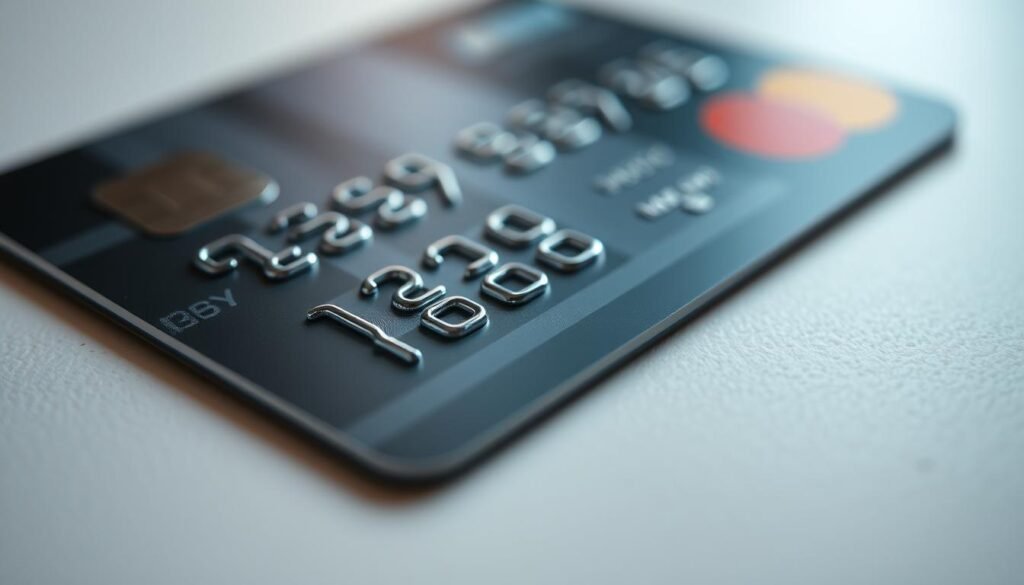
Stop treating last four digits and billing address as strong factors
Reclassify the last four digits, a name, or a public address as low-assurance. These values are often public and can be combined into convincing but weak claims.
“We require multiple forms of verification,” Apple noted while adjusting phone reset rules.
| Weak factor | Why it fails | Better control |
|---|---|---|
| Last four digits | Often visible in portals or receipts | Don’t display; require possession factor |
| Billing address | Publicly searchable in registries | Use device-bound or biometric checks |
| Stored payment file | Can be cited by callers as proof | Treat file as metadata, not identity |
- Layered system: combine hardware keys, risk signals, and step-up verification before email or recovery changes.
- Notifications and holds: delay high-impact ops and notify via multiple channels.
- Train and test: log each step, run red-team calls, and fix security flaws found in support flows.
Conclusion
A single weak verification step can let skilled hackers chain small facts into a full compromise across services. Protecting one inbox or device often defends many connected accounts, so prioritize fixes that stop rapid pivots.
The Honan case shows how public details, support workflows, and visible card fragments combined to destroy data and trust. Harden your primary email, reduce exposed addresses on any website, and split payment methods so a single card file cannot validate identity elsewhere.
Treat vendor support as a control surface: require stronger checks, logging, and out-of-band confirmations. Rehearse incident response and keep verified backups so data loss is recoverable.
For wider context on related breaches and how exposed account details propagate, read a recent report about a carding site breach here: carding site breach.
