
About 1 in 4 U.S. adults has had account credentials exposed in a breach. That single fact shows how quickly personal information and identity can spread online.
This guide lays out clear, practical steps. You will learn how to spot signs of unauthorized access, run simple tests, and lock down your email account and linked services before more data leaks.
What a breach looks like: strange login alerts, unknown forwarding rules, or messages sent from your inbox. These are real, actionable clues that you can verify with safe checks.
We’ll follow a tight workflow: detect, confirm, remediate, scan, and harden. The instructions suit both non-technical readers and security-conscious professionals.
Key Takeaways
- Spot quick signs of unauthorized access to limit exposure.
- Run simple verification tests before changing recovery details.
- Take immediate remediation steps to protect contacts and finances.
- Use strong passwords and enable multi-factor authentication.
- Document actions and findings for possible recovery or dispute.
Why email accounts are prime targets right now
Inbox access unlocks far more than messages. Attackers harvest long-lived records to steal identity, reset other services, and scale fraud at speed.
Inboxes act as long-term vaults for bills, tax receipts, and password resets. That stored data makes a single account valuable to hackers running large campaigns.
Modern attacks include broad phishing runs, credential stuffing after breaches, and targeted social engineering under time pressure. Malware such as spyware and keyloggers also capture credentials silently.
Once inside, criminals pivot to other accounts. They request password resets, impersonate you to contacts, and sell access on the web. This expands risk from one breach into identity and financial fraud.
- Personal and business risk: invoice fraud, payroll rerouting, and cloud access.
- Amplifiers: weak or reused passwords that appear in third‑party data leaks.
- Ease for attackers: public profiles and old posts help craft convincing lures.
- Defense: continuous monitoring and disciplined hygiene cut common entry points.
| Threat | How it works | Downstream impact |
|---|---|---|
| Phishing | Mass or targeted messages that harvest credentials | Account takeover, fraud, data loss |
| Credential stuffing | Reused passwords tried across services | Multiple accounts compromised quickly |
| Malware | Keyloggers or spyware capture logins | Silent long‑term access and data exfiltration |
How to check if email is compromised: fast signs and simple tests
Begin with a quick review of recent sign-ins and device activity to spot clear red flags. Look for unexpected password reset messages, new forwarding rules, or unfamiliar devices listed in your account.
Begin with a quick review of recent account activity and device logins to spot odd patterns.
Spot suspicious activity: login alerts, password resets, and new devices
Look for login prompts you did not start. Difficulty signing in or unexpected prompts are urgent signs to act. Review the security or activity page on the provider’s web page for recent sessions.
Scan inboxes and folders for unknown messages and rules
Open the Sent folder and Drafts to find messages you did not send. Attackers often add hidden forwards or filters so they can read incoming emails.
Inspect filters, auto‑replies, and signatures for unauthorized changes. Any new forwarding address or altered signature can let someone intercept a password reset.
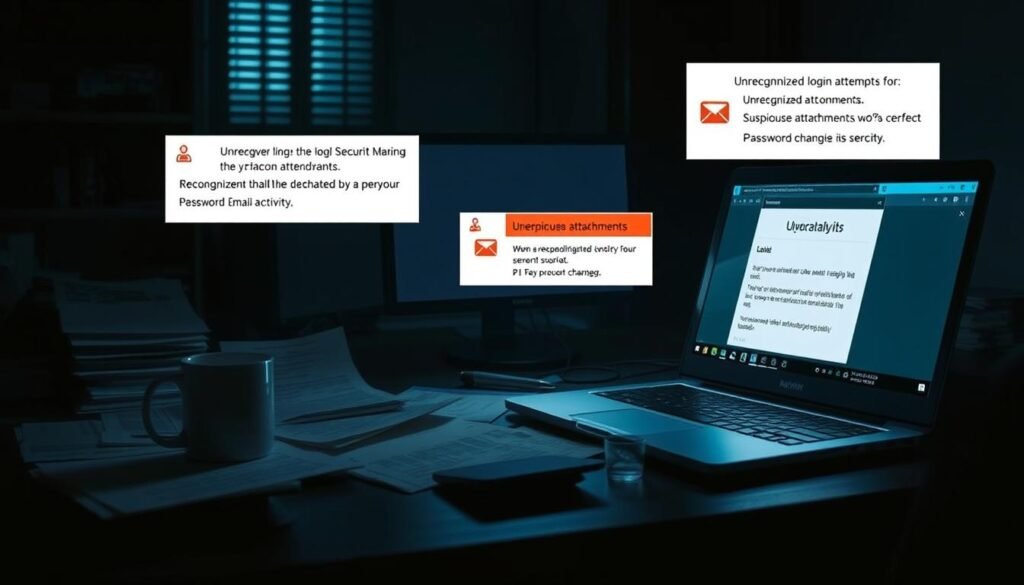
Watch for surges in spam, phishing, and security alerts
A sudden rise in spam or phishing that mentions recent activity can mean your address is circulating. Search your inbox for phrases like “password reset”, “verification code”, or “new sign‑in” to surface missed alerts.
Confirm recovery details. Verify your recovery phone number and secondary email address. If those details show unexpected changes, restore trusted values and document the entries.
| What to review | Where to look | Immediate action |
|---|---|---|
| Recent sign‑ins and devices | Account security or activity page | Sign out other sessions; note unfamiliar devices |
| Sent/Drafts and folders | Sent folder, Drafts, Inbox | Save screenshots; remove malicious messages |
| Filters and forwarding rules | Settings → Rules / Forwarding | Delete unknown rules; update password |
| Recovery contact details | Account recovery settings | Restore trusted number and secondary address |
Immediate steps to take if you suspect a breach
Start with priority actions that remove attackers’ access and secure related services. Act quickly and document every change. This short plan focuses on stopping ongoing access, removing malware, and protecting linked accounts.

How do I remove malware and verify devices?
Run a full antivirus and anti‑malware scan on every device that connects to your account. Look for spyware and keyloggers and remove anything found.
How should I update credentials and authentication?
Change your main account password to a strong unique passphrase and update security questions with unrelated answers. Then enable multi‑factor authentication to add a one‑time code at sign‑in.
What settings and services need review?
- Audit filters, forwarding rules, and connected apps. Revoke unknown OAuth access.
- Sign out active sessions on unfamiliar devices and rotate any stale app passwords.
- Notify key contacts to ignore odd messages and warn them not to click links.
| Action | Why it matters | Time to complete |
|---|---|---|
| Full malware scan | Removes software that steals passwords and keystrokes | 30–90 minutes |
| Change password & MFA | Prevents reuse of stolen credentials and helps protect access | 5–15 minutes |
| Audit rules & apps | Stops hidden forwarding and third‑party access | 10–30 minutes |
| Review financial and social accounts | Detects fraud early and limits identity fallout | Varies; start immediately |
Keep a short incident log of actions and findings. For additional recovery steps, see this my account recovery guide.
Use breach and dark web monitoring to find exposed credentials
A monitoring service that watches the web and dark web gives early warning of leaked data and credentials. Quick alerts let you rotate passwords, enable MFA, and cut access before damage spreads.
A breach monitoring service scans public sites and hidden marketplaces for your personal data and account details. Continuous web and dark web scans surface exposed credentials and other data so you can act fast.

How Avast BreachGuard works
Avast BreachGuard performs 24/7 web and dark web monitoring and sends real‑time alerts when your information appears. Identity theft assistance is available via U.S. specialists. Supported countries include the US, UK, Australia, Canada, and most of Western Europe and Latin America — review the supported list before subscribing.
What Norton offers
Norton Dark Web Monitoring and Identity Advisor Plus search using your email address without storing it after the lookup. Norton won’t scan every dark web page, and results vary by plan. Use their advisory services to respond to identity risks.
Other tools and practical limits
Use Have I Been Pwned to see if an address appears in known breach dumps and subscribe for alerts. No service can scan all dark web sites or guarantee discovery of every exposure. Availability and monitored information vary by country and plan tier.
“Monitoring speeds detection, but good hygiene—unique passwords, MFA, and prompt rotation—still does the heavy lifting.”
| Service | Primary scope | Key limit |
|---|---|---|
| Avast BreachGuard | 24/7 web & dark web monitoring; alerts; identity help | Country availability varies; subscription required |
| Norton Dark Web Monitoring | Email-based dark web search; advisory tools | Uses email as default; does not store address post-search |
| Have I Been Pwned | Known breach datasets; alert subscription | Does not scan private marketplaces or all dark web sites |
Action steps: keep a short list of monitored accounts, add only essential details for coverage, and review each provider’s data retention and processing details before enrolling. If a hit appears, rotate passwords, enable MFA, and revoke old app passwords to help protect your accounts.
Recover access to a locked email account
Start on the provider’s recovery page and follow guided prompts to prove identity, reset credentials, and remove unknown sessions. After regaining control, immediately rotate passwords and enable two-step authentication to stop further abuse.
When you lose access to an account, a provider’s recovery flow is your fastest route back in. Most major services offer step-by-step pages that verify identity and restore sign-in rights.
Gmail: open Google Account > Security > Your devices > Manage all devices to review sessions and sign out unknown entries. Use Google’s dedicated recovery form to reset credentials when you cannot access settings directly: Google Account recovery.
Outlook: sign into your profile and choose Sign out everywhere to invalidate active tokens. Confirm the action, then update passwords and review connected apps.
Yahoo: visit Recent Activity to view connected devices and authorized apps. Select Sign out for any unfamiliar session and revoke app passwords that you did not create.
- Navigate the provider’s recovery page and follow prompts to verify identity and reset sign‑in details.
- After access returns, immediately reset your passwords and confirm recovery phone and secondary account details.
- Remove unfamiliar devices from the session list and use “sign out everywhere” to invalidate stolen cookies.
- Re-check forwarding rules, filters, and app‑specific passwords for unauthorized changes.
- Enable two‑step authentication and store backup codes in a secure place.
- If recovery fails, escalate through official support channels and be ready to provide identity documents per the provider’s process.
- Finally, update passwords for other services that rely on this inbox for resets to stop cross‑account attacks.

Harden your security to prevent future attacks
Focus on durable changes—better passwords, MFA, and software updates—to raise your baseline security. These steps reduce the chance that a single exposure turns into identity or financial theft.
Use a reputable password manager to generate and store strong unique passwords for every account. Schedule periodic rotation for weak or reused credentials and keep a short inventory of critical logins.
Enable multi‑factor authentication (MFA) on all high‑value services. Prioritize authenticator apps or hardware keys over SMS for stronger resilience against SIM and social attacks.
Keep software and browsers updated with automatic installs to close known vulnerabilities. Run reputable antivirus and remove stale extensions or apps that request broad permissions.
Turn on aggressive spam and phishing filters and adopt safe browsing habits. Treat public Wi‑Fi as untrusted: use a trusted VPN and avoid sensitive logins when practical.
Limit public exposure on social media. Lock down privacy settings and avoid posting personal details that could be used to guess recovery answers or craft targeted lures.
Segment critical accounts by using unique addresses for banking and admin roles where practical. Perform regular access audits and revoke third‑party app access you no longer use.
Good hygiene and layered defenses reduce exposure over time. For recovery and account hardening guidance from providers, review your provider’s recovery settings at account recovery.
Conclusion
Treat this guide as the start of ongoing routines that reduce exposure and speed recovery.
Act quickly, document actions, and make containment your first priority. Change your password, enable multi‑factor authentication, revoke unknown sessions, and audit linked accounts and services.
Monitor for leaked addresses on reputable services and learn what a dark web hit means for your data. For a practical walk‑through on how to verify exposure, see this guide to checking account exposure.
Keep a short incident log with dates and ticket numbers, notify contacts about malicious messages, and repeat a quick scan when anything feels off. Small, consistent defenses make it far harder for hackers to succeed.
FAQ
What are the fastest signs that my email account may have been breached?
Look for sudden login problems, unexpected password reset messages, new devices listed in account activity, and outbound messages you didn’t send. Also watch for bounced mail you didn’t expect, unusual forwarding rules, and security alerts from providers like Google or Microsoft. These are clear red flags that someone may have accessed your account.
How do I scan my inbox and account settings for evidence of unauthorized access?
Review the Sent and Trash folders for messages you didn’t write. Check Filters or Rules for unfamiliar forwarding addresses and auto-deletion rules. Inspect connected apps and third-party access in account permissions. Finally, confirm recovery options—phone number and secondary email—are still yours. Remove anything you don’t recognize and save screenshots for records.
What immediate steps should I take on my devices after detecting suspicious activity?
First, run a full antivirus and anti-malware scan on every device that accesses the account. Then change the account password to a strong, unique passphrase using a password manager. Enable multi-factor authentication (MFA), sign out all sessions (often “sign out everywhere”), and revoke suspicious app access. These actions stop ongoing access and reduce further risk.
Which recovery options should I use if I’m locked out of Gmail, Outlook, or Yahoo?
Use the provider’s official recovery flow: Google Account Recovery, Microsoft Account recovery, or Yahoo Account Recovery. Prepare recovery details—previous passwords, backup codes, recovery phone number, and secondary email. Verify identity via whatever verification they offer, remove unfamiliar devices after regaining access, and change credentials immediately.
Can dark web monitoring tell me whether my credentials were exposed?
Yes — reputable services like Have I Been Pwned, Norton Dark Web Monitoring, and Avast BreachGuard scan breach data and the dark web for exposed emails and passwords. They can alert you if your address appears in known leaks. Note, though, coverage varies: not every leak surfaces publicly and not all services index every forum or paste site.
How reliable are breach-checking services and what limits should I expect?
These services are useful but not definitive. They detect known leaks and paste sites indexed by their crawlers. They can’t find every exposure, especially private sales or newly posted data that’s not indexed. Treat alerts as actionable leads: change passwords and enable MFA even for unconfirmed risks.
Should I notify my contacts if my account was used to send phishing emails?
Yes. Alert people who were likely targeted and ask them not to click suspicious links or open attachments. Warn business contacts and internal teams immediately to limit further spread. Provide brief guidance on deleting suspicious messages and checking for unusual activity on their end.
What steps should I take to protect linked accounts like banking and social media?
Immediately change passwords on linked services and enable MFA where available. Review recent login history and active sessions for each account. Check financial statements and set transaction alerts with your bank and credit card providers. Consider a fraud alert or credit freeze if you find unauthorized charges or account openings.
How do I create a strong, unique password and manage multiple credentials securely?
Use a reputable password manager to generate and store long, unique passwords for every account. Aim for passphrases or 12+ character random strings that mix letters, numbers, and symbols. Never reuse passwords across important services like email, banking, or social media.
What role does multi-factor authentication play in securing my account?
Multi-factor authentication (MFA) adds a second verification step beyond a password — typically a one-time code, push approval, or hardware key. MFA blocks most account takeovers by requiring the attacker to have that second factor. Use app-based authenticators or security keys for best protection; SMS is better than nothing but less secure.
How often should I review account settings and connected apps?
Review account activity, connected apps, and recovery options at least quarterly or after any suspicious event. Remove unused apps and revoke permissions for services you no longer use. Regular reviews reduce persistent access vectors and limit damage from future leaks.
What should I do if I find my credentials on a breach database like Have I Been Pwned?
Immediately change the exposed password everywhere it was used, enable MFA, and monitor affected accounts for unusual activity. Consider using a breach monitoring or identity protection service for ongoing alerts. Also search for related leaked data—phone numbers or security questions—that could aid identity theft.
Can malware on my device lead to persistent account compromise?
Absolutely. Keyloggers, remote access Trojans, and credential-stealing malware can capture passwords and session tokens. After a breach, run full endpoint scans, reinstall or factory-reset infected devices if necessary, and avoid logging into sensitive accounts on compromised hardware until it’s clean.
When should I involve my email provider or law enforcement?
Contact your email provider immediately for account recovery assistance when you’re locked out or if attackers retained access. Report fraud to your bank for financial losses. If identity theft or extortion occurs, file a police report and report identity crimes to the Federal Trade Commission (FTC) at IdentityTheft.gov.
How can I reduce phishing risk going forward?
Train yourself to verify sender addresses, hover over links before clicking, and avoid opening unexpected attachments. Use advanced spam filters, enable link protection if available, and treat urgent or fear-based requests with suspicion. For businesses, consider regular phishing simulations and staff training.
What monitoring should I set up after a breach to catch follow-up attacks?
Enable provider security alerts, set up breach monitoring or dark web scanning, and activate transactional notifications for bank and card activity. Check credit reports and consider identity monitoring services if sensitive data was exposed. Keep a watchful eye for account takeover attempts and new account openings in your name.
