
Can a single, offline workstation truly stop remote theft and still fit practical workflows?
I set out to create an offline, high‑assurance workstation that removes whole classes of internet threats. This piece shows the physical, operational, and technical steps I used to create a predictable air barrier that protects core information and reduces remote attack surface.
You’ll see exact measures: no wireless radios, disabled network interfaces, locked chassis, strict removable media controls, and clear operational rules. These choices trade convenience for stronger security and clear auditability.
The guide covers threat modeling, hardware selection, OS hardening, backup plans, offline updates, and realistic limits so your organization can weigh benefits and costs. By the end, you’ll know how to build an air-gapped PC for sensitive data and when this style of gapping makes sense.
Key Takeaways
- Air barriers reduce remote attack surface but demand strict physical and procedural controls.
- Practical steps include disabling radios, enforcing encryption, and locking the chassis.
- Expect tradeoffs: manual transfers, slower patching, and higher maintenance cost.
- Use threat modeling and audits to shape best practices and scalable systems.
- Air gapped workstations suit individuals and small teams protecting high‑value information.
What an Air Gap Is and Why It Matters for Sensitive Data
An air gap separates a machine from external networks so remote intrusion is highly unlikely. This physical and procedural barrier reduces internet-borne threats and makes audit trails clearer.
Basic forms of isolation fall into three buckets that work together for strong protection.
- Physical isolation: no Wi‑Fi, Ethernet, or Bluetooth on the system; transfers happen by controlled removable media.
- Operational isolation: strict procedures, logging, and personnel controls that govern who touches media and when.
- Electronic isolation: specialized one‑way devices (data diodes) that allow export-only flows while blocking inbound connections.

In the United States, air gaps protect military classified networks, bank settlement systems, HIPAA records, and industrial control systems. These systems gain a measurable level of protection against remote attacks, but they still require policies against insider misuse and supply‑chain risks.
| Isolation Type | Example | Benefit / Trade‑off |
|---|---|---|
| Physical | Offline workstation, removable media | Lowest remote risk / higher manual workflow cost |
| Operational | Chain-of-custody, signed transfers | Auditability and process control / depends on human discipline |
| Electronic | Data diode / unidirectional gateway | Automated one-way flow / added hardware and complexity |
How to Build an Air-Gapped PC for Sensitive Data
Start with a tight threat model and clear objectives. Decide what stays inside the air barrier and who may touch it.
A successful air barrier begins with a documented threat model and measurable objectives. Write what data must be protected, which threats matter, and the assurance level you need.
Define threats and shopping goals
Pick parts that match needs, not wishlists. Specify performance, cryptography, removable media plans, and a zero‑wireless network stance. This keeps each system component aligned with isolation goals.
Choose a secure location and access policy
Place the workstation in a locked interior room. Control keys and badges and log entry. A well‑chosen location often improves security more than a pricey case.
Plan exact data flows
Map entry and exit routes for files. Use staged, malware‑screened transfers and an export‑only workflow. Document approvals and emergency steps so risk from ad‑hoc exceptions never grows.
- Assign roles: separate build, ops, audit, and maintenance duties.
- Plan updates: curate patches on a low‑side, validate signatures, then import offline.
- Expect slower ops: the air gap forces deliberate behavior — budget time accordingly.

Hardware Choices and Physical Isolation Techniques
Choose parts and controls that remove wireless attack paths and make audits simple. A clear hardware plan keeps the air gap reliable and repeatable.
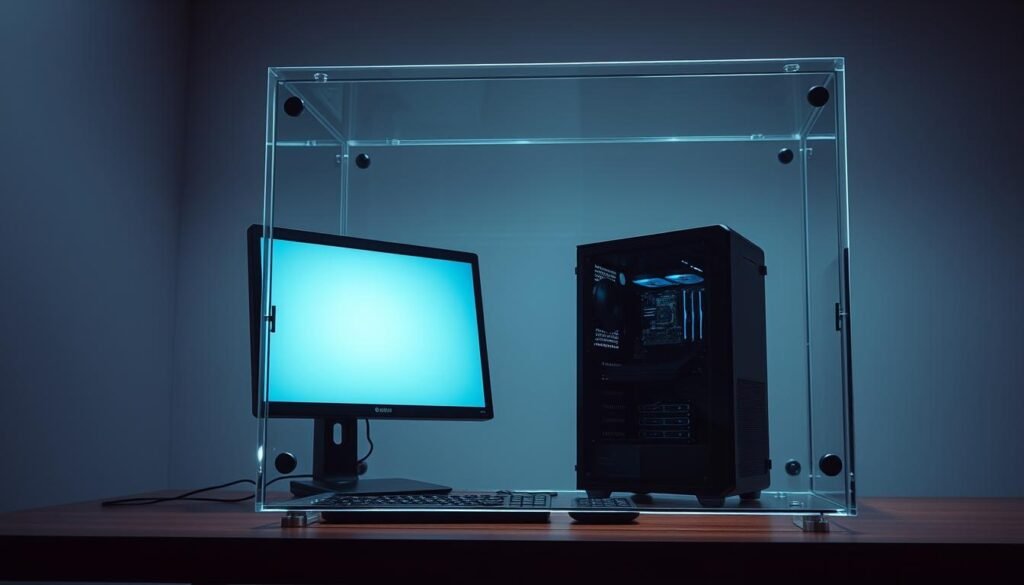
Select components and removable media
Pick a computer platform without embedded radios. Prefer motherboards with no Wi‑Fi or Bluetooth or boards with headers you can remove. Use lockable bays for removable drives so media swaps are fast and auditable.
Disable all network interfaces
Hard‑disable radios and ports. Remove antennas, turn off Bluetooth/NFC, disable Ethernet in firmware, and verify link lights never energize. Disable PXE and Wake‑on‑LAN and set strong BIOS passwords.
Physical security and one‑way gateways
Harden the chassis and room. Add chassis locks, tamper‑evident seals, and a secured location with access control and surveillance. Encrypt at rest so stolen hardware still protects secure data.
Consider one‑way solutions like data diodes when export‑only flows are needed. They enforce an outbound-only path while keeping the internal systems isolated.
Installing and Hardening the Operating System and Software
Begin with a verified, pristine install image and a clear hardening plan. This section shows practical steps for installing an OS, enforcing encryption, and shrinking the attack surface inside the air gap.

Clean install from trusted, verified media
Verify ISO checksums and signatures before any first boot. Confirm fingerprints on a known-good machine, then transfer media using signed, write-protected devices.
Never assume an installer is clean—validate it.
Full-disk encryption and strong authentication policies
Enable full-disk encryption and require multi-factor or strong passphrases for administrative accounts. This protects stored data if hardware is removed from gapped systems.
Application allow-listing and minimal services footprint
Uninstall or disable unnecessary services and enable application allow-listing so only approved software runs. Fewer packages mean fewer vulnerabilities and simpler audits.
Secure configuration baselines and audit logging
Document a reproducible baseline: package versions, kernel options, and security controls. After changes, re-run integrity checks and compare against the baseline.
Turn on local audit logging and write-protect log exports. In isolated environments, logs are primary evidence when real-time cloud tools are unavailable.
“Start from trusted media, enforce strong cryptography, and keep the system minimal—those three moves cut the most common entry paths for attackers.”
| Control | Primary Benefit | Operational Note |
|---|---|---|
| Verified install media | Prevents supply-chain tampering | Validate checksums and signatures offline |
| Full-disk encryption | Protects data at rest | Use strong keys and test recovery keys |
| Allow-listing & minimal services | Reduces attack surface | Document approved apps and monitor changes |
| Secure baseline & logging | Enables repeatable builds and audits | Store logs on write-protected media and schedule integrity checks |
Offline updates must be curated and staged. Create a patch cadence, validate updates on a low-side test bench, then import signed updates. For Windows, see practical advice in guides on hardening Microsoft Windows infrastructure.
Secure Data Transfers and Removable Media Controls
Move every file across the barrier through a single, audited staging point and let layered scanning validate content before it touches the offline system. This reduces human error and gives one place for verification and logs.

Build a dedicated transfer station on the low side. Stage patches and content there first. Run multi‑engine scanning for signs of malware and only then move approved files across the air gap.
Use read‑only adapters and signed media. Require lock switches, checksum manifests, and cryptographic signatures so what enters the air space matches approvals under tight security control.
- Enforce chain‑of‑custody: label media, log handlers, and record approvals to prevent unauthorized access.
- Separate import and export workflows: outbound reporting should follow export‑only paths where possible.
- Standardize USB hygiene: accept only inventory‑controlled drives and retire or sanitize them after limited use.
Limit file types and apply content disarm and reconstruction (CDR) to strip active content that could cross the network boundary. Keep a clean bench and ban personal devices from the transfer area.
“Treat every external device as hostile until signatures and multi‑stage scans prove otherwise.”
Re‑image transfer workstations from verified media on a scheduled cadence and maintain an exception approval path so gapping discipline survives real deadlines.
Air‑Gapped Backups and Recovery Best Practices
An air-separated backup plan must promise immutability, recoverability, and clear custody records. This section shows practical steps for keeping offline copies reliable and auditable.

Adopt the 3‑2‑1 (or 3‑2‑1‑1) rule. Keep three copies on at least two media types, with one copy offsite. Add an immutable (WORM or optical) copy so air gap backups and gap backups cannot be altered by ransomware.
Use tape and vaulting for cold storage. Tape is economical, durable, and naturally air separated when stored offsite. Rotate offsite copies and keep one set in a secure vault to survive local disasters.
Encrypt and verify every backup set. Manage keys offline and record recovery procedures. Run scheduled restore tests so you know the backup actually restores workflows and preserves data integrity.
- Label and document: barcodes, dates, retention class, and handlers for chain‑of‑custody.
- Stage exports with final hash checks: verify bit‑for‑bit consistency at each handoff.
- Segregate roles: separation of approval and transport reduces insider risk in gapped systems.
Keep offline runbooks and a destruction policy. Define retention and sanitization steps, and rehearse restores regularly so secure data remains recoverable under pressure.
“Immutable, tested backups plus clear custody are the difference between recovery and catastrophe.”
For a deeper operational model and examples of vaulted offline backups, see a practical reference on air gap backups and vaulting.
Updates, Patching, and Maintenance for Air‑Gapped Systems
Keeping offline machines current takes a strict, repeatable pipeline that moves patches without breaking the air barrier. Curate, sign, and verify every package on a connected bench, then import snapshots into the air gapped enclave.
Keeping offline machines current requires a deliberate, verifiable pipeline that moves updates without opening network doors.
What a safe offline pipeline looks like
Stage and validate before any transfer. Build a low‑side environment that mirrors vendor repositories and threat feeds. Verify checksums and cryptographic signatures there and bundle approved items into signed change packages.
- Build an offline patch pipeline: curate, verify, and sign software updates on the low side; import only signed bundles into the air gapped enclave.
- Mirror repositories: keep synchronized mirrors with strict version control, then transport snapshots into the air gap network and validate before install.
- Align database feeds: produce threat and vulnerability feeds on the connected side and restore version‑matched snapshots on high side systems.
- Scan every artifact: run multi‑engine malware scans on both sides to prevent cross‑contamination across the gap.
- Use signed manifests: include hashes and rollback instructions so operators can verify integrity and recover from bad patches.
- Schedule maintenance windows: apply patches in batches, re‑baseline configuration, and confirm no unwanted services re‑enable.
- Audit and inspect: review logs, check for configuration drift, and perform regular physical inspections since cloud monitoring is absent.
“Treat each update as a privileged handoff: sign it, scan it, and document every step.”
Risk Management: Limits of Air Gapping and How to Mitigate
Air gaps reduce many remote threats but are not absolute shields. Recognize human error, supply chain risks, and rare side‑channel exploits and plan layered security measures around them.
No isolation is perfect; treat an air gap as a strong control that still needs active governance.
Insider risks, misconfiguration, and social engineering
Harden people and process. Enforce least privilege, dual control for sensitive imports, and mandatory training against social engineering. Log every media handoff and store seals and custody records in tamper‑evident bags.
Advanced side‑channel concerns
Acoustic, thermal, and electromagnetic side‑channels are uncommon but real. Mitigate with distance, shielding, strict device policies, and physical inspections of gapped systems.
Operational playbooks and recovery
Create incident playbooks tailored for isolated networks. Include manual evidence handling, offline forensic steps, and tested recovery paths using air gap backups and gap backups.
| Risk | Example | Practical Mitigation |
|---|---|---|
| Insider misuse | Unauthorized media import | Dual control, chain‑of‑custody logs, role separation |
| Misconfiguration | Unblocked ports or enabled radios | Routine audits, baseline checks, port inspections |
| Supply‑chain tamper | Pre‑installed malicious firmware | Vendor signatures, inventory checks, verified images |
| Side‑channel leak | Acoustic or EM exfiltration | Shielding, distance, device restrictions |
“Treat the gap as a system of controls, not a single cure; test, audit, and rehearse your responses regularly.”
Conclusion
Strong physical controls and simple, repeatable procedures deliver most of the real‑world benefits of isolation. When paired with verified backups and disciplined media handling, an air gapped approach raises your assurance level without promising absolute immunity.
Deploying this solution protects critical files from remote intrusion and keeps secure data off the wider computer network. Follow clear roles, signed transfers, and immutable storage so audits stay reliable.
Remember: the benefits come from consistent execution. Maintain air gap backups, test restores, rotate media, and keep software and services lean. That discipline is what sustains gap security for systems and organizations facing evolving threats.
