
Learn the essential steps to protect your internet connection by encrypting network traffic end to end where possible. We’ll clarify what a VPN does, what it doesn’t, and how to combine tools like HTTPS and secure DNS settings for practical protection.
Question: Can a single tool really hide where you browse while keeping your data safe on public Wi‑Fi?
A virtual private network (VPN) creates a secure tunnel from your device to a remote server. That tunnel hides web content and domain requests from your ISP, which then only sees a connection to the VPN server.
Remember: a VPN does not add encryption between the VPN server and the destination site. Use HTTPS and secure settings at the browser and DNS level to protect content beyond the VPN endpoint.
Expectations and limits: Good providers can hide your IP, ease geo restrictions, and reduce visible throttling. But ownership, logging policies, and trust matter—review who runs the service before relying on it.
For a succinct technical primer and protocol details, see this guide on VPN encryption. Next, we’ll cover configuration steps, leak tests, and quick wins you can apply now.
Key Takeaways
- VPNs secure the link between your device and a provider’s server, hiding site requests from your ISP.
- Use HTTPS in addition to a VPN to protect content beyond the VPN server.
- Trust matters: check ownership and logging policies of commercial services.
- Quick wins: enable HTTPS‑only mode and set secure DNS for immediate defense.
- Realistic goals: expect better privacy of metadata and less local snooping, not invisibility.
Understanding Encryption and Why Your Internet Traffic Needs It Today
Encryption scrambles information with keys so only the intended parties can read it. Your tunnel shields data in transit to the VPN server, but you still need HTTPS at the destination website for end‑to‑end protection.
A secure session pairs a fast symmetric cipher with a public‑key handshake to protect web requests.
Core methods: Symmetric encryption such as AES‑256 handles bulk data quickly, while public‑key cryptography negotiates the session key that secures that channel.

Think of a tunnel as an opaque wrapper around packets. On‑path observers, like an ISP, see a single connection to the VPN server but cannot read the contents. Timing and size patterns may still leak limited metadata.
TLS (HTTPS) authenticates websites and prevents downgrade attacks. That means even after a VPN ends at a server, the browser can validate a site’s certificate and keep form fields and session cookies protected.
- Cipher strength: AES‑256 uses 256‑bit keys and is widely trusted against brute‑force attempts.
- Protection boundary: Device → VPN server: encrypted. VPN server → destination: protected only if the site uses HTTPS.
- Practical tip: enable HTTPS‑only mode, check the lock icon, and avoid submitting sensitive information over plain HTTP.
For guidance on choosing reliable providers and features that matter, see this summary of VPN features.
How VPNs Protect Your Data—and Their Real-World Limits
A VPN hides your web requests from your ISP by creating an encrypted tunnel to a server. It does not encrypt the path from that server to the destination website—HTTPS still carries the security burden there.

Tunneling reduces what local observers can read. Your ISP will see a connection to a VPN address and the volume of bytes sent, but it cannot view the exact web pages or form content inside the encrypted channel.
The protection ends at the provider’s exit. If the destination site lacks TLS, the segment from the VPN server to that site remains vulnerable. Always check for valid certificates and enable HTTPS‑only mode in your browser.
What a VPN actually shields and what it doesn’t
- Visible: IP address of the VPN server, connection length, and data size.
- Hidden: specific site content and page payloads inside the tunnel.
- Provider limits: the VPN operator can see requests and may log or alter content—treat commercial vpns like any service provider.
Protocol choice affects performance and key negotiation. Pick modern protocols for better speed and security. And remember: “no‑logs” is a claim; prefer audited providers with a proven record.
Practical tip: combine a reputable VPN with browser hygiene, certificate checks, and cautious app use. That layered approach gives strong protection on public Wi‑Fi and improves online safety without promising absolute anonymity.
Step-by-Step: how to encrypt your network traffic for privacy
Start with one question: what must be hidden, from whom, and for how long? Then configure a vpn with modern protocols, enable a kill switch, use split tunneling where useful, and turn on HTTPS‑only in your browser to keep data protected without disrupting daily apps.

-
Assess risk and pick a trustworthy provider
Threats: hostile Wi‑Fi, ISP monitoring, site trackers, or targeted attackers. Choose a provider with audits, transparent ownership, and strong jurisdictional privacy.
-
Select protocol and enable the kill switch
Prefer WireGuard or OpenVPN for speed and strong encryption. Avoid PPTP and be cautious with SSTP or L2TP/IPsec depending on device constraints.
Enable the kill switch to block the internet if the tunnel drops. This prevents accidental exposure during reconnects.
-
Configure split tunneling wisely
Route sensitive apps—work email, admin consoles—through the vpn, and let streaming or games bypass it for performance. Review the allow/deny lists regularly.
-
Harden the browser and verify sites
Enable HTTPS‑only mode, check the padlock, and confirm certificate details before submitting credentials. Avoid sending data on sites without HTTPS.
-
Decide on encrypted DNS carefully
If your provider offers encrypted DNS, prefer that. Third‑party DoH/DoT adds another service provider and may leak metadata outside the tunnel.
-
Operational tips
Pick nearby servers for lower latency, keep clients updated, disable auto‑connect on unknown Wi‑Fi until the vpn is active, and run leak tests after setup.
“A layered setup—modern protocol, kill switch, HTTPS, and careful DNS—gives strong protection on public Wi‑Fi without breaking day‑to‑day use.”
| Setting | Recommended | Avoid | Why it matters |
|---|---|---|---|
| Protocol | WireGuard, OpenVPN | PPTP | Modern protocols balance speed and strong encryption. |
| Kill switch | Enabled | Disabled | Prevents accidental exposure during disconnects. |
| Split tunneling | Sensitive apps via vpn | All apps via vpn by default | Improves performance while protecting key data. |
| Encrypted DNS | Provider-hosted DoH/DoT | Unvetted third-party services | Reduces extra trust chains and metadata leaks. |
Test and document your methods. Run leak tests, measure speed, and save the working configuration for each device. Repeat and refine until you have the right balance of security and performance.
Choosing VPN Protocols and Settings for Speed, Security, and Stability
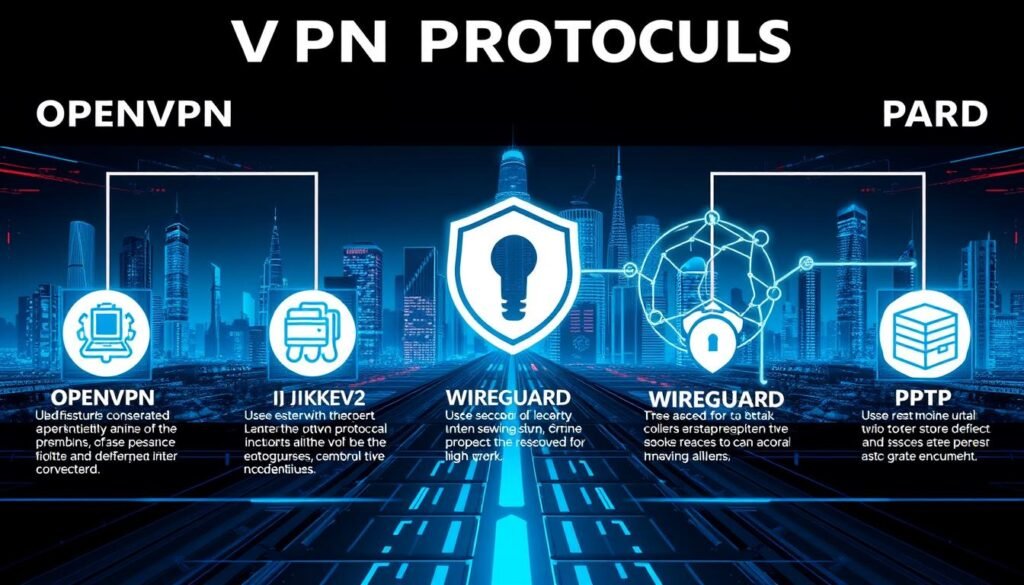
Selecting the right VPN protocol shapes how fast, durable, and secure your connection will be. Favor WireGuard or OpenVPN, and steer clear of PPTP; be deliberate with SSTP or L2TP/IPsec when traversing restrictive networks.
WireGuard: modern, fast, and open-source
WireGuard is lean and built for performance. It arrived publicly around 2017 and often gives lower latency and stable connections on mobile and desktop.
Its small codebase simplifies audits and supports strong encryption while keeping CPU use low.
OpenVPN: battle-tested and widely supported
OpenVPN has been in service since 2001. It is highly configurable and audited by many providers and services.
Run it over UDP for speed or TCP/443 when an ISP or firewall blocks UDP. That mimicry helps traverse hostile internet environments.
Legacy and cautious choices
PPTP is obsolete and insecure; avoid it entirely. L2TP/IPsec is better but can be blocked and struggles behind some NATs.
SSTP runs on port 443 and looks like TLS, but its proprietary origin raises concerns for some teams. IKEv2 offers fast mobile handoffs yet can be blocked by strict middleboxes.
- Settings tips: enable Perfect Forward Secrecy, prefer modern cipher suites, and consider TCP/443 when UDP is blocked.
- Performance tuning: pick nearby servers and test both WireGuard and OpenVPN; record latency and throughput to compare.
- Privacy alignment: choose a protocol that maintains stability so the VPN does not drop during long sessions and expose data mid‑task.
| Protocol | Strengths | Weaknesses | When to use |
|---|---|---|---|
| WireGuard | Fast, simple codebase, modern encryption | Newer audit history than OpenVPN | Everyday use, mobile, low-latency needs |
| OpenVPN | Battle-tested, highly configurable, runs on TCP/443 | Can be slower, more complex | Blocked networks or audited deployments |
| L2TP/IPsec | Better than PPTP, widely supported | Often blocked; NAT issues | Legacy device support |
| PPTP / SSTP / IKEv2 | SSTP: TLS camouflaging; IKEv2: fast reconnects | PPTP insecure; SSTP proprietary; IKEv2 may be blocked | Use only when specific device or policy requires it |
“Protocol choice directly affects encryption strength, speed, and reliability — test real links and record baselines.”
Beyond VPN: Harden Your Internet Connection with HTTPS, Encrypted DNS, and Browser Features
A vpn is one layer; TLS in the browser secures data end to end with the website. Encrypted DNS helps in some cases, but choosing it adds trust to another service—use it thoughtfully and verify outcomes.

Transport Layer Security (TLS) authenticates servers and keeps form fields, cookies, and page content confidential between the browser and a site.
Enable HTTPS‑only mode in modern browsers and check the lock icon before sending credentials. Favor HSTS‑enabled websites; TLS defends data even after the vpn ends at its server.
Encrypted DNS: benefits and trade-offs
DoH (DNS over HTTPS) and DoT (DNS over TLS) hide queries from local observers. That can block simple ISP snooping and enable protocols like ECH that further mask TLS handshake details.
Third‑party resolvers add another entity that can see queries. Prefer your vpn provider’s encrypted resolver while the tunnel is active, and run a DNS leak test after changes.
- Why this matters: without TLS, attackers can inject content or steal logins even if DNS is encrypted.
- Practical check: test banking and admin sites to ensure certificates validate and browsers flag issues.
| Feature | When to enable | Notes |
|---|---|---|
| HTTPS‑only mode | Always | Prevents downgrade attacks; warns on insecure pages |
| Provider-hosted DoH/DoT | With vpn active | Keeps queries inside the tunnel; reduces extra trust |
| Third‑party resolver | When needed (ECH support) | Adds a new information sink—monitor for leaks |
“Combine TLS, careful DNS choices, and a vpn to protect both content and browsing metadata.”
For stronger browser-level anonymity and tracker resistance, consider testing a list of private browsers such as the ones reviewed by private browsers.
Verify Your Privacy: Run Leak Tests and Check Performance
Don’t guess—test. Verify your vpn isn’t leaking your real address, then baseline performance so you can fix issues before they affect your workflow.
Verifying a vpn session with live tests shows if your system exposes an address or other identifiers. Start with resolver checks and browser diagnostics while the service is active.

DNS and WebRTC checks
Run a DNS leak test: connect to the vpn, visit DNSLeakTest.com, and confirm the resolvers listed match your provider, not your ISP. Mismatches point at split‑tunneling or configuration gaps.
Check WebRTC leaks: use a trusted online tool to ensure the browser does not reveal your device IP. If it does, disable WebRTC in settings or add an extension that blocks leaks.
Measure performance and watch for throttling
Record latency, download, and upload with and without the vpn. This baseline exposes overhead and helps you pick optimal servers and protocols.
Note that while U.S. net neutrality rules curb site‑specific throttling, ISPs still manage congestion and caps. A vpn can mask usage patterns and sometimes reduce triggers, but it will not restore bandwidth lost to caps.
- Validate encryption scope: confirm all sensitive apps route through the tunnel unless intentionally excluded.
- Inspect stability: test reconnects, enable the kill switch, and force a drop to ensure no brief exposures.
- Browser sanity check: ensure HTTPS‑only mode blocks insecure loads and that websites requiring strong TLS load cleanly.
- Document results: save server choices, protocol settings, and speed numbers so you can replicate a known‑good setup.
| Test | What to check | Action if failed | Why it matters |
|---|---|---|---|
| DNS leak | Resolvers show provider IPs | Enable provider DoH/DoT or fix split tunneling | Stops ISP from seeing domain queries |
| WebRTC | Browser exposes local IP? | Disable WebRTC or use an extension | Prevents browser-based address leaks |
| Speed baseline | Latency, download, upload | Switch servers or protocols | Find best balance of performance and encryption |
| Stability | Reconnects, drops, kill switch | Adjust client settings; test kill switch | Avoid brief unprotected windows during use |
“Verify leaks, measure performance, and document settings so your security measures keep pace with real use.”
If you need recommended vpn setups for routers, phones, and desktop clients, see recommended vpn setups for practical configurations and features.
Advanced Privacy Methods: Tor, Multi-Hop VPN, and Multi-Party Relays
Use Tor when you need stronger anonymity than a vpn can provide, but understand its limits and performance trade‑offs. Multi‑hop and multi‑party relays split trust or add hops, improving protection in specific ways while adding latency and operational complexity.

When is Tor the right choice?
Tor routes connections through multiple relays to separate source and destination. It masks origin and destination better than most services and suits sensitive research or whistleblowing needs.
Limitations: Tor supports only TCP and often runs slower. Some websites and protocols fail or degrade over Tor, so plan alternate access for critical services.
Avoid provider-run Tor gateways: vendor features that funnel Tor via a commercial vpn often break Tor’s trust model and can route non‑TCP traffic through the provider. Use the official Tor Browser when anonymity is required.
What multi-hop VPNs offer
Chaining vpn servers adds layers of separation between you and the destination. That reduces single‑point risk but increases latency and CPU overhead.
Use multi‑hop when monitoring risks justify slower connections, for example when administering remote systems from risky networks. Test performance before relying on it for day‑to‑day work. For a deeper read on chaining servers, see this multi‑hop vpn guide.
Multi‑party relays and trust segmentation
Services like iCloud Private Relay split duties between companies so no single company sees both your account and the destination. Apple sees your device and IP; the partner CDN sees the destination but not your identity.
That model helps when companies do not collude. However, protection depends on company separation and the provider’s policies. Multi‑party relays are useful when you want reduced central trust without the performance hit of Tor.
“Advanced methods reduce some risks, but protocol limits and metadata leaks still matter—pick tools that match the threat and document your chain.”
- Practical rule: use Tor for high‑anonymity needs; prefer multi‑hop for added defense where latency is acceptable.
- Note: providers still see metadata and may log accounts—HTTPS remains essential at the destination.
- Operational tip: record server chains, relay choices, and specific rules so setups are reproducible and auditable.
For practical anonymity tips and beginner guidance, see this anonymity primer and this deep dive on multi-hop vpn.
Provider Trust, Ownership, Jurisdiction, and Pricing Essentials
When you shift trust from an ISP to a VPN provider, ownership and legal rules matter more than glossy marketing. Verify who runs the company, where it is based, and what independent audits or court records say about logging claims.
Choose providers that publish ownership, transparency reports, and third‑party audits. Many well‑known vpns are owned by a few parent companies; map brands back to those owners before subscribing.
Evaluating policies and corporate structure
Read the fine print. “No‑logs” is a claim, not proof. Favor services with audits, public court responses, or minimal technical logging designs.
- Jurisdiction matters: companies based in intelligence‑sharing countries face stronger legal access risks.
- Feature/value balance: weigh encryption defaults, multi‑hop, kill switch reliability, and streaming support against price and support.
- Data stewardship: check retention periods, whether IP logs exist, and limits on connection metadata.
| Factor | Check | Why it matters | Action |
|---|---|---|---|
| Ownership | Parent company, subsidiaries | Single owner can centralize control over data | Map brands to parents; avoid opaque shells |
| Jurisdiction | Company country and server locations | Laws affect forced disclosures | Favor privacy‑friendly regions |
| Logging claims | Audits, court history | Marketing may hide real practices | Pick audited providers with public records |
| Performance & support | Capacity, kill switch reliability | Affects service quality and access to content | Test trial plans and measure real speeds |
“You’re shifting trust from an ISP to a VPN—verify ownership, jurisdiction, and logging practices; don’t rely on marketing when your data is at stake.”
Conclusion
Encrypting your network traffic is a layered practice: pair a vpn with HTTPS, smart DNS choices, and routine leak tests. Make deliberate choices about providers, protocols, and features so your data stays private without sacrificing usability.
Recap: a vpn protects the link between device and server, while TLS (HTTPS) secures the end‑to‑end session with websites. Encrypted DNS can help, but prefer provider‑hosted resolvers and run DNS/WebRTC checks to confirm your real address stays hidden.
Action checklist: assess risk, pick a transparent company, select modern protocols, enable a kill switch, configure split tunneling, and lock down your browser. Verify results with leak tests and measure speeds for throttling or poor routes.
Balance trust: consider multi‑hop or multi‑party relays when the threat justifies added complexity. Keep revisiting keys, settings, and server choices as protocols and services evolve.
Practical next step: document your go‑to ways to connect securely, teach safe defaults, and schedule periodic audits. For a technical primer on network encryption, see this network encryption guide.
